Google Shopping Feed for Apparel: All Requirements Explained (2026)
Apparel is the most attribute-heavy category in Google Shopping. Miss a required field and your products either disapprove or lose out in auctions to competitors whose feeds are complete. This guide covers every attribute Google requires or strongly recommends for clothing, footwear, and accessories — with the exact values and format Google expects.
Why Apparel Feeds Are Different
Google’s feed requirements for apparel go beyond the standard required attributes that apply to all products. Clothing and shoes have mandatory variant attributes, specific size system declarations, and stricter image requirements. A feed that works fine for non-apparel will generate warnings and limited performance for clothing.
For a full foundation on how Shopping feeds work, the Google Shopping Feed Guide covers the base layer before you add apparel-specific requirements on top.
Required Attributes for All Apparel Products
Attribute
Required?
Notes
id
Yes
Unique per variant, not per style
title
Yes
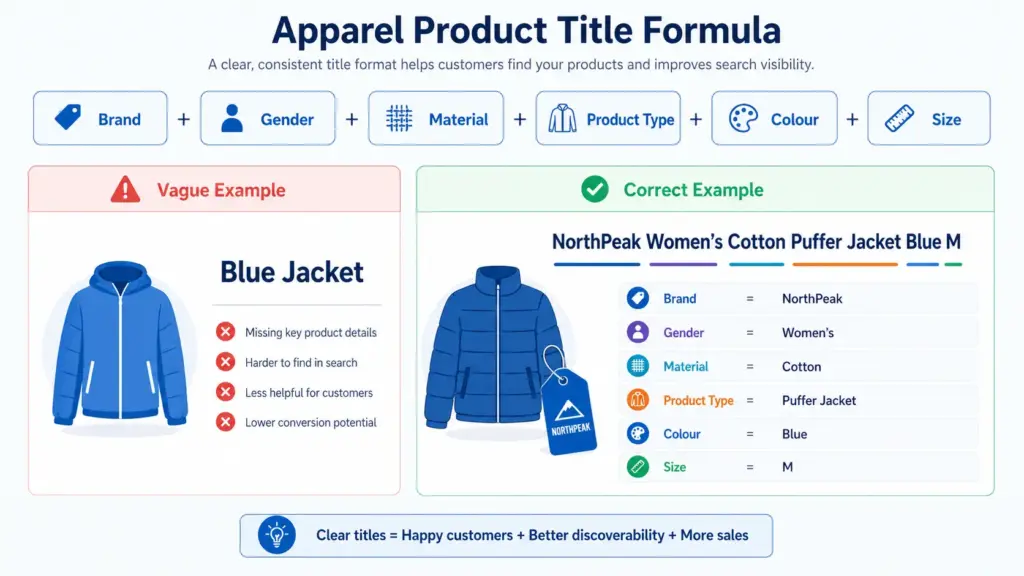
Include colour, size, material in title
description
Yes
150+ characters recommended
link
Yes
Must land on the specific variant page
image_link
Yes
800×800px minimum, no overlays
price
Yes
Must match landing page exactly
availability
Yes
in stock / out of stock / preorder
google_product_category
Yes
Use specific leaf node, not parent category
brand
Yes
Required for all apparel
item_group_id
Required for variants
Same value for all variants of one style
color
Required for variants
Up to 3 values separated by /
size
Required for variants
One value per product
age_group
Required for variants
adult / kids / newborn / infant / toddler
gender
Required for variants
male / female / unisex
item_group_id — The Most Important Apparel Attribute
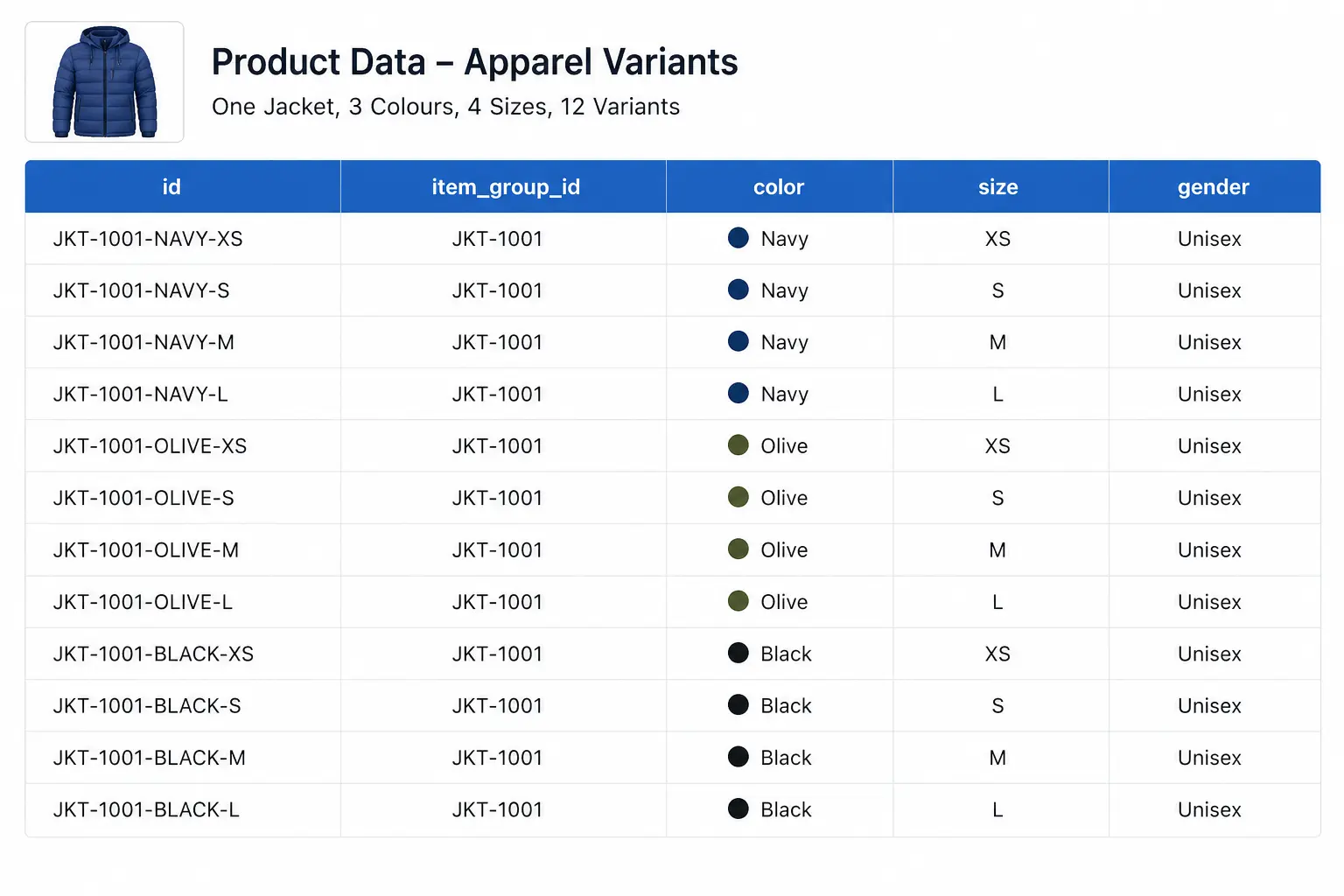
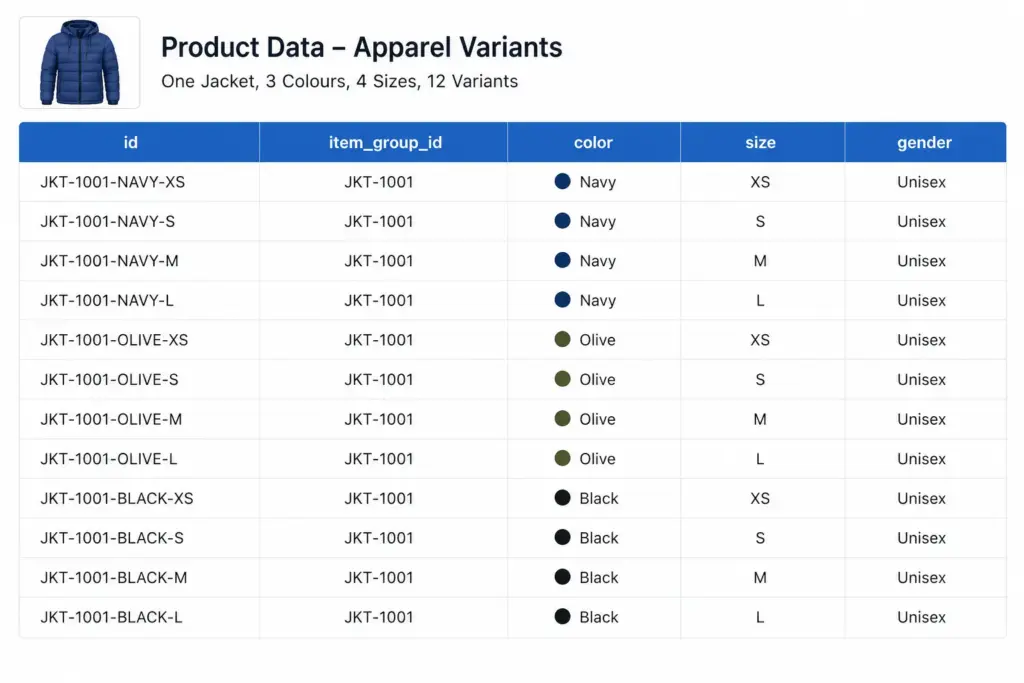
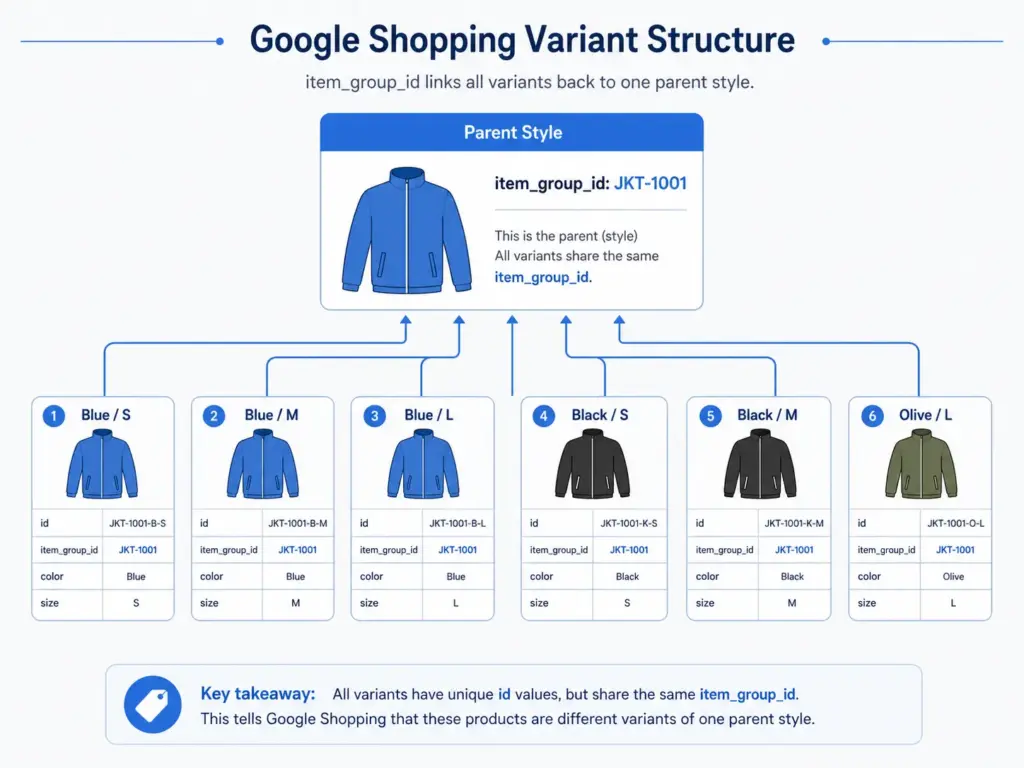
If you only fix one thing in your apparel feed, fix item_group_id. This attribute tells Google which products are variants of the same style. Without it, Google treats a navy size S jacket and a navy size L jacket as two completely unrelated products — and cannot display them as one listing with size options.
The rule: every size, colour, and material variant of the same product must share the same item_group_id value. The parent SKU is the natural choice — if your base product code is JK-2401, all variants carry JK-2401 in item_group_id regardless of their individual IDs.
For GTIN compliance per variant, see the GTIN requirements guide — each variant needs its own valid GTIN in apparel.
Colour Requirements
Colour values must be descriptive and human-readable. Google rejects values that are not recognisable colour names.
Acceptable: Navy, Coral, Charcoal, Slate Blue, Off White
Not acceptable: #003366, Color-4, 01, N/A
Multi-colour: Separate up to 3 values with a forward slash — Navy/White/Red
Maximum length: 100 characters per colour value
Size Requirements and Size Systems
Size values should reflect the labelled size on the product, not a numeric internal code. Use the size_system and size_type attributes to add context to your size values.
size_system
Declares which regional size standard you are using. Accepted values include: AU, BR, CN, DE, EU, FR, IT, JP, MEX, UK, US. This matters for international catalogs — a “10” in US women’s shoes is not the same as a “10” in UK shoes.
size_type
Describes the cut: regular, petite, plus, tall, big, maternity. Use this when your sizing differs from standard. It helps Google match your products to queries like “plus size summer dress”.
Image Requirements for Apparel
Apparel has stricter image rules than other categories because product appearance drives click decisions more directly.
Minimum 800×800px — 1000×1000px or larger recommended for Shopping ads
White or neutral background strongly preferred
No watermarks, promotional text, or overlays of any kind
The image must show the specific colour variant — do not use one image for all colour variants
Use additional_image_link (up to 10 images) — alternate angles, flat lay, and detail shots all improve CTR
Google Product Category for Apparel — Go Deep
Broad category values are one of the most common apparel feed mistakes. “Apparel & Accessories” as a category value is almost useless for relevance. Google’s taxonomy goes 5–7 levels deep for clothing and footwear — use the deepest applicable level.
Example: Columbia Women’s Waterproof Softshell Jacket Navy Size 12
For seasonal products, add the season before the product type: Columbia Women’s Summer Lightweight Running Jacket Coral Size 10
Before You Submit — Validate Your Feed
Apparel feeds have the highest disapproval rates of any Shopping category because of the variant attribute requirements. Before submitting, check:
Every variant has a valid GTIN — use the GTIN Validator to check in bulk
All variants of the same style share the same item_group_id
Colour values are human-readable, not codes or hex values
Size values are declared with size_system if selling internationally
Images are per-colour-variant, not one image reused for all variants
Managing apparel variant data at scale — especially across multiple channels — is where spreadsheet-based approaches break down. Learn how LynkPIM handles variant management without the manual overhead. For campaign performance after your feed is clean, see how to use custom labels for bid segmentation.
Frequently Asked Questions
Is GTIN required for all apparel products?
Yes, for products that have manufacturer-assigned GTINs. Custom or handmade products with no GTIN should set identifier_exists to FALSE in the feed — do not leave GTIN blank without this declaration or you will receive a Limited Performance warning.
Do I need separate products for each size and colour?
Yes. Each unique size/colour/material combination is a separate product in your feed with its own ID. They are linked back to the parent style via item_group_id.
Can I use the same image for different colour variants?
Technically Google will not always disapprove this, but it will hurt your CTR significantly and may trigger a mismatched colour warning. Use colour-specific images wherever possible.
PIM for Fashion and Apparel: Attributes, Taxonomy, and Channel Syndication Guide (2026)
If you run product data for a fashion brand, you already know that PIM for fashion is a fundamentally different problem from PIM for electronics or home goods. You’re not just managing attributes — you’re managing size runs that vary by market, colorways with three different names across three channels, care labels that need to be machine-readable for EU compliance, and seasonal drops that make last quarter’s taxonomy look like a liability. This guide covers exactly what a fashion-specific PIM setup looks like: the attribute model, the taxonomy structure, variant hierarchy, channel mapping, and what the EU Digital Product Passport means for the attributes you need to start collecting right now.
Why Fashion Is the Hardest Vertical for Product Data
Fashion product data has complexity that most PIM implementations underestimate until they’re six months in and drowning in variant explosions and channel rejections. Here’s what makes it genuinely hard:
Size runs multiply SKU counts exponentially. A single style in 6 colorways and 8 sizes is 48 SKUs. Add an extra-wide fit variant and you’re at 96. Now do that across 200 styles per season.
Colorway naming is a brand decision, not a data decision — until it becomes a data problem. “Forest Green,” “Moss,” and “Dark Green” can all refer to the same dye lot depending on who wrote the copy.
Seasonal drops create taxonomy debt. Categories that made sense for SS24 can be orphaned by AW25. Without a deliberate structure, your tree grows unmanageably deep.
Sustainability attributes are becoming mandatory. The EU’s Digital Product Passport (DPP) for textiles requires fibre composition, country of origin, repair instructions, and recyclability data — fields most fashion brands either don’t capture or store inconsistently across supplier spreadsheets.
Channel requirements diverge constantly. Google Shopping updated its fashion taxonomy in January 2026 with a July 31, 2026 migration deadline. Zalando, ASOS, and Farfetch each have their own attribute schemas that don’t map cleanly to each other or to your internal data model.
Generic PIM attributes — name, description, price, image — get you maybe 30% of the way in fashion. The rest of your attribute model needs to be built around how garments actually work. Here are the core attribute groups a fashion PIM needs to support:
Notice that fabric_composition is structured as an array of material/percentage pairs, not a free-text string. This matters for two reasons: channel syndication (Google Shopping requires structured composition data for sustainability filters) and EU DPP compliance (the DPP requires machine-readable fibre content, not “97% Cotton / 3% Elastane” in a text field).
Size and Fit Attributes
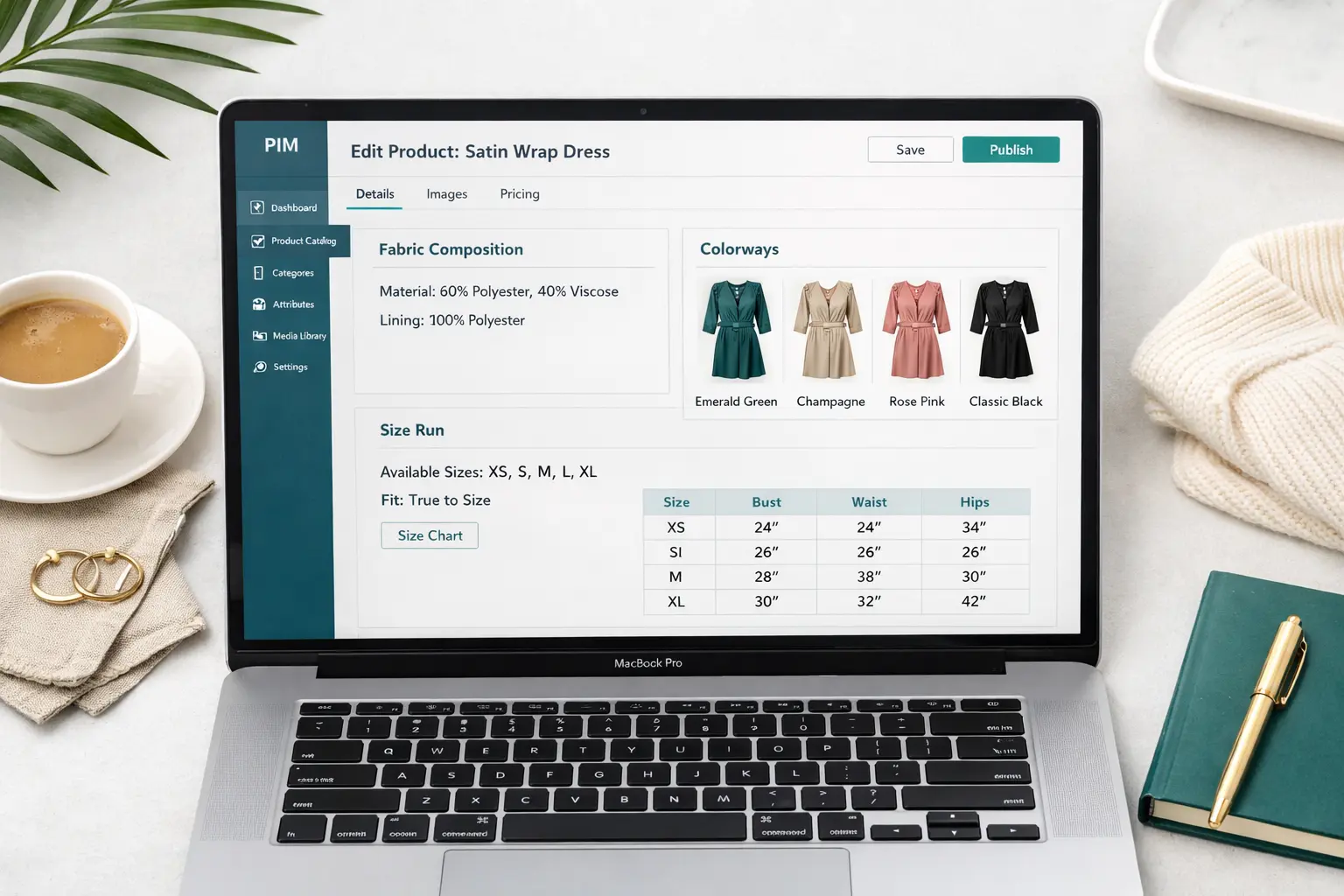
Size data in fashion needs to live at two levels: the variant level (the actual size label — S, M, L, EU 38, US 8) and the style level (the size guide, fit notes, and measurements). Mixing these is one of the most common structural errors in fashion PIMs.
Attribute
Level
Example
size_label
Variant
“M”, “EU 38”, “US 8”
size_system
Variant
“UK”, “EU”, “US”, “IT”
chest_cm
Variant (measurements)
96
fit_type
Style
“Slim”, “Regular”, “Relaxed”, “Oversized”
size_guide_url
Style
“/size-guides/womens-tops”
model_height_cm
Style
177
model_wears_size
Style
“S”
Research from Baymard Institute consistently shows that poor size and fit information is one of the leading drivers of apparel returns. Structured fit data in your PIM is directly addressable ROI — not a nice-to-have.
Colorway Naming: Ending the “Navy/Midnight/Dark Blue” Problem
Colorway chaos happens because naming is usually done by creative, buying, and suppliers independently, then reconciled (or not) before go-live. The fix is a three-layer model in your PIM:
Internal color code — a stable, system-assigned identifier (e.g., COL-0042) that doesn’t change when marketing decides “Midnight” should be “Ink” this season.
Display color name — the brand name shown on your own site and in marketing copy (“Midnight Blue”).
Channel color mapping — normalized values required by each channel. Google Shopping uses a controlled vocabulary; Zalando has its own color taxonomy. These map from your internal code, not from your display name.
A correctly structured colorway in a fashion PIM looks like this:
When the channel mapping lives in the PIM, your feed generation is deterministic. “Midnight Blue” always exports as “Blue” to Google, not whatever someone typed last time they updated the feed manually.
Fashion Taxonomy Structure: Handling Gender, Category, and Season Without Creating a Mess
The most common taxonomy mistake in fashion is encoding too many dimensions into the category tree. When your tree looks like Women > Tops > T-Shirts > Casual > SS2025 > Sustainable, you’ve mixed gender, category, occasion, season, and sustainability filter into a single hierarchy. That tree becomes unmaintainable inside two seasons.
The better model: keep your internal taxonomy flat and attribute-driven, and let channel-specific category mapping handle the transformation to whatever tree structure each channel requires.
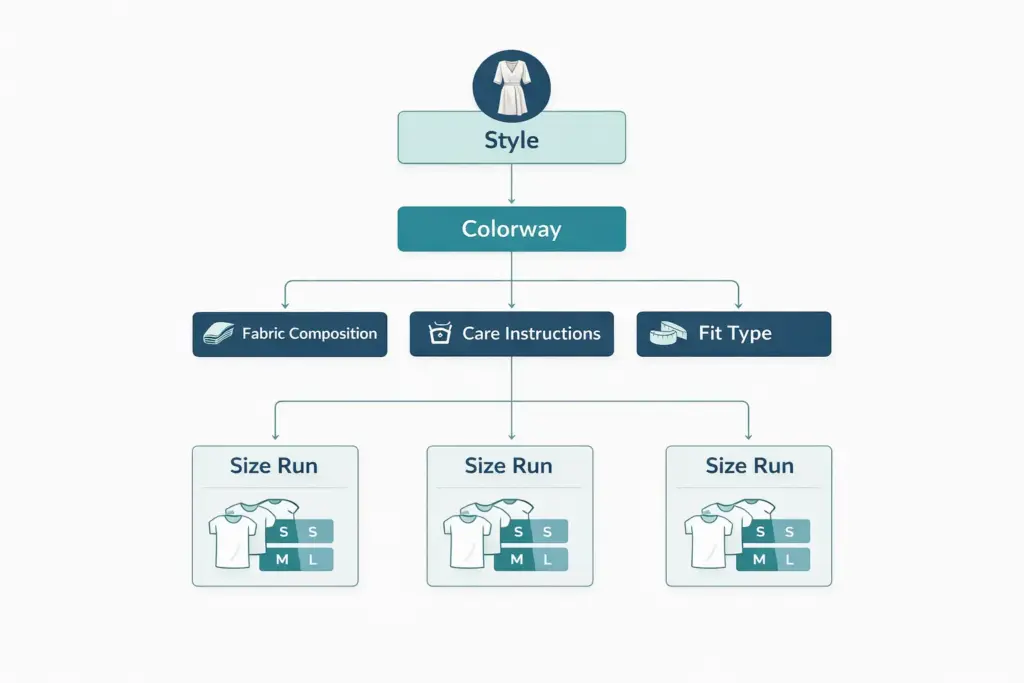
Fashion PIM structures need a clear variant model. The standard three-level hierarchy is:
Style (parent product) — the design. Holds shared attributes: product name, description, fit type, fabric composition, care instructions. One style can exist across multiple seasons with different colorways.
Colorway (child of style) — the colour variant. Holds colorway name, color code, colorway-specific images, and channel color mappings.
Size (child of colorway) — the purchasable SKU. Holds size label, GTIN/barcode, stock data, and size-specific measurements. Each size-level SKU needs its own valid GS1 GTIN for retail and marketplace compliance.
This hierarchy means a single style with 5 colorways and 8 sizes generates 40 GTINs — all managed from one parent record in the PIM, not 40 separate product sheets.
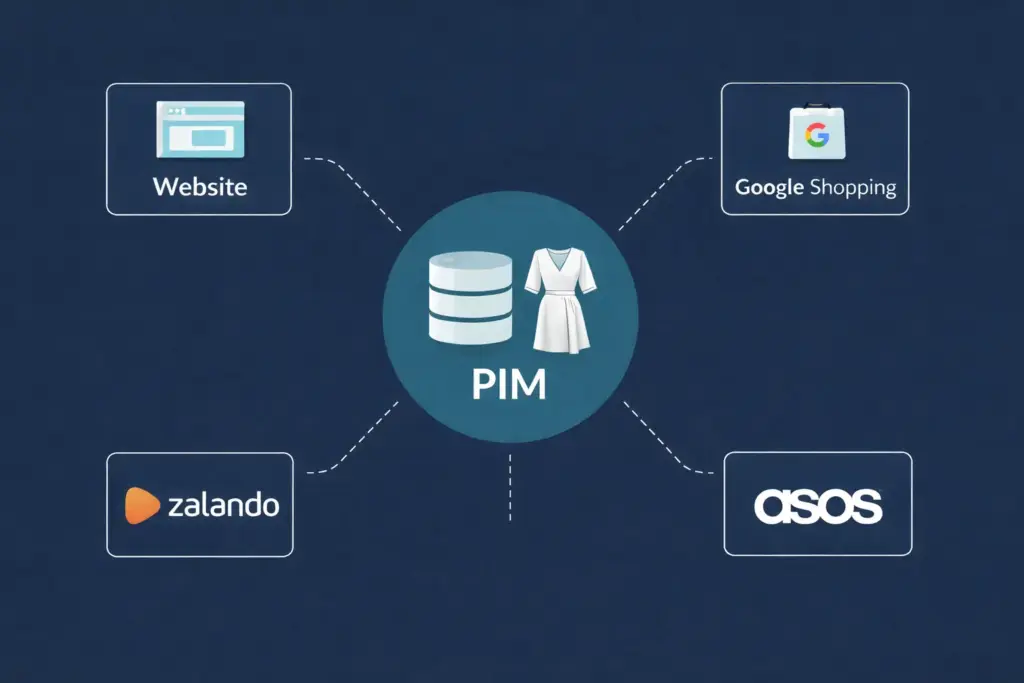
Channel Syndication for Fashion: Google, Zalando, ASOS, and Farfetch
A central PIM enables consistent, channel-mapped product data across owned and marketplace channels without manual re-entry.
Google Shopping Fashion Taxonomy (January 2026 Update)
Google updated its product taxonomy in January 2026, with a July 31, 2026 migration deadline for existing feeds. The fashion-specific changes include revised subcategory IDs under Apparel & Accessories and new sustainability-related attributes becoming eligible for Shopping filters. Key practical impacts:
Category IDs have changed — feeds still using pre-2026 numeric IDs will need remapping before the deadline.
The product_detail attribute is now the preferred mechanism for structured fabric composition data in Shopping listings.
Shopify merchants on the v2026-02 taxonomy release get automatic category suggestions, but custom mapping is still required for accurate sub-category placement.
A fashion PIM should store Google Shopping category IDs as a channel-specific mapping field, updated whenever Google revises its taxonomy — not hardcoded into your product records.
Zalando, ASOS, and Farfetch Data Requirements
Each marketplace has its own content specification. The common failure points for fashion brands onboarding to these platforms:
Zalando requires structured size data in its own size system with explicit size type (e.g., size_type: Regular) and rejects products where fabric composition is in a free-text field rather than structured attributes.
ASOS requires gender and age group as mandatory fields, plus a specific color vocabulary that doesn’t match Google’s or Zalando’s.
Farfetch requires designer/brand hierarchy data and detailed material composition, plus explicit sustainability certification fields for their Conscious Edit curation.
The channel mapping approach described for colorways above applies here too — your PIM holds the canonical values, and channel-specific transformations are configured per destination, not re-entered manually per export. If you want to understand how category mapping works across channels in practice, the guide on ecommerce product taxonomy and category mapping covers the methodology.
EU Digital Product Passport for Textiles: What Fashion Brands Need to Capture Now
The EU Ecodesign for Sustainable Products Regulation (ESPR) introduces mandatory Digital Product Passports for textiles. The DPP is not a future compliance concern — brands selling into the EU need to be building the data infrastructure now, because the required attributes span your entire supply chain.
Minimum DPP-relevant attributes your PIM should be capturing at the product level:
Fibre composition — structured, not free text (each fibre with percentage)
Country of origin — both fabric origin and manufacturing country
Repair and reuse instructions — structured fields, not just a care label image
Recyclability information — material type, presence of mixed fibres above recyclability thresholds
Sustainability certifications — GOTS, OEKO-TEX, bluesign, etc. — with certificate IDs, not just display labels
Supplier/manufacturer information — traceable back to tier 1 at minimum
Hazardous substances — REACH compliance data
Most of these attributes exist nowhere in a typical fashion brand’s current data stack. They live in supplier portals, compliance documents, or don’t exist at all. The PIM is the right place to consolidate and maintain them — but only if your data model is built to handle structured values, not free-text fields.
If you want to understand where your current product data maturity sits before building out a DPP-ready attribute model, the PIM Readiness Score assessment takes about 5 minutes and gives you a gap analysis against best-practice fashion PIM requirements.
Fashion PIM vs Generic Ecommerce PIM: What’s Actually Different
Fashion PIM attribute models require distinct treatment of physical attributes, colorway management, and size/fit data compared to generic ecommerce.
Requirement
Generic Ecommerce PIM
Fashion-Specific PIM
Variant model
Simple parent/child (e.g. size only)
Three-level: Style → Colorway → Size
Color management
Text field or option list
Color code + display name + per-channel mapping
Size data
Size label at variant level
Size label + measurements + fit type + size guide at separate levels
Fabric data
Not typically required
Structured composition array (required for DPP and Google Shopping)
Care instructions
Not typically required
Structured (machine-readable for DPP compliance)
Taxonomy depth
2–4 levels typical
Max 3 levels; gender/season/occasion as attributes, not tree nodes
Channel mapping
Single feed, occasional custom export
Per-channel color, category, and size system mapping built into PIM
Sustainability attributes
Optional/marketing copy
Structured, mandatory fields for EU DPP compliance
GTIN management
One GTIN per product
One GTIN per size-level SKU (40+ per style in complex ranges)
Seasonal lifecycle
Not typically modelled
Season attribute drives range planning, archival, and channel visibility
Measuring and Maintaining Fashion Product Data Quality
Fashion catalogs have a specific set of completeness requirements that differ from general ecommerce. A product record can be 100% complete by generic standards (name, description, price, image, category) but still be rejected by Zalando or flagged by Google Shopping because fabric composition is missing or size data isn’t structured correctly.
A fashion-specific data quality framework should track completeness across attribute groups — not just overall field completion rate. The guide on how to measure and improve PIM data quality covers the scoring methodology in detail. For a quick check on your current catalog, the Completeness Checker runs an attribute-level audit against fashion-specific requirements.
The attributes most commonly incomplete in fashion catalogs — and most costly when missing at channel sync time — are: fabric composition (structured), care instruction codes, size measurements (not just labels), and colorway channel mappings. Fix these four and most fashion feed rejections disappear.
Frequently Asked Questions
What attributes does a PIM for fashion need that generic PIMs don’t cover?
Fashion PIMs need structured fabric composition (not free text), multi-level colorway management with per-channel name mapping, a three-level variant hierarchy (style/colorway/size), fit type and body measurement data at the variant level, care instruction codes, and sustainability certification fields. Most generic PIM configurations don’t include these out of the box and need to be configured with custom attribute models.
How should fashion brands handle size runs across different markets?
Store the primary size label and size system (UK/EU/US/IT) on each variant, plus a size mapping table that converts between systems. Don’t try to store all size system equivalents as separate attributes on each SKU — maintain a lookup table in your PIM and let channel exports apply the relevant conversion at syndication time. This keeps the variant record clean and lets you update size conversions centrally when they change.
What is the EU Digital Product Passport and when does it apply to fashion brands?
The EU Digital Product Passport is a mandatory digital record of a product’s environmental and sustainability attributes, required under the EU’s Ecodesign for Sustainable Products Regulation. For textiles, the DPP will require structured data on fibre composition, country of origin, repairability, recyclability, and sustainability certifications. Exact implementation timelines for textiles are still being finalised, but brands selling into the EU should begin building the data infrastructure now — retrofitting this data across thousands of SKUs after a deadline is announced is significantly harder than collecting it at source.
How do I map fashion product data to Google Shopping’s 2026 taxonomy update?
Google’s January 2026 taxonomy update changed category IDs under Apparel & Accessories. You need to audit your current Google Shopping category IDs against the updated taxonomy, remap any changed IDs, and update your feed configuration before the July 31, 2026 deadline. If your PIM stores Google category IDs as a channel-specific mapping field (rather than a product-level attribute), you can update all mappings centrally rather than record by record.
What’s the right taxonomy depth for a fashion catalog?
Three levels maximum for your internal category tree: Category > Subcategory > Type (e.g., Tops > T-Shirts > Graphic Tees). Gender, season, age group, and occasion should be separate attributes, not taxonomy levels. This keeps the tree stable across seasons and makes channel mapping predictable — you can map Tops > T-Shirts to Google’s taxonomy, Zalando’s taxonomy, and ASOS’s taxonomy independently, without rebuilding your tree every time a channel updates its structure.
How does a PIM help reduce fashion returns?
A PIM reduces fashion returns primarily through structured size and fit data. When your PIM stores actual body measurements per size variant (not just size labels), plus fit type and model sizing information, that data can be surfaced consistently across all channels — your own site, Google Shopping, and marketplaces. Customers who can see “Slim fit, model is 177cm and wears size S” make better purchase decisions. The Baymard Institute research on apparel returns consistently identifies unclear size and fit information as a primary return driver.