Blog

  • PIM Data Quality: How to Measure, Score & Fix Your Product Data (2026)

    PIM Data Quality: How to Measure, Score & Fix Your Product Data (2026)

    PIM Data Quality: How to Measure, Score, and Improve Your Product Data in 2026

    Here is a scenario most ecommerce teams recognise. A product goes live with the right title and a price. Three weeks later, a customer emails asking why the size guide is missing. Someone checks the PIM. The size attribute is blank for that entire category. It has been blank since import. Nobody noticed because nobody was measuring.

    That is what poor PIM data quality actually looks like in practice. Not dramatic failures. Quiet gaps that compound over time — missing fields, inconsistent values, invalid GTINs — until they start costing you in channel rejections, poor search rankings, higher returns, and customers who abandon product pages because the information they need is not there.

    This guide covers the full picture: what PIM data quality actually means, how to measure it across the six dimensions that matter, how to build a scoring system for your catalog, and how to fix the most common problems before they hit your channels. If you want to know where your data stands right now, the Completeness Checker will show you in under two minutes.

    Data quality is not one number — it is six distinct dimensions, each of which can fail independently and each of which affects your catalog differently.

    Why product data quality problems are more expensive than they look

    The cost of bad product data is easy to underestimate because most of it is invisible. It does not show up as a single line item on a P&L. It shows up as a thousand small frictions that nobody traces back to their source.

    Gartner research puts the average annual cost of poor data quality at $12.9 million per organisation. For ecommerce teams specifically, that number is made up of things like:

    • Channel rejections. Google Merchant Center and Amazon reject or suppress products with missing required fields, invalid GTINs, or non-compliant attribute values. Every suppressed listing is revenue you are not generating.
    • Higher return rates. Products with incomplete or inaccurate descriptions — missing size guides, wrong dimensions, vague material information — get returned at significantly higher rates. The customer received something different from what the product page implied.
    • SEO underperformance. Product pages with thin or incomplete data have less content for search engines to index, fewer relevant terms to rank for, and lower engagement signals from the users who do land on them.
    • Team time lost to firefighting. In organisations without a systematic data quality process, a meaningful portion of every product manager’s week goes to finding and fixing data problems that a structured quality framework would have caught automatically at input.
    • Customer abandonment. Research from the Baymard Institute consistently shows that incomplete product information is one of the top reasons customers abandon product pages without purchasing. You cannot sell a product someone cannot fully evaluate.

    The good news is that data quality problems are fixable — systematically, not just case by case. But you have to be able to measure them first.

    The six dimensions of PIM data quality

    Data quality is not a single score. It is a profile across six distinct dimensions, each of which can fail independently and each of which affects your catalog in different ways. Understanding which dimension is failing in your catalog tells you exactly what kind of fix is needed.

    Each dimension fails differently and requires a different fix — which is why treating “data quality” as a single problem leads to unfocused, ineffective cleanup campaigns.

    1. Completeness

    Completeness is the most visible dimension: are all the required fields populated for a given product? It is also the easiest to measure — you can express it as a percentage. A product with 18 out of 24 required fields filled is 75% complete.

    But completeness is category-specific. A 100% complete record for a T-shirt is missing essential information for a laptop. Your completeness measurement has to be applied against the attribute template for the product’s category, not against a universal field list. A T-shirt with no processor specification is not “incomplete” — a laptop with no processor specification is a serious problem.

    This is why taxonomy design and data quality are inseparable. Without a well-defined taxonomy with category-specific attribute templates, you cannot accurately measure completeness at scale.

    2. Accuracy

    Accuracy means the data correctly reflects reality. A product listed as weighing 500g that actually weighs 750g is inaccurate. A jacket described as 100% cotton that is actually a cotton-polyester blend is inaccurate. A product listed as available in blue, black, and red when red has been discontinued for six months is inaccurate.

    Accuracy is the hardest dimension to measure at scale because it often requires comparison against a source of truth outside the PIM — supplier specs, physical samples, or manufacturer documentation. The most effective approach is to build accuracy checks into supplier onboarding and product creation workflows, rather than trying to audit accuracy retroactively across a live catalog of thousands of SKUs.

    3. Consistency

    Consistency means the same information is represented the same way across all products where it applies. “Cotton,” “100% Cotton,” “cotton,” and “Ctn” are four representations of the same value that will all be treated as different values by any system that processes them — including Google Shopping’s feed parser, Amazon’s attribute matcher, and your own faceted search filters.

    Consistency problems almost always originate from the absence of controlled value lists. If your Color attribute can accept any free-text input, “Black,” “black,” “Jet Black,” “Noir,” and “BLK” will all end up in your catalog representing the same colour. The fix is not cleanup — it is enforcing a controlled vocabulary at input so the problem cannot enter the system in the first place.

    4. Timeliness

    Timeliness means your data reflects the current state of the product. Prices that have not been updated since a supplier price increase, stock status fields that say “In Stock” for products that were discontinued two months ago, descriptions that reference a promotion that ended in January — these are timeliness failures.

    Timeliness is particularly critical for anything that feeds into advertising. A Google Shopping ad that drives someone to a product page for an out-of-stock or discontinued item burns ad budget, damages trust, and inflates your bounce rate simultaneously.

    5. Uniqueness

    Uniqueness means each real-world product has exactly one record in your system. Duplicate product records — the same SKU appearing twice, or the same product entered under two different names by two different team members — create inventory reporting errors, inconsistent channel exports, and confusion during enrichment when both records get updated but in different ways.

    Duplicates are most commonly introduced at supplier import when a product arrives that already exists in the catalog under a slightly different SKU or title. A deduplication check at import — comparing incoming GTINs, MPNs, or titles against existing records — catches most of them before they enter the live catalog.

    6. Validity

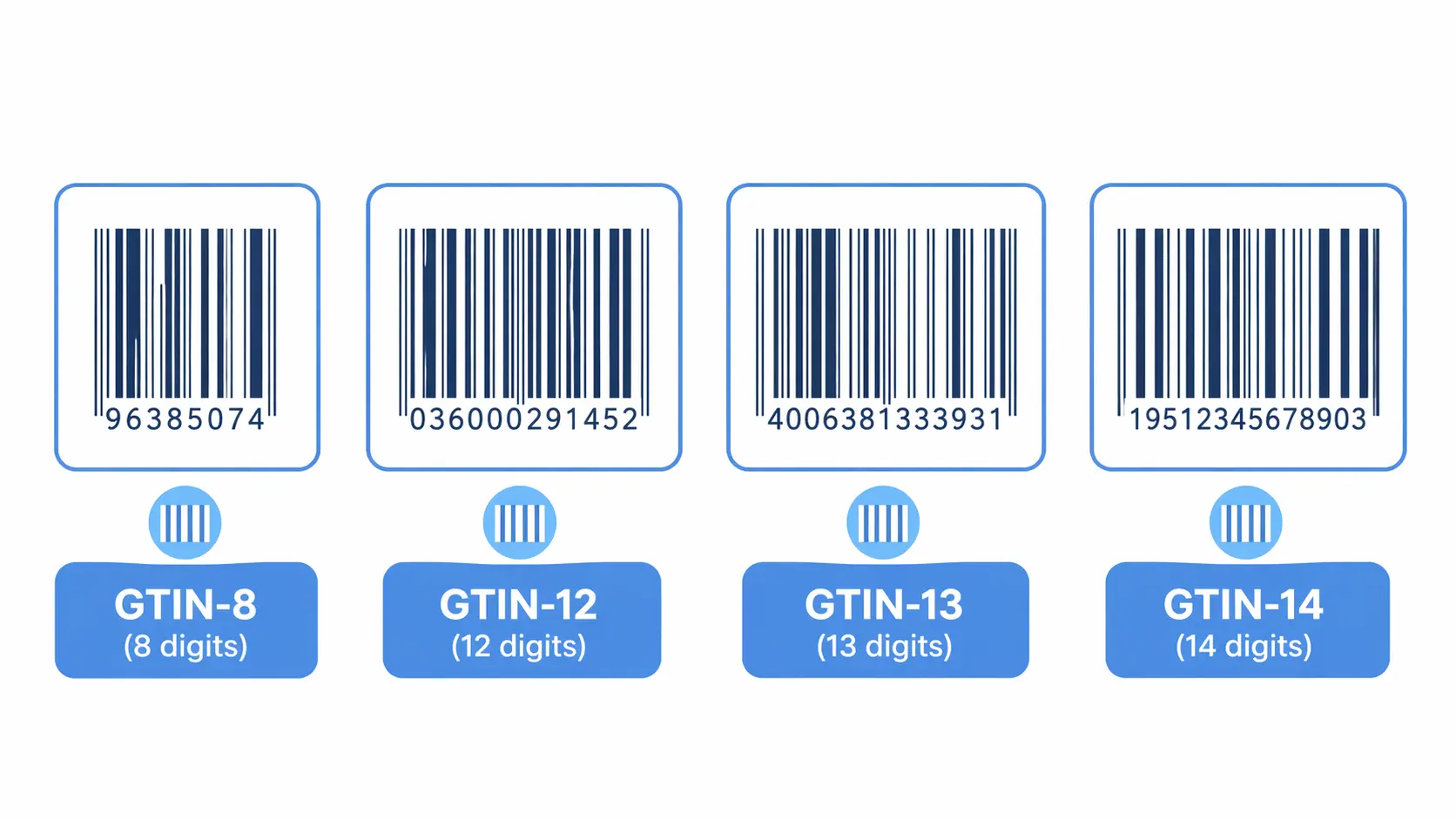
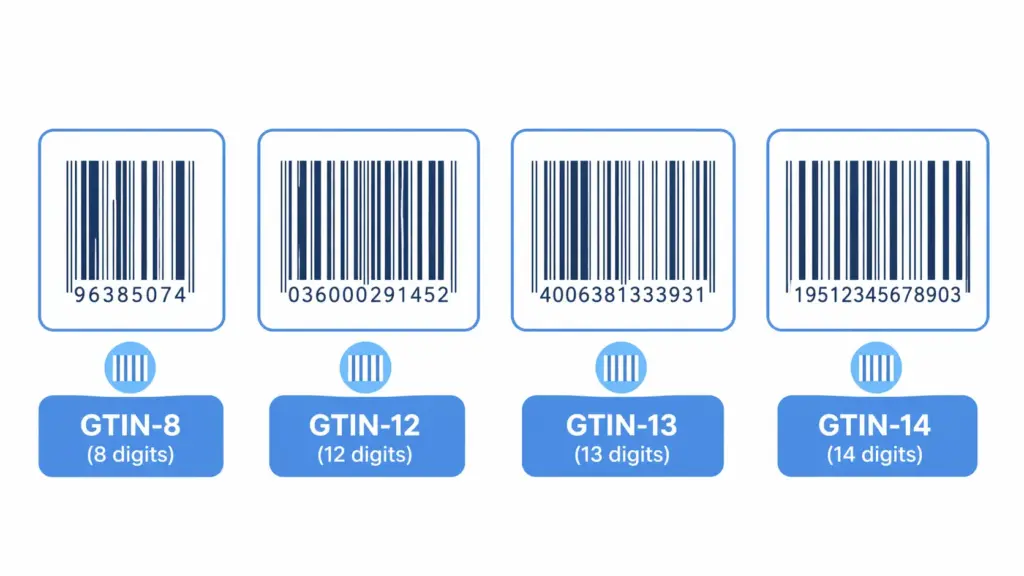
    Validity means the data conforms to the rules and formats that govern it. A GTIN field containing a 10-digit value is invalid — GTINs are 8, 12, 13, or 14 digits. A Size field containing “extra large” when the controlled list specifies “XL” is invalid. An EAN that fails its check digit calculation is invalid and will cause feed rejections in every channel that validates it.

    Validity failures are particularly dangerous because they look fine to human reviewers but fail automated processing silently. A product with an invalid GTIN will not throw an obvious error on your product page — it will quietly underperform in Google Shopping while your team spends weeks trying to understand why that category is not converting.

    If GTIN validity is a concern in your catalog, run your product identifiers through the GTIN Validator — it checks format, check digit, and compliance against GS1 standards instantly.

    How to build a data quality score for your product catalog

    A data quality score gives you a single number that represents the overall health of your catalog — and more usefully, a breakdown by dimension and by category that tells you exactly where to focus. Here is a straightforward scoring model that works for most ecommerce catalogs.

    A scoring model turns “our data has issues” into “these 340 products in the Footwear category are failing completeness, and here are the specific fields missing.”

    Step 1: Define your required fields per category

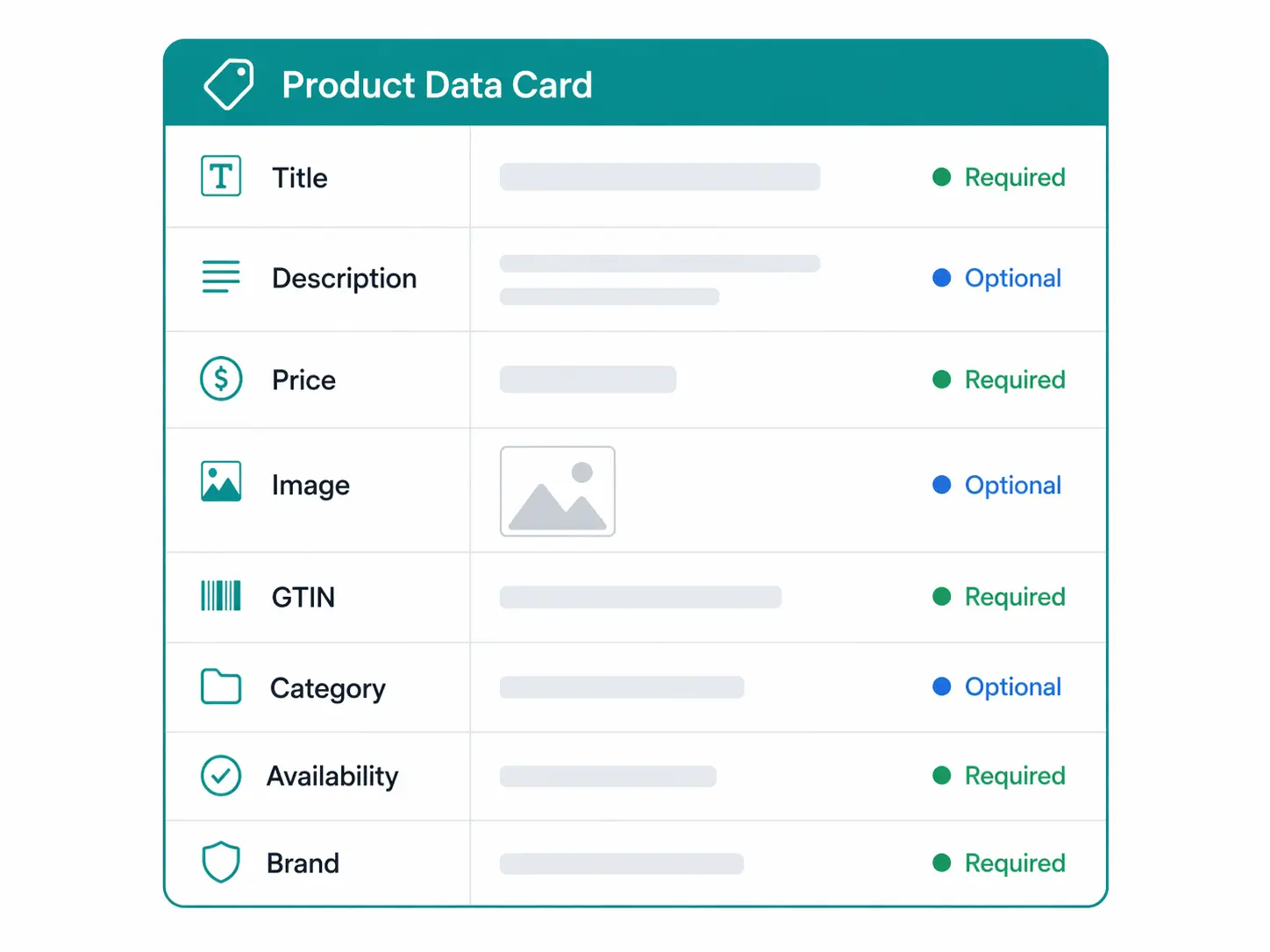
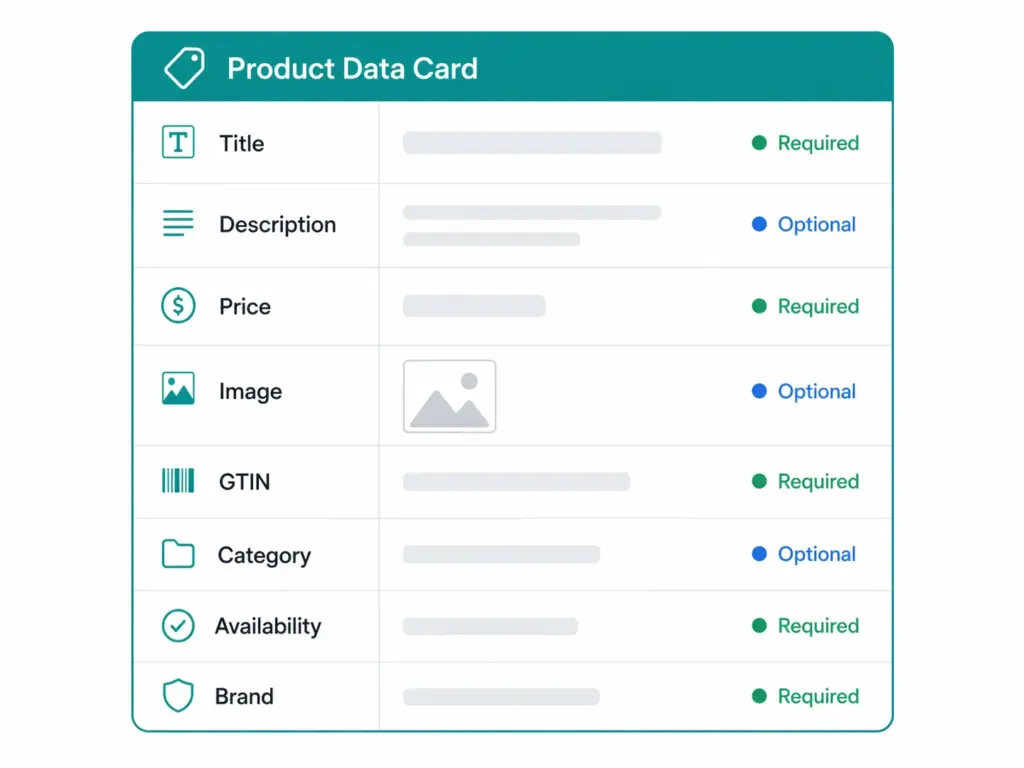
    Scoring completeness only makes sense against a defined standard. For each leaf-level category in your taxonomy, document which fields are required for a product to be considered publishable. These become your completeness benchmark for that category.

    Separate required fields from recommended fields. Required fields are those without which the product should not be published to any channel — things like title, description, primary image, category, and any channel-mandatory attributes. Recommended fields are those that significantly improve conversion or channel performance but are not technically blocking — things like secondary images, detailed care instructions, or enhanced marketing copy.

    Step 2: Apply dimension weights

    Not all six dimensions are equally important for every catalog. A simple weighting model for most ecommerce operations:

    DimensionWeightWhy
    Completeness30%Missing fields block publishing and harm SEO
    Accuracy25%Wrong information drives returns and complaints
    Validity20%Invalid values cause silent channel failures
    Consistency15%Inconsistent values break filters and feed matching
    Timeliness7%Stale data creates customer trust issues
    Uniqueness3%Duplicates cause reporting and enrichment problems

    Adjust these weights based on your business. If you sell exclusively through Google Shopping and Amazon, validity should carry more weight because feed rejections from invalid GTINs are your most immediate revenue risk. If you have a large supplier-fed catalog with known duplicate problems, bump up uniqueness.

    Step 3: Score at product level, aggregate at category level

    Calculate a quality score for each individual product, then aggregate those scores by category. Aggregating by category is what makes the scores actionable — it tells you whether you have a system-wide problem or a category-specific one, and it lets you prioritise cleanup work by the categories that drive the most revenue.

    A product-level completeness score is straightforward:

    Completeness score = (fields populated / required fields for category) × 100
     
    Example:
    Running Shoes — required fields: 12
    Fields populated on product ID 4821: 9
    Completeness score: 9/12 × 100 = 75%

    A product with a completeness score below your publishability threshold (typically 80–90% depending on your standards) should not go live. A category with an average completeness score below that threshold needs a systematic fix at the import or enrichment layer, not individual product-by-product patching.

    Step 4: Set thresholds and automate alerts

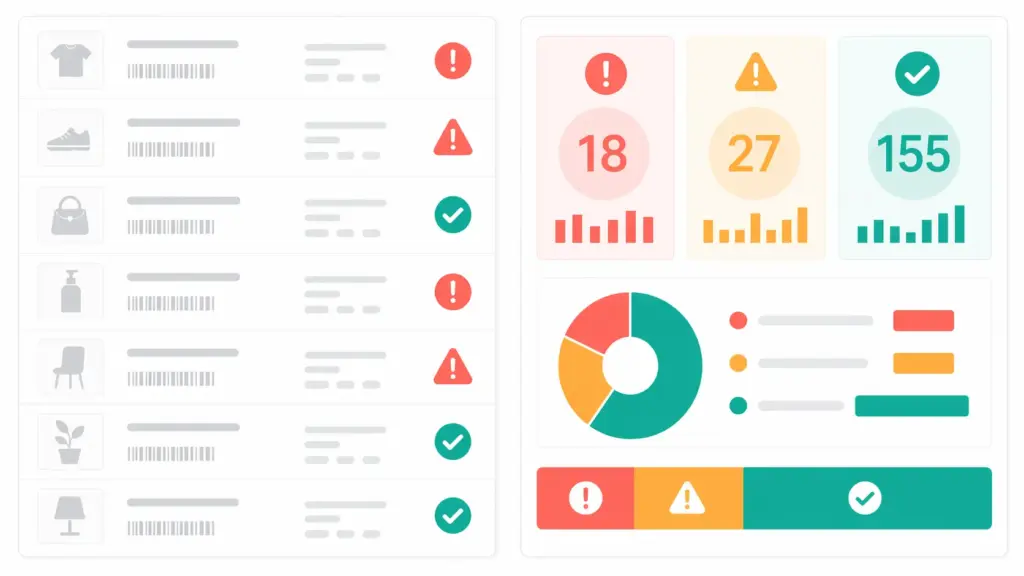
    Define three quality tiers for your catalog and configure your system to flag products accordingly:

    • Publishable (green): Meets all required field minimums and passes validity checks. Can be published to all channels.
    • Needs enrichment (amber): Meets required fields but missing recommended fields, or has consistency warnings. Can be published to primary channels but should not be considered complete.
    • Blocked (red): Missing required fields, invalid values, or failing validity checks. Should not be published until fixed.

    The blocked tier is the one that causes the most immediate revenue impact. Products in the blocked tier are either not live at all, or live but suppressed in channel feeds — both bad outcomes. Clearing the blocked tier should always be the first priority when improving data quality scores.

    The most common PIM data quality problems — and exactly how to fix them

    Problem: Missing required fields at category level

    What it looks like: You run a completeness report and find that 40% of products in your Footwear category are missing the “Upper Material” field. The field exists in the system — it just never got populated.

    Root cause: Usually one of three things. The attribute template for that category was not defined when the products were imported. The supplier’s data file did not contain that field. Or the field was added to the template after the products were already in the system and nobody went back to populate it retroactively.

    Fix: Bulk enrichment against your supplier’s source data where the field exists there. For fields your supplier did not provide, this becomes a manual enrichment task — prioritise the highest-revenue products first. Going forward, enforce the attribute template at import so new products cannot enter the catalog with required fields missing. The guide on cleaning supplier product data covers the import hygiene side of this in detail.

    Problem: Inconsistent values in key attributes

    What it looks like: Your Color filter on the storefront returns 47 distinct values for what should be about 12 colours. “Navy,” “Navy Blue,” “Dark Blue,” “Midnight Blue,” and “NAVY” are all in there. Customers filtering by “Blue” miss half the relevant products.

    Root cause: Free-text input on attributes that should use a controlled value list. Different suppliers use different colour terminology. Different team members entered values without a standard. The attribute was never standardised.

    Fix: Create a controlled value list for the Color attribute with your approved values. Run a one-time bulk remap of all existing non-standard values to the correct standard ones (a find-and-replace operation in most PIM systems). Then enforce the controlled list going forward so new values can only be selected from the approved list. This is a one-time migration cost that pays back on every single feed export you run for the rest of the catalog’s life.

    Problem: Invalid or missing GTINs

    What it looks like: Your Google Merchant Center account shows “Limited performance due to missing value [GTIN]” warnings across a significant portion of your catalog. Some products have GTINs entered but they are failing validation — check digit errors, wrong digit count, or duplicate GTINs assigned to different products.

    Root cause: GTINs were not collected from suppliers at import, were entered manually with errors, or were assigned internally without following GS1 GTIN standards. This is one of the most commercially damaging data quality problems in ecommerce because it directly affects Google Shopping performance — Google prioritises products with valid GTINs in Shopping auctions, and advertisers with correct GTINs see up to 40% higher click-through rates according to Google’s own data.

    Fix: Validate your entire GTIN field against GS1 standards. The GTIN Validator checks format, digit count, and check digit compliance in seconds. For products with missing GTINs, request them from your suppliers — most legitimate branded products have assigned GTINs that suppliers are required to provide. For products genuinely without GTINs (custom products, handmade items), set the identifier_exists field to false in your Google feed rather than leaving the GTIN field blank or entering an invalid value.

    Problem: Stale product descriptions after seasonal or specification changes

    What it looks like: A product description still references a bundle component that was removed six months ago. A care instruction says “machine washable at 40°C” but the fabric changed to a wool blend in the latest version that requires hand wash only. A technical specification references last year’s component that has since been upgraded.

    Root cause: Product updates happened in a sourcing or product development system but did not flow through to the PIM. Or product data was managed in spreadsheets and only part of it was updated when the change happened.

    Fix: Establish a change notification process: when a product’s specification changes at source — in your ERP, in supplier documentation, in your product development workflow — there should be a trigger that flags the corresponding PIM record for review. This does not need to be fully automated (though automation is ideal). A simple process where spec changes are communicated to whoever owns the PIM record, with a 48-hour SLA for updates, prevents most timeliness failures.

    Problem: Duplicate product records from supplier imports

    What it looks like: You have two records for the same product — one created manually six months ago, one imported from a supplier feed last month. They have different titles, different image sets, and different completeness scores. Some channels are serving one, some are serving the other. Inventory reporting is wrong because both records are showing separate stock counts.

    Root cause: No deduplication check at import. The import process does not compare incoming products against existing records before creating new ones.

    Fix: Add a GTIN or MPN matching step to your import workflow. Before creating a new product record, check whether a product with the same GTIN or MPN already exists. If it does, update the existing record rather than creating a new one. For existing duplicates, merge records manually — preserving the richer data from each — then audit your channel mappings to ensure all channels are pointing to the consolidated record.

    Building a data quality process that runs continuously — not as a one-time fix

    The single biggest mistake teams make with product data quality is treating it as a cleanup project. They spend two weeks fixing everything, declare victory, and watch the problems come back within three months because nothing changed about how data enters or moves through the system.

    Data quality is a process, not a state. Here is what a continuous quality process looks like in practice:

    Quality gates at import

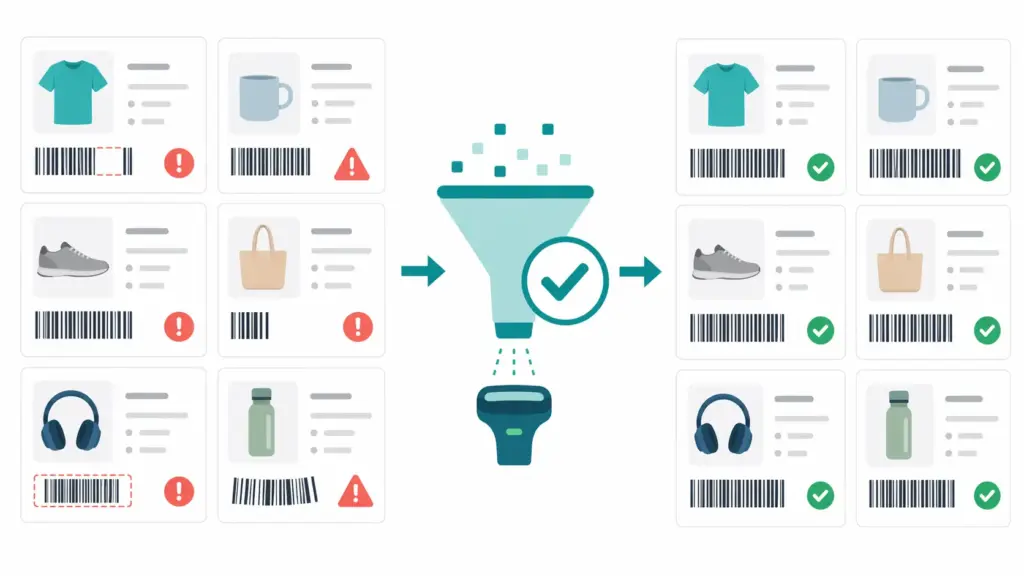
    Every product entering the catalog — whether from a supplier feed, a manual entry, or a migration — should pass through a set of quality gates before it is added to the live catalog. At minimum: required field check, GTIN validation, controlled value list compliance, and duplicate check. Products that fail any gate go to a holding queue for review, not directly into the live catalog.

    Weekly completeness monitoring

    Run a completeness report by category every week. Look for categories where the average completeness score dropped — this usually means new products were added without full enrichment. Set a rule: no new products are considered “launched” until they hit your completeness threshold. Time-to-market pressure is the most common reason completeness scores degrade, because teams push products live before enrichment is complete. Embedding the quality threshold into the launch definition prevents this.

    Monthly validity audits

    Run your GTIN fields through a validator monthly. Check your channel feeds for any new suppression or rejection warnings in Google Merchant Center and Amazon Seller Central. Channel platforms update their requirements — what was a valid submission last quarter may fail a new validation rule this quarter. Monthly audits catch these changes before they compound into significant traffic losses.

    Quarterly data quality reviews

    Once a quarter, look at your full quality score across all six dimensions and compare it to the previous quarter. Are scores improving, degrading, or stable? Where are the biggest gaps? Which categories need the most attention? This review should feed directly into the following quarter’s enrichment prioritisation. The goal is not perfection — it is measurable, consistent improvement that you can point to as evidence of operational progress.

    If you are not sure where to start with assessing your current data infrastructure, the PIM Readiness Assessment covers data quality governance as one of its five dimensions and gives you a concrete starting point. And if you want to understand what a PIM needs to provide to support the processes described in this guide, the 2026 PIM guide covers the full capability picture.

    PIM data quality checklist

    Use this as a starting-point audit for your catalog:

    • ☐ Every leaf-level category has a defined required attribute template
    • ☐ Controlled value lists are enforced for Color, Size, Material, and other key attributes
    • ☐ All GTINs have been validated against GS1 standards
    • ☐ Products without GTINs are marked identifier_exists = false in channel feeds
    • ☐ A completeness score is calculated per product against its category template
    • ☐ Products below your publishability threshold are blocked from channel export
    • ☐ Import workflows include duplicate detection (GTIN/MPN matching)
    • ☐ Import workflows include required field validation before products enter the live catalog
    • ☐ A process exists for propagating product specification changes from source into the PIM
    • ☐ Completeness is monitored weekly, validity is audited monthly
    • ☐ A quarterly data quality review compares scores across periods

    If you checked fewer than seven of these, your catalog has quality gaps that are currently costing you in channel performance, team time, or both. The Completeness Checker is the fastest way to see exactly where the gaps are concentrated.


    Frequently asked questions

    What is PIM data quality?

    PIM data quality refers to how well the product information stored in your Product Information Management system meets the standards required for it to be useful — for internal operations, for channel publishing, and for customer decision-making. It is measured across six dimensions: completeness, accuracy, consistency, timeliness, uniqueness, and validity. Poor PIM data quality results in channel rejections, higher return rates, lower search rankings, and customers who cannot find or evaluate your products effectively.

    How do you measure product data quality?

    The most practical approach for ecommerce teams is to start with completeness — the percentage of required fields populated for a given product against its category’s attribute template. From there, add validity checks (particularly GTIN validation), consistency monitoring (checking for non-standard values in controlled-list attributes), and periodic accuracy audits against supplier source documents. Aggregate scores by category rather than at the overall catalog level to make the results actionable.

    What causes product data quality problems?

    The most common causes are: supplier data arriving without required fields or in inconsistent formats; attribute templates that were not defined before import; free-text input on fields that should use controlled value lists; no duplicate detection at import; product specification changes that are not propagated into the PIM; and teams prioritising speed-to-market over completeness so products go live before enrichment is finished. Most data quality problems are process failures, not data failures — they are preventable with the right governance at input.

    How do invalid GTINs affect Google Shopping performance?

    Google uses GTINs to match your product listings against its product knowledge graph. Products with valid GTINs are matched to the right product in Google’s system, which improves ad relevance, Shopping feed placement, and eligibility for Google’s performance features. Products with missing or invalid GTINs receive a “Limited performance due to missing value [GTIN]” warning and are at a disadvantage in Shopping auctions. Google’s own data shows that advertisers with correct GTINs see up to 40% higher click-through rates. Invalid GTINs — those with wrong digit counts or failing check digit validation — can also cause product disapprovals in Merchant Center.

    What is a good product data completeness score?

    For products to be considered publishable to primary channels, a completeness score of 85–90% against the required attribute template is a reasonable threshold for most ecommerce catalogs. For high-consideration or high-value products — electronics, fashion, home furnishings — where the customer research process is more intensive, 95%+ completeness on required and recommended fields is a better target. For marketplace channels with strict data requirements (Amazon in particular), completeness requirements are effectively set by the channel’s mandatory fields, which vary by category and should be checked in the relevant Browse Tree Guide.


  • Ecommerce Product Taxonomy: Category Mapping Rules & Guide (2026)

    Ecommerce Product Taxonomy: Category Mapping Rules & Guide (2026)

    Most ecommerce teams know their taxonomy is a mess. Products miscategorised at import, filters returning garbage results, Google Shopping feeds rejected for category mismatches — these are symptoms of the same underlying problem. The category mapping layer was never properly designed.

    This guide fixes that. It covers what an ecommerce product taxonomy actually is, how to build category mapping rules that hold up at scale, what Google’s January 2026 taxonomy changes mean for your feed strategy, and how to handle the hardest part — incoming supplier data that arrives in fifteen different formats and calls the same product by six different names.

    If you already have a taxonomy and want to understand why your hierarchy keeps drifting, start at the taxonomy structure guide. If you’re starting from scratch or rebuilding your mapping layer specifically, you’re in the right place.

    A well-designed ecommerce product taxonomy is the structural layer behind every clean catalog, accurate feed, and consistent customer experience.

    What is an ecommerce product taxonomy — and what it isn’t

    An ecommerce product taxonomy is the hierarchical classification system that defines how every product in your catalog is organised, enriched, and mapped to sales channels. It’s the skeleton that everything else sits on top of.

    Here’s what that looks like in practice:

    Clothing (Level 1)
      └── Women's Clothing (Level 2)
            └── Tops (Level 3)
                  └── Blouses (Level 4 — leaf category)
                        ├── Required: Color, Size, Fabric, Sleeve Length
                        └── Optional: Neckline, Pattern, Occasion

    The leaf category — Blouses — is where products actually live. Every leaf category should have a defined attribute template attached to it: the specific fields that apply, the values those fields can take, and which ones are required versus optional. That template is what drives data completeness, and data completeness is what drives channel eligibility.

    Here’s the distinction that trips up most teams: a taxonomy is not the same as navigation. Your internal classification taxonomy answers the question “what is this product and how should it be enriched?” Your customer-facing navigation answers “how does a shopper find this product?” These two things are related but should not be the same structure. A product might live in Clothing > Women’s > Tops > Blouses in your taxonomy, while appearing under New In, Work Wardrobe, and Under £50 in navigation. Conflating the two is how taxonomies become impossible to maintain.

    Research from the Baymard Institute‘s large-scale ecommerce UX studies found that poor category taxonomy is one of the top five causes of site abandonment. Customers who can’t find a product within a few clicks leave — and they rarely come back.

    Why category mapping specifically is where most taxonomies fall apart

    Taxonomy design and category mapping are related but different problems. Taxonomy design is about building the right structure. Category mapping is about consistently and accurately placing products into that structure — especially when those products are coming from external sources that don’t know or care what your structure looks like.

    Three scenarios where mapping breaks consistently:

    Supplier data arrives with its own category logic

    A supplier sends a product feed. Their file calls the category “M-SHIRTS-CASUAL.” Another supplier sends the same type of product under “Men Tops.” A third has it as “Casualwear > Male.” All three should land in your Clothing > Men’s > T-Shirts category. Without mapping rules, someone maps this manually every time. With mapping rules, it’s automated on import.

    This is the single biggest source of catalog quality problems in multi-supplier operations. The fix isn’t cleaning up the mess downstream — it’s building mapping rules that prevent the mess from entering the catalog in the first place. The guide on cleaning supplier product data covers the broader data quality side of this.

    Products get mapped to the wrong level of specificity

    Products mapped too broadly — a pair of trail running shoes classified as just “Footwear” — miss the attribute template that would enforce the right data fields. They arrive in the catalog missing drop height, terrain type, upper material, and pronation guidance. They then get flagged as incomplete. No one knows why because the category assignment looks fine at a glance.

    Products mapped too specifically — an “Organic Cotton Relaxed-Fit French-Tuck Blouse” classified into a category that only exists for that one product type — create a taxonomy with hundreds of single-item categories that’s impossible to govern.

    The right level is almost always the leaf category that applies a meaningful, shared attribute template to a coherent group of products — specific enough to enforce relevant data, broad enough that multiple products belong in it.

    Internal teams use category names inconsistently

    Without a style guide and an enforced taxonomy, different team members create their own category interpretations. “Men’s Shoes” and “Mens Shoes” and “Shoe – Men” are three different category IDs in a system and three identical-looking things to a human reviewing a spreadsheet. Over 18 months with a growing team and no governance, this compounds into a catalog where the same product type exists in eight different places under eight slightly different names.

    The answer isn’t cleanup campaigns. The answer is building the mapping rules and governance that prevent the problem from recurring. We’ll cover both.

    How to build ecommerce category mapping rules that actually hold

    Category mapping rules are the translation layer between how the outside world classifies products and how your taxonomy does.

    A category mapping rule is a conditional statement: if an incoming product matches this pattern, it goes into this internal category and inherits this attribute template. Rules can be based on the supplier’s category label, keywords in the product title, specific field values in the data, or a combination.

    The logic of a mapping rule looks like this:

    IF supplier_category CONTAINS "T-Shirt" OR "Tee" OR "M-SHIRTS"
      OR product_title CONTAINS "t-shirt" OR "tshirt" OR "tee"
    THEN internal_category = "Clothing > Men's Clothing > T-Shirts"
    AND apply_attribute_template = "T-Shirts_Men"
    AND flag_for_review = FALSE

    And critically, you need a fallback for everything that doesn’t match:

    IF no_rule_matches
    THEN internal_category = "Unmapped — Needs Review"
    AND flag_for_review = TRUE
    AND notify = [taxonomy-owner@yourcompany.com]

    The unmapped holding category is non-negotiable. Products that don’t match any rule should never be silently placed into a default category — they end up miscategorised, inherit the wrong attribute template, and produce bad data downstream with no visible error.

    Building your mapping rules document

    Before you encode rules into any system, document them in a mapping spreadsheet. Columns you need:

    Supplier Category InputMatch LogicInternal Category TargetAttribute TemplateLast Reviewed
    M-SHIRTS-CASUAL, Men Tops, Casualwear > MaleCONTAINS any ofClothing > Men’s > T-ShirtsT-Shirts_Men2026-01-15
    WOMENS-BLOUSE, Women’s Tops > FormalCONTAINS any ofClothing > Women’s > Tops > BlousesBlouses_Women2026-01-15
    [No match]FallbackUnmapped — Needs ReviewNone

    This document becomes your taxonomy’s source of truth for supplier onboarding. Every new supplier gets mapped here first, before their data touches the catalog. The effort at onboarding is twenty minutes of mapping work. The cost of skipping it is months of catalog cleanup.

    Rules for building good mapping rules

    A few principles that separate mapping rules that hold from ones that drift:

    • Never let supplier categories become your internal categories. Suppliers optimise for their own operations, not yours. Their category names reflect how they organise their warehouse, not how your customers browse or how your data model is structured.
    • Build rules at the supplier level, not just the category level. Supplier A’s “Tops” and Supplier B’s “Tops” may not mean the same thing. Prefix your rules with supplier ID where the same label appears across multiple sources with different product types behind it.
    • Log every manual override. If someone manually reassigns a product that the mapping rules should have caught, that’s a signal the rule is wrong or incomplete. Log it. If the same pattern appears three times, create a new rule.
    • Review rules quarterly. Suppliers change their data formats. Seasonal categories come and go. New product types emerge that your original rules didn’t anticipate. A mapping rule set that was accurate in January may have meaningful gaps by April.

    Hierarchy design: how deep is too deep, how broad is too broad

    The most common taxonomy design question is about hierarchy depth. Teams building their first proper taxonomy usually either go too shallow (everything in five categories with no subcategory structure) or too deep (seven levels of subcategories that collapse under their own maintenance weight).

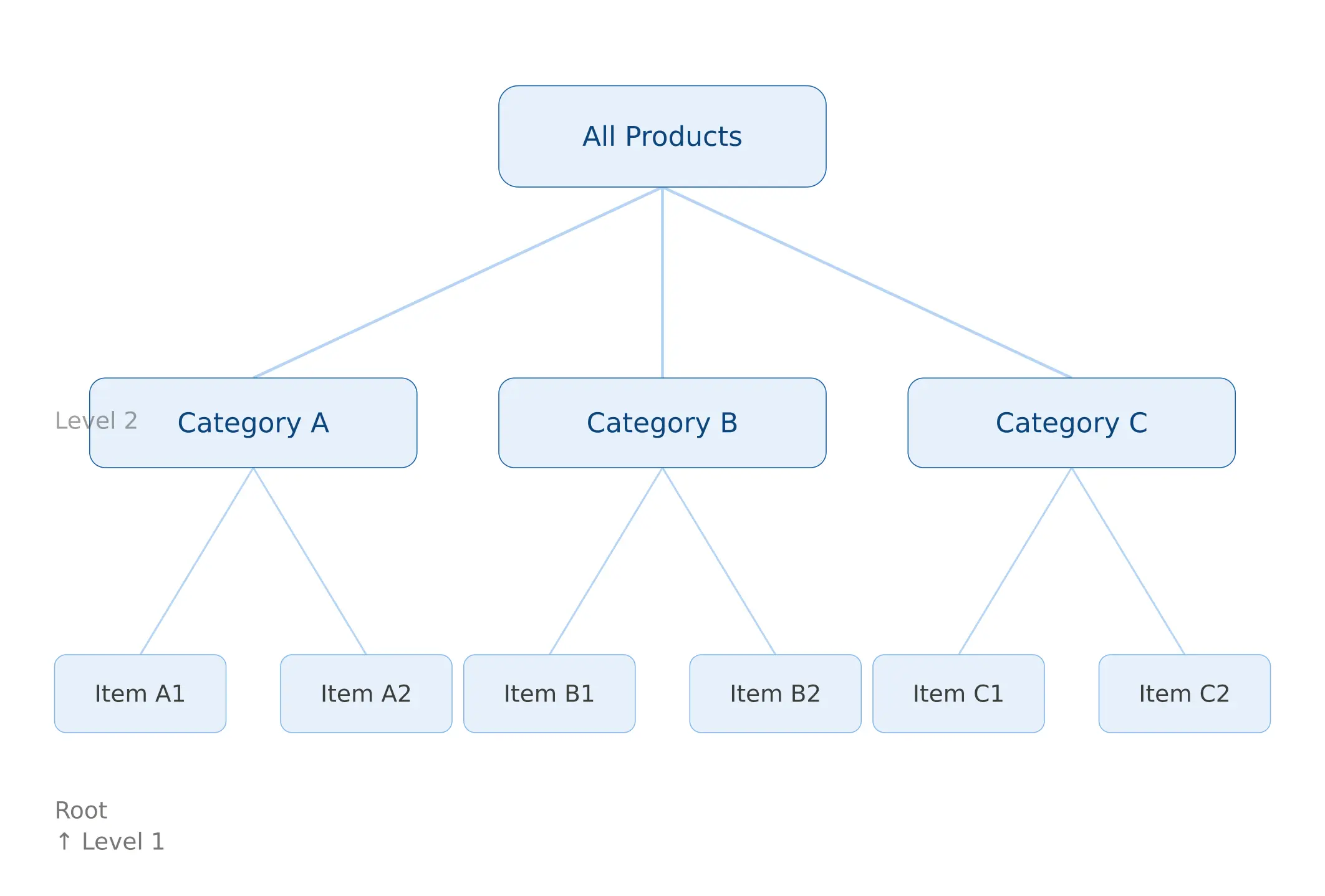
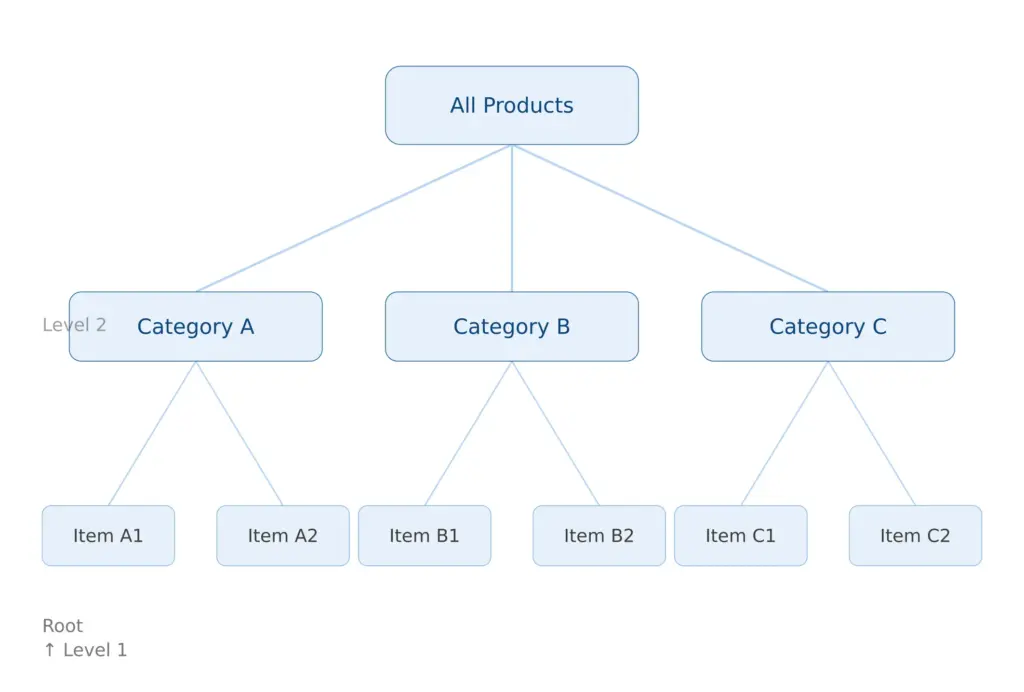
    The practical guideline for most ecommerce catalogs is 3 to 5 levels maximum. Here’s why that number makes sense and what it looks like in practice:

    • Level 1 — Department: Clothing, Electronics, Home & Garden, Sports
    • Level 2 — Category: Women’s Clothing, Laptops, Garden Tools
    • Level 3 — Subcategory: Tops, Gaming Laptops, Hand Tools
    • Level 4 — Leaf category (where products live): Blouses, RTX Gaming Laptops, Pruning Shears

    When you feel the urge to go to Level 5 or deeper, the right question to ask is: does this product type genuinely need a different attribute set, or am I just trying to describe a variation? If it’s a variation — color, size, material, fit, terrain type — that’s an attribute. Attributes are cheap and infinitely flexible. Categories are expensive because every category you add needs naming, governance, a mapping rule, and a channel mapping. Use them only when they’re genuinely warranted.

    The test that makes this concrete: if you removed this subcategory and merged its products into the parent, would those products need different fields? If yes — the subcategory earns its place. If no — it’s just label-making.

    For a deeper guide on hierarchy architecture, attribute design, and governance models, the scalable taxonomy structure guide covers the structural layer in detail.

    Mapping your taxonomy to channel requirements in 2026

    Your internal taxonomy and your channel taxonomies are different things that need to stay in sync. Your internal taxonomy is designed around your data model. Channel taxonomies — Google, Amazon, Shopify — are designed around their own requirements, which change independently of you and don’t care about your internal structure.

    The right model is a channel mapping layer: a separate table that maps each of your internal leaf categories to the correct category ID in each channel. One internal category might map to different targets across channels, and that’s expected and fine — as long as the mapping is explicit and maintained.

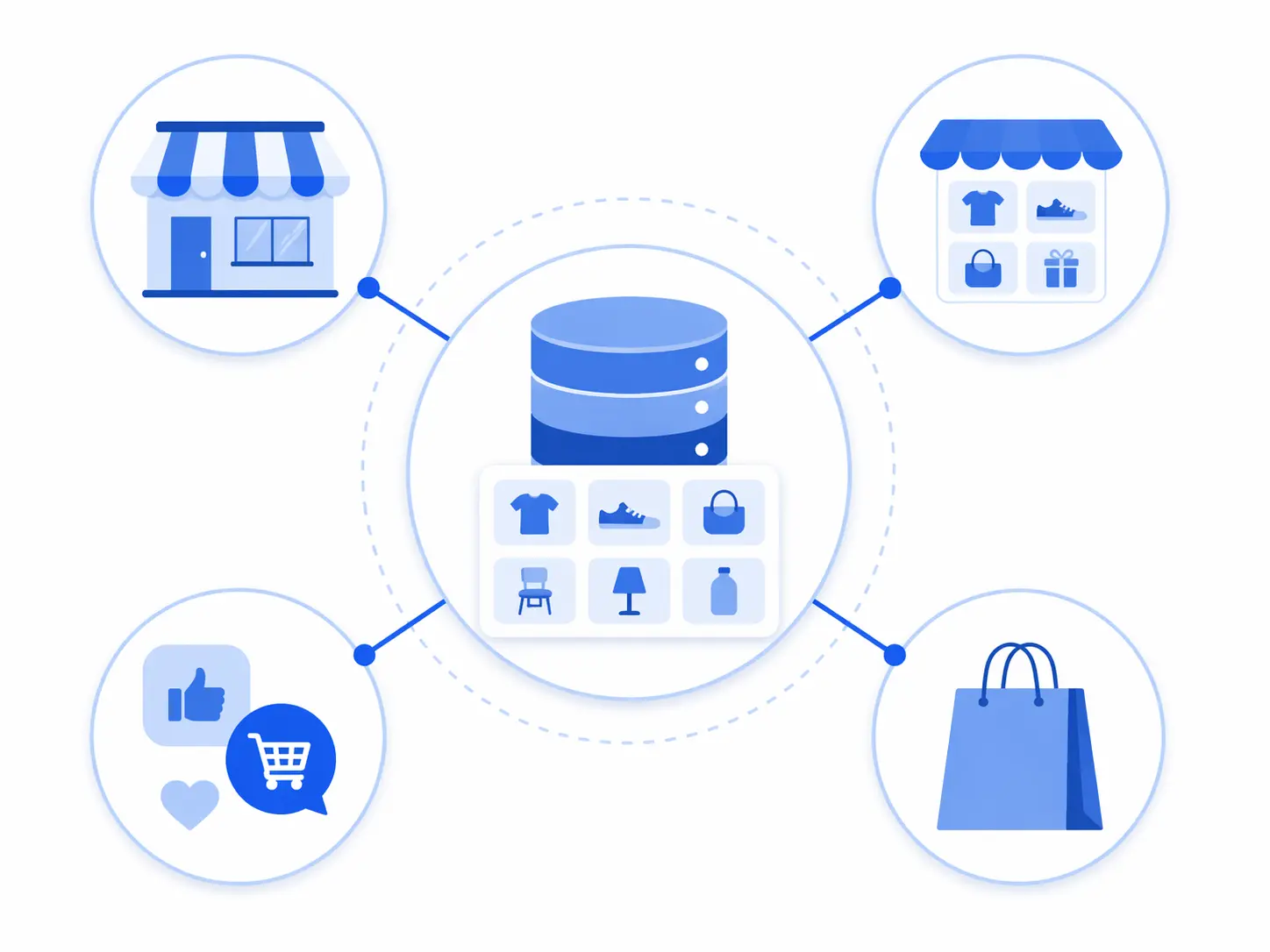
    Your internal taxonomy is the hub. Channel category mappings are the spokes — maintained separately so changes in any channel don’t break your internal structure.

    Google Product Taxonomy — January 2026 changes (deadline: July 31, 2026)

    Google made its most significant product taxonomy update in several years in January 2026. Four new top-level categories were introduced: Smart Home & IoT, Electric Vehicles & Accessories, Sustainable Products, and AI & Robotics. The Electronics and Health & Beauty categories were substantially expanded and reorganised.

    Google has set a compliance deadline of July 31, 2026. Products that remain mapped to deprecated or renamed categories after this date may see reduced Shopping visibility or feed rejection. If you sell in any of these affected verticals, audit your Google category mappings now.

    The full Google product taxonomy is publicly available and updated with each version. Always reference the official source — there are outdated versions circulating in third-party tools that will cause feed rejections.

    Key principle for Google taxonomy mapping: always map to the most specific applicable category, not the nearest parent. Google’s algorithm rewards specificity. A pair of trail running shoes mapped to Apparel & Accessories > Shoes will underperform against a competitor who correctly mapped to Apparel & Accessories > Shoes > Athletic Shoes > Running Shoes.

    Shopify Standard Product Taxonomy (v2026-02)

    Shopify’s standard taxonomy is newer and actively evolving — the current release is v2026-02. It uses machine learning to suggest categories based on product titles and descriptions, which reduces manual mapping work for simple catalogs. However, the suggestions are not always accurate and should always be verified, particularly for products with ambiguous titles or dual-use cases.

    Shopify’s taxonomy is increasingly being adopted as a reference standard beyond the Shopify ecosystem, particularly among mid-market brands building channel-agnostic product data models. It’s worth mapping to even if it’s not your primary channel.

    Amazon Browse Tree Guide

    Amazon has over 10,000 categories and splits them between open listing categories (anyone can list) and gated categories requiring prior approval. Your internal categories will rarely map 1:1 to Amazon’s Browse Tree — the structures are built with different goals in mind.

    The most common Amazon mapping mistake is categorising at too high a level because it’s easier. “Electronics” is valid but useless. “Electronics > Camera & Photo > Digital Cameras > Mirrorless Cameras” is what Amazon’s algorithm expects and what drives relevant placement. Deep, specific mapping consistently outperforms broad mapping in Amazon search visibility.

    GS1 as a classification baseline

    If you sell B2B, wholesale, or through retail trading partners who require standardised product data exchange, the GS1 Global Product Classification (GPC) standard is worth understanding. GS1 provides a universal language for product classification used by major retailers and distributors globally. It won’t replace your internal taxonomy, but knowing how your categories map to GS1 bricks and segments makes retailer onboarding significantly faster.

    Category mapping by role: who maps what, and when

    One of the most overlooked dimensions of category mapping is the human side: different roles in an ecommerce organisation interact with the taxonomy at different points and with different goals. When the mapping process isn’t designed with roles in mind, it breaks down at handoff points.

    Founder or category manager — strategic mapping

    At the strategic level, category decisions are about which product types belong in the catalog, how they relate to each other commercially, and how the top-level taxonomy structure reflects the brand’s positioning. A founder building a DTC brand in a specific vertical needs to make deliberate decisions about category structure early, because those decisions affect everything from navigation UX to attribute standardisation to how Google indexes the site. Getting this right early is dramatically cheaper than restructuring a live catalog later.

    Product manager or merchandiser — operational mapping

    Product managers and merchandisers are typically the people doing the day-to-day mapping work — classifying new products, reviewing unmapped items, deciding whether a new product type needs a new leaf category or can fit into an existing one. This is where the mapping rules document and the style guide are most critical. Without them, these decisions get made inconsistently across team members and shifts, and the taxonomy drifts.

    Supplier onboarding team — import mapping

    The supplier onboarding team is the first line of defense against bad category data entering the catalog. Their job is to map each new supplier’s category structure to your internal taxonomy before any product data is imported. This mapping is almost always manual for the first supplier from a given source. Once documented, it becomes a rule set that future imports use automatically. Teams that treat supplier mapping as a one-time setup task rather than a governed process end up re-doing it every time a supplier updates their feed format.

    If your supplier data quality is a consistent bottleneck, it’s worth assessing the broader picture with the PIM Readiness Assessment — it surfaces exactly where in the data flow the problems are concentrated.

    Taxonomy naming conventions: the part everyone skips

    Naming inconsistency is the silent killer of otherwise well-designed taxonomies. “Men’s Running Shoes,” “Mens Running Shoes,” “Running Shoes – Men,” and “Men > Running > Shoes” are four different category IDs in any system and four identical-looking things to a human skimming a spreadsheet. At twenty categories, this is manageable. At two thousand, it’s catastrophic.

    Write down these decisions before you build, and enforce them without exceptions:

    • Singular vs. plural: Pick one and use it at every level. (“Shoe” or “Shoes” — not both.) Most operational taxonomies use singular. Most navigation taxonomies use plural. Decide which model you’re building.
    • Possessives: “Women’s” or “Women” or “Female”? One form, every time.
    • Ampersands vs. “and”: “Home & Garden” or “Home and Garden”? One form.
    • Capitalisation: Title Case or Sentence case? Either works. Inconsistency doesn’t.
    • Special characters: Avoid them in category names used as system identifiers. Use them only in display labels if needed.
    • Abbreviations: None in category names. “TV & AV” is opaque. “Televisions & Audio-Visual Equipment” is self-explanatory.

    This should live in a one-page taxonomy style guide that every person who touches the catalog has read. It doesn’t need to be complex. It needs to exist and be the single reference point that ends “well I didn’t know we did it that way” conversations.

    The attribute template layer: where taxonomy connects to data quality

    Category mapping without attribute templates is half a solution. The point of placing a product in the right category isn’t just organisational — it’s so that the correct attribute template applies, which defines what fields are required, what values are acceptable, and what gets validated before the product can be published.

    A simple attribute template table for a leaf category looks like this:

    CategoryRequired AttributesOptional AttributesControlled Value Lists
    Running ShoesBrand, Gender, Size, Color, Upper MaterialTerrain Type, Drop Height, PronationGender: [Men, Women, Unisex, Kids]
    BlousesBrand, Size, Color, Sleeve Length, FabricOccasion, Pattern, NecklineSleeve: [Short, Long, 3/4, Sleeveless]
    Gaming LaptopsBrand, Processor, RAM, Storage, GPU, Screen SizeRefresh Rate, Weight, Battery LifeRAM: [8GB, 16GB, 32GB, 64GB]

    The controlled value lists in the right column are what prevent the “Cotton / 100% Cotton / Ctn / cotton” problem from ever entering the system. When the acceptable values for a field are pre-defined and enforced at input, downstream exports to Google, Amazon, and any other channel become dramatically cleaner.

    If you want to see how complete your current product data actually is across categories, the Completeness Checker will show you exactly where the gaps are by category and by field.

    For the full picture on what PIM infrastructure you need to enforce this properly at scale, the 2026 PIM guide covers the system requirements end-to-end.

    Taxonomy governance: the process that keeps everything from breaking again

    You can design a perfect taxonomy today and have it in disarray within twelve months without governance. Governance is the set of rules and processes that control how the taxonomy changes over time — not to prevent change, but to make sure changes are deliberate, documented, and communicated to every system that depends on them.

    The minimum governance model for a growing ecommerce operation:

    • Single owner: One person (or team) is accountable for the taxonomy. Change requests go through them. This doesn’t mean they do all the work — it means there’s no ambiguity about who decides.
    • Creation criteria: A new category is only created when products in it need a different attribute template OR when customers browse for them distinctly. Everything else becomes an attribute or a tag.
    • Change log: Every category creation, rename, merge, or deletion is recorded with a date, the requester, and the reason. This is what prevents “I don’t know why we have three categories called Tops” six months from now.
    • Review cadence: Quarterly taxonomy health checks. Check for orphaned products (not assigned to any category), empty categories, near-duplicate categories, and channel mapping gaps.
    • Deprecation process: Categories are never hard-deleted. They’re deprecated — products migrated, mapping rules updated, channel maps updated — then archived. Hard deletes break feed exports silently and cause the kind of sudden Google Shopping drop that takes days to diagnose.

    If you’re managing product data across multiple team members and want to understand where your data governance currently stands, the free PIM Readiness Score covers taxonomy governance as one of its five assessment dimensions.

    Common category mapping mistakes — and what to do instead

    Mapping to parent categories instead of leaf categories

    Mapping a product to “Electronics” instead of “Electronics > Computers > Laptops > Gaming Laptops” means the product inherits no meaningful attribute template, gets incomplete data, and underperforms in every channel that cares about specificity — which is all of them. Always map to the deepest applicable category.

    Treating brand as a category

    Brand is an attribute. A Nike running shoe belongs in “Footwear > Athletic > Running Shoes” with Brand = Nike — not in a “Nike” category. The only exception is marketplaces where brand pages function as independent browse destinations, and even then the brand taxonomy is a navigation overlay, not the core classification structure.

    Letting channel taxonomies drive internal structure

    Google’s taxonomy has 6,000+ categories and is designed for standardisation across millions of merchants. Amazon’s has even more. Neither was designed for managing your catalog, enriching your product data, or serving your customer navigation experience. Use them as mapping targets, not as your internal model. The relationship is one-way: your internal taxonomy maps to channel taxonomies, not the other way around.

    Not updating mappings when channels update their taxonomies

    Channel taxonomies change, and they don’t notify you personally when they do. Google’s January 2026 update is a good example — brands that set their Google category mappings years ago and never revisited them may now be mapping to deprecated categories with a July 2026 deadline to fix it. Build taxonomy health checks into your quarterly calendar and specifically include “are all channel mappings current?” as a standing agenda item.

    Quick-start taxonomy mapping template

    If you’re building or rebuilding your category mapping layer, this is the minimum structure to have documented before you start building in any system:

    1. Category tree document — every category, parent, and leaf level with IDs
    2. Naming convention guide — singular/plural, capitalisation, punctuation rules
    3. Attribute template table — required and optional fields per leaf category with controlled value lists
    4. Supplier mapping rules document — incoming labels mapped to internal categories, with fallback rule
    5. Channel mapping table — internal leaf category to Google, Amazon, Shopify, and any other relevant channel
    6. Governance record — owner, change log, review cadence, deprecation process

    These six documents are the complete picture of a functional taxonomy mapping layer. Some teams keep them in a wiki. Some in a shared spreadsheet. The format doesn’t matter as much as the discipline of keeping them current. A PIM handles the enforcement — but the logic has to be designed and documented first, before it’s encoded into any system. If you’re not sure whether your current setup can actually enforce these rules at scale, this comparison of PIM vs spreadsheets covers exactly where spreadsheet-based taxonomy management breaks down.


    Frequently asked questions

    What is the difference between a product taxonomy and product categories?

    A product taxonomy is the complete hierarchical system — all the levels, rules, attributes, and relationships that define how products are classified. Product categories are individual nodes within that taxonomy. Think of the taxonomy as the filing system and categories as the individual folders. You can have categories without a taxonomy (just a flat list of folders), but a taxonomy requires a structured, governed set of categories with defined relationships between them.

    How many levels should an ecommerce product taxonomy have?

    Three to five levels is the practical range for most ecommerce catalogs. Level 1 is a broad department (Clothing, Electronics). Level 2 is a category (Women’s Clothing, Laptops). Level 3 is a subcategory (Tops, Gaming Laptops). Level 4 is usually the leaf category where products actually live. Going to Level 5 is occasionally justified for very large catalogs with genuinely distinct product types at that depth — but most teams who go that deep would be better served by using attributes instead of adding another level.

    Do I need a separate internal taxonomy and a Google Shopping taxonomy?

    Yes. Your internal taxonomy should be designed around your data model and your customers’ browsing behaviour. Google’s taxonomy is designed for standardisation across all Google Merchant Center merchants. They rarely align perfectly, and they shouldn’t be forced to. The right approach is to maintain your internal taxonomy and a separate mapping table that maps each of your internal leaf categories to the appropriate Google category ID. When Google updates its taxonomy — as it did in January 2026 — you update the mapping table, not your internal structure.

    How do I handle products that fit in multiple categories?

    Every product should have one primary category — the one that determines its attribute template and its place in your core data model. Secondary placement (showing the product in multiple navigation locations) is handled through tags, collections, or navigation overlays — not by duplicating the product into multiple categories. Duplicate category assignment creates reporting confusion, inconsistent data, and SEO issues with canonicalisation.

    What is the Google product taxonomy deadline for 2026?

    Google introduced four new top-level categories in January 2026 (Smart Home & IoT, Electric Vehicles & Accessories, Sustainable Products, AI & Robotics) and expanded the Electronics and Health categories significantly. The compliance deadline for products affected by these changes is July 31, 2026. Products mapped to deprecated or reorganised categories after this date may experience reduced Shopping visibility or feed rejection. Check the official Google taxonomy documentation for the current version.


  • What is product data enrichment — and why your catalog can’t convert without it

    What is product data enrichment — and why your catalog can’t convert without it

    TL;DR: The supplier sent you a spreadsheet. It has SKUs, a product name, a few dimensions, maybe a weight.

    There’s a moment every growing e-commerce team hits where they realise the problem isn’t that they don’t have product data — it’s that the data they have isn’t doing any work for them.

    The supplier sent you a spreadsheet. It has SKUs, a product name, a few dimensions, maybe a weight. You imported it, published the products, and moved on. And then the questions started coming in. “What material is this made from?” “Does this fit a standard UK plug?” “Is this suitable for outdoor use?” Questions that should have been answered by the product page itself.

    That gap — between the raw data you received and the complete, accurate, channel-ready content your customers actually need — is exactly what product data enrichment is designed to close. This article explains what it is, why it matters more than most teams realise, and how to approach it as a repeatable process rather than a one-off cleanup job.

    What product data enrichment actually means

    Product data enrichment is the process of taking raw or incomplete product information and building it into something structured, accurate, and genuinely useful — for both shoppers and the platforms you’re selling on.

    That definition sounds simple, but it covers a lot of ground in practice. Enrichment might mean adding missing technical attributes that a supplier forgot to include. It might mean rewriting a generic title into something that actually describes what the product is and who it’s for. It might mean categorising products correctly so filters work, extracting measurements from a block of description text and putting them into structured fields, or adding high-quality images to products that only had a single low-resolution shot.

    What it’s not is data cleansing, though the two often happen together. Cleansing fixes what’s wrong — removing duplicates, correcting inconsistent formatting, standardising units. Enrichment builds out what’s missing or thin. In practice you almost always need to cleanse first, then enrich — because adding detailed content on top of a dirty dataset just spreads bad data further and faster. This is why teams working on supplier data onboarding tend to find enrichment and cleansing tightly coupled steps in the same workflow.

    The three layers of product data enrichment

    It helps to think about enrichment in three distinct layers, because each one requires different skills, different inputs, and often different people on your team.

    Layer 1: Technical enrichment

    This is the structural foundation — the attributes and specifications that describe what a product physically is. Dimensions, weight, materials, compatibility, power requirements, certifications, colour codes, size ranges, country of origin. These fields feed your filters, your faceted search, your marketplace feed validations, and your product schema markup.

    Technical enrichment often requires going back to source — pulling a manufacturer spec sheet, cross-referencing a supplier datasheet, or physically measuring a sample unit. It’s not glamorous work, but it’s foundational. You cannot build a reliable attribute taxonomy if the underlying attribute values aren’t accurate and consistently formatted in the first place.

    Layer 2: Commercial enrichment

    This is the content layer — the titles, descriptions, bullet points, and marketing copy that sit on top of your technical data and do the actual selling. Commercial enrichment is where you write a product title that a real person would search for rather than a part number only a warehouse manager would recognise. It’s where you turn a list of raw specifications into a description that answers the questions a shopper is going to arrive with.

    Good commercial enrichment is channel-aware. The title format that works on Shopify isn’t the same structure that performs on Amazon. The bullet points that Amazon’s algorithm rewards are structured differently from the feature descriptions that convert on a branded storefront. This is one reason why managing product data across multiple channels without a central system gets so complicated — commercial enrichment decisions pile up differently per channel, and without a single source of truth, they diverge quickly.

    Layer 3: Asset enrichment

    This covers the visual and documentary layer — product images, lifestyle photography, videos, sizing guides, technical drawings, safety certificates, instruction manuals, and compliance documents. Asset enrichment means making sure the right assets are correctly linked to the right products, that image quality meets channel requirements, that variant images actually match their variants, and that supporting documents are findable and current.

    Asset gaps are one of the most common and most damaging forms of incomplete product data. Nearly two in five online shoppers return items because a product didn’t match its listing. A significant share of those mismatches come down not to wrong text but to images that didn’t accurately represent colour, scale, or finish. Getting asset enrichment right is as operationally important as getting the attribute data right.

    Why enrichment is a revenue problem, not just a content problem

    Teams often treat product data enrichment as a content or marketing task — something that would be nice to improve but isn’t urgent. That framing underestimates how directly product data quality connects to commercial outcomes.

    Search visibility is one of the clearest links. Search engines and marketplace algorithms rely on structured attributes to match product listings to buyer queries. When your product page for a waterproof hiking jacket is missing the “waterproof rating,” “material,” and “gender” attributes, the algorithm has fewer signals to work with. It has less confidence matching that listing to relevant searches. That’s not a content quality issue — it’s a discoverability problem with a direct revenue cost.

    Marketplace rejection is another. Amazon, Google Shopping, and most major marketplaces enforce mandatory field requirements per category. Missing GTINs, absent brand attributes, incomplete size data — these cause listings to be suppressed or rejected entirely, sometimes without a clear error message. Missing fields like GTIN, brand, or material can lead to product disapprovals on platforms like Google Shopping and Meta. When that happens to a newly launched product, the revenue impact is immediate.

    And then there’s conversion. Shoppers online can’t touch, hold, or try a product. The listing is doing the job a physical store shelf and a knowledgeable sales assistant would do in person. 46% of shoppers say better product descriptions would directly improve their shopping experience. When a product page can’t answer the question the shopper arrived with, they leave. And they usually don’t come back.

    The enrichment workflow: how to actually do it at scale

    The biggest mistake teams make with product data enrichment is treating it as a project. They do a big push before a launch, improve a few hundred products, and then move on. Within six months, new products have been added without the same rigour, supplier imports have brought in fresh thin data, and the catalog has regressed.

    Enrichment works when it’s built into the workflow rather than bolted on at the end. Here’s how a structured approach to it looks in practice.

    Step 1: Audit your catalog for enrichment gaps

    Before you can enrich anything, you need to know where the gaps are. Pull a completeness report across your catalog and look for patterns: which categories have the worst attribute coverage? Which supplier feeds are consistently thin? Which product families are missing images? Most teams discover that the gaps are concentrated rather than evenly distributed — a handful of categories or suppliers account for the majority of the problems. That’s useful because it tells you where to focus first rather than trying to boil the ocean.

    A structured product data quality checklist gives you a consistent way to score completeness across your catalog rather than relying on gut feel about which products are “done enough.”

    Step 2: Define enrichment requirements per category

    Not every product needs the same attributes. A mattress needs dimensions, firmness rating, materials, and certifications. A phone charger needs wattage, connector type, compatibility, and input/output specs. A coat needs materials, care instructions, fit guide, and size conversions for each market.

    The most efficient enrichment teams define mandatory and recommended fields per product category before they start filling gaps. This creates a clear standard — for internal teams writing content, for suppliers submitting data, and for the validation rules that catch incomplete products before they go live. Without category-level standards, enrichment becomes subjective and inconsistent between team members.

    Step 3: Separate technical enrichment from commercial enrichment

    These two layers require different skills and often different people, so mixing them in the same workflow creates bottlenecks. Technical attribute enrichment — filling in specs, standardising units, extracting dimensions from supplier descriptions — is typically an ops or data task that can be batched and partly systematised. Commercial enrichment — rewriting titles, crafting descriptions, developing channel-specific copy — is a content task that requires editorial judgment.

    Separating the two means technical enrichment can run in parallel with commercial, rather than both competing for the same person’s attention on the same product at the same time. It also means you can build different quality gates for each: a product might pass technical enrichment validation and still be in draft for commercial enrichment — and the system should be able to reflect that state accurately.

    Step 4: Build enrichment into your intake workflow

    The most durable way to keep enrichment from becoming a recurring cleanup crisis is to make it part of how products enter your catalog rather than something you do after the fact. When a new supplier feed arrives, it goes through a staging layer where enrichment gaps are flagged before anything hits your live catalog. When a new product is created internally, it must reach minimum completeness thresholds before it’s eligible for publishing. This is fundamentally what separating raw supplier data from approved catalog data achieves operationally — the intake process forces enrichment rather than letting thin data go live and dealing with it later.

    Step 5: Maintain and monitor, don’t enrich once and forget

    Product data goes stale. Suppliers update specs. Channel requirements change. New markets require translated or localised attribute values. A product that was fully enriched 18 months ago may have three attribute gaps today because the category template was updated or a new mandatory marketplace field was added.

    Building a recurring enrichment review into your catalog operations — even a lightweight monthly pass over your top-performing products — prevents the slow drift from “complete” to “out of date” that most teams only notice when a listing gets suppressed or a customer complains.

    The connection between enrichment and a PIM

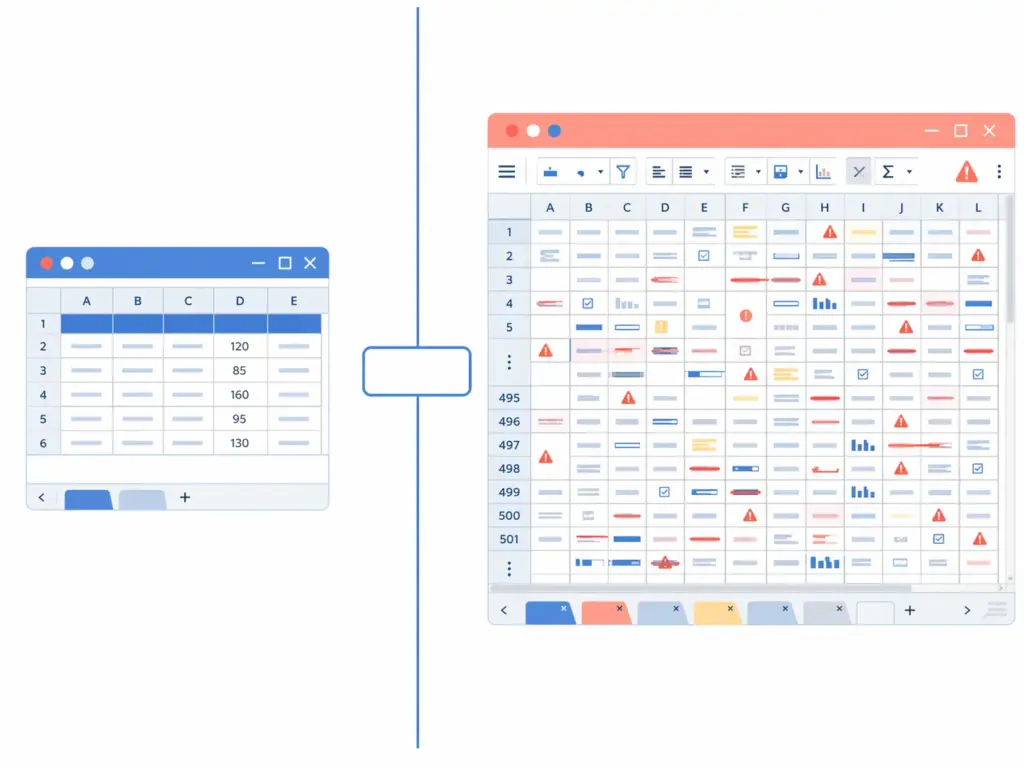
    You can do product data enrichment in a spreadsheet. Many teams do, at least initially. The problem is that spreadsheets have no concept of enrichment state — there’s no way for the system to know whether a product is “being enriched,” “technically complete but awaiting commercial copy,” or “fully ready to publish.” Those states live in someone’s head, or in a colour-coded column, or in a separate tracking sheet that gets out of date.

    A Product Information Management system is built around exactly these concepts. Completeness scores tell you at a glance which products have gaps and what those gaps are. Workflow states move products through enrichment stages with clear ownership. Validation rules enforce attribute requirements before publishing is possible. And because all of this lives in one system rather than across separate tools and files, the enrichment state of your catalog is always visible and always accurate.

    If you’re currently managing enrichment in spreadsheets and finding it difficult to keep track of what’s done, what’s in progress, and what’s been missed, that’s one of the clearest signs that a more structured approach — and likely a dedicated tool — is overdue. The comparison between spreadsheets and a PIM for catalog operations makes this gap concrete.

    How LynkPIM supports product data enrichment

    LynkPIM gives e-commerce teams a structured environment to manage the full enrichment lifecycle — from identifying completeness gaps across your catalog, to managing enrichment workflows by product category, to validating that products meet channel-specific requirements before they’re published.

    Rather than tracking enrichment progress in a colour-coded spreadsheet or a separate project management tool, every product’s enrichment state is visible inside the same system where the data lives. Category-level attribute templates define what “complete” looks like for each product type. Validation rules catch gaps before they reach your channels. And when supplier data arrives thin, the staging workflow flags what needs to be enriched before it’s promoted to your live catalog.

    If your catalog has enrichment gaps you know about but haven’t had a clean way to address systematically, it’s worth seeing how a structured approach changes the scale of that problem.


    Frequently asked questions

    What is the difference between product data enrichment and data cleansing?

    Data cleansing fixes what already exists — removing duplicates, correcting inconsistent formatting, standardising units, and resolving conflicting values. Product data enrichment adds what’s missing — attributes that were never captured, descriptions that were too thin, images that weren’t provided, or commercial copy that was never written. In practice the two work together: cleansing establishes an accurate foundation, and enrichment builds complete, channel-ready content on top of it. Trying to enrich before cleansing tends to amplify existing errors rather than fix them.

    How do you prioritise which products to enrich first?

    The most practical approach is to cross-reference commercial importance with enrichment gap size. Start with your highest-revenue or highest-traffic products that have significant attribute or content gaps — those give you the fastest return. Then work through your top categories systematically, using a completeness score per product to identify what’s missing rather than checking manually. Products on channels with strict listing requirements (like Amazon) should also be prioritised because incomplete data there results in suppressed listings with a direct revenue impact.

    Can you use AI to enrich product data?

    AI can help with specific enrichment tasks, particularly generating commercial copy at scale — descriptions, bullet points, SEO titles — when given accurate technical inputs. It can also help with classification, category mapping, and extracting attributes from unstructured text like supplier descriptions. However, AI-generated enrichment still requires human review, especially for technical attributes where accuracy is non-negotiable. Using AI to generate a product description from faulty or incomplete specs just produces convincing but wrong content. The quality of AI-assisted enrichment depends entirely on the quality of the structured data it starts from.

    How often should enriched product data be reviewed and updated?

    There’s no universal answer, but a sensible baseline is to review your top-performing products quarterly and do a full catalog pass twice a year. Beyond scheduled reviews, enrichment should be triggered by specific events: a new mandatory field added by a marketplace, a category template update, a supplier spec change, or a new market requiring localised attribute values. The goal is to prevent gradual drift from “complete” to “out of date” — which tends to happen invisibly until a listing gets suppressed or a customer reports wrong information.

    Is product data enrichment only relevant for large catalogs?

    No — in fact, smaller catalogs often benefit more visibly from enrichment because there’s a higher proportion of revenue concentrated in each product. A catalog of 200 SKUs where every product has complete attributes, accurate images, and well-written descriptions will consistently outperform a catalog of 2,000 thin, incomplete listings in search rankings, conversion rates, and return rates. The scale at which enrichment becomes operationally complex is where structured tooling earns its place, but the underlying principle — that complete, accurate product data sells better — applies regardless of catalog size.

  • PIM for B2B Ecommerce: Managing Complex Product Specs, Variants, and Buyer-Specific Catalogs

    TL;DR: But B2B product catalogs are structurally different. The complexity is not just more SKUs — it is a different kind of complexity entirely.

    B2B ecommerce has a product data problem that most PIM conversations underserve.

    The standard PIM use case described in most guides is implicitly B2C:
    a brand managing product descriptions, images, and channel syndication across Shopify, Amazon, and Google Shopping. That use case is real and well-documented.

    But B2B product catalogs are structurally different. The complexity is not just more SKUs — it is a different kind of complexity entirely. Technical specifications run deeper. Variant logic is tied to engineering constraints, not just color and size. Buyers may see different prices, different product sets, and different attribute views depending on their account tier, geography, or contract terms.

    Managing this well without a PIM is possible at small scale. At any meaningful catalog size, it becomes operationally fragile very quickly.

    This guide covers how PIM functions specifically in B2B ecommerce contexts — what it handles, where it makes the biggest operational difference, and what to look for when evaluating whether a PIM is genuinely built for B2B workflows.


    How B2B product catalog complexity differs from B2C

    The most useful starting point is understanding where B2B catalog management diverges structurally from B2C, not just in scale but in kind.

    Technical attribute depth

    B2C products typically need a moderate set of commercial attributes: name, description, dimensions, material, color, size, price, images. The goal is to help a consumer understand and buy a product.

    B2B products often require a much deeper attribute layer. A single industrial component might need:

    • Material grade and alloy composition
    • Tolerance specifications and load ratings
    • Certifications and compliance standards (ISO, CE, RoHS, UL)
    • Compatibility matrices with other product families
    • Operating condition ranges (temperature, voltage, pressure)
    • Packaging configurations (unit, case, pallet)
    • Lead time and minimum order quantity by supplier or region
    • Regulatory documentation references

    These attributes are not decorative. They are decision-critical. A buyer
    specifying components for a manufacturing process needs this data to be accurate, complete, and structured — not buried in a PDF or approximated in a text description.

    When this data lives in spreadsheets, supplier emails, and legacy ERP exports, the operational cost of keeping it accurate and channel-ready is enormous.

    Variant logic tied to configuration, not presentation

    B2C variants are largely presentational: a shirt comes in blue, red, and green, in sizes S through XL. The variant logic is straightforward.

    B2B variants are often configurable or modular. A single parent product might have variants determined by:

    • Material specification choices that affect compliance certifications
    • Dimensional combinations that require different packaging
    • Voltage or frequency configurations for different geographic markets
    • Custom assembly options that alter the bill of materials
    • OEM-specific part number mappings

    This means variant relationships in B2B catalogs can be far more complex than parent-child structures built for apparel. The variant model needs to capture not just what is different between SKUs, but what those differences mean for downstream systems, documentation, and channel outputs.

    Buyer-specific catalog visibility

    In B2B ecommerce, not every buyer sees the same catalog. Depending on the business model, different buyer groups may have:

    • Access to different product sets (a distributor sees a different range
      than a direct buyer)
    • Negotiated prices that should not be visible to other buyers
    • Custom product configurations or private-label variants
    • Different required attributes based on their industry or geography
    • Localized documentation sets relevant to their regulatory environment

    This buyer-specificity is not a personalization feature layered on top of a
    standard catalog. It is a structural characteristic of how B2B commerce works.
    The product data layer needs to support it natively.

    Multi-channel distribution with very different format requirements

    B2B products reach buyers through a wider variety of channels than most B2C catalogs. Alongside a direct ecommerce storefront, B2B teams typically need to distribute product data to:

    • Distributor portals and partner catalogs
    • Procurement platforms (Ariba, Coupa, trade-specific platforms)
    • Print and digital product catalogs for sales teams
    • ERP integrations at buyer organizations
    • Industry data standards formats (ETIM, BMEcat, UNSPSC, GS1)
    • OEM and private-label partner systems

    Each of these channels has different format requirements, different mandatory fields, and different data structures. Managing separate data sets for each channel manually is where B2B product operations typically break down.


    Where PIM makes the biggest operational difference in B2B

    Given that context, the value of a PIM in B2B is not primarily about making product pages look better. It is about making complex product data operationally manageable.

    Centralized technical attribute management

    A PIM provides a single place to define, govern, and maintain the deep
    technical attribute sets that B2B products require.

    Instead of technical specs living in ERP fields that were never designed for content management, in supplier PDFs that need manual extraction, or in engineering spreadsheets that only one person can interpret, a PIM makes technical attributes:

    • Structured with defined field types (numeric with units, enumerated lists,
      boolean flags, document references)
    • Governed with validation rules that catch missing or out-of-range values
    • Searchable and filterable across the full catalog
    • Exportable in the format each downstream channel requires

    This matters most during product launches, when engineering documentation needs to become commercial product data quickly, and during product updates, when a spec change needs to propagate accurately across every channel and system simultaneously.

    Variant modeling that reflects actual product relationships

    For B2B catalog teams, a well-designed PIM variant model is one of the
    highest-value configuration investments.

    The goal is to define which attributes belong at the parent product level
    (brand, product family, core compliance certifications), which attributes
    define variant differentiation (material grade, configuration option,
    dimensional specification), and which attributes are truly SKU-level
    (barcode, specific part number, packaging unit).

    When this model is clean, the catalog scales predictably. Adding a new
    configuration option to a product family does not require duplicating every shared attribute. Updating a compliance certification at the parent level propagates correctly to all relevant variants. Channel exports pull the right data structure for each output.

    When this model is weak or missing, B2B catalogs tend to accumulate flat SKU lists where every variant carries duplicated parent-level data,
    inconsistencies are invisible until they cause channel errors, and any
    structural change requires manual intervention across dozens or hundreds of records.

    Approval workflows that reflect B2B governance requirements

    B2B product data often has higher governance stakes than B2C. A wrong specification on a consumer product description is a customer service problem.
    A wrong specification on an industrial component listing is potentially a
    liability and compliance issue.

    This means B2B catalog workflows typically need:

    • Technical review by engineering or product management before
      specifications are published
    • Legal or compliance review before certification claims are made
    • Procurement or pricing team approval before commercial terms are visible
    • Regional validation for market-specific regulatory requirements

    A PIM with configurable approval workflows allows these review steps to be built into the publishing process, rather than handled through email chains and manual checklists that are easy to skip under deadline pressure.

    Channel-specific output without maintaining separate data sets

    The multi-channel distribution reality of B2B commerce is one of the strongest arguments for a centralized PIM.

    Rather than maintaining separate spreadsheets for distributor portals, a
    different export format for procurement platforms, and a manual process for updating the print catalog, a PIM allows the team to:

    • Maintain one authoritative product record
    • Define the transformation rules for each output format
    • Validate completeness against channel-specific requirements before export
    • Trigger syndication to multiple channels from a single approved source

    This does not mean every channel receives identical data. Channel-specific fields, format requirements, and language variants are managed as output configurations on top of the core product record — not as separate data maintenance projects.


    Buyer-specific catalogs: how PIM supports account-level product visibility

    Buyer-specific catalog management is one of the most operationally complex requirements in B2B ecommerce, and it is worth addressing directly.

    The challenge is this: the same physical product may need to appear differently to different buyers. A distributor may see a different price tier. A contract customer may have access to a private-label variant. A buyer in a regulated market may need to see additional compliance documentation that is not relevant in other regions.

    There are two main ways a PIM supports this:

    Catalog segmentation at the product level

    Some PIM platforms support product visibility rules that determine which buyer groups or account segments can see which products. This is typically configured at the catalog or collection level, allowing different product sets to be assembled for different buyer tiers without duplicating product records.

    This approach works well for buyer groups with genuinely different product access — where a distributor catalog is a meaningfully different subset of the full product range.

    Attribute-level visibility and output rules

    For cases where the same product is visible to multiple buyer groups but needs to show different attribute views — different pricing fields, different documentation sets, different specification emphasis — attribute-level visibility rules allow the same product record to produce different outputs for different channel or buyer contexts.

    This is more granular than full catalog segmentation. It handles the common B2B scenario where the product is the same, but what each buyer needs to see about it is different.

    In practice, many B2B operations use a combination of both approaches:
    catalog segmentation to control product access, and attribute-level output rules to control what each buyer sees within their accessible catalog.


    Industry data standards: what B2B PIM needs to support

    One requirement that separates genuine B2B PIM capability from general-purpose product management tools is support for industry data standards.

    B2B product data exchange relies on standardized formats that allow product information to flow between trading partners, procurement systems, and industry databases in structured, interoperable ways. The most common
    include:

    ETIM (Electrotechnical Information Model) — the dominant standard for
    electrotechnical and installation products in European B2B markets. Defines product classes with standardized attributes and controlled value lists.

    BMEcat — a widely used XML standard for electronic product catalog
    exchange, common in German-speaking markets and industrial procurement.

    UNSPSC (United Nations Standard Products and Services Code) — a global hierarchical classification system used in procurement and spend analysis.

    GS1 standards — the global framework for product identification and
    data exchange, including GTIN (Global Trade Item Number) and the GS1 Data Model for product attributes.

    For B2B teams operating in industries where these standards are expected by trading partners, a PIM that cannot map to and export in these formats creates a significant integration burden.

    When evaluating a PIM for B2B use, confirming support for the specific
    standards relevant to your industry and trading partner network should be an early-stage requirement, not a late-stage discovery.


    Practical checklist: is your current B2B product data operation at risk?

    The following signals indicate that B2B product data management has scaled past what spreadsheets and manual processes can reliably handle:

    • Technical specifications for the same product are inconsistent across
      distributor portal, direct ecommerce site, and internal sales tools
    • Updating a compliance certification requires manual changes across
      multiple systems and files
    • Variant relationships are represented as flat SKU lists where every
      record carries duplicated parent-level data
    • Channel export preparation requires a dedicated person pulling data
      from multiple sources before each submission
    • Buyer-specific pricing or visibility is managed through separate
      spreadsheet versions of the product catalog
    • New product launches consistently run late because data preparation is a bottleneck
    • Industry standard format submissions (ETIM, BMEcat, GS1) require
      significant manual reformatting from internal data
    • There is no clear workflow for engineering or compliance review of
      product specifications before they are published
    • The team cannot answer confidently: which version of this product
      record is the current approved version?

    If more than three of these apply, the operational risk from unmanaged
    product data complexity is already affecting time-to-market, channel
    accuracy, and team capacity.


    What to look for in a PIM built for B2B

    Not every PIM is designed to handle B2B catalog complexity. When evaluating options specifically for B2B use cases, these capabilities matter most:

    Deep attribute modeling — support for technical field types (numeric
    with units, range values, multi-value attributes, document references),
    not just text and image fields optimized for consumer product descriptions.

    Flexible variant architecture — ability to define parent-child-variant
    relationships that reflect actual product configuration logic, not just
    presentational color-size grids.

    Configurable approval workflows — multi-step review processes with
    role-based permissions, so technical, compliance, and commercial review can be built into the publishing path.

    Buyer-specific catalog support — either through catalog segmentation,
    attribute visibility rules, or both, depending on the business model.

    Industry standard format export — native or configurable support for
    relevant B2B data standards, not just CSV and generic JSON outputs.

    API-first architecture — B2B operations typically involve more
    system-to-system integrations than B2C. A PIM that exposes a well-documented API makes it significantly easier to connect to ERP systems, procurement platforms, and distributor portals without bespoke integration projects for each connection.

    Audit logging and version history — in regulated industries, being
    able to demonstrate what version of a specification was published and when is not a nice-to-have. It is a compliance requirement.


    Summary

    B2B product catalog management is not a scaled-up version of B2C product management. The structural differences — technical attribute depth, configuration-driven variant logic, buyer-specific visibility, multi-system distribution, industry data standards — create a genuinely different operational challenge.

    A PIM built for this context makes technical attributes structured and
    governable, variant relationships accurate and scalable, approval workflows rigorous enough to meet compliance requirements, and channel outputs manageable without maintaining separate data sets for each distribution path.

    The teams that run into problems are almost always the ones who have scaled their catalog past what spreadsheets and manual coordination can handle, but have not yet put the infrastructure in place to manage product data as a governed operational system.

    The inflection point usually comes at a combination of catalog size,
    channel count, and team involvement — not any single threshold. But when it comes, the cost of continuing without structure typically exceeds the cost of fixing the data model by a significant margin.


    Frequently asked questions

    Is a PIM different for B2B versus B2C?

    The core function — centralizing, governing, and distributing product data — is the same. But B2B use cases require deeper technical attribute modeling, more complex variant architecture, configurable approval workflows, buyer-specific catalog support, and often compatibility with industry data standards that are rarely relevant in B2C contexts.

    Can a standard ecommerce PIM handle B2B requirements?

    Some can, with configuration. Others are built primarily for B2C commerce and lack the technical attribute depth, variant modeling flexibility, or industry standard export capabilities that B2B operations need. Evaluating specifically against B2B requirements — not just general feature lists — is essential.

    How does a PIM handle buyer-specific pricing in B2B?

    PIM is not a pricing engine, and pricing logic typically lives in an ERP
    or commerce platform. However, a PIM can support buyer-specific catalog visibility — controlling which products or attributes are visible to which buyer segments — and can feed structured product data into commerce systems that handle buyer-specific pricing logic downstream.

    What is the most common B2B product data failure mode?

    Flat SKU lists without governed variant relationships. When every
    configuration option is a separate record carrying all parent-level
    attributes duplicated, the catalog becomes extremely difficult to maintain accurately. A spec change at the product family level requires updating dozens or hundreds of individual records. This is the most common source of inconsistency in B2B catalogs that have grown past spreadsheet scale.

    When does a B2B team typically need a PIM?

    Usually when a combination of factors converges: catalog size past a few hundred SKUs with significant variant depth, multiple distribution channels with different format requirements, more than one team member responsible for product data, and/or industry standard format submission requirements from trading partners. Any one of these factors alone might be manageable. All of them together typically exceed what manual processes can handle reliably.

    How does PIM connect to ERP in a B2B environment?

    The typical model is that ERP owns operational data — inventory, pricing,
    order management, procurement — and PIM owns product content and attributes.
    ERP provides reference data (SKU codes, supplier identifiers, cost data)
    that the PIM uses as anchors for product records. PIM provides structured, enriched product data that downstream commerce and distribution systems consume. The connection between them is usually via API or scheduled data sync, with clear ownership boundaries that prevent the two systems from overwriting each other’s data.

  • How AI Product Content Enrichment Works Inside a PIM — And Where Human Review Still Matters

    TL;DR: That promise is largely real. But how AI enrichment actually works inside a PIM — and where it reliably breaks down without proper governance — is rarely explained clearly.

    AI enrichment is one of the most talked-about features in product information management right now.

    The promise is straightforward: instead of writing product descriptions, filling in attribute fields, and structuring spec data by hand, AI does a significant portion of that work automatically.

    That promise is largely real. But how AI enrichment actually works inside a PIM — and where it reliably breaks down without proper governance — is rarely explained clearly.

    This article covers exactly that.


    What AI product content enrichment actually means

    Before getting into mechanics, it helps to be specific about what “AI enrichment” means in a PIM context — because the term gets applied to very different things.

    In practical use, AI enrichment inside a PIM typically refers to one or more of the following:

    • Draft generation — AI produces a first version of a product title, short description, or
      long description based on structured product attributes already in the system
    • Attribute completion — AI suggests or fills in missing attribute values by inferring from
      existing fields, supplier data, or category context
    • Translation assistance — AI generates a working draft of content in a target locale, which
      is then reviewed and refined
    • Tone and channel adaptation — AI rewrites an existing description for a specific channel
      (marketplace bullet points, storefront copy, print catalog language) using different format rules
    • Taxonomy suggestion — AI recommends category placement or attribute tagging based on
      product characteristics

    Each of these operates differently. Each has different reliability profiles. And each requires a different level of human oversight before the output is safe to publish.


    Where AI enrichment fits in the PIM workflow

    AI enrichment is not a replacement for a product data workflow. It is an accelerant inside one.

    The typical PIM workflow looks like this:
    Intake → Normalize → Enrich → Review → Approve → Publish

    AI enrichment slots into the Enrich stage. It takes structured product data — attributes, specs, identifiers, taxonomy — that has already been normalized and uses it as input to generate or complete content fields.

    This positioning matters. AI enrichment only works well when:

    1. The input data is already structured. If an AI tool is generating descriptions from messy, inconsistent, or incomplete attribute data, the output will reflect that messiness. Garbage in, garbage out applies here without exception.
    2. The enrichment is treated as a draft, not a final state. AI-generated content needs a defined workflow state — typically something like “AI draft” or “pending review” — that is distinct from “approved” or “publish-ready.” Content should not move downstream without clearing a human checkpoint.
    3. Enrichment rules and prompts are governed. The instructions that drive AI output — whether they are configured prompts, tone guidelines, or channel-specific rules — need to be owned and
      maintained, just like any other data governance artifact.

    The three layers of AI enrichment

    It helps to think of AI enrichment in three layers of increasing complexity.

    Layer 1: Field-level completion

    This is the most reliable layer. AI fills in a missing field — a color attribute, a material classification, a product category tag — based on context already present in the record.

    For example: if a product has a title of “Men’s Merino Wool Crew Neck Pullover” and a blank material attribute, AI can reliably infer the correct value with high confidence.

    This layer works well because the task is narrow, the input is structured, and the output is a single constrained value that can be validated against a controlled list.

    Risk level: Low. Suitable for automation with periodic spot-check audits.

    Layer 2: Draft content generation

    This is where most teams first encounter AI enrichment. AI generates a short description, a set of bullet points, or a long-form product description from the product’s structured attribute data.

    Quality at this layer depends heavily on:

    • How complete and accurate the source attributes are
    • How specific the generation instructions are
    • Whether the output is constrained to a defined format (length, tone, structure)

    AI-generated drafts at this layer are useful. They reduce the blank-page problem for content teams and can cut drafting time significantly for large catalogs. But they require review before publication, especially for high-visibility products, compliance-sensitive categories, or
    channels with strict content standards.

    Risk level: Medium. Draft state required. Human review before publication.

    Layer 3: Channel adaptation and localization

    This is the most complex layer. AI takes approved content from one channel and rewrites it for another — adapting format, length, tone, and terminology for a marketplace, a print catalog, or a target locale.

    This layer introduces the highest risk of errors that are hard to catch: subtle tone mismatches, compliance language being softened or removed, localizations that are grammatically correct but commercially wrong for the target market.

    Risk level: High. Requires native-language or channel-specialist review before publication. Not suitable for full automation without domain-specific validation logic.


    Where AI enrichment reliably breaks down

    Understanding the failure modes of AI enrichment is as important as understanding the use cases.

    1. Hallucination on sparse data

    When source attribute data is thin, AI will sometimes generate plausible-sounding but factually incorrect content. A product description might reference a feature not in the spec sheet. An attribute might be assigned a value that looks correct but is wrong.

    This is not a theoretical risk. It is a documented, consistent behavior of generative AI systems operating on low-quality input data.

    Mitigation: Enforce minimum completeness thresholds before AI enrichment is triggered. If a product record does not have the required source fields populated, AI enrichment should be blocked or flagged — not run on incomplete input.

    2. Brand voice drift

    AI-generated content tends to converge toward a generic, safe middle register. Over a large catalog, this produces descriptions that are technically accurate but tonally flat and indistinguishable from competitors.

    Mitigation: Tone and style guidelines need to be embedded in the enrichment configuration, not applied as a post-generation editing pass. Brand-specific examples, constraints on vocabulary,
    and output format templates should be part of the enrichment setup.

    3. Compliance field corruption

    In categories with mandatory compliance language — safety warnings, ingredient disclosures, certification claims, regulatory labeling — AI enrichment can inadvertently soften, rephrase, or omit required language.

    Mitigation: Compliance fields should be explicitly excluded from AI enrichment scope or subject to mandatory legal or compliance review before any AI-touched record reaches publication.

    4. Downstream channel errors

    If AI-enriched content flows directly to channel publishing without a review stage, errors propagate across Shopify, Amazon, Google Shopping, and other surfaces simultaneously. A single bad enrichment run can corrupt product pages at scale.

    Mitigation: AI-enriched content must pass through a defined approval state before it reaches any channel publication workflow. This is not optional. It is the governance layer that makes AI enrichment operationally safe.


    The governance model that makes AI enrichment work

    AI enrichment without governance is a liability. AI enrichment inside a governed workflow is a genuine productivity multiplier.

    The governance model that works in practice looks like this:

    Define enrichment scope per field type

    Not every field should be enriched by AI. Before enabling enrichment, categorize your product fields into three buckets:

    Field typeAI enrichment approach
    Structured attributes (controlled values)AI suggestion with validation against allowed list
    Draft content fields (descriptions, bullets)AI draft → human review → approval
    Compliance and regulatory fieldsNo AI enrichment; manual entry only
    Technical specificationsAI completion only from structured source data
    Localized contentAI draft → locale-specialist review → approval

    Create a defined “AI draft” workflow state

    Content generated by AI should land in a clearly labeled workflow state that signals: this record has been AI-enriched and has not yet been human-reviewed.

    This state prevents AI-generated content from being accidentally published without review. It also makes it easy to measure how much AI-drafted content is in the pipeline at any time.

    Set quality benchmarks, not just output rules

    Before rolling out AI enrichment at scale, define what “good enough to review” looks like.
    Useful benchmarks include:

    • Minimum description length
    • Presence of key product attributes in the generated text
    • Absence of prohibited terms or claims
    • Format compliance (bullet count, heading structure, word count range)

    Running a sample batch and manually scoring outputs against these benchmarks before full deployment will surface configuration problems early.

    Build feedback loops into the enrichment workflow

    Reviewers who edit or reject AI-generated content are creating a data signal. Capturing that signal — which fields are most commonly edited, which categories produce the most
    rejections, which tones or formats perform best — allows enrichment configuration to improve over time.

    Without this feedback loop, AI enrichment quality tends to plateau or drift. With it, quality improves as the catalog and configuration mature together.


    What a mature AI enrichment operation looks like

    For teams that have built this well, AI enrichment operates as a structured handoff between an automated draft stage and a human review stage.

    The workflow looks something like this:

    1. Supplier data or raw product record is imported and normalized
    2. Minimum completeness threshold is checked — if not met, enrichment is blocked
    3. AI enrichment is triggered for applicable fields, based on field-level configuration
    4. Enriched record moves to “AI draft” state in the workflow queue
    5. Content reviewer checks generated output against quality benchmarks and brand guidelines
    6. Reviewer approves, edits, or rejects the enrichment
    7. Approved record proceeds to channel publication workflow

    At scale, this process allows content teams to move through a large catalog significantly faster than manual drafting while maintaining the quality control that prevents downstream errors.


    Practical questions to ask before enabling AI enrichment

    If you are evaluating AI enrichment capabilities in a PIM — or configuring a setup you already have — these questions help identify whether the governance layer is strong enough:

    • Is there a distinct workflow state for AI-generated content that prevents it from being
      published without review?
    • Are compliance fields and regulatory language explicitly excluded from AI enrichment scope?
    • What happens if source attribute data is incomplete when enrichment is triggered?
    • Can enrichment configuration be customized per product category, channel, or locale?
    • Is there an audit log showing which fields were AI-generated versus human-authored?
    • How are reviewer edits and rejections captured to improve enrichment output over time?

    If any of these questions produce a vague answer, the enrichment setup is missing governance infrastructure that matters.


    Summary

    AI enrichment inside a PIM is valuable when it is positioned correctly: as a draft accelerator inside a governed workflow, not as an autonomous publishing tool.

    The failure modes — hallucination on sparse data, brand voice drift, compliance field corruption, downstream channel errors — are all preventable with the right workflow design. The teams that get the most value from AI enrichment are not the ones who automate the most. They are the ones who govern the automation well.

    Field-level completion is the lowest-risk starting point. Draft content generation with mandatory review is the highest-value use case for most catalogs. Channel adaptation and localization require the most rigorous human oversight.

    Start narrow, establish your governance model, and expand enrichment scope as the workflow matures and quality benchmarks are consistently met.


    Frequently asked questions

    Can AI enrichment replace a content team?

    No. AI enrichment reduces the volume of content work that requires a human to start from scratch. It does not replace editorial judgment, brand expertise, compliance review, or the contextual
    knowledge that makes product content commercially effective. The best implementations treat AI as a draft assistant, not a content producer.

    What type of product data is best suited to AI enrichment?

    Products with rich, structured attribute data — detailed specs, defined taxonomy, complete identifiers — produce the best AI enrichment outputs. Products with thin, inconsistent, or supplier-dependent data are poor candidates until source data quality improves.

    How do I prevent AI-enriched content from publishing automatically?

    By configuring a dedicated workflow state (typically called something like “AI draft” or “pending review”) that requires explicit human approval before a record is eligible for channel publication. This is a workflow governance configuration, not an AI-specific setting.

    Is AI enrichment useful for multilingual catalogs?

    Yes, with important caveats. AI translation and localization drafts can significantly reduce the time required to prepare content for multiple markets. However, locale-specific review by someone with native-language and market-specific knowledge is essential before publication,
    particularly for compliance language, product claims, and channel-specific formatting requirements.

    What should I measure to know if AI enrichment is working?

    Track: draft acceptance rate (percentage of AI drafts approved without major edits), time-to-approved-content versus manual baseline, rejection rate by field type and category, and downstream error rate on AI-enriched versus manually authored records. These four metrics
    together give a clear picture of both quality and efficiency impact.

  • PIM vs Spreadsheets: When Excel Becomes a Liability (2026)

    Almost every growing product team starts in a spreadsheet.

    TL;DR: Then the catalog grows. More people touch it. More channels get added. More suppliers send files in their own format. Variants multiply. Launches get slower. And one day you realize the spreadsheet is

    Usually Excel. Sometimes Google Sheets. And at the beginning, that choice is completely reasonable. You have a manageable catalog, a small team, maybe one sales channel, and the spreadsheet feels fast, flexible, and familiar.

    Then the catalog grows. More people touch it. More channels get added. More suppliers send files in their own format. Variants multiply. Launches get slower. And one day you realize the spreadsheet is no longer helping you control product data — it is forcing your team to work around it.

    This is the real PIM vs spreadsheets conversation. Not the dramatic vendor version. The practical one.

    If you are new to PIM as a category, start with What Is PIM? The 2026 Guide for Ecommerce Brands & Retailers or the simpler PIM Basics hub first.

    TL;DR

    • Spreadsheets are fine for small, simple catalogs with limited contributors and one main channel.
    • They break down when variants, approvals, attribute consistency, and multichannel publishing start to matter.
    • The biggest spreadsheet cost is not the file itself. It is the repeated manual work, hidden errors, and lack of operational control.
    • A PIM does not just “store product data.” It gives you structure, validation, workflow, ownership, and controlled output.
    • You do not need a PIM on day one. But once your spreadsheet starts creating friction every week, it is usually already late in the decision cycle.

    Why spreadsheets feel right at first

    Because they are easy to start with.

    You can create columns quickly. Anyone on the team already knows the basic interface. You do not need implementation planning just to get products listed. For an early-stage catalog, spreadsheets are often the shortest path from “we need to organize this” to “we have something usable.”

    That is exactly why so many teams stay with them longer than they should. The early convenience hides the long-term operational cost.

    Even Google Sheets supports dropdowns and data validation, which can absolutely help teams behave more consistently for a while. But those controls are still light compared with category-level rules, approval states, inheritance logic, auditability, and governed channel output. Google’s own documentation shows how basic dropdown and validation controls work — useful, but still limited for scaled catalog operations.

    When spreadsheets stop being a tool and start being infrastructure

    This is the shift most teams miss.

    A spreadsheet is fine when it is just a working file. It becomes risky when it quietly turns into the system behind your catalog. That usually happens when the file is doing all of these jobs at once:

    • master product list
    • attribute store
    • supplier import file
    • launch tracker
    • channel export base
    • approval workflow substitute
    • data-quality checklist

    Once one file is trying to be all of that, you are no longer using a spreadsheet for convenience. You are depending on it as operational infrastructure.

    8 signs your product catalog has outgrown its spreadsheet

    1. You have more than one “master” file

    This is usually where the trouble becomes visible first. One file is “the latest version.” Another is the version for Amazon. Another is the “clean one.” Someone has a local backup “just in case.”

    If your team has to ask which file is current, you do not have a reliable operating model anymore. You have negotiation.

    That is why single source of truth matters so much in product operations.

    2. One product update means fixing the same fact in multiple places

    A size correction comes in from the supplier. Easy enough. Then someone updates the spreadsheet. Then Shopify. Then the marketplace file. Then a PDF sheet. Then maybe a feed export.

    The issue is not only time. It is that repeated manual work creates repeated opportunities for mismatch.

    3. Variant management is becoming a flat-row mess

    Variants are where spreadsheets start feeling especially unnatural. A product family with 5 colors and 6 sizes becomes 30 rows. Then you add separate barcodes, variant images, pack sizes, or localized copy and the structure becomes fragile very quickly.

    Flat rows are not impossible. They are just the wrong model for parent-child product relationships.

    For the structural side of this, go next to Product Data Modeling for PIM.

    4. Nothing stops anyone from editing anything

    This is where teams start relying on unwritten rules.

    “Don’t change the green columns.” “Ask before editing that tab.” “Only marketing should touch that field.” Those may sound harmless, but they are not actual controls. They are social agreements trying to do the job of system logic.

    Once more than a few people are involved, that becomes a governance problem, not just a spreadsheet problem.

    5. Your attribute values are full of near-duplicates

    This is one of the most common catalog-quality problems: Cotton, cotton, 100% Cotton, pure cotton, cotton fabric. Technically different values. Operationally the same thing. And that small inconsistency causes bigger downstream problems in filters, feeds, exports, and reporting.

    Controlled values are one of the first places where spreadsheet flexibility stops being an advantage and starts becoming a quality risk.

    6. Pre-launch cleanup has become a recurring ritual

    If every launch depends on somebody manually checking missing images, incomplete attributes, and formatting issues before products go live, that is not a healthy workflow. It is a workaround for missing validation.

    At that point, the team is doing quality control by memory and panic instead of by system design.

    7. New team members take too long to onboard

    When the logic of the catalog lives in tribal knowledge instead of in the system, onboarding becomes slow and risky. New people need the “real explanation” behind tabs, colors, exceptions, formulas, and naming conventions. And every time someone leaves, part of that operating knowledge leaves with them.

    8. Your catalog is growing, but launches are getting slower

    This is often the clearest sign of all. Growth should make your processes more disciplined, not more chaotic. If the catalog is bigger but every launch is taking longer than it did last year, the problem is usually not effort alone. It is that the underlying workflow no longer scales cleanly.

    The hidden costs of spreadsheet-based catalog management

    Most teams do not calculate these costs because they do not appear as a single line item. They show up in fragments.

    • repeated copy-paste work across channels
    • slow launches caused by manual review
    • listing errors that reach live channels
    • broken filters or inconsistent faceting
    • team time lost to clarifying which version is correct
    • supplier updates that require cleanup before they can be used
    • SEO and feed fields that drift because nobody owns them clearly

    This is the “spreadsheet tax.” It is real, even when it does not look dramatic in one single week.

    What a PIM changes in practice

    The biggest difference is not that a PIM stores your product data in a nicer interface. The real difference is that it gives the catalog rules.

    • one governed product record instead of multiple competing files
    • structured attributes instead of free-for-all entry
    • variant relationships that make sense
    • required-field checks before publishing
    • approval steps instead of accidental live edits
    • channel-specific output from one maintained record
    • change visibility and auditability

    If you are comparing categories, this is also where it helps to understand PIM vs MDM vs DAM vs PXM. Most teams stuck in spreadsheets do not need broader enterprise MDM first. They need better product-data operations first.

    Spreadsheet vs PIM at the operational level

    Capability Spreadsheet PIM
    Single source of truth Possible in theory, fragile in practice Designed for governed product truth
    Controlled attribute values Light validation only Structured values and stronger rule enforcement
    Variant relationships Usually flat rows Parent-child model with clearer inheritance
    Approval workflow Mostly manual and social Built into the operating process
    Completeness checks Manual review or formulas Category- and channel-aware validation
    Channel output Often separate files per destination One maintained record, multiple controlled outputs
    Auditability Limited Better change tracking and accountability
    Scaling with catalog growth Gets heavier and more fragile Better suited for structured scale

    The honest case for staying with spreadsheets

    Not every team should switch immediately.

    If you have a small catalog, one main channel, very few variants, and one or two people managing product data, a spreadsheet may still be the right tool. There is no prize for introducing more software before the need is real.

    In that case, the smarter move is to make your spreadsheet cleaner while you still can:

    • standardize column naming
    • use dropdowns where possible
    • define controlled values in a reference sheet
    • separate product families from variant-level data as clearly as you can
    • document required fields for each category
    • decide who owns which fields

    Those habits will still help you later, even if you eventually move to PIM.

    How to move from spreadsheet chaos to a cleaner PIM transition

    The best migrations do not start with software screens. They start with structure.

    1. Decide what the master product record should contain.
    2. Clean up taxonomy and category naming.
    3. Define core attributes and required fields.
    4. Separate parent-level and variant-level data logically.
    5. Standardize identifiers like SKU, GTIN, MPN, and supplier references where applicable.
    6. Identify which fields differ by channel.
    7. Define who owns enrichment, approval, and publishing.

    For identifiers specifically, it helps to align with official guidance. GS1 defines GTIN as the global identifier for trade items, and Google Merchant Center explains how identifiers like GTIN, MPN, and brand help channels understand products correctly. See GS1’s GTIN overview and Google Merchant Center’s unique product identifier guidance.

    And for the structural side, this is the next best page: Product Data Modeling for PIM.

    Where LynkPIM fits

    LynkPIM is for the team that has already crossed the line where spreadsheets are no longer “simple.” It gives you a place to centralize product records, govern attributes, model categories and variants properly, enforce consistency, and publish out to channels with more control.

    The goal is not to make your workflow feel heavier. It is to remove the repeated manual work and hidden fragility that spreadsheets create once your operation becomes more complex.

    If your pain is more technical or B2B-specific, read PIM for B2B Ecommerce. If your pain is more foundational, go to PIM Glossary or PIM Basics.

    You can also send readers toward the practical next step with the PIM Readiness Assessment and Catalog Health Score.

    Final takeaway

    Spreadsheets are not the enemy. They are just easy to outgrow without noticing.

    The right question is not “Are spreadsheets bad?” The better question is “Are we now asking a spreadsheet to do the work of a governed product-data system?”

    If the answer is yes, the issue is no longer preference. It is operating risk. And that is usually the point where a PIM stops being a nice-to-have and starts becoming the cleaner way to run the catalog.

    FAQs

    Can’t I just keep using Google Sheets with add-ons?

    You can extend a spreadsheet further than most teams expect. But add-ons do not usually solve the deeper problems around governed workflows, variant structure, controlled publishing, and category-aware completeness.

    What’s the real difference between a spreadsheet and a PIM?

    A spreadsheet is a flexible file. A PIM is an operating system for product information. The key difference is not storage. It is control, structure, and repeatability.

    At what SKU count should I consider a PIM?

    There is no perfect number. Complexity matters more than count. A few hundred SKUs with variants, multiple channels, and multiple contributors can justify PIM earlier than a larger but simpler catalog.

    Will a PIM make the team less flexible?

    It usually removes the wrong kind of flexibility. You lose uncontrolled editing and inconsistent field entry, but you gain cleaner structure, faster publishing, and fewer repeated mistakes.

    What should I do before migrating from spreadsheets?

    Clean taxonomy, define attributes, standardize identifiers, separate parent and variant logic, and decide field ownership. Those steps make implementation much smoother.

  • How to Clean Supplier Product Data Before It Destroys Your Catalog

    Supplier product data is one of the biggest reasons ecommerce catalogs become messy, inconsistent, and hard to scale.

    TL;DR: At first, supplier files can feel helpful. They save time, give you product details quickly, and help teams fill gaps in the catalog.

    At first, supplier files can feel helpful. They save time, give you product details quickly, and help teams fill gaps in the catalog. But once you start working with multiple suppliers, different formats, inconsistent naming, missing attributes, duplicate products, and weak variant logic, supplier data can quietly become one of the biggest sources of catalog problems.

    If your team keeps importing bad supplier data directly into the catalog, it eventually creates broken filters, inconsistent product pages, feed issues, launch delays, and a lot of manual cleanup.

    This guide explains how to clean supplier product data before it damages your catalog, using a practical workflow for normalization, attribute mapping, quality checks, and governance. If you are already feeling this pain across channels and suppliers, this is usually the point where a structured product information management approach starts becoming necessary.

    Why supplier product data causes so many catalog problems

    Supplier data usually reflects how the supplier organizes products, not how your business needs to manage them.

    That creates a mismatch between incoming supplier files and your internal product model.

    Common problems include:

    • different column names for the same field
    • inconsistent units and formats
    • titles that are too long, too short, or unusable
    • missing technical attributes
    • duplicate products across multiple supplier feeds
    • variant information mixed into flat rows
    • materials, specs, or dimensions stored inside descriptions
    • images and documents with weak file references
    • taxonomy and category mismatches

    If these issues are not cleaned before import, the catalog starts accumulating errors faster than teams can fix them.

    What bad supplier data breaks downstream

    Supplier data problems rarely stay inside one spreadsheet. They usually spread into the rest of the business.

    Bad supplier data often leads to:

    • inconsistent product pages
    • broken filters and facets
    • marketplace feed errors
    • channel-specific formatting issues
    • duplicate listings
    • missing translations
    • incorrect or incomplete variant handling
    • slower launches
    • manual fixes across multiple teams

    This is why supplier cleanup is not just a sourcing task. It is a core product-data operations task.

    Step 1: Stop importing supplier files directly into the master catalog

    The first rule is simple: do not treat supplier files as clean master data.

    Supplier files should go into a staging or review layer first, where your team can validate and normalize them before they affect the live catalog.

    This staging step helps you catch:

    • missing required fields
    • format inconsistencies
    • duplicate products
    • taxonomy mismatches
    • variant-model issues
    • bad image or file references

    If supplier files go straight into the master catalog, cleanup becomes much more expensive later.

    Step 2: Build a standard supplier-field mapping model

    Different suppliers will almost never name fields the same way. That means you need a consistent internal mapping model.

    For example, different suppliers may use:

    • Color / Colour / Shade / Finish
    • Material / Fabric / Composition / Main Material
    • Size / Dimensions / Product Size / Package Size
    • Description / Long Description / Marketing Copy / Features

    Your job is to map these into one internal attribute structure that fits your catalog model.

    This is where good attribute governance matters. If you need the foundation for that, connect this article to Product Data Modeling for PIM and Product Taxonomy Guide.

    Step 3: Normalize formats before enrichment starts

    Before the team starts improving content, normalize the raw data first.

    That usually includes standardizing:

    • units of measure
    • date formats
    • capitalization rules
    • enumerated values
    • boolean fields
    • file naming references
    • product identifiers
    • brand and supplier naming

    If normalization does not happen early, every later enrichment step becomes inconsistent.

    Step 4: Separate raw supplier data from approved catalog data

    Not every supplier-provided value should become product truth immediately.

    A stronger workflow separates:

    • raw supplier-submitted values
    • normalized internal values
    • reviewed and approved catalog values

    This matters because some supplier fields may be incomplete, misleading, duplicated, or inconsistent with your product structure.

    If everything is treated as approved on arrival, the master catalog becomes unstable very quickly.

    Step 5: Fix titles, descriptions, and specifications separately

    One common mistake is trying to clean all incoming supplier content in one pass.

    It is usually better to treat these separately:

    • Titles — should follow your naming logic, not the supplier’s random format
    • Descriptions — should be rewritten or structured for your channel needs
    • Specifications — should be extracted into structured attributes wherever possible

    This is especially important when suppliers place technical details inside long descriptions instead of using structured fields.

    Step 6: Clean taxonomy and category assignments early

    Supplier categories often do not match your internal taxonomy.

    If category mapping is weak, you get problems like:

    • products appearing in the wrong navigation paths
    • filters not working properly
    • inconsistent required attributes
    • bad merchandising and search results

    That means category cleanup should happen near the start of the workflow, not after content publishing begins.

    This article should also link to your taxonomy content because taxonomy quality and supplier cleanup are tightly connected.

    Step 7: Handle variants as a product-model problem, not a spreadsheet problem

    Supplier files often flatten variants into messy rows. But your catalog needs to understand parent-child or family-variant structure properly.

    That means deciding:

    • which fields belong at parent level
    • which belong at variant level
    • which images apply to all variants vs specific ones
    • which dimensions or materials change by variant

    If variant logic is not cleaned before import, the catalog usually ends up with duplication, broken filters, and confusing channel output.

    Step 8: Add quality rules before data can move forward

    A good supplier-cleanup workflow needs quality gates.

    Examples of useful checks include:

    • required attributes present
    • invalid values flagged
    • duplicate SKUs identified
    • variant relationships validated
    • category mapping confirmed
    • titles matching internal rules
    • images and documents linked correctly

    Without quality checks, cleanup becomes subjective and inconsistent between team members.

    Step 9: Measure where supplier data is weakest

    Not all supplier data problems are equal. Some suppliers, categories, or product families usually create most of the pain.

    Track issues like:

    • missing field frequency
    • duplicate-product frequency
    • taxonomy error frequency
    • variant-model error frequency
    • document and image quality gaps
    • supplier-level completeness scores

    This helps your team focus on the worst problem sources instead of treating all supplier feeds equally.

    Step 10: Improve the supplier workflow, not just the file

    If supplier cleanup is painful every single time, the issue is usually not just the data. It is the intake workflow.

    A stronger long-term process usually includes:

    • standard supplier templates
    • clear required-field rules
    • format examples
    • controlled upload or submission process
    • feedback loops for rejected or incomplete submissions
    • supplier-specific quality monitoring

    This is where supplier cleanup turns from constant firefighting into a more controlled product-data operation.

    A practical supplier-data cleanup checklist

    • Are supplier files reviewed before entering the main catalog?
    • Do we map supplier fields into one internal attribute model?
    • Are formats and units normalized consistently?
    • Do we separate raw supplier values from approved catalog values?
    • Are titles, descriptions, and specifications cleaned differently?
    • Is category mapping controlled?
    • Is variant logic modeled properly?
    • Do we use quality checks before import?
    • Can we measure which suppliers cause the most problems?
    • Are we improving the supplier workflow, not just fixing files manually?

    If several of these are still weak, supplier data is probably damaging your catalog more than your team realizes.

    How LynkPIM helps clean supplier product data

    LynkPIM helps teams clean supplier product data by giving them a more structured way to organize attributes, normalize incoming values, separate supplier-submitted data from approved catalog data, manage completeness, and prepare cleaner product records for channels and markets.

    That makes supplier cleanup more operational and less dependent on constant spreadsheet firefighting.

    To connect this article into the wider LynkPIM cluster, link it to What Single Source of Truth Really Means in Product Operations, Product Data Quality Checklist, and the Product Information Management feature page.

    Final thoughts

    Supplier product data becomes dangerous when teams treat it as clean catalog truth without structure, normalization, and quality control.

    If you clean supplier data before it reaches the master catalog, you protect taxonomy, variants, channel consistency, and launch speed all at once.

    That is one of the highest-leverage fixes an ecommerce product-data team can make.


    FAQ

    Why is supplier product data often so messy?

    Supplier data is usually structured for the supplier’s own systems, not for your internal catalog model. That leads to inconsistent fields, weak variant handling, category mismatches, and missing attributes.

    Should supplier files go directly into the main catalog?

    No. A better process uses a staging or review layer first so teams can normalize formats, validate attributes, detect duplicates, and fix taxonomy or variant issues before data becomes catalog truth.

    What is the first step in cleaning supplier product data?

    The first step is to stop treating supplier files as master data and create a structured intake process with mapping, normalization, and quality checks before import.

    How do you stop supplier data from breaking variants and filters?

    Clean category mapping early, define parent-child variant logic properly, normalize attribute values, and validate required fields before the data reaches your live catalog.

    Why is supplier-data cleanup important for multichannel ecommerce?

    Because bad supplier data spreads across Shopify, marketplaces, feeds, catalogs, and localized content. Fixing it early prevents downstream duplication, inconsistency, and launch delays.

    When does a business usually need a PIM for supplier data cleanup?

    Usually when supplier files are coming from multiple sources, attribute logic is getting complex, variants are hard to manage, and manual spreadsheet cleanup is no longer scalable.

  • Best PIM Approach for Digital Product Passport Readiness

    For teams preparing for Digital Product Passport readiness, one question comes up again and again: what is the best PIM approach?

    TL;DR: The answer is not simply “buy a PIM. ” The best approach depends on whether the product-information model, supplier workflows, governance, multilingual handling, and publishing preparation are all designed to support Digital Product Passport work in a practical way.

    The answer is not simply “buy a PIM.” The best approach depends on whether the product-information model, supplier workflows, governance, multilingual handling, and publishing preparation are all designed to support Digital Product Passport work in a practical way.

    A PIM can be one of the strongest operational foundations for Digital Product Passport readiness, but only when it is used as part of a broader product-data strategy rather than as a single-tool shortcut.

    This guide explains the best PIM approach for Digital Product Passport readiness, what teams should prioritize first, what a good operating model looks like, and how to avoid common mistakes when trying to use PIM as part of a DPP workflow.

    Why “best PIM” is the wrong first question

    Many businesses start by asking which PIM platform is best. That is understandable, but it is not usually the most useful first step.

    The stronger question is:

    What product-information approach will actually make our DPP readiness more structured, more governable, and more maintainable over time?

    That matters because a PIM will only help if the business also knows:

    • how product data should be structured
    • which fields are required by product type
    • how supplier data should enter the workflow
    • which teams own review and approvals
    • how multilingual records should be handled
    • how publishable output will be prepared later

    Without that clarity, even a strong PIM implementation can turn into another layer of confusion.

    What the best PIM approach actually looks like

    The best PIM approach for Digital Product Passport readiness is usually not tool-first. It is model-first and workflow-first.

    In practice, that means the PIM should support five things well:

    • a structured product-data model
    • clear field groups and required data rules
    • supplier-data organization and review
    • workflow, ownership, and readiness control
    • multilingual and publishing preparation

    When those pieces are in place, PIM becomes a strong operational layer instead of just another product-content repository.

    1. Start with product-data design, not software settings

    The best PIM approach starts before configuration. It starts with product-data design.

    Teams should first define:

    • product families and product types
    • variant logic
    • attribute groups
    • supplier-dependent fields
    • document relationships
    • workflow statuses
    • localized-value structure
    • publishing-related output needs

    This creates the operational blueprint the PIM should support.

    That is why this article should connect directly to How to Build a DPP Data Model.

    2. Define DPP-related field groups clearly

    A strong PIM approach does not rely on one giant undifferentiated field list. It organizes data into meaningful groups that can be governed separately.

    For example, field groups may include:

    • identity and classification
    • technical specifications
    • material and composition fields
    • supplier-linked values
    • documents and evidence
    • localized values
    • workflow and approval fields
    • publishing-related status fields

    This makes the PIM much more useful for real readiness work because teams can assign ownership, completeness rules, and review logic by group.

    This should link naturally to What Data Fields Should Go Into a Digital Product Passport?.

    3. Use PIM as the structured product-data layer, not as the answer to every problem

    One of the biggest mistakes teams make is expecting PIM to replace every surrounding process.

    The best approach is usually to use PIM as the structured product-information layer inside a wider operating model.

    That means:

    • supplier relationships still need management
    • compliance decisions still need owners
    • documents still need review logic
    • publishing still needs controlled workflow
    • internal team responsibilities still need clarity

    PIM supports those workflows by making the product record more organized and trackable. It does not remove the need for them.

    4. Prioritize supplier-data normalization early

    For many businesses, the best PIM approach is the one that handles supplier-dependent data realistically.

    That means the PIM should help teams:

    • organize supplier-provided fields
    • track missing submissions
    • normalize inconsistent values
    • separate supplier-submitted and internally approved data
    • connect supporting files to the right product records

    If supplier-dependent data is still unmanaged, DPP readiness usually stays weaker than it appears.

    This should connect to How to Collect Supplier Data for DPP Readiness.

    5. Build completeness and readiness logic into the PIM workflow

    A good PIM approach should help teams answer an important question quickly: is this product record actually ready?

    That usually means the PIM should support visibility into:

    • missing required fields
    • supplier gaps
    • document gaps
    • review status
    • approval status
    • locale-level completeness
    • publishability readiness

    Without this, the PIM becomes a storage layer but not a readiness layer.

    This is why the checklist article matters here: Digital Product Passport Readiness Checklist for Ecommerce Teams.

    6. Treat workflow control as part of the PIM approach

    The best PIM approach is not only about fields and structure. It is also about how records move through stages.

    That means the approach should support:

    • who owns which fields or field groups
    • who reviews supplier-dependent values
    • who approves sensitive information
    • how records move from draft to review-ready
    • how publishable status is confirmed
    • how updates are handled after initial readiness

    This is what makes PIM operationally useful instead of just structurally tidy.

    This should link to DPP Workflow: Product, Compliance, and Operations Roles Explained.

    7. Make multilingual handling part of the core PIM approach

    For multi-market businesses, the best PIM approach must include multilingual control from the beginning.

    That usually means the PIM should support:

    • master product truth
    • localized field values
    • market-specific extensions where needed
    • translation status
    • locale-level completeness
    • publishability by market or language

    If localization is left outside the core PIM approach, readiness becomes much harder to govern across regions later.

    This should connect directly to DPP and Multilingual Product Data: What Teams Miss.

    8. Design the PIM approach so publishing can come later without rework

    Not every business needs full passport-linked publishing immediately. But the best PIM approach should still prepare the data so that controlled publishing is easier later.

    That means planning for:

    • stable product identity
    • publishability status
    • record revision awareness
    • clean product-to-output relationships
    • controlled downstream handoff

    This prevents a common mistake where teams later realize the product structure cannot support publishable passport-linked records without another major redesign.

    This article should link to How to Publish QR/URL-Linked Digital Product Passport Records.

    9. Choose a phased PIM rollout, not an all-or-nothing DPP project

    The best PIM approach for DPP readiness is usually phased.

    A practical sequence often looks like this:

    • Phase 1: structure core product model and field groups
    • Phase 2: improve supplier-dependent data intake and normalization
    • Phase 3: add completeness and approval workflow
    • Phase 4: strengthen multilingual and market-level readiness
    • Phase 5: prepare controlled publishing support

    This approach helps teams improve the operational foundation step by step instead of trying to solve everything through one large implementation event.

    This connects naturally to How to Start DPP Readiness Without Replatforming Everything.

    What the best PIM approach is not

    It is worth being clear about what does not make a good DPP-supporting PIM approach.

    • it is not just adding more fields into an existing messy structure
    • it is not copying supplier spreadsheets into a central tool without governance
    • it is not treating multilingual content as a later side task
    • it is not using PIM without ownership and workflow control
    • it is not assuming a new tool will automatically solve weak operational habits

    The best approach is structured, intentional, and connected to how the business actually works.

    A practical checklist for the best PIM approach to DPP readiness

    • Have we designed the product-data model before configuring tools?
    • Are field groups defined clearly by product type and workflow need?
    • Can supplier-dependent data be organized and reviewed properly?
    • Can completeness and readiness be measured?
    • Are workflow and approval stages clear?
    • Is multilingual handling part of the core design?
    • Can the structure support controlled publishing later?
    • Are we improving in phases instead of treating this as one giant implementation?

    If the answer to many of these is yes, the business is likely taking a strong PIM approach to DPP readiness.

    How LynkPIM supports this approach

    LynkPIM supports this kind of DPP-oriented PIM approach by helping teams structure product data, define attribute models, organize supplier-dependent values, manage completeness, control multilingual content, support workflow states, and prepare records for more controlled publishing later.

    That gives businesses a stronger operational foundation for turning DPP readiness into a structured product-information program rather than a fragmented project.

    To connect this article into the wider cluster, link it with the Digital Product Passport Guide, the DPP Readiness Assessment, and How PIM Supports Digital Product Passport Workflows.

    Final thoughts

    The best PIM approach for Digital Product Passport readiness is not the one with the most fields or the most complexity. It is the one that gives the business a structured, measurable, governable way to manage product information across real workflows.

    When the data model, supplier process, workflow control, multilingual handling, and publishing preparation are all aligned, PIM becomes a powerful readiness enabler.

    That alignment is what matters most.


    FAQ

    What is the best PIM approach for Digital Product Passport readiness?

    The best approach is usually model-first and workflow-first. That means structuring the product-data model, field groups, supplier handling, completeness rules, multilingual control, and publishing preparation before treating the PIM as a complete answer by itself.

    Should teams choose a PIM before designing the DPP data model?

    Usually no. The stronger approach is to define the product-data and workflow requirements first so the PIM can be configured to support a practical operating model.

    Why is supplier-data handling important in a DPP-oriented PIM approach?

    Many DPP-related values come from suppliers, so the PIM approach needs to support structured supplier intake, normalization, review, and visibility into missing or unapproved data.

    How does multilingual handling affect the best PIM approach?

    For multi-market businesses, multilingual control should be built into the core PIM approach from the start so localized values, translation status, and market-level readiness can be governed properly.

    Should publishing be part of the PIM approach even if it comes later?

    Yes. Even if QR- or URL-linked publishing comes later, the PIM approach should still prepare stable product identity, readiness logic, and structured output relationships so later publishing does not require major rework.

    Can the best PIM approach be phased over time?

    Yes. In most cases, a phased approach is better because teams can improve the data model, supplier handling, workflow control, multilingual readiness, and publishing preparation step by step.

  • How PIM Supports Digital Product Passport Workflows

    For many teams, Digital Product Passport readiness starts as a compliance or sustainability discussion. But once the work becomes operational, the real challenge usually becomes much clearer: product data needs to be structured, governed, complete, and maintainable across suppliers, teams, and markets.

    TL;DR: That is exactly where a Product Information Management (PIM) system becomes relevant.

    That is exactly where a Product Information Management (PIM) system becomes relevant.

    A PIM does not replace every system involved in Digital Product Passport readiness. It does not replace legal interpretation, supplier relationships, or all downstream publishing channels. What it does do is give teams a stronger operational foundation for managing product information in a way that supports Digital Product Passport readiness much more effectively.

    This guide explains how PIM supports Digital Product Passport workflows, where it helps most, where teams still need surrounding processes, and why structured product-data operations are often the difference between theoretical readiness and practical execution.

    Why Digital Product Passport work quickly becomes a product-data challenge

    Many businesses begin by asking which fields they may need, which suppliers need to provide data, or how future passport-linked records may be published. Those are important questions. But they all depend on something deeper: whether product information is actually organized well enough to support those workflows.

    Without stronger product-data operations, teams often run into issues like:

    • important values spread across spreadsheets and systems
    • unclear ownership of key fields
    • supplier data arriving in inconsistent formats
    • missing completeness visibility
    • multilingual records drifting away from the master version
    • no reliable readiness or publishability status

    This is why many DPP-readiness problems are not really “content problems.” They are product-data workflow problems.

    That is also why a PIM becomes strategically useful. It helps make the product record more structured and more governable.

    What PIM actually contributes to DPP workflows

    A PIM helps by acting as a more structured operational layer for product information.

    In practical terms, that means it can support:

    • centralized product data organization
    • attribute modeling by product type
    • product family and variant structure
    • supplier-data intake and normalization
    • completeness tracking
    • workflow and approval status
    • multilingual content control
    • preparation for publishable output

    A PIM does not solve DPP readiness by itself. But it gives teams a much stronger operating model for the product-data side of the work.

    1. PIM helps create a structured product-data foundation

    One of the biggest reasons PIM supports Digital Product Passport workflows is that it helps replace fragmented product information with a more structured product record.

    Instead of relying on disconnected spreadsheets, ad hoc exports, and duplicated data across teams, a PIM helps organize:

    • product identity
    • category and family structure
    • technical and material attributes
    • variant relationships
    • supporting field groups
    • localized content layers
    • workflow-related statuses

    This structured foundation is one of the first requirements for practical DPP readiness.

    That is why this article connects directly to How to Build a DPP Data Model.

    2. PIM helps define field groups and product-specific requirements

    Digital Product Passport readiness is rarely about one flat list of fields that applies to every product equally. Different product categories often need different attribute groups, document references, supplier inputs, and workflow logic.

    A PIM helps teams define:

    • required fields by product type
    • attribute sets by family or category
    • variant-level vs parent-level values
    • controlled field definitions
    • clearer product-data rules across the catalog

    This matters because readiness becomes much more realistic when field logic is structured intentionally instead of being improvised in spreadsheets or channel tools.

    This should link naturally to What Data Fields Should Go Into a Digital Product Passport?.

    3. PIM helps normalize supplier-dependent product information

    Supplier data is one of the hardest parts of DPP readiness for many businesses. A PIM helps by providing a more consistent structure for how external product information is organized, reviewed, and prepared for downstream use.

    That can help teams handle:

    • supplier-provided fields
    • inconsistent formatting
    • attribute normalization
    • missing-value visibility
    • source-aware data handling
    • data that still needs internal review

    The PIM is not a substitute for supplier relationships or supplier-response discipline. But it does make the intake and organization of supplier-dependent values much more manageable.

    This is why supplier workflow articles matter in this cluster: How to Collect Supplier Data for DPP Readiness.

    4. PIM helps teams track completeness more clearly

    One of the clearest ways PIM supports DPP workflows is through readiness visibility.

    Teams need to know:

    • which fields are missing
    • which products are incomplete
    • which records are blocked by supplier gaps
    • which locales are still missing values
    • which products are close to publishable readiness

    A PIM helps turn those questions into something measurable instead of something teams guess about manually.

    This is why completeness tracking is such a big part of Digital Product Passport Readiness Checklist for Ecommerce Teams.

    5. PIM helps manage workflow and approval stages

    Digital Product Passport readiness is not only about storing fields. It is also about how product data moves through workflow stages.

    A PIM can support that by making it easier to manage:

    • draft vs review-ready records
    • field ownership
    • approval states
    • publishability checks
    • record status transitions
    • handoffs between teams

    This makes readiness more operational. Instead of data simply “existing,” the product record can move through a more controlled lifecycle.

    This connects directly to DPP Workflow: Product, Compliance, and Operations Roles Explained.

    6. PIM helps separate master product truth from channel content

    One of the most useful things a PIM can do in DPP-related work is separate structured product truth from channel-specific or marketing-oriented content.

    That helps teams manage:

    • master product facts
    • technical attributes
    • supplier-linked values
    • localized values
    • channel-specific adaptations
    • publishable output preparation

    This separation matters because DPP workflows depend on product truth being stable enough to govern, even while commercial content still needs flexibility.

    7. PIM helps support multilingual DPP workflows

    For multi-market businesses, multilingual control is one of the strongest reasons to use a structured product-information layer.

    A PIM can help teams manage:

    • localized values alongside master records
    • translation status by locale
    • market-specific adaptations
    • locale-level completeness
    • publishability differences by language or region

    This makes multilingual DPP readiness much easier to handle than if localized values live in disconnected spreadsheets or channel interfaces.

    This should connect naturally to DPP and Multilingual Product Data: What Teams Miss.

    8. PIM helps prepare data for controlled publishing later

    Not every business needs full QR- or URL-linked passport publishing immediately. But product data still needs to be structured in a way that can support controlled publishing later.

    A PIM helps by making it easier to maintain:

    • stable product identity
    • publishability status
    • field-level readiness logic
    • structured output preparation
    • more consistent downstream data handoff

    This reduces the risk that teams will need to rebuild the product-data model later when published passport-linked workflows become more urgent.

    This connects directly to How to Publish QR/URL-Linked Digital Product Passport Records.

    9. PIM helps businesses improve in phases

    Another major advantage is that a PIM can support phased readiness work rather than forcing an all-at-once transformation.

    Teams can use it to improve:

    • product structure first
    • supplier normalization second
    • workflow control third
    • multilingual readiness fourth
    • publishing preparation later

    This makes it a strong operational layer for businesses that want to start improving without replatforming everything at once.

    This should link to How to Start DPP Readiness Without Replatforming Everything.

    What PIM does not do on its own

    It is important to be realistic. A PIM is not a magic fix.

    It does not automatically:

    • make suppliers provide better data
    • replace compliance decisions
    • resolve ownership problems by itself
    • guarantee clean publishing workflows
    • eliminate the need for documents, approvals, or maintenance

    What it does do is create a much stronger environment for those workflows to operate in.

    How to know whether PIM should be part of your DPP approach

    A PIM is especially relevant when your business is dealing with any of the following:

    • product data spread across multiple systems
    • complex catalogs with variants or multiple product families
    • supplier-dependent data that needs normalization
    • multilingual product content across markets
    • workflow and approval complexity
    • future need for more controlled publishable output

    If several of these are true, PIM is often one of the strongest operational enablers for DPP readiness.

    A practical checklist: how PIM supports DPP workflows

    • Can the PIM structure product data by family, type, and variant?
    • Can it support controlled attribute groups and required fields?
    • Can supplier-dependent data be organized more consistently?
    • Can completeness and readiness be measured?
    • Can workflows and approval states be tracked?
    • Can multilingual values be controlled more cleanly?
    • Can the product record support future publishable output?
    • Does it help the business improve readiness in phases?

    If the answer to many of these is yes, then PIM is likely playing an important supporting role in your DPP operating model.

    How LynkPIM supports Digital Product Passport workflows

    LynkPIM supports Digital Product Passport workflows by helping teams structure product records, define attribute models, organize supplier-dependent values, track completeness, manage multilingual content, support workflow control, and prepare product data for more controlled publishing.

    That gives businesses a stronger operational foundation for turning DPP preparation into a real product-data workflow instead of a fragmented side project.

    To connect this article to the wider cluster, link it to the Digital Product Passport Guide, the DPP Readiness Assessment, and What Makes Product Data DPP-Ready?.

    Final thoughts

    PIM supports Digital Product Passport workflows by making product information more structured, measurable, and governable across the parts of the business where readiness really succeeds or fails.

    It does not replace every surrounding workflow, but it gives those workflows a much better foundation to work from.

    That is why PIM often becomes one of the most important operational enablers in practical DPP readiness work.


    FAQ

    How does PIM help with Digital Product Passport readiness?

    PIM helps by giving teams a more structured way to organize product data, define field models, normalize supplier information, track completeness, manage multilingual records, support workflow stages, and prepare for controlled publishing later.

    Can a PIM replace all systems involved in DPP workflows?

    No. A PIM does not replace every system or process involved in DPP readiness. It supports the product-information layer that many of those workflows depend on.

    Why is PIM useful for supplier-dependent DPP workflows?

    PIM helps teams organize and normalize supplier-provided product information more consistently, which makes review, completeness tracking, and downstream readiness easier to manage.

    How does PIM support multilingual DPP readiness?

    PIM can help manage localized values, translation status, market-specific differences, and locale-level completeness in a more structured way than disconnected spreadsheets or channel tools.

    Does PIM help with future QR- or URL-linked passport publishing?

    Yes. Even before publishing goes live, a PIM can help create the structured product record, readiness logic, and stable product identity needed for more controlled publishable output later.

    When should a business consider PIM as part of its DPP approach?

    PIM becomes especially useful when the business has complex catalogs, fragmented product data, supplier-dependent workflows, multilingual operations, or a growing need for structured readiness and controlled publishing preparation.

  • Digital Product Passport for Furniture and Home Goods

    For furniture and home-goods brands, Digital Product Passport readiness is closely tied to how well product information is structured across materials, dimensions, components, suppliers, documents, and market-level product content.

    TL;DR: Furniture and home catalogs often look simpler from a distance than they really are. A single product family may include multiple materials, finishes, dimensions, configurations, packaging details, assembly information, and region-specific variations.

    Furniture and home catalogs often look simpler from a distance than they really are. A single product family may include multiple materials, finishes, dimensions, configurations, packaging details, assembly information, and region-specific variations. That makes Digital Product Passport readiness especially operational for these businesses.

    This guide explains what Digital Product Passport readiness means for furniture and home-goods brands, where the biggest operational gaps usually appear, and how teams can build a stronger data and workflow foundation for what comes next.

    Why furniture and home-goods brands have a unique DPP challenge

    Furniture and home-goods businesses often deal with a mix of technical, descriptive, and supplier-dependent product information that is harder to govern than standard ecommerce content.

    That complexity often includes:

    • material and component combinations
    • dimension and weight data
    • color, finish, and upholstery variations
    • assembly or care-related information
    • supplier-dependent construction details
    • packaging and shipment-related attributes
    • multilingual and multi-market content
    • retail, ecommerce, and marketplace differences

    Because of that, DPP readiness for furniture and home goods usually depends on whether product records are structured and governable enough to support long-term operational use, not just marketing presentation.

    What teams in this sector often struggle with first

    Many furniture and home-goods brands already have large amounts of product information, but that information is often scattered across supplier sheets, ERP systems, ecommerce tools, merchandising files, and documentation folders.

    The most common early issues include:

    • material and finish details are inconsistent
    • dimension fields are incomplete or stored in multiple formats
    • variant or configuration logic is unclear
    • supplier inputs arrive in different structures
    • assembly and care documents are disconnected from product records
    • localized descriptions drift away from the master data
    • workflow ownership is unclear across product, sourcing, merchandising, and ecommerce teams

    If those issues already exist, DPP readiness tends to make them visible very quickly.

    What matters most in a furniture and home-goods DPP-ready data model

    Brands in this sector need a product data model that reflects how furniture and home-goods catalogs actually behave.

    That usually means the model should support:

    • product families and product types
    • configuration or variant-level relationships
    • dimensions, weights, and packaging attributes
    • materials, finishes, and composition-related fields
    • care, assembly, or maintenance information
    • supplier-linked values and supporting references
    • localized product content and market-specific states
    • workflow, approval, and publishing-related statuses

    Without this structure, teams often rely on duplicated spreadsheet logic or manual content workarounds that are difficult to maintain later.

    This is why the broader modeling article matters here: How to Build a DPP Data Model.

    Material and component structure is a major readiness issue

    For furniture and home-goods brands, one of the biggest readiness gaps often appears in material and component data.

    Common problems include:

    • materials stored only in descriptions instead of structured fields
    • different naming conventions across suppliers
    • component details missing from the product record
    • finish information handled inconsistently
    • packaging material information stored outside the main workflow

    If materials and component data are inconsistent, brands struggle to create reliable and reusable product records. That makes DPP readiness much harder to scale.

    This is also why source visibility matters. Teams need to know whether material-related values are supplier-submitted, internally reviewed, or fully approved.

    Dimensions and configuration logic need stronger structure

    Furniture and home goods often have more product-structure complexity than many teams expect.

    Examples include:

    • shared product identity at family level
    • variant-level differences in finish or upholstery
    • configuration-specific dimensions
    • packaging or shipping differences by SKU
    • assembly information that applies across some variants but not others

    If this logic is not modeled clearly, teams either duplicate too much data or lose track of which values apply to which version of the product.

    This is one reason brands in this sector should not force all products into one flat template.

    Supplier coordination is often the real bottleneck

    Furniture and home-goods businesses often work with multiple manufacturers, suppliers, private-label partners, or upstream producers. That usually means product-information quality varies widely across the catalog.

    The biggest supplier-related issues are often:

    • different submission formats
    • incomplete material or construction details
    • missing supporting documents
    • late delivery of technical or packaging data
    • unclear ownership for supplier follow-up
    • inconsistent terminology across vendors

    That is why supplier-data structure matters so much in this category. If supplier inputs are weak, the product record stays weak.

    This article should connect naturally to How to Collect Supplier Data for DPP Readiness.

    Documents matter more than many home-goods teams expect

    Furniture and home-goods teams often rely on assembly instructions, care documents, technical sheets, packaging references, and other supporting files. That means document handling is not a side topic. It is part of readiness.

    Problems often appear when:

    • documents are stored separately from product records
    • teams cannot tell which file belongs to which product or configuration
    • older files remain active without clear update status
    • evidence-backed values are hard to review quickly

    If documents are disconnected from the core workflow, the catalog can appear stronger than it really is.

    Multilingual product data is a major operational issue in home and furniture catalogs

    Many furniture and home-goods brands sell across multiple countries or regions, which means localized descriptions, market-specific product terms, translated attributes, and regional merchandising differences all affect readiness.

    Teams often run into issues such as:

    • localized product names drifting from the master record
    • missing translation visibility
    • market-specific content mixed with product truth
    • publishability that varies by locale but is not tracked clearly
    • regional overrides managed informally

    If multilingual workflows are weak, multi-market DPP readiness becomes much harder to scale cleanly.

    This article should link to DPP and Multilingual Product Data: What Teams Miss.

    What furniture and home-goods brands should audit first

    If a brand in this sector is just starting DPP readiness work, the most useful first step is usually a focused catalog audit.

    Priority audit questions include:

    • Do we have clear family and variant relationships?
    • Are materials, finishes, and dimensions structured and complete?
    • Which categories or suppliers have the weakest records?
    • Do we know where assembly, care, and supporting documents live?
    • Can we measure completeness by category, market, or supplier?
    • Can we identify which records are closest to publishable readiness?

    This helps teams focus on operational gaps instead of trying to solve everything at once.

    This should connect to How to Audit Your Catalog for DPP Readiness.

    What a phased readiness approach looks like for this sector

    Most furniture and home-goods businesses do not need to solve everything immediately. A phased approach is usually more practical.

    A practical sequence often looks like this:

    • Phase 1: audit product structure, material fields, dimensions, and supplier gaps
    • Phase 2: improve family, variant, and required-field modeling
    • Phase 3: standardize supplier intake and supporting-document collection
    • Phase 4: add completeness, approval, and workflow control
    • Phase 5: strengthen multilingual and multi-market handling
    • Phase 6: prepare controlled publishable-record output

    This lets brands improve readiness systematically without forcing a disruptive one-shot transformation.

    A practical furniture and home-goods DPP checklist

    • Do we have clear family, configuration, and variant structure?
    • Are materials, finishes, and dimensions structured and measurable?
    • Can we track which values come from suppliers?
    • Are supporting documents linked properly to products or configurations?
    • Do we know which categories or suppliers have the biggest gaps?
    • Can we measure completeness by market or locale?
    • Do workflow owners know who collects, reviews, and approves key values?
    • Are we designing the data so future publishable records are possible?

    If several of these are still weak, the brand likely has operational work to do before readiness becomes reliable at scale.

    How LynkPIM helps furniture and home-goods brands with DPP readiness

    LynkPIM helps furniture and home-goods brands strengthen DPP readiness by supporting product families and variants, structured attributes, multilingual product data, completeness tracking, supplier-data organization, workflow control, and preparation for controlled publishing.

    That gives teams a better foundation for managing complex product records across categories, markets, and channels without losing control over consistency.

    To connect this article with the wider cluster, link it with the Digital Product Passport Guide, the DPP Readiness Assessment, and What Makes Product Data DPP-Ready?.

    Final thoughts

    For furniture and home-goods brands, Digital Product Passport readiness is really a test of how well product records handle materials, dimensions, supplier data, documents, multilingual variation, and product-structure complexity.

    The brands in a stronger position are usually the ones that can manage those layers in a structured, governed, and maintainable way.

    That is what makes readiness practical.


    FAQ

    Why is Digital Product Passport readiness important for furniture and home-goods brands?

    Furniture and home-goods brands often manage complex product records with materials, finishes, dimensions, supplier inputs, documents, and market variations. That makes structured product-data readiness especially important.

    What product data matters most for furniture and home-goods DPP readiness?

    Key areas usually include material and finish data, dimensions, family and variant structure, supplier-linked values, supporting documents, multilingual content, workflow readiness, and publishable-record preparation.

    Why are materials and dimensions such a big issue in this sector?

    These fields are often central to structured product records, but many brands still manage them inconsistently across suppliers, documents, and ecommerce systems. That makes them major readiness issues.

    How do configurations and variants affect DPP readiness for furniture brands?

    Furniture products often need clear family, configuration, and variant logic so teams know which values apply across all versions and which belong only to specific SKUs, finishes, or sizes.

    Should furniture and home-goods brands begin with a catalog audit?

    Yes. A catalog audit helps identify weaknesses in materials, dimensions, supplier inputs, documentation, multilingual readiness, and publishability before the brand tries to scale broader DPP workflows.

    Can furniture and home-goods brands improve DPP readiness in phases?

    Yes. Many brands can start by improving product structure, supplier intake, completeness rules, and multilingual workflows before moving toward more advanced publishable-record control later.