A product with an invalid GTIN does not throw an obvious error. It does not flash a warning on your product page. It just quietly underperforms — suppressed in Google Shopping, flagged in Amazon Seller Central, ignored by channel matching algorithms — while you spend weeks trying to figure out why that category is not converting.
GTIN compliance is one of the least visible and most commercially damaging data quality problems in ecommerce. This guide covers everything you need to know: what GTINs are, the difference between UPC, EAN, and other formats, what Google and Amazon actually require in 2026, how to validate your barcodes, and how to fix the most common errors before they cost you further.
If you want to check your GTINs right now before reading further, the GTIN Validator checks format, digit count, and GS1 check digit compliance in seconds — no account needed.
What is a GTIN?
A GTIN — Global Trade Item Number — is the unique numerical identifier assigned to a product for use across global supply chains, retail systems, and digital commerce platforms. It is the number encoded inside a barcode, printed underneath the bars, and submitted to channels like Google Shopping and Amazon to tell their systems exactly what product you are selling.
GTINs are governed by GS1, the global standards organisation responsible for product identification across more than 150 countries. Every legitimate GTIN traces back to a GS1 Company Prefix — a unique identifier assigned to the brand or manufacturer that owns the product.
The key thing to understand about GTINs is that they are not optional for serious ecommerce operations. Google, Amazon, and most major marketplaces use GTINs to match your product listing against their product knowledge graphs. Without a valid GTIN, your product is effectively unverified — and channels treat unverified products with reduced visibility, lower ad performance, and in some cases outright rejection.
GTIN formats: UPC, EAN, GTIN-8 and GTIN-14 explained
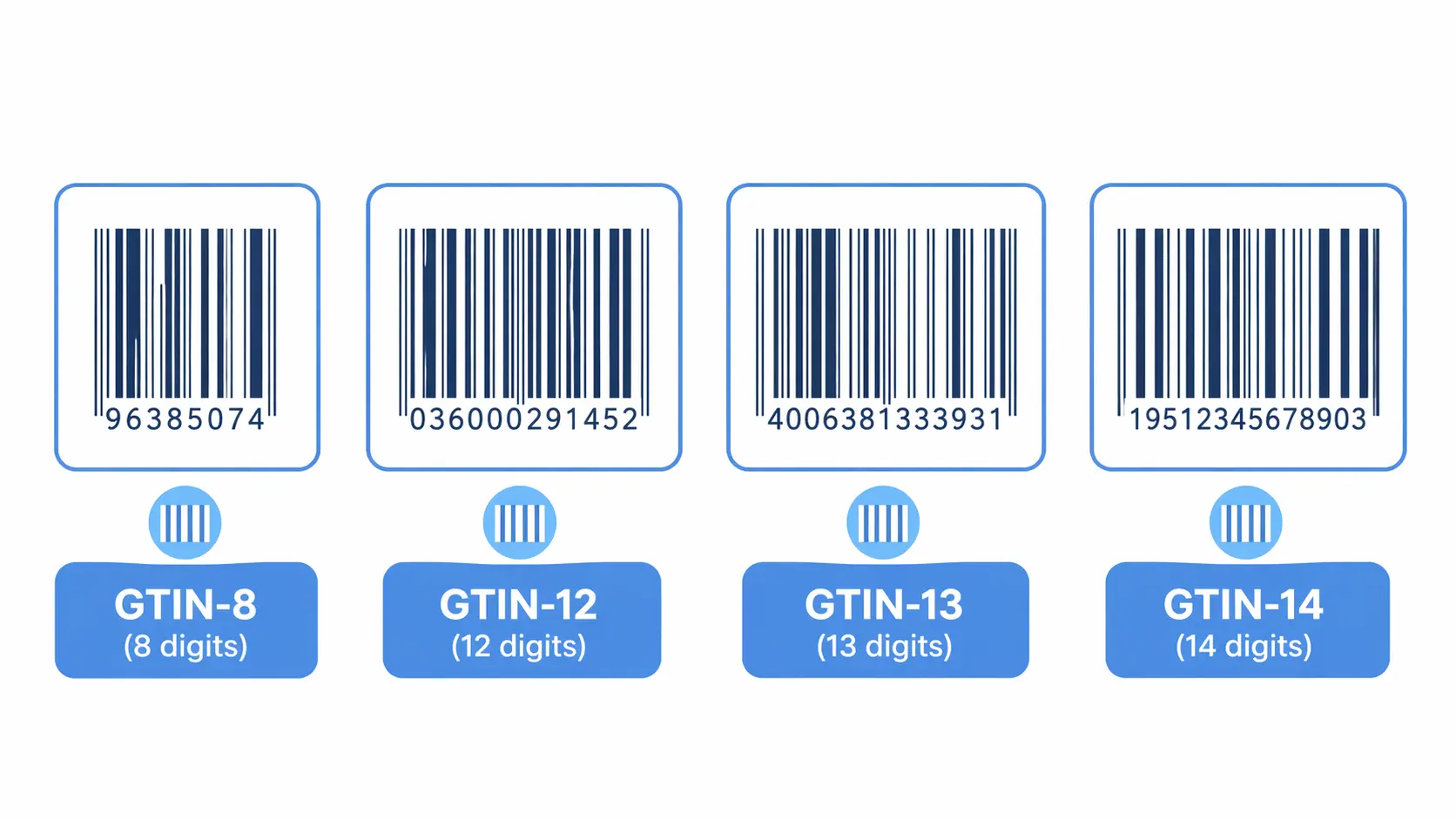
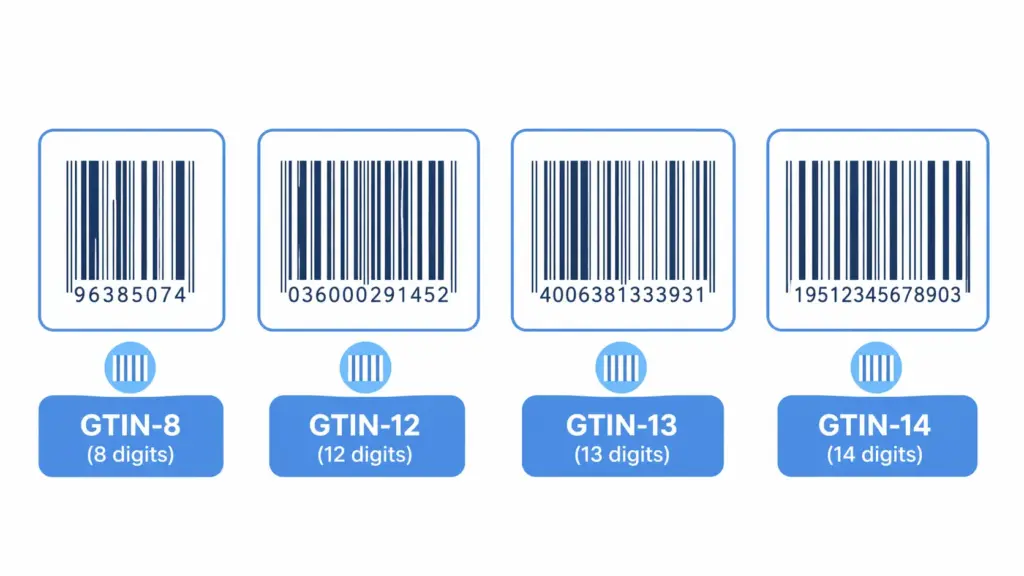
The word “GTIN” is an umbrella term. Under it sit four distinct formats, each used in different contexts and markets. Knowing which format applies to your products is the first step to compliance.
| Format | Digits | Also known as | Where used | Typical use case |
|---|---|---|---|---|
| GTIN-8 | 8 | EAN-8 | Global, mostly outside North America | Small packaging where a full barcode won’t fit |
| GTIN-12 | 12 | UPC, UPC-A | US and Canada primarily | Standard retail products in North American markets |
| GTIN-13 | 13 | EAN-13, ISBN-13 | Global standard outside North America | Most retail products sold in Europe, Asia, and globally |
| GTIN-14 | 14 | ITF-14 | Global | Cases, multipacks, and logistics units — not for point-of-sale |
For most ecommerce brands selling in North America, GTIN-12 (UPC) is the standard. For brands selling in Europe or globally, GTIN-13 (EAN-13) is the norm. For any product sold in both markets, GTIN-13 is the safer choice because it is universally accepted — a GTIN-13 works everywhere a GTIN-12 works, but not vice versa.
UPC vs EAN — what is actually the difference?
This is the most common source of confusion. A UPC (Universal Product Code) is a GTIN-12 — a 12-digit identifier primarily used in the US and Canada. An EAN (European Article Number) is a GTIN-13 — a 13-digit identifier used globally outside North America. Both are GTINs. Both are issued by GS1. Both encode the same kind of product identity information.
The practical difference: if you sell exclusively in North America, UPC (GTIN-12) works fine. If you sell internationally or plan to, get a GTIN-13. Most modern channel systems accept both, but some older retail systems in the US were originally built for 12-digit UPCs and may have issues with 13-digit EANs. When in doubt, check the specific channel requirements — Google, Amazon, and Shopify all accept both.
What is the check digit and why does it matter?
Every GTIN ends with a check digit — a single number calculated from the preceding digits using a standard GS1 algorithm. Its sole purpose is to validate that the rest of the GTIN has been entered or transmitted correctly. If the check digit does not match the calculation, the GTIN is invalid — regardless of how legitimate the product or brand is.
Check digit errors are one of the most common GTIN validation failures. They usually happen when GTINs are typed manually rather than imported from source, when digits are transposed, or when a GTIN from a supplier file has been accidentally truncated. A product with a check digit error will fail validation in Google Merchant Center and Amazon, often silently.
GTIN-13 check digit calculation example:

GTIN without check digit: 501234567890?

Step 1 — multiply alternating digits by 1 and 3:
5×1, 0×3, 1×1, 2×3, 3×1, 4×3, 5×1, 6×3, 7×1, 8×3, 9×1, 0×3
= 5 + 0 + 1 + 6 + 3 + 12 + 5 + 18 + 7 + 24 + 9 + 0 = 90

Step 2 — subtract from next multiple of 10:
100 - 90 = 10 → check digit = 0

Valid GTIN-13: 5012345678900
You do not need to calculate this manually. The GTIN Validator runs this calculation automatically against every GTIN you submit and flags any that fail.
Why GTINs matter for ecommerce channel performance

Google Shopping — 2026 requirements
Google uses GTINs to match your product listings against its product knowledge graph — a database of verified product information that Google uses to understand what you are selling, how to price it contextually, and where to show it. Products with valid GTINs get matched to Google’s knowledge graph and benefit from that context. Products without valid GTINs are treated as unverified and ranked accordingly.
The practical impact is significant. According to Google’s own Merchant Center guidance, advertisers who correctly provide GTINs for their products see up to 40% higher click-through rates in Shopping campaigns compared to those without. Products with missing or invalid GTINs receive a “Limited performance due to missing value [GTIN]” warning in Merchant Center — a warning that directly reduces Shopping visibility.
For 2026, Google’s requirements remain: GTIN is mandatory for all products that have one assigned by the manufacturer. The only legitimate exception is products where no GTIN exists — custom-made items, handmade products, vintage items, or products manufactured before GTINs were assigned. For these, set the identifier_exists attribute to false in your feed. Do not leave the GTIN field blank, and never submit a fabricated or placeholder GTIN — both trigger warnings and can lead to account-level penalties.
Amazon — GTIN requirements and exemptions
Amazon requires GTINs (UPC, EAN, ISBN, or JAN) for most product listings and uses them to match new listings to existing product detail pages in its catalog. This matching is what determines whether your listing joins an existing product page — inheriting reviews, rankings, and buy box history — or creates a new one.
Submitting an invalid GTIN on Amazon typically results in one of two outcomes: your listing is rejected outright, or it creates a duplicate product page that competes with the correct listing and inherits none of its history. Both are expensive outcomes.
Amazon does offer GTIN exemptions for certain categories and for brands that manufacture products not sold by others. To apply, you submit an exemption request through Seller Central with brand documentation. Exemptions are category-specific and must be applied for separately for each category you sell in. For most branded products with manufacturer-assigned GTINs, exemption is not the right path — finding and using the correct GTIN is.
Shopify
Shopify does not enforce GTIN at the platform level — you can publish a product to your Shopify store without one. However, when you connect Shopify to Google Shopping, Facebook Catalog, or any other channel via Shopify’s feed integrations, the GTIN field flows through to those channels and is validated there. A missing or invalid GTIN in Shopify becomes a missing or invalid GTIN in your Google feed, with all the consequences that follow.
Shopify’s taxonomy (v2026-02) also uses GTINs as part of its product matching and recommendation logic. Keeping your GTIN field accurate in Shopify is good hygiene regardless of which channels you use downstream.
The most common GTIN compliance errors — and how to fix them
Error 1: Wrong digit count
What it looks like: A GTIN field contains 10, 11, or 15 digits instead of 8, 12, 13, or 14. Sometimes a leading zero has been dropped — a GTIN-13 stored as a GTIN-12 because the system stripped the leading zero on import.
Root cause: Supplier data files exported from systems that did not zero-pad the GTIN field. Excel is a particular culprit — it treats GTIN columns as numbers and drops leading zeros automatically unless the column is formatted as text.
Fix: Validate all GTINs for digit count before import. For GTINs that have had leading zeros dropped, restore them: a 12-digit EAN that should be 13 digits gets a leading zero prepended. For GTINs with legitimately wrong lengths that do not match any valid format, request the correct value from your supplier. Never pad with random digits to reach the right length — that creates a new invalid GTIN.
Error 2: Check digit failure
What it looks like: The GTIN has the right number of digits but fails the GS1 check digit calculation. Google Merchant Center flags it as invalid. The product gets a “Limited performance” warning.
Root cause: Manual data entry with a transposed digit. Corruption during file transfer or format conversion. A supplier who assigned their own internal identifier in the GTIN field rather than the actual GS1-issued GTIN.
Fix: Run your GTIN field through a check digit validator — the GTIN Validator does this for your full product list instantly. For products where the check digit fails and you cannot find the correct GTIN from the supplier, contact the manufacturer directly. The correct GTIN is registered with GS1 and traceable through the Verified by GS1 lookup service.
Error 3: Duplicate GTINs across different products
What it looks like: Two different products in your catalog have the same GTIN. Or the same GTIN appears on multiple variants — different sizes of the same shoe assigned the same GTIN, for example.
Root cause: GTINs copied from one product record to another during catalog setup. Supplier files where variants were listed with the parent GTIN rather than variant-specific GTINs. Internally generated GTINs that were not assigned uniquely.
Fix: Each unique product variant — each distinct combination of size, colour, and other defining attributes — needs its own unique GTIN. This is a GS1 requirement and a channel requirement. Run a uniqueness check on your GTIN field and flag any value that appears more than once. For products that genuinely share a GTIN in your catalog due to supplier data issues, request variant-level GTINs from the supplier or manufacturer.
Error 4: Fabricated or placeholder GTINs
What it looks like: GTINs like “000000000000,” “123456789012,” or any sequential or obviously fake number in the GTIN field. Sometimes these are inserted by teams trying to pass feed validation with a value in the field rather than a blank.
Root cause: Misunderstanding of channel requirements — teams assume any value is better than no value. It is not. Google and Amazon validate GTINs against GS1’s database of registered company prefixes. A fabricated GTIN will fail this check.
Fix: Remove fabricated GTINs entirely. For products that genuinely do not have GTINs, set identifier_exists = false in your Google feed and use the Amazon GTIN exemption process. A blank GTIN field handled correctly through these channels is far better than a fake one — fake GTINs can trigger account-level policy violations.
Error 5: GTINs missing for products that have them
What it looks like: Your catalog shows the identifier_exists field as false, or the GTIN field is blank, for branded products that do have manufacturer-assigned GTINs.
Root cause: Supplier data not collected at onboarding. Products imported from a source that did not include GTINs. The GTIN field was not included in the import template.
Fix: Add GTIN as a required field in your supplier onboarding process and in your import attribute template. For existing products with missing GTINs, request them from suppliers — any legitimate manufacturer or brand owner has their GTINs registered with GS1 and can provide them. As a last resort for branded products, the GS1 Verified by GS1 lookup service can confirm the correct GTIN for many registered products. For the broader picture on how missing GTINs relate to overall catalog data quality, the PIM data quality guide covers validity as one of the six quality dimensions.
How to validate GTINs across your catalog
Manual GTIN validation is not realistic beyond a handful of products. For any catalog of meaningful size, you need a systematic validation process. Here is how to approach it:
Step 1: Export your full GTIN field
Export every product in your catalog with its GTIN field. If you are working from a PIM or ecommerce platform, this is usually a standard export. If you are working from spreadsheets, export the GTIN column with the column formatted as text — not as a number — to prevent Excel from stripping leading zeros.
Step 2: Run format and check digit validation
For each GTIN, check: is it 8, 12, 13, or 14 digits? Does the check digit match the GS1 algorithm? Is it unique across the catalog? The GTIN Validator handles all three checks automatically. It accepts bulk input and returns a flagged list of every GTIN that fails, with the specific reason for each failure.
Step 3: Cross-reference with channel warnings
Log into Google Merchant Center and check the Diagnostics tab for any “Missing value [GTIN]” or “Invalid value [GTIN]” warnings. These are the GTINs that are actively hurting your Shopping performance right now. Prioritise these for immediate correction — every product with a GTIN warning is underperforming in Shopping ads today.
In Amazon Seller Central, check the Inventory Health report and any listing quality warnings for GTIN-related issues. These are usually under “Listing Enhancements” or flagged as “Suppressed Listings.”
Step 4: Build validation into import workflows
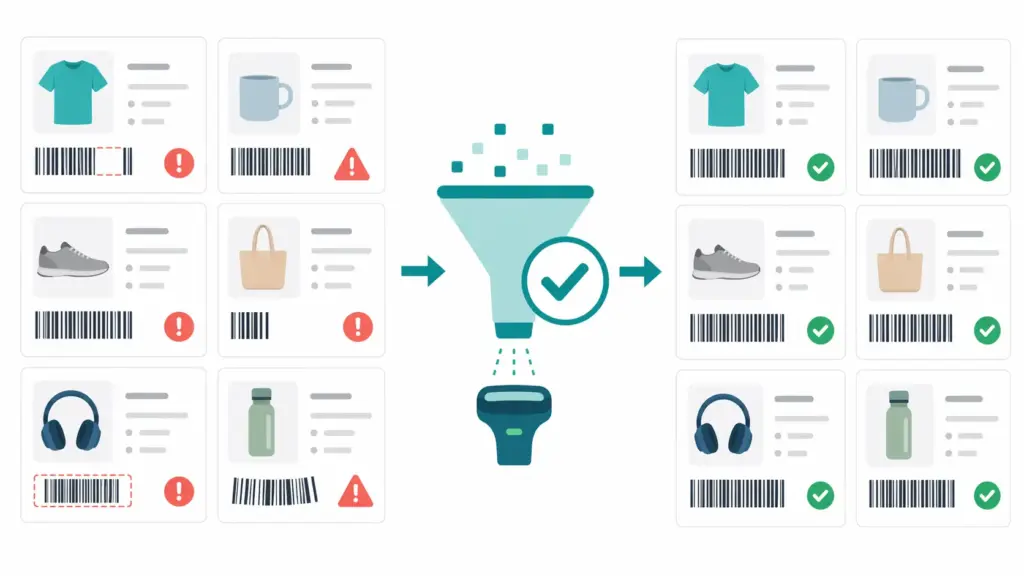
The most effective GTIN compliance strategy is not a periodic audit — it is a quality gate at import. Every product entering your catalog, whether from a supplier feed or manual entry, should pass a GTIN format and check digit check before it is added to the live catalog. Products that fail go to a review queue, not directly to channel feeds.
This is one of the core capabilities of a properly configured PIM. If you are not sure whether your current setup can enforce GTIN validation at import, the PIM Readiness Assessment covers data validation as one of its assessment dimensions.
GTIN compliance by product type: what to do in edge cases
Custom and handmade products
Products made to order, custom-printed items, and handmade goods typically do not have manufacturer-assigned GTINs. For these: set identifier_exists = false in Google feeds. On Amazon, apply for a GTIN exemption through Seller Central. Do not fabricate a GTIN. Channels understand that some products are genuinely unidentified — they just need to be told explicitly rather than left blank or given a fake value.
Bundles and multipacks
A bundle of two or more products sold together as a single unit needs its own unique GTIN — you cannot reuse the GTIN of one of the component products. If you are assembling your own bundles, you need to obtain new GTINs from GS1 for each bundle configuration. For multipacks that were packaged by the original manufacturer, the multipack GTIN is typically provided with the product data and encoded as a GTIN-14.
Private label products
If you manufacture or private-label products under your own brand, you are responsible for obtaining and assigning GTINs. You do this by purchasing a GS1 Company Prefix from your local GS1 organisation, which gives you the right to create a defined number of GTINs under your prefix. These GTINs are then yours to assign to your products and register in the GS1 system. Do not purchase GTINs from resellers who sell individual numbers without a company prefix — these are often recycled GTINs from other brands and will fail GS1 verification.
Vintage and pre-GTIN products
Products manufactured before GTINs were widely adopted — antiques, vintage items, certain collectibles — may genuinely have no GTIN. Treat these the same as custom products: identifier_exists = false on Google, GTIN exemption on Amazon. Provide as much other identifying information as possible (brand, MPN, condition) to help channels understand and place the product accurately.
GTIN compliance checklist
Use this as a quick audit of your current GTIN health:
- ☐ All GTINs in your catalog are 8, 12, 13, or 14 digits
- ☐ No GTINs have had leading zeros stripped (common in Excel exports)
- ☐ All GTINs pass GS1 check digit validation
- ☐ No duplicate GTINs across different product variants
- ☐ No fabricated or placeholder GTINs (000000000000, 123456789012 etc.)
- ☐ Products without GTINs have
identifier_exists = falseset in Google feeds - ☐ Amazon GTIN exemptions are in place for products that need them
- ☐ Google Merchant Center Diagnostics shows no GTIN warnings
- ☐ GTIN is a required field in your supplier onboarding checklist
- ☐ GTIN validation runs at import before products enter the live catalog
If you have unchecked items, start with the GTIN Validator to identify exactly which products in your catalog are failing and why. For the broader data quality picture beyond GTINs, the Completeness Checker shows you where other required fields are missing across your catalog. And if you want to understand how GTIN validation fits into your overall product data infrastructure, the category mapping guide covers how the full data model connects.
Frequently asked questions
What is the difference between GTIN and UPC?
A UPC (Universal Product Code) is a specific type of GTIN — specifically, a GTIN-12, the 12-digit format used primarily in the US and Canada. GTIN is the umbrella term covering all four formats: GTIN-8, GTIN-12 (UPC), GTIN-13 (EAN), and GTIN-14. All UPCs are GTINs, but not all GTINs are UPCs. For ecommerce purposes, the terms are often used interchangeably in channel documentation, but technically they refer to different things.
Does every product need a GTIN?
Every product that has been assigned a GTIN by its manufacturer needs that GTIN submitted to channels like Google and Amazon. Products that genuinely do not have a GTIN — custom goods, handmade items, vintage products, private label items you manufacture yourself without GS1 registration — can set identifier_exists = false on Google or apply for GTIN exemption on Amazon. You should never fabricate a GTIN for a product that does not have one.
How do I get a GTIN for my product?
GTINs are issued through GS1. You purchase a GS1 Company Prefix from your local GS1 organisation — this is a unique prefix that identifies your company in the global GS1 system. You then assign GTINs to your products using that prefix. Do not purchase GTINs from third-party resellers who sell individual barcodes without a company prefix — these are often recycled identifiers from other brands and will fail GS1 verification checks on Google and Amazon.
Why is my GTIN being rejected by Google Merchant Center?
Google validates GTINs against GS1’s database. The most common reasons for rejection are: wrong digit count (GTIN should be 8, 12, 13, or 14 digits), check digit failure (the last digit does not match the GS1 algorithm), a fabricated or placeholder GTIN, or a GTIN that cannot be verified as registered to any known company prefix. Run your GTINs through the GTIN Validator to identify the specific reason for failure, then either correct the GTIN or set identifier_exists = false if the product genuinely has no GTIN.
Does each product variant need its own GTIN?
Yes. Each unique product variant — each distinct combination of defining attributes like size and colour — needs its own unique GTIN. A blue t-shirt in size M and the same t-shirt in size L are different products from a channel perspective and require different GTINs. Reusing the same GTIN across variants is a GS1 standard violation and causes listing conflicts on Amazon and Google Shopping.
What is the GTIN exemption on Amazon?
Amazon’s GTIN exemption allows sellers to list products that genuinely do not have manufacturer-assigned GTINs — typically private label brands, custom products, or certain categories where GTINs are not standard. The exemption is category-specific and must be applied for through Seller Central with brand documentation. It is not a general workaround for products that have GTINs but where you do not have them — for those, you need to obtain the correct GTIN from the manufacturer.
Leave a Reply