Category: Product Data Quality

  • GTIN and UPC Compliance for Ecommerce: The Complete 2026 Guide

    GTIN and UPC Compliance for Ecommerce: The Complete 2026 Guide

    A product with an invalid GTIN does not throw an obvious error. It does not flash a warning on your product page. It just quietly underperforms — suppressed in Google Shopping, flagged in Amazon Seller Central, ignored by channel matching algorithms — while you spend weeks trying to figure out why that category is not converting.

    GTIN compliance is one of the least visible and most commercially damaging data quality problems in ecommerce. This guide covers everything you need to know: what GTINs are, the difference between UPC, EAN, and other formats, what Google and Amazon actually require in 2026, how to validate your barcodes, and how to fix the most common errors before they cost you further.

    If you want to check your GTINs right now before reading further, the GTIN Validator checks format, digit count, and GS1 check digit compliance in seconds — no account needed.
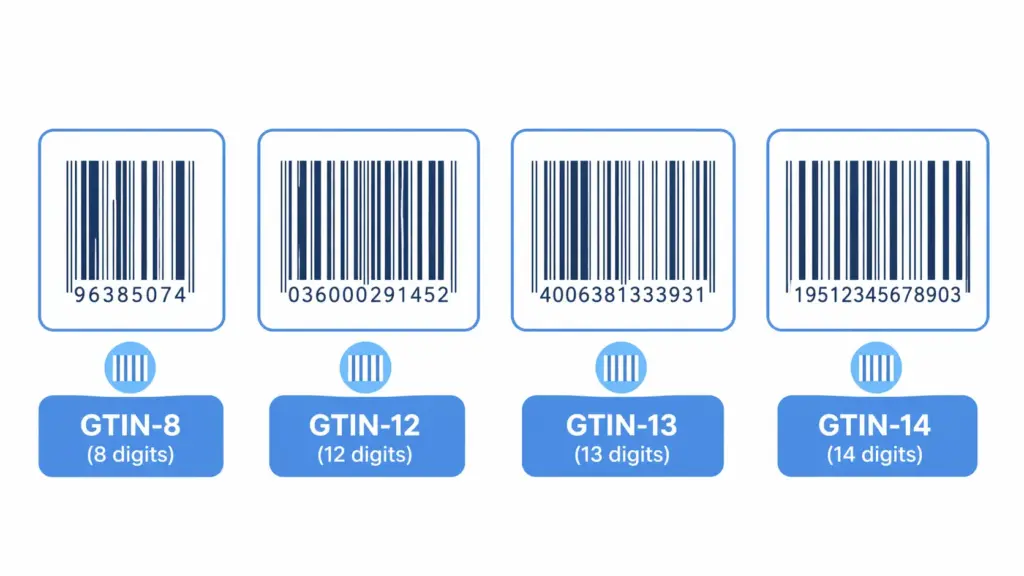
    GTINs come in four formats. Knowing which format applies to your products and markets is the first step to compliance.

    What is a GTIN?

    A GTIN — Global Trade Item Number — is the unique numerical identifier assigned to a product for use across global supply chains, retail systems, and digital commerce platforms. It is the number encoded inside a barcode, printed underneath the bars, and submitted to channels like Google Shopping and Amazon to tell their systems exactly what product you are selling.

    GTINs are governed by GS1, the global standards organisation responsible for product identification across more than 150 countries. Every legitimate GTIN traces back to a GS1 Company Prefix — a unique identifier assigned to the brand or manufacturer that owns the product.

    The key thing to understand about GTINs is that they are not optional for serious ecommerce operations. Google, Amazon, and most major marketplaces use GTINs to match your product listing against their product knowledge graphs. Without a valid GTIN, your product is effectively unverified — and channels treat unverified products with reduced visibility, lower ad performance, and in some cases outright rejection.

    GTIN formats: UPC, EAN, GTIN-8 and GTIN-14 explained

    The word “GTIN” is an umbrella term. Under it sit four distinct formats, each used in different contexts and markets. Knowing which format applies to your products is the first step to compliance.

    FormatDigitsAlso known asWhere usedTypical use case
    GTIN-88EAN-8Global, mostly outside North AmericaSmall packaging where a full barcode won’t fit
    GTIN-1212UPC, UPC-AUS and Canada primarilyStandard retail products in North American markets
    GTIN-1313EAN-13, ISBN-13Global standard outside North AmericaMost retail products sold in Europe, Asia, and globally
    GTIN-1414ITF-14GlobalCases, multipacks, and logistics units — not for point-of-sale

    For most ecommerce brands selling in North America, GTIN-12 (UPC) is the standard. For brands selling in Europe or globally, GTIN-13 (EAN-13) is the norm. For any product sold in both markets, GTIN-13 is the safer choice because it is universally accepted — a GTIN-13 works everywhere a GTIN-12 works, but not vice versa.

    UPC vs EAN — what is actually the difference?

    This is the most common source of confusion. A UPC (Universal Product Code) is a GTIN-12 — a 12-digit identifier primarily used in the US and Canada. An EAN (European Article Number) is a GTIN-13 — a 13-digit identifier used globally outside North America. Both are GTINs. Both are issued by GS1. Both encode the same kind of product identity information.

    The practical difference: if you sell exclusively in North America, UPC (GTIN-12) works fine. If you sell internationally or plan to, get a GTIN-13. Most modern channel systems accept both, but some older retail systems in the US were originally built for 12-digit UPCs and may have issues with 13-digit EANs. When in doubt, check the specific channel requirements — Google, Amazon, and Shopify all accept both.

    What is the check digit and why does it matter?

    Every GTIN ends with a check digit — a single number calculated from the preceding digits using a standard GS1 algorithm. Its sole purpose is to validate that the rest of the GTIN has been entered or transmitted correctly. If the check digit does not match the calculation, the GTIN is invalid — regardless of how legitimate the product or brand is.

    Check digit errors are one of the most common GTIN validation failures. They usually happen when GTINs are typed manually rather than imported from source, when digits are transposed, or when a GTIN from a supplier file has been accidentally truncated. A product with a check digit error will fail validation in Google Merchant Center and Amazon, often silently.

    GTIN-13 check digit calculation example:
     
    GTIN without check digit: 501234567890?
     
    Step 1 — multiply alternating digits by 1 and 3:
    5×1, 0×3, 1×1, 2×3, 3×1, 4×3, 5×1, 6×3, 7×1, 8×3, 9×1, 0×3
    = 5 + 0 + 1 + 6 + 3 + 12 + 5 + 18 + 7 + 24 + 9 + 0 = 90
     
    Step 2 — subtract from next multiple of 10:
    100 - 90 = 10 → check digit = 0
     
    Valid GTIN-13: 5012345678900

    You do not need to calculate this manually. The GTIN Validator runs this calculation automatically against every GTIN you submit and flags any that fail.

    Why GTINs matter for ecommerce channel performance

    A valid GTIN is the handshake between your product data and every channel’s product knowledge system. Without it, channels cannot confidently place your products.

    Google Shopping — 2026 requirements

    Google uses GTINs to match your product listings against its product knowledge graph — a database of verified product information that Google uses to understand what you are selling, how to price it contextually, and where to show it. Products with valid GTINs get matched to Google’s knowledge graph and benefit from that context. Products without valid GTINs are treated as unverified and ranked accordingly.

    The practical impact is significant. According to Google’s own Merchant Center guidance, advertisers who correctly provide GTINs for their products see up to 40% higher click-through rates in Shopping campaigns compared to those without. Products with missing or invalid GTINs receive a “Limited performance due to missing value [GTIN]” warning in Merchant Center — a warning that directly reduces Shopping visibility.

    For 2026, Google’s requirements remain: GTIN is mandatory for all products that have one assigned by the manufacturer. The only legitimate exception is products where no GTIN exists — custom-made items, handmade products, vintage items, or products manufactured before GTINs were assigned. For these, set the identifier_exists attribute to false in your feed. Do not leave the GTIN field blank, and never submit a fabricated or placeholder GTIN — both trigger warnings and can lead to account-level penalties.

    Amazon — GTIN requirements and exemptions

    Amazon requires GTINs (UPC, EAN, ISBN, or JAN) for most product listings and uses them to match new listings to existing product detail pages in its catalog. This matching is what determines whether your listing joins an existing product page — inheriting reviews, rankings, and buy box history — or creates a new one.

    Submitting an invalid GTIN on Amazon typically results in one of two outcomes: your listing is rejected outright, or it creates a duplicate product page that competes with the correct listing and inherits none of its history. Both are expensive outcomes.

    Amazon does offer GTIN exemptions for certain categories and for brands that manufacture products not sold by others. To apply, you submit an exemption request through Seller Central with brand documentation. Exemptions are category-specific and must be applied for separately for each category you sell in. For most branded products with manufacturer-assigned GTINs, exemption is not the right path — finding and using the correct GTIN is.

    Shopify

    Shopify does not enforce GTIN at the platform level — you can publish a product to your Shopify store without one. However, when you connect Shopify to Google Shopping, Facebook Catalog, or any other channel via Shopify’s feed integrations, the GTIN field flows through to those channels and is validated there. A missing or invalid GTIN in Shopify becomes a missing or invalid GTIN in your Google feed, with all the consequences that follow.

    Shopify’s taxonomy (v2026-02) also uses GTINs as part of its product matching and recommendation logic. Keeping your GTIN field accurate in Shopify is good hygiene regardless of which channels you use downstream.

    The most common GTIN compliance errors — and how to fix them
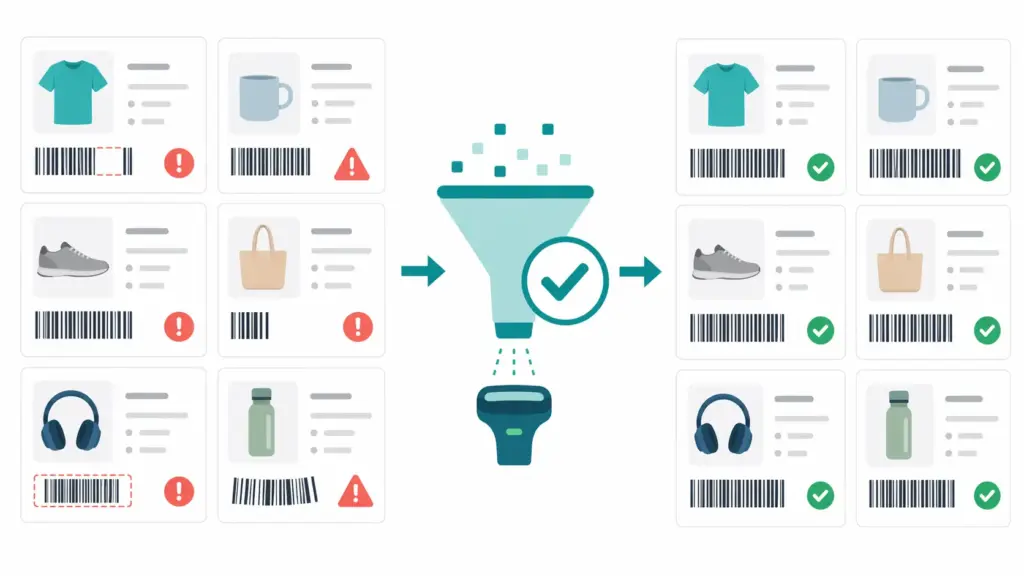
    Most GTIN errors are systematic — they come from the same root cause across dozens or hundreds of products, which means fixing the process fixes the whole catalog.

    Error 1: Wrong digit count

    What it looks like: A GTIN field contains 10, 11, or 15 digits instead of 8, 12, 13, or 14. Sometimes a leading zero has been dropped — a GTIN-13 stored as a GTIN-12 because the system stripped the leading zero on import.

    Root cause: Supplier data files exported from systems that did not zero-pad the GTIN field. Excel is a particular culprit — it treats GTIN columns as numbers and drops leading zeros automatically unless the column is formatted as text.

    Fix: Validate all GTINs for digit count before import. For GTINs that have had leading zeros dropped, restore them: a 12-digit EAN that should be 13 digits gets a leading zero prepended. For GTINs with legitimately wrong lengths that do not match any valid format, request the correct value from your supplier. Never pad with random digits to reach the right length — that creates a new invalid GTIN.

    Error 2: Check digit failure

    What it looks like: The GTIN has the right number of digits but fails the GS1 check digit calculation. Google Merchant Center flags it as invalid. The product gets a “Limited performance” warning.

    Root cause: Manual data entry with a transposed digit. Corruption during file transfer or format conversion. A supplier who assigned their own internal identifier in the GTIN field rather than the actual GS1-issued GTIN.

    Fix: Run your GTIN field through a check digit validator — the GTIN Validator does this for your full product list instantly. For products where the check digit fails and you cannot find the correct GTIN from the supplier, contact the manufacturer directly. The correct GTIN is registered with GS1 and traceable through the Verified by GS1 lookup service.

    Error 3: Duplicate GTINs across different products

    What it looks like: Two different products in your catalog have the same GTIN. Or the same GTIN appears on multiple variants — different sizes of the same shoe assigned the same GTIN, for example.

    Root cause: GTINs copied from one product record to another during catalog setup. Supplier files where variants were listed with the parent GTIN rather than variant-specific GTINs. Internally generated GTINs that were not assigned uniquely.

    Fix: Each unique product variant — each distinct combination of size, colour, and other defining attributes — needs its own unique GTIN. This is a GS1 requirement and a channel requirement. Run a uniqueness check on your GTIN field and flag any value that appears more than once. For products that genuinely share a GTIN in your catalog due to supplier data issues, request variant-level GTINs from the supplier or manufacturer.

    Error 4: Fabricated or placeholder GTINs

    What it looks like: GTINs like “000000000000,” “123456789012,” or any sequential or obviously fake number in the GTIN field. Sometimes these are inserted by teams trying to pass feed validation with a value in the field rather than a blank.

    Root cause: Misunderstanding of channel requirements — teams assume any value is better than no value. It is not. Google and Amazon validate GTINs against GS1’s database of registered company prefixes. A fabricated GTIN will fail this check.

    Fix: Remove fabricated GTINs entirely. For products that genuinely do not have GTINs, set identifier_exists = false in your Google feed and use the Amazon GTIN exemption process. A blank GTIN field handled correctly through these channels is far better than a fake one — fake GTINs can trigger account-level policy violations.

    Error 5: GTINs missing for products that have them

    What it looks like: Your catalog shows the identifier_exists field as false, or the GTIN field is blank, for branded products that do have manufacturer-assigned GTINs.

    Root cause: Supplier data not collected at onboarding. Products imported from a source that did not include GTINs. The GTIN field was not included in the import template.

    Fix: Add GTIN as a required field in your supplier onboarding process and in your import attribute template. For existing products with missing GTINs, request them from suppliers — any legitimate manufacturer or brand owner has their GTINs registered with GS1 and can provide them. As a last resort for branded products, the GS1 Verified by GS1 lookup service can confirm the correct GTIN for many registered products. For the broader picture on how missing GTINs relate to overall catalog data quality, the PIM data quality guide covers validity as one of the six quality dimensions.

    How to validate GTINs across your catalog

    Manual GTIN validation is not realistic beyond a handful of products. For any catalog of meaningful size, you need a systematic validation process. Here is how to approach it:

    Step 1: Export your full GTIN field

    Export every product in your catalog with its GTIN field. If you are working from a PIM or ecommerce platform, this is usually a standard export. If you are working from spreadsheets, export the GTIN column with the column formatted as text — not as a number — to prevent Excel from stripping leading zeros.

    Step 2: Run format and check digit validation

    For each GTIN, check: is it 8, 12, 13, or 14 digits? Does the check digit match the GS1 algorithm? Is it unique across the catalog? The GTIN Validator handles all three checks automatically. It accepts bulk input and returns a flagged list of every GTIN that fails, with the specific reason for each failure.

    Step 3: Cross-reference with channel warnings

    Log into Google Merchant Center and check the Diagnostics tab for any “Missing value [GTIN]” or “Invalid value [GTIN]” warnings. These are the GTINs that are actively hurting your Shopping performance right now. Prioritise these for immediate correction — every product with a GTIN warning is underperforming in Shopping ads today.

    In Amazon Seller Central, check the Inventory Health report and any listing quality warnings for GTIN-related issues. These are usually under “Listing Enhancements” or flagged as “Suppressed Listings.”

    Step 4: Build validation into import workflows

    The most effective GTIN compliance strategy is not a periodic audit — it is a quality gate at import. Every product entering your catalog, whether from a supplier feed or manual entry, should pass a GTIN format and check digit check before it is added to the live catalog. Products that fail go to a review queue, not directly to channel feeds.

    This is one of the core capabilities of a properly configured PIM. If you are not sure whether your current setup can enforce GTIN validation at import, the PIM Readiness Assessment covers data validation as one of its assessment dimensions.

    GTIN compliance by product type: what to do in edge cases

    Custom and handmade products

    Products made to order, custom-printed items, and handmade goods typically do not have manufacturer-assigned GTINs. For these: set identifier_exists = false in Google feeds. On Amazon, apply for a GTIN exemption through Seller Central. Do not fabricate a GTIN. Channels understand that some products are genuinely unidentified — they just need to be told explicitly rather than left blank or given a fake value.

    Bundles and multipacks

    A bundle of two or more products sold together as a single unit needs its own unique GTIN — you cannot reuse the GTIN of one of the component products. If you are assembling your own bundles, you need to obtain new GTINs from GS1 for each bundle configuration. For multipacks that were packaged by the original manufacturer, the multipack GTIN is typically provided with the product data and encoded as a GTIN-14.

    Private label products

    If you manufacture or private-label products under your own brand, you are responsible for obtaining and assigning GTINs. You do this by purchasing a GS1 Company Prefix from your local GS1 organisation, which gives you the right to create a defined number of GTINs under your prefix. These GTINs are then yours to assign to your products and register in the GS1 system. Do not purchase GTINs from resellers who sell individual numbers without a company prefix — these are often recycled GTINs from other brands and will fail GS1 verification.

    Vintage and pre-GTIN products

    Products manufactured before GTINs were widely adopted — antiques, vintage items, certain collectibles — may genuinely have no GTIN. Treat these the same as custom products: identifier_exists = false on Google, GTIN exemption on Amazon. Provide as much other identifying information as possible (brand, MPN, condition) to help channels understand and place the product accurately.

    GTIN compliance checklist

    Use this as a quick audit of your current GTIN health:

    • ☐ All GTINs in your catalog are 8, 12, 13, or 14 digits
    • ☐ No GTINs have had leading zeros stripped (common in Excel exports)
    • ☐ All GTINs pass GS1 check digit validation
    • ☐ No duplicate GTINs across different product variants
    • ☐ No fabricated or placeholder GTINs (000000000000, 123456789012 etc.)
    • ☐ Products without GTINs have identifier_exists = false set in Google feeds
    • ☐ Amazon GTIN exemptions are in place for products that need them
    • ☐ Google Merchant Center Diagnostics shows no GTIN warnings
    • ☐ GTIN is a required field in your supplier onboarding checklist
    • ☐ GTIN validation runs at import before products enter the live catalog

    If you have unchecked items, start with the GTIN Validator to identify exactly which products in your catalog are failing and why. For the broader data quality picture beyond GTINs, the Completeness Checker shows you where other required fields are missing across your catalog. And if you want to understand how GTIN validation fits into your overall product data infrastructure, the category mapping guide covers how the full data model connects.


    Frequently asked questions

    What is the difference between GTIN and UPC?

    A UPC (Universal Product Code) is a specific type of GTIN — specifically, a GTIN-12, the 12-digit format used primarily in the US and Canada. GTIN is the umbrella term covering all four formats: GTIN-8, GTIN-12 (UPC), GTIN-13 (EAN), and GTIN-14. All UPCs are GTINs, but not all GTINs are UPCs. For ecommerce purposes, the terms are often used interchangeably in channel documentation, but technically they refer to different things.

    Does every product need a GTIN?

    Every product that has been assigned a GTIN by its manufacturer needs that GTIN submitted to channels like Google and Amazon. Products that genuinely do not have a GTIN — custom goods, handmade items, vintage products, private label items you manufacture yourself without GS1 registration — can set identifier_exists = false on Google or apply for GTIN exemption on Amazon. You should never fabricate a GTIN for a product that does not have one.

    How do I get a GTIN for my product?

    GTINs are issued through GS1. You purchase a GS1 Company Prefix from your local GS1 organisation — this is a unique prefix that identifies your company in the global GS1 system. You then assign GTINs to your products using that prefix. Do not purchase GTINs from third-party resellers who sell individual barcodes without a company prefix — these are often recycled identifiers from other brands and will fail GS1 verification checks on Google and Amazon.

    Why is my GTIN being rejected by Google Merchant Center?

    Google validates GTINs against GS1’s database. The most common reasons for rejection are: wrong digit count (GTIN should be 8, 12, 13, or 14 digits), check digit failure (the last digit does not match the GS1 algorithm), a fabricated or placeholder GTIN, or a GTIN that cannot be verified as registered to any known company prefix. Run your GTINs through the GTIN Validator to identify the specific reason for failure, then either correct the GTIN or set identifier_exists = false if the product genuinely has no GTIN.

    Does each product variant need its own GTIN?

    Yes. Each unique product variant — each distinct combination of defining attributes like size and colour — needs its own unique GTIN. A blue t-shirt in size M and the same t-shirt in size L are different products from a channel perspective and require different GTINs. Reusing the same GTIN across variants is a GS1 standard violation and causes listing conflicts on Amazon and Google Shopping.

    What is the GTIN exemption on Amazon?

    Amazon’s GTIN exemption allows sellers to list products that genuinely do not have manufacturer-assigned GTINs — typically private label brands, custom products, or certain categories where GTINs are not standard. The exemption is category-specific and must be applied for through Seller Central with brand documentation. It is not a general workaround for products that have GTINs but where you do not have them — for those, you need to obtain the correct GTIN from the manufacturer.


  • PIM Data Quality: How to Measure, Score & Fix Your Product Data (2026)

    PIM Data Quality: How to Measure, Score & Fix Your Product Data (2026)

    PIM Data Quality: How to Measure, Score, and Improve Your Product Data in 2026

    Here is a scenario most ecommerce teams recognise. A product goes live with the right title and a price. Three weeks later, a customer emails asking why the size guide is missing. Someone checks the PIM. The size attribute is blank for that entire category. It has been blank since import. Nobody noticed because nobody was measuring.

    That is what poor PIM data quality actually looks like in practice. Not dramatic failures. Quiet gaps that compound over time — missing fields, inconsistent values, invalid GTINs — until they start costing you in channel rejections, poor search rankings, higher returns, and customers who abandon product pages because the information they need is not there.

    This guide covers the full picture: what PIM data quality actually means, how to measure it across the six dimensions that matter, how to build a scoring system for your catalog, and how to fix the most common problems before they hit your channels. If you want to know where your data stands right now, the Completeness Checker will show you in under two minutes.

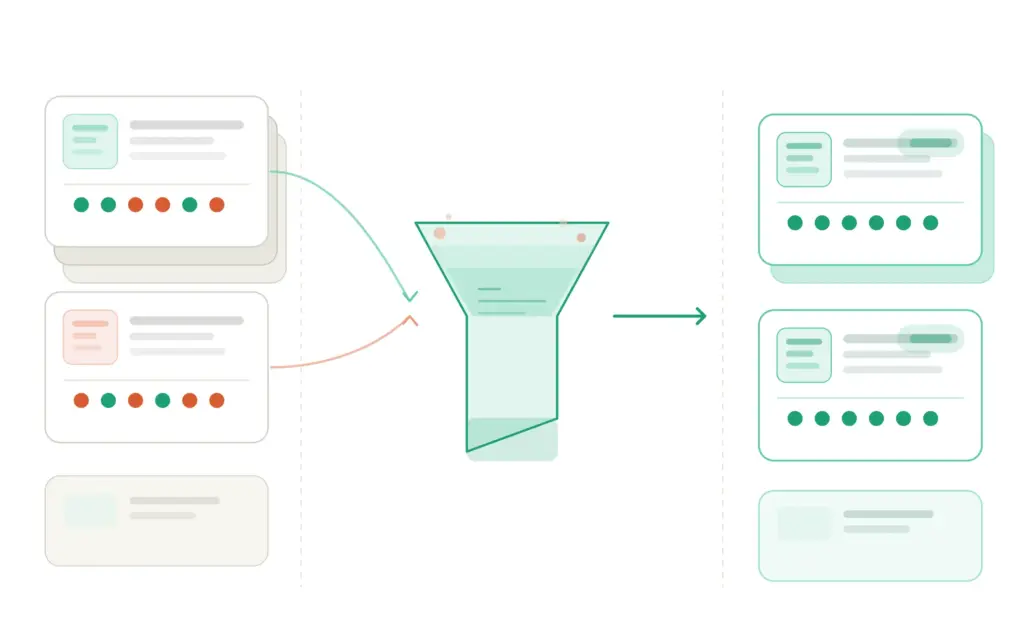
    Data quality is not one number — it is six distinct dimensions, each of which can fail independently and each of which affects your catalog differently.

    Why product data quality problems are more expensive than they look

    The cost of bad product data is easy to underestimate because most of it is invisible. It does not show up as a single line item on a P&L. It shows up as a thousand small frictions that nobody traces back to their source.

    Gartner research puts the average annual cost of poor data quality at $12.9 million per organisation. For ecommerce teams specifically, that number is made up of things like:

    • Channel rejections. Google Merchant Center and Amazon reject or suppress products with missing required fields, invalid GTINs, or non-compliant attribute values. Every suppressed listing is revenue you are not generating.
    • Higher return rates. Products with incomplete or inaccurate descriptions — missing size guides, wrong dimensions, vague material information — get returned at significantly higher rates. The customer received something different from what the product page implied.
    • SEO underperformance. Product pages with thin or incomplete data have less content for search engines to index, fewer relevant terms to rank for, and lower engagement signals from the users who do land on them.
    • Team time lost to firefighting. In organisations without a systematic data quality process, a meaningful portion of every product manager’s week goes to finding and fixing data problems that a structured quality framework would have caught automatically at input.
    • Customer abandonment. Research from the Baymard Institute consistently shows that incomplete product information is one of the top reasons customers abandon product pages without purchasing. You cannot sell a product someone cannot fully evaluate.

    The good news is that data quality problems are fixable — systematically, not just case by case. But you have to be able to measure them first.

    The six dimensions of PIM data quality

    Data quality is not a single score. It is a profile across six distinct dimensions, each of which can fail independently and each of which affects your catalog in different ways. Understanding which dimension is failing in your catalog tells you exactly what kind of fix is needed.

    Each dimension fails differently and requires a different fix — which is why treating “data quality” as a single problem leads to unfocused, ineffective cleanup campaigns.

    1. Completeness

    Completeness is the most visible dimension: are all the required fields populated for a given product? It is also the easiest to measure — you can express it as a percentage. A product with 18 out of 24 required fields filled is 75% complete.

    But completeness is category-specific. A 100% complete record for a T-shirt is missing essential information for a laptop. Your completeness measurement has to be applied against the attribute template for the product’s category, not against a universal field list. A T-shirt with no processor specification is not “incomplete” — a laptop with no processor specification is a serious problem.

    This is why taxonomy design and data quality are inseparable. Without a well-defined taxonomy with category-specific attribute templates, you cannot accurately measure completeness at scale.

    2. Accuracy

    Accuracy means the data correctly reflects reality. A product listed as weighing 500g that actually weighs 750g is inaccurate. A jacket described as 100% cotton that is actually a cotton-polyester blend is inaccurate. A product listed as available in blue, black, and red when red has been discontinued for six months is inaccurate.

    Accuracy is the hardest dimension to measure at scale because it often requires comparison against a source of truth outside the PIM — supplier specs, physical samples, or manufacturer documentation. The most effective approach is to build accuracy checks into supplier onboarding and product creation workflows, rather than trying to audit accuracy retroactively across a live catalog of thousands of SKUs.

    3. Consistency

    Consistency means the same information is represented the same way across all products where it applies. “Cotton,” “100% Cotton,” “cotton,” and “Ctn” are four representations of the same value that will all be treated as different values by any system that processes them — including Google Shopping’s feed parser, Amazon’s attribute matcher, and your own faceted search filters.

    Consistency problems almost always originate from the absence of controlled value lists. If your Color attribute can accept any free-text input, “Black,” “black,” “Jet Black,” “Noir,” and “BLK” will all end up in your catalog representing the same colour. The fix is not cleanup — it is enforcing a controlled vocabulary at input so the problem cannot enter the system in the first place.

    4. Timeliness

    Timeliness means your data reflects the current state of the product. Prices that have not been updated since a supplier price increase, stock status fields that say “In Stock” for products that were discontinued two months ago, descriptions that reference a promotion that ended in January — these are timeliness failures.

    Timeliness is particularly critical for anything that feeds into advertising. A Google Shopping ad that drives someone to a product page for an out-of-stock or discontinued item burns ad budget, damages trust, and inflates your bounce rate simultaneously.

    5. Uniqueness

    Uniqueness means each real-world product has exactly one record in your system. Duplicate product records — the same SKU appearing twice, or the same product entered under two different names by two different team members — create inventory reporting errors, inconsistent channel exports, and confusion during enrichment when both records get updated but in different ways.

    Duplicates are most commonly introduced at supplier import when a product arrives that already exists in the catalog under a slightly different SKU or title. A deduplication check at import — comparing incoming GTINs, MPNs, or titles against existing records — catches most of them before they enter the live catalog.

    6. Validity

    Validity means the data conforms to the rules and formats that govern it. A GTIN field containing a 10-digit value is invalid — GTINs are 8, 12, 13, or 14 digits. A Size field containing “extra large” when the controlled list specifies “XL” is invalid. An EAN that fails its check digit calculation is invalid and will cause feed rejections in every channel that validates it.

    Validity failures are particularly dangerous because they look fine to human reviewers but fail automated processing silently. A product with an invalid GTIN will not throw an obvious error on your product page — it will quietly underperform in Google Shopping while your team spends weeks trying to understand why that category is not converting.

    If GTIN validity is a concern in your catalog, run your product identifiers through the GTIN Validator — it checks format, check digit, and compliance against GS1 standards instantly.

    How to build a data quality score for your product catalog

    A data quality score gives you a single number that represents the overall health of your catalog — and more usefully, a breakdown by dimension and by category that tells you exactly where to focus. Here is a straightforward scoring model that works for most ecommerce catalogs.

    A scoring model turns “our data has issues” into “these 340 products in the Footwear category are failing completeness, and here are the specific fields missing.”

    Step 1: Define your required fields per category

    Scoring completeness only makes sense against a defined standard. For each leaf-level category in your taxonomy, document which fields are required for a product to be considered publishable. These become your completeness benchmark for that category.

    Separate required fields from recommended fields. Required fields are those without which the product should not be published to any channel — things like title, description, primary image, category, and any channel-mandatory attributes. Recommended fields are those that significantly improve conversion or channel performance but are not technically blocking — things like secondary images, detailed care instructions, or enhanced marketing copy.

    Step 2: Apply dimension weights

    Not all six dimensions are equally important for every catalog. A simple weighting model for most ecommerce operations:

    DimensionWeightWhy
    Completeness30%Missing fields block publishing and harm SEO
    Accuracy25%Wrong information drives returns and complaints
    Validity20%Invalid values cause silent channel failures
    Consistency15%Inconsistent values break filters and feed matching
    Timeliness7%Stale data creates customer trust issues
    Uniqueness3%Duplicates cause reporting and enrichment problems

    Adjust these weights based on your business. If you sell exclusively through Google Shopping and Amazon, validity should carry more weight because feed rejections from invalid GTINs are your most immediate revenue risk. If you have a large supplier-fed catalog with known duplicate problems, bump up uniqueness.

    Step 3: Score at product level, aggregate at category level

    Calculate a quality score for each individual product, then aggregate those scores by category. Aggregating by category is what makes the scores actionable — it tells you whether you have a system-wide problem or a category-specific one, and it lets you prioritise cleanup work by the categories that drive the most revenue.

    A product-level completeness score is straightforward:

    Completeness score = (fields populated / required fields for category) × 100
     
    Example:
    Running Shoes — required fields: 12
    Fields populated on product ID 4821: 9
    Completeness score: 9/12 × 100 = 75%

    A product with a completeness score below your publishability threshold (typically 80–90% depending on your standards) should not go live. A category with an average completeness score below that threshold needs a systematic fix at the import or enrichment layer, not individual product-by-product patching.

    Step 4: Set thresholds and automate alerts

    Define three quality tiers for your catalog and configure your system to flag products accordingly:

    • Publishable (green): Meets all required field minimums and passes validity checks. Can be published to all channels.
    • Needs enrichment (amber): Meets required fields but missing recommended fields, or has consistency warnings. Can be published to primary channels but should not be considered complete.
    • Blocked (red): Missing required fields, invalid values, or failing validity checks. Should not be published until fixed.

    The blocked tier is the one that causes the most immediate revenue impact. Products in the blocked tier are either not live at all, or live but suppressed in channel feeds — both bad outcomes. Clearing the blocked tier should always be the first priority when improving data quality scores.

    The most common PIM data quality problems — and exactly how to fix them

    Problem: Missing required fields at category level

    What it looks like: You run a completeness report and find that 40% of products in your Footwear category are missing the “Upper Material” field. The field exists in the system — it just never got populated.

    Root cause: Usually one of three things. The attribute template for that category was not defined when the products were imported. The supplier’s data file did not contain that field. Or the field was added to the template after the products were already in the system and nobody went back to populate it retroactively.

    Fix: Bulk enrichment against your supplier’s source data where the field exists there. For fields your supplier did not provide, this becomes a manual enrichment task — prioritise the highest-revenue products first. Going forward, enforce the attribute template at import so new products cannot enter the catalog with required fields missing. The guide on cleaning supplier product data covers the import hygiene side of this in detail.

    Problem: Inconsistent values in key attributes

    What it looks like: Your Color filter on the storefront returns 47 distinct values for what should be about 12 colours. “Navy,” “Navy Blue,” “Dark Blue,” “Midnight Blue,” and “NAVY” are all in there. Customers filtering by “Blue” miss half the relevant products.

    Root cause: Free-text input on attributes that should use a controlled value list. Different suppliers use different colour terminology. Different team members entered values without a standard. The attribute was never standardised.

    Fix: Create a controlled value list for the Color attribute with your approved values. Run a one-time bulk remap of all existing non-standard values to the correct standard ones (a find-and-replace operation in most PIM systems). Then enforce the controlled list going forward so new values can only be selected from the approved list. This is a one-time migration cost that pays back on every single feed export you run for the rest of the catalog’s life.

    Problem: Invalid or missing GTINs

    What it looks like: Your Google Merchant Center account shows “Limited performance due to missing value [GTIN]” warnings across a significant portion of your catalog. Some products have GTINs entered but they are failing validation — check digit errors, wrong digit count, or duplicate GTINs assigned to different products.

    Root cause: GTINs were not collected from suppliers at import, were entered manually with errors, or were assigned internally without following GS1 GTIN standards. This is one of the most commercially damaging data quality problems in ecommerce because it directly affects Google Shopping performance — Google prioritises products with valid GTINs in Shopping auctions, and advertisers with correct GTINs see up to 40% higher click-through rates according to Google’s own data.

    Fix: Validate your entire GTIN field against GS1 standards. The GTIN Validator checks format, digit count, and check digit compliance in seconds. For products with missing GTINs, request them from your suppliers — most legitimate branded products have assigned GTINs that suppliers are required to provide. For products genuinely without GTINs (custom products, handmade items), set the identifier_exists field to false in your Google feed rather than leaving the GTIN field blank or entering an invalid value.

    Problem: Stale product descriptions after seasonal or specification changes

    What it looks like: A product description still references a bundle component that was removed six months ago. A care instruction says “machine washable at 40°C” but the fabric changed to a wool blend in the latest version that requires hand wash only. A technical specification references last year’s component that has since been upgraded.

    Root cause: Product updates happened in a sourcing or product development system but did not flow through to the PIM. Or product data was managed in spreadsheets and only part of it was updated when the change happened.

    Fix: Establish a change notification process: when a product’s specification changes at source — in your ERP, in supplier documentation, in your product development workflow — there should be a trigger that flags the corresponding PIM record for review. This does not need to be fully automated (though automation is ideal). A simple process where spec changes are communicated to whoever owns the PIM record, with a 48-hour SLA for updates, prevents most timeliness failures.

    Problem: Duplicate product records from supplier imports

    What it looks like: You have two records for the same product — one created manually six months ago, one imported from a supplier feed last month. They have different titles, different image sets, and different completeness scores. Some channels are serving one, some are serving the other. Inventory reporting is wrong because both records are showing separate stock counts.

    Root cause: No deduplication check at import. The import process does not compare incoming products against existing records before creating new ones.

    Fix: Add a GTIN or MPN matching step to your import workflow. Before creating a new product record, check whether a product with the same GTIN or MPN already exists. If it does, update the existing record rather than creating a new one. For existing duplicates, merge records manually — preserving the richer data from each — then audit your channel mappings to ensure all channels are pointing to the consolidated record.

    Building a data quality process that runs continuously — not as a one-time fix

    The single biggest mistake teams make with product data quality is treating it as a cleanup project. They spend two weeks fixing everything, declare victory, and watch the problems come back within three months because nothing changed about how data enters or moves through the system.

    Data quality is a process, not a state. Here is what a continuous quality process looks like in practice:

    Quality gates at import

    Every product entering the catalog — whether from a supplier feed, a manual entry, or a migration — should pass through a set of quality gates before it is added to the live catalog. At minimum: required field check, GTIN validation, controlled value list compliance, and duplicate check. Products that fail any gate go to a holding queue for review, not directly into the live catalog.

    Weekly completeness monitoring

    Run a completeness report by category every week. Look for categories where the average completeness score dropped — this usually means new products were added without full enrichment. Set a rule: no new products are considered “launched” until they hit your completeness threshold. Time-to-market pressure is the most common reason completeness scores degrade, because teams push products live before enrichment is complete. Embedding the quality threshold into the launch definition prevents this.

    Monthly validity audits

    Run your GTIN fields through a validator monthly. Check your channel feeds for any new suppression or rejection warnings in Google Merchant Center and Amazon Seller Central. Channel platforms update their requirements — what was a valid submission last quarter may fail a new validation rule this quarter. Monthly audits catch these changes before they compound into significant traffic losses.

    Quarterly data quality reviews

    Once a quarter, look at your full quality score across all six dimensions and compare it to the previous quarter. Are scores improving, degrading, or stable? Where are the biggest gaps? Which categories need the most attention? This review should feed directly into the following quarter’s enrichment prioritisation. The goal is not perfection — it is measurable, consistent improvement that you can point to as evidence of operational progress.

    If you are not sure where to start with assessing your current data infrastructure, the PIM Readiness Assessment covers data quality governance as one of its five dimensions and gives you a concrete starting point. And if you want to understand what a PIM needs to provide to support the processes described in this guide, the 2026 PIM guide covers the full capability picture.

    PIM data quality checklist

    Use this as a starting-point audit for your catalog:

    • ☐ Every leaf-level category has a defined required attribute template
    • ☐ Controlled value lists are enforced for Color, Size, Material, and other key attributes
    • ☐ All GTINs have been validated against GS1 standards
    • ☐ Products without GTINs are marked identifier_exists = false in channel feeds
    • ☐ A completeness score is calculated per product against its category template
    • ☐ Products below your publishability threshold are blocked from channel export
    • ☐ Import workflows include duplicate detection (GTIN/MPN matching)
    • ☐ Import workflows include required field validation before products enter the live catalog
    • ☐ A process exists for propagating product specification changes from source into the PIM
    • ☐ Completeness is monitored weekly, validity is audited monthly
    • ☐ A quarterly data quality review compares scores across periods

    If you checked fewer than seven of these, your catalog has quality gaps that are currently costing you in channel performance, team time, or both. The Completeness Checker is the fastest way to see exactly where the gaps are concentrated.


    Frequently asked questions

    What is PIM data quality?

    PIM data quality refers to how well the product information stored in your Product Information Management system meets the standards required for it to be useful — for internal operations, for channel publishing, and for customer decision-making. It is measured across six dimensions: completeness, accuracy, consistency, timeliness, uniqueness, and validity. Poor PIM data quality results in channel rejections, higher return rates, lower search rankings, and customers who cannot find or evaluate your products effectively.

    How do you measure product data quality?

    The most practical approach for ecommerce teams is to start with completeness — the percentage of required fields populated for a given product against its category’s attribute template. From there, add validity checks (particularly GTIN validation), consistency monitoring (checking for non-standard values in controlled-list attributes), and periodic accuracy audits against supplier source documents. Aggregate scores by category rather than at the overall catalog level to make the results actionable.

    What causes product data quality problems?

    The most common causes are: supplier data arriving without required fields or in inconsistent formats; attribute templates that were not defined before import; free-text input on fields that should use controlled value lists; no duplicate detection at import; product specification changes that are not propagated into the PIM; and teams prioritising speed-to-market over completeness so products go live before enrichment is finished. Most data quality problems are process failures, not data failures — they are preventable with the right governance at input.

    How do invalid GTINs affect Google Shopping performance?

    Google uses GTINs to match your product listings against its product knowledge graph. Products with valid GTINs are matched to the right product in Google’s system, which improves ad relevance, Shopping feed placement, and eligibility for Google’s performance features. Products with missing or invalid GTINs receive a “Limited performance due to missing value [GTIN]” warning and are at a disadvantage in Shopping auctions. Google’s own data shows that advertisers with correct GTINs see up to 40% higher click-through rates. Invalid GTINs — those with wrong digit counts or failing check digit validation — can also cause product disapprovals in Merchant Center.

    What is a good product data completeness score?

    For products to be considered publishable to primary channels, a completeness score of 85–90% against the required attribute template is a reasonable threshold for most ecommerce catalogs. For high-consideration or high-value products — electronics, fashion, home furnishings — where the customer research process is more intensive, 95%+ completeness on required and recommended fields is a better target. For marketplace channels with strict data requirements (Amazon in particular), completeness requirements are effectively set by the channel’s mandatory fields, which vary by category and should be checked in the relevant Browse Tree Guide.