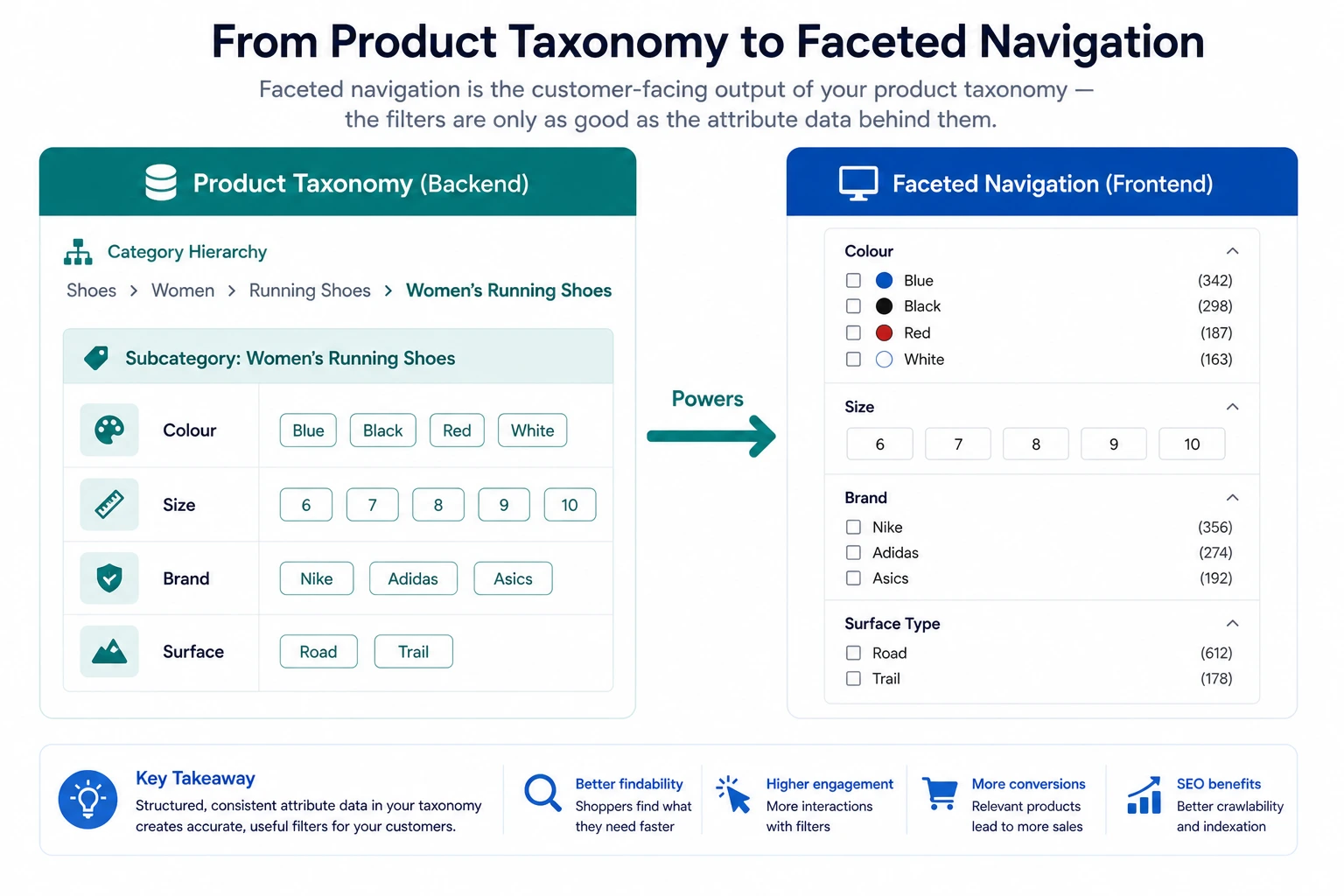
Faceted Navigation: How Product Taxonomy Powers Your Filter System
Faceted navigation is the filter sidebar on your category pages. It is one of the highest-impact conversion tools in ecommerce — when it works. When it does not work, customers face unusable filter options, incomplete results, and irrelevant products. The difference between a working and a broken faceted navigation system almost always comes down to the quality of the product taxonomy underneath it.
What Is Faceted Navigation?
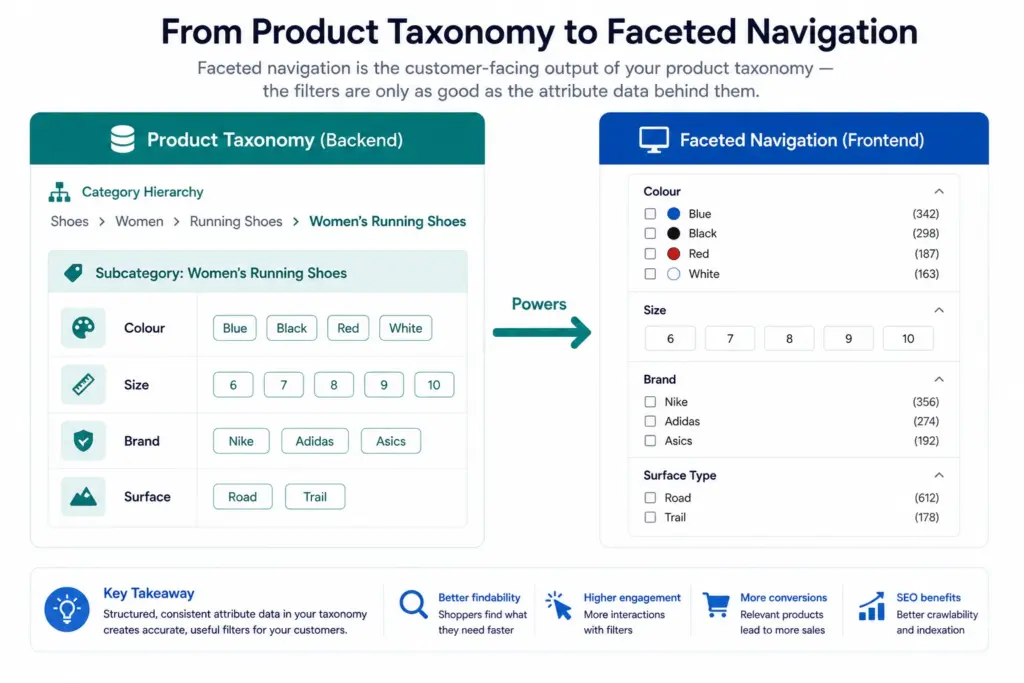
Faceted navigation is a multi-dimensional filtering system that allows customers to narrow a product set by applying multiple attribute filters simultaneously. Each filter dimension — colour, size, brand, material, price range — is a “facet”.
When a customer lands on a “Women’s Running Shoes” category page and uses the filters to select: Size = 8, Colour = Black, Brand = Asics — faceted navigation returns only the products matching all three criteria simultaneously. This is fundamentally different from traditional category browsing where customers can only drill down one level at a time.
Faceted navigation significantly increases the probability that a customer with specific requirements finds what they are looking for — which directly increases conversion rate on category pages. But it only works if the attribute data powering the filters is structured, consistent, and complete.
The Taxonomy-Navigation Connection
The filter options available on any category page come directly from the attribute values assigned to products in that category. Your product taxonomy determines:
- Which attributes exist as filters — only attributes defined in your taxonomy attribute set for that subcategory can become filters
- Which values appear in each filter — only the distinct values present in your product data for that attribute appear as filter options
- How many products each filter returns — if 30% of products are missing an attribute, filtering by that attribute returns an incomplete set
This means a product taxonomy decision — what attributes to assign to a subcategory, what values to allow for each attribute — directly determines what filters customers see and how useful those filters are. For the foundation on building taxonomy correctly, see What Is Product Taxonomy and How to Build a Product Taxonomy From Scratch.
Why Flat Taxonomy Breaks Faceted Navigation
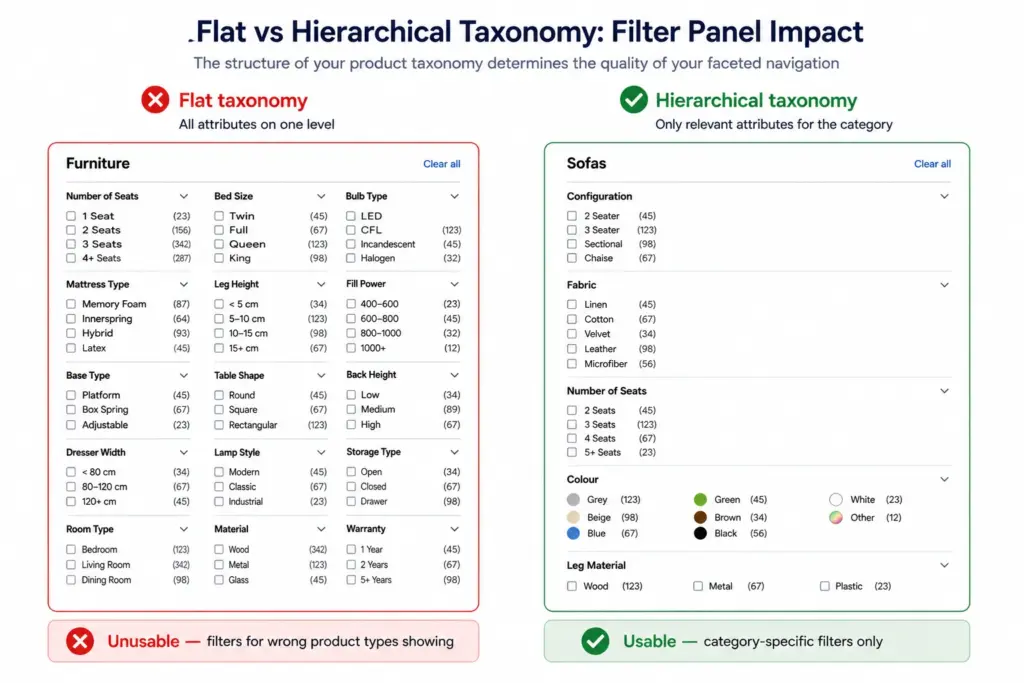
A flat taxonomy — one level of categories with no subcategories — forces all products in a top-level category to share the same filter set. In a home goods store with a flat structure, the “Furniture” category contains sofas, dining tables, bed frames, and desk lamps. The filter panel must serve all of them simultaneously.
The result: a filter panel that includes Number of Seats (relevant to sofas only), Bed Size (relevant to beds only), Bulb Type (relevant to lamps only), and Seating Capacity (relevant to dining tables only) — all visible at once, none relevant to all products. Customers see a confusing, cluttered filter panel and abandon filtering entirely.
Hierarchical taxonomy solves this by enabling category-specific filter sets. Sofas get their own filter panel with Number of Seats, Configuration, and Fabric. Lighting gets its own panel with Fitting Type, Dimmable, and IP Rating. Each subcategory shows only the filters relevant to it. The Flat vs Hierarchical Taxonomy guide covers when each approach is appropriate.
The 4 Attribute Rules for Effective Faceted Navigation
Rule 1: Normalise attribute values
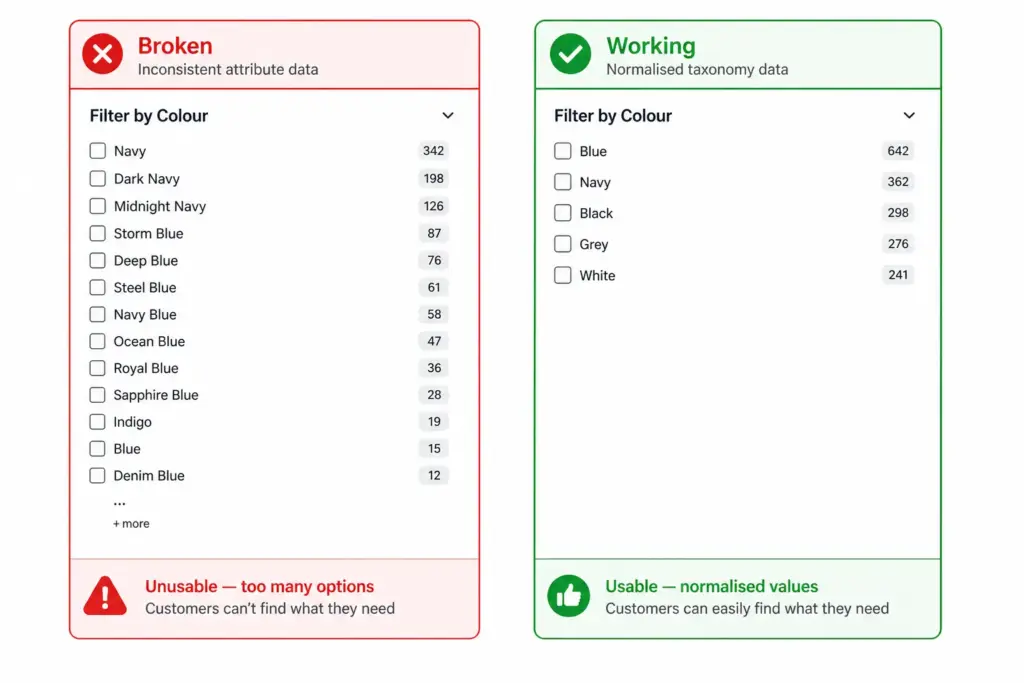
Every attribute that becomes a filter must use controlled, consistent values. Colour cannot have 40 variations of blue — it must have one “Blue” value (plus specific shades as a secondary attribute if needed). Size cannot have “S”, “Small”, “SM”, “size S”, and “SMALL” — it must have one normalised “S” value. Unnormalised values create filter option lists that customers cannot navigate.
Rule 2: Ensure completeness for filter attributes
A filter attribute that is missing from 40% of products returns a result set that excludes 40% of matching products. If a customer filters by Colour = Blue and 40% of your blue products are missing the colour attribute, the filter is hiding products the customer would buy. Run completeness checks on every filter attribute — any attribute below 90% coverage is undermining your conversion rate.
Rule 3: Define filter attributes per subcategory, not globally
Different subcategories need different filters. Do not apply a global attribute set across all categories. Define which attributes become filters for each subcategory — this is a taxonomy design decision, not a platform configuration decision. The attribute set in your taxonomy is what drives the filter panel.
Rule 4: Keep facet option counts manageable
5–15 options per filter facet is the usable range for most attributes. A colour filter with 40 options is unusable. A brand filter with 200 options needs a search-within-filter feature. Use controlled attribute value lists to prevent facet option counts from growing beyond the usable range as your catalog expands.
Common Faceted Navigation Failures and Their Taxonomy Root Causes
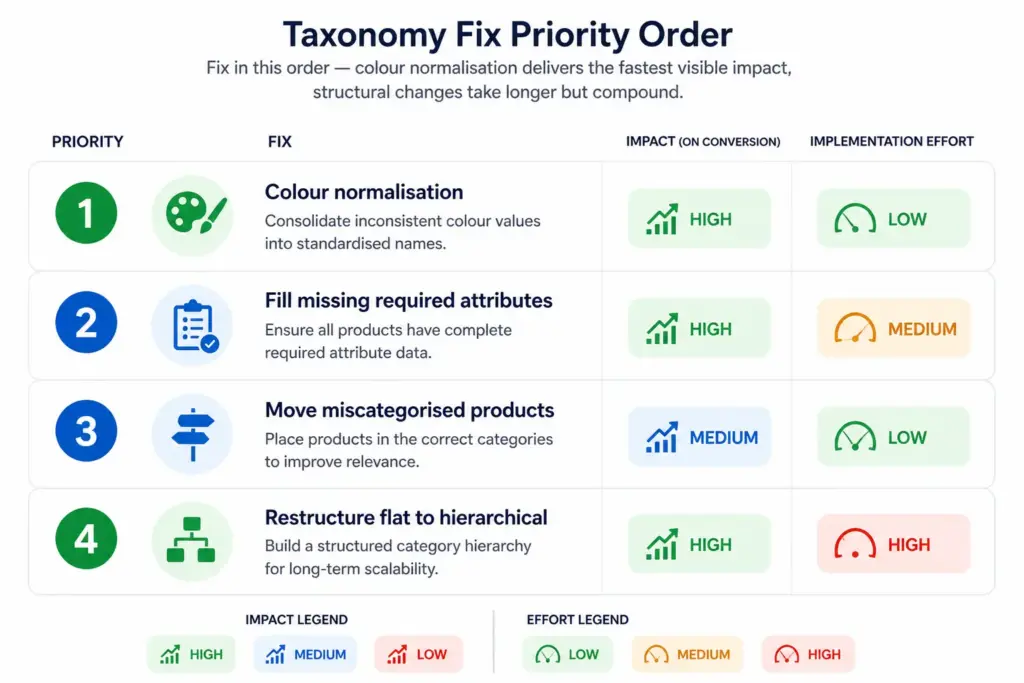
| Symptom | Root Cause | Fix |
|---|---|---|
| Filter returns zero results despite products existing | Products missing the filter attribute | Attribute completeness audit + bulk fill |
| Colour filter has 40+ options | Unnormalised colour values | Colour normalisation — map to controlled value list |
| Filter returns wrong product types | Products miscategorised in wrong subcategory | Reclassify affected products |
| Same filter appears on every category regardless of relevance | Flat taxonomy — no subcategory-specific attribute sets | Migrate to hierarchical taxonomy with per-subcategory attribute definitions |
| Filter option counts are highly inconsistent | Attribute values assigned inconsistently across catalog | Controlled vocabulary enforcement + bulk standardisation |
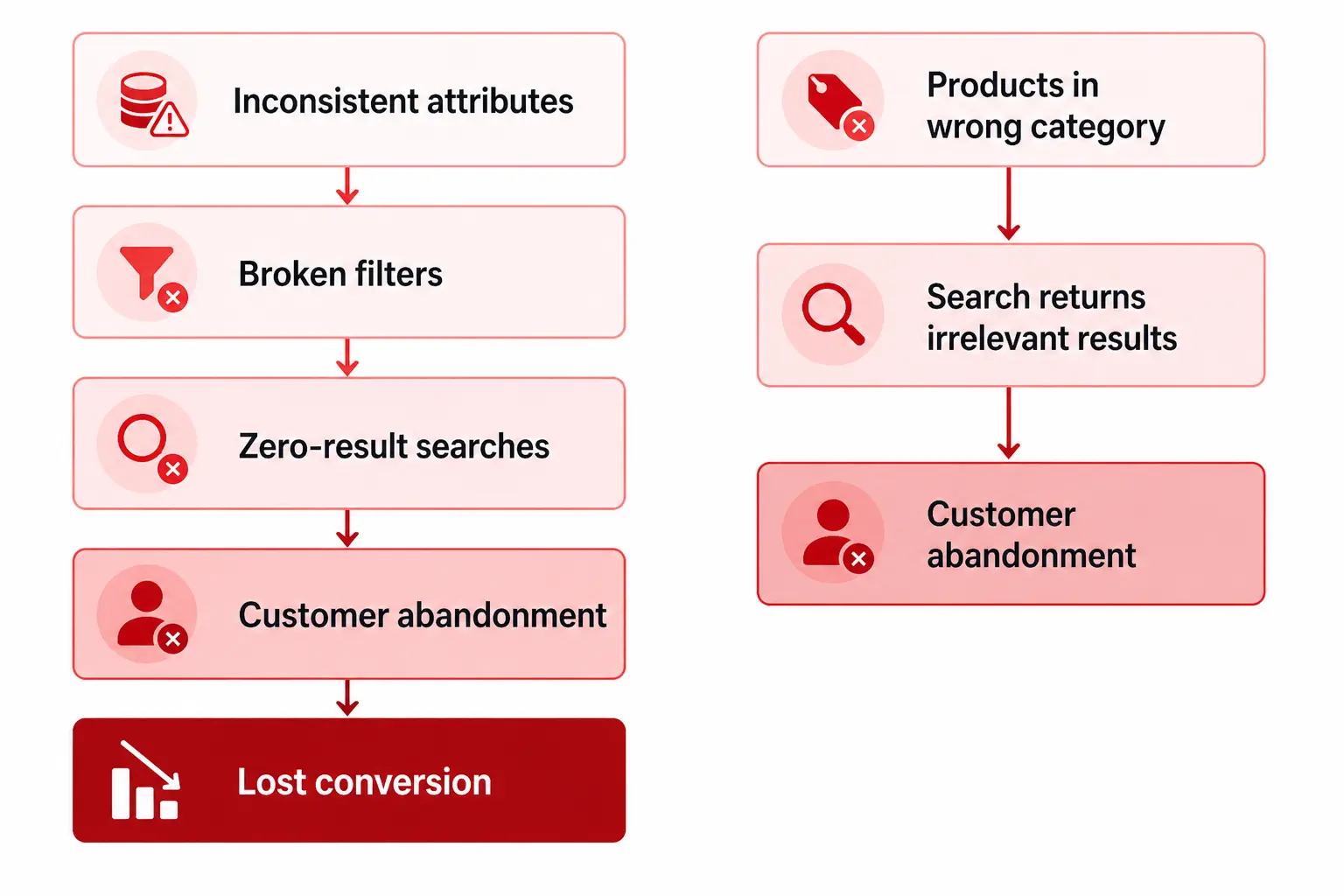
The root cause of most faceted navigation failures is not a platform problem — it is a product data problem. The Completeness Checker identifies which attribute gaps are most significant across your catalog. The PIM Readiness Score gives you a full picture of where your taxonomy and attribute governance has gaps affecting both faceted navigation and channel performance. Also see How Bad Taxonomy Kills Your Site Search for the broader impact beyond filters.
Frequently Asked Questions
What is faceted navigation in ecommerce?
Faceted navigation is a filtering system that allows customers to narrow a product set by applying multiple attribute filters simultaneously — for example, filtering shoes by Size = 8, Colour = Black, Brand = Nike, and Style = Running to show only matching products. Each filter dimension is a “facet” derived from structured product attributes in your taxonomy.
Why does product taxonomy affect faceted navigation?
Because the filters on any category page come directly from the attribute sets assigned to that category in your taxonomy. If your taxonomy assigns different attributes to different products in the same category, or uses inconsistent attribute values, the filter options become incomplete or unusable. The taxonomy is the data layer that faceted navigation is built on.
What is the difference between faceted navigation and site search?
Site search retrieves products matching a keyword query. Faceted navigation filters an existing product set by attribute values. They work together — a customer searches “running shoes” (site search), then uses facets to filter by size and colour (faceted navigation). Both depend on the same underlying product data quality, which means taxonomy problems typically affect both simultaneously.
How many filter options should each facet display?
5–15 options per facet is the usable range. Fewer than 5 suggests the attribute is not differentiated enough to warrant a filter. More than 15–20 options on a single facet is typically unusable — customers cannot scan that many options efficiently. Use controlled attribute value lists and normalisation to keep facet option counts manageable as your catalog grows.