PIM Implementation Guide: Timeline, Steps, and What to Prepare in 2026
Most PIM implementations that go wrong do not fail because of the software. They fail because the team started the project without cleaning the data first, without defining the taxonomy before importing products, or without a clear picture of which channels needed to be live by which date. The software then gets blamed for problems that were already in the catalog before go-live.
This guide gives you the honest version of what a PIM implementation actually involves — the preparation work that most vendors underemphasise, a realistic timeline for different catalog sizes, the six steps in the right order, and the most common mistakes that turn a four-week project into a four-month one. If you are not yet sure whether you need a PIM at all, the guide to PIM for small and mid-size stores covers that question first.
What PIM implementation actually involves
A PIM implementation is the process of taking your product data from wherever it currently lives — spreadsheets, your ecommerce platform, supplier files, an ERP, a mix of all of the above — and establishing a single, governed product information system that your team manages and that feeds every sales channel you operate.
It involves three distinct types of work that often get conflated:
- Data work — auditing what you have, cleaning what is wrong, defining what is required, migrating it into the new system
- Configuration work — building your taxonomy, defining attribute templates, setting up validation rules, configuring channel export mappings
- Integration work — connecting the PIM to your ecommerce platform, your supplier import process, and any channel feeds you want to automate
Most teams underestimate the data work, overestimate the complexity of the integration work, and skip the configuration work entirely — which is why the product data in the new system ends up in the same state as the product data in the old spreadsheets. The structure has to come before the data, not after.
Realistic PIM implementation timelines
Implementation timelines depend primarily on three things: catalog size, data quality at the start, and how many channels you need to connect at go-live. Here are realistic ranges based on these factors:
| Catalog size | Data quality | Channels at go-live | Realistic timeline |
|---|---|---|---|
| Under 500 SKUs | Reasonably clean | 1–2 channels | 1–3 weeks |
| 500–2,000 SKUs | Mixed — some cleanup needed | 2–3 channels | 3–6 weeks |
| 2,000–10,000 SKUs | Significant cleanup required | 3–5 channels | 6–12 weeks |
| 10,000+ SKUs | Complex, multi-source data | 5+ channels | 3–6 months |
The single biggest variable in these timelines is data quality at the start. A catalog with 2,000 SKUs where 60% have missing required fields, inconsistent attribute values, and no GTINs will take three times as long to implement as a catalog with 2,000 clean, well-structured products. The cleanup work does not disappear — it just moves from “before go-live” to “after go-live and blocking your channel performance.”
Before starting any implementation, run your current catalog through the Completeness Checker to get a baseline picture of where your data quality stands. It shows you exactly which categories have the highest gap rates and which fields are consistently missing — information that directly determines how long your implementation will take.
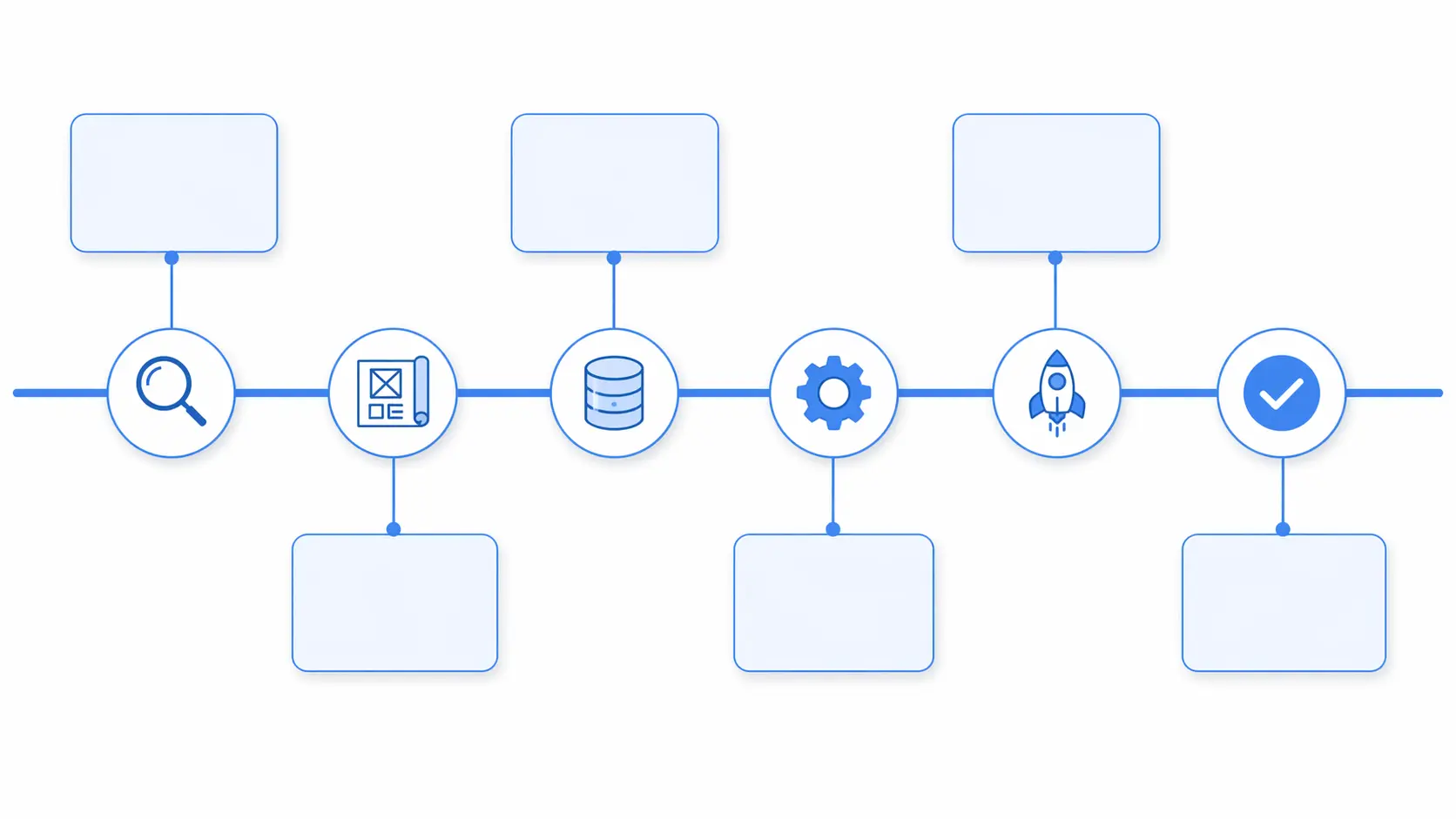
The six steps of a PIM implementation — in the right order
Step 1: Catalog audit
Before touching any system, document what you have. Export every product from every source — your current ecommerce platform, any supplier files you have on file, any spreadsheets being maintained by different team members — and create a complete inventory of your current product data state.
What you are looking for in the audit:
- Total SKU count and how many active vs inactive products you have
- How many distinct product types exist and what attributes each needs
- What percentage of products have complete required fields
- Where inconsistencies exist — multiple naming conventions, uncontrolled value lists, mixed formats
- Whether GTINs are present and valid for products that have them
- How many duplicate records exist
- Which data sources exist and in what formats
This audit is the foundation of everything that follows. Without it you are configuring a system for a catalog you do not fully understand, and the gaps will surface at the worst possible time — during channel feed setup or after go-live when products start getting suppressed.
Step 2: Taxonomy and attribute design
This is the most critical and most skipped step. Your taxonomy is the structural skeleton of the PIM — the category hierarchy and attribute templates that define what data is required for each product type. You must design this before you import a single product.
The deliverables from this step:
- A complete category tree with 3–5 hierarchy levels and defined leaf categories
- An attribute template for each leaf category — required fields, optional fields, and controlled value lists for key attributes
- A naming convention guide — singular vs plural, capitalisation rules, no abbreviations
- A channel mapping table — how each internal leaf category maps to Google Shopping, Amazon, and any other channels you sell on
The category mapping guide covers exactly how to build each of these in detail. Budget two to five days for this step depending on how many distinct product types you have. It is the highest-leverage time you will spend in the entire implementation.
Step 3: Data preparation and cleaning
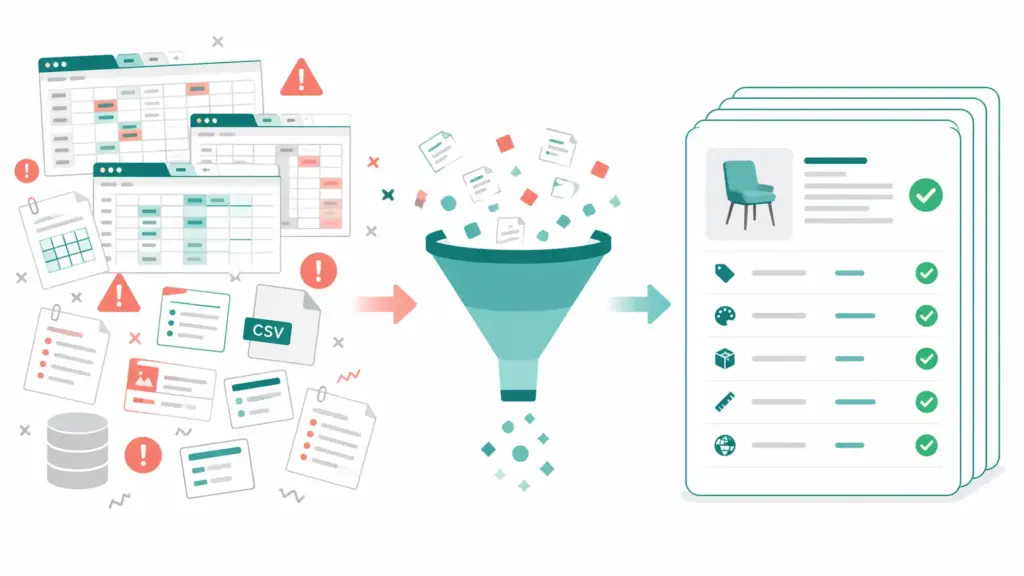
Armed with your audit findings and your new taxonomy, prepare your data for migration. This means cleaning what you have in your current system before importing it — not importing it and cleaning it afterwards.
Key data preparation tasks:
- Standardise attribute values — map all variant values to your controlled lists (all the “Cotton / Ctn / 100% Cotton” variants become “Cotton”)
- Validate GTINs — check format, digit count, and check digit for every product that has a GTIN. Fix or flag everything that fails. For the full GTIN validation process, the GTIN compliance guide covers each error type and its fix.
- Remove duplicates — merge duplicate product records, preserving the best data from each
- Map to new taxonomy — assign each product to its correct leaf category in your new structure
- Flag incomplete records — identify which products will not meet the completeness threshold for your first channel at go-live and prioritise those for enrichment
For supplier data specifically — which often arrives in the worst state — the guide on cleaning supplier product data covers the full process for onboarding external data sources cleanly.
Step 4: System configuration
Now you build the structure in the PIM itself. This step translates your taxonomy design and attribute templates into the actual system configuration:
- Create your category hierarchy in the PIM
- Define attribute templates for each leaf category with required and optional fields
- Set up controlled value lists for key attributes
- Configure validation rules — required field checks, format validation, GTIN checks
- Set up user roles and permissions — who can create, edit, approve, and publish
- Configure channel export mappings — how your internal attributes map to Google Shopping fields, Amazon attributes, and any other channel formats
For most small and mid-size implementations this step takes two to five days. For larger implementations with many product types and multiple channels, plan for one to three weeks. Do not rush this step — every shortcut taken here shows up as a data quality problem after go-live.
Step 5: Data migration
With the system configured and your data prepared, migrate your products into the PIM. The approach that works consistently for any catalog size:
- Migrate by category, highest revenue first. Start with the category that drives the most revenue. Import it, validate it against your attribute templates, fix anything the validation catches, and confirm the data looks correct before moving to the next category.
- Use your validation layer from day one. Every product should pass through your validation rules during import. Products that fail required field checks go to a review queue, not directly into the live catalog.
- Do not migrate inactive products first. Start with your active, live catalog. Inactive, discontinued, or archived products can be migrated in a second phase once the live catalog is running cleanly.
- Verify before connecting channels. Before connecting the PIM to any live channel feed, manually spot-check 20–30 products across different categories. Check that titles, descriptions, images, GTINs, and category mappings all look correct. Fix issues at this stage — they are much easier to fix before channel syndication starts than after.
Step 6: Channel connection and go-live
Connect your first channel — usually your ecommerce website or Google Shopping — and verify that the feed is publishing correctly and passing channel validation. For Google Shopping specifically, check Google Merchant Center Diagnostics within 48 hours of your first feed submission for any errors or warnings. For the full picture on what Google requires and how to diagnose feed issues, the Google Shopping feed guide covers every error type and fix.
Add channels one at a time — not all simultaneously. A phased channel rollout means that if something goes wrong with a channel connection, it is isolated and fixable without affecting the others. Going live on five channels simultaneously and having a feed issue means five channels with a problem instead of one.
Your first 90 days: the realistic roadmap

Weeks 1–2: Foundation
- Complete catalog audit — total SKU count, data quality baseline, source inventory
- Design taxonomy — category hierarchy, attribute templates, naming conventions
- Define channel mapping table — internal categories to Google, Amazon, and priority channels
- Start data preparation — standardise attribute values, validate GTINs, remove duplicates
- Define completeness thresholds — what score is required for a product to be publishable
Weeks 3–6: Build
- Configure PIM — build category hierarchy, attribute templates, validation rules, user roles
- Complete data preparation for highest-revenue categories
- Migrate first category batch — import, validate, fix, verify
- Connect first channel — ecommerce website or Google Shopping
- Verify channel feed — check Merchant Center Diagnostics, fix any errors
- Migrate second and third category batches
Weeks 7–12: Full rollout
- Migrate remaining categories
- Connect remaining channels one at a time
- Set up supplier import workflows with category mapping rules
- Retire old spreadsheets — single source of truth is now the PIM
- First data quality review — completeness scores by category, any new channel warnings
- Establish ongoing governance — weekly completeness monitoring, quarterly taxonomy reviews
The most common PIM implementation mistakes
Mistake 1: Building the taxonomy inside the PIM before designing it on paper
The most expensive mistake in PIM implementations. Teams open the new system and start creating categories directly in the interface, making structural decisions on the fly without thinking through the full hierarchy. Three weeks later they realise the taxonomy does not scale to their full product range, and reworking it with products already imported means remapping hundreds or thousands of records.
The fix is simple: design the full taxonomy in a spreadsheet before touching the system. Every category, every level, every attribute template. Review it against your actual product range. Only then build it in the PIM.
Mistake 2: Migrating dirty data and planning to clean it later
“We will clean it up after go-live” is the sentence that turns a six-week implementation into a six-month one. Dirty data that enters the PIM still needs cleaning — it just now lives in a new system instead of a spreadsheet, and is being published to live channels in the meantime. Channel feed warnings accumulate, customer-facing product pages have missing information, and the team spends post-launch scrambling to fix data problems that were known before migration started.
The correct approach: clean before you migrate, not after. Prepare the data in your existing system first. It is genuinely faster to clean a spreadsheet than to clean the same data inside a PIM with live channel connections attached.
Mistake 3: Going live on all channels simultaneously
The instinct at the end of an implementation is to connect everything at once and turn it all on. This means that if anything goes wrong — a misconfigured channel mapping, an unexpected feed error, a GTIN problem that was not caught in validation — it affects every channel simultaneously. Debugging multiple channel failures at once while the live catalog is affected is a stressful and slow process.
Connect one channel, verify it is working cleanly for 48–72 hours, then add the next. This takes slightly longer but means each new channel connection is isolated and verifiable before the next one goes in.
Mistake 4: Not defining who owns the taxonomy
Within weeks of go-live, team members start creating new categories because they cannot find where a new product type belongs, adding free-text values to controlled lists because the right value was not available, or importing supplier data without applying mapping rules because the rules were not documented. The taxonomy drifts back toward chaos gradually and then suddenly.
Before go-live, assign one person or team as the taxonomy owner — the single point of accountability for all structural changes. Document who they are, how change requests should be submitted, and what the criteria are for creating a new category. This is governance, and it is the difference between a PIM that maintains its quality over time and one that degrades back to the state of the spreadsheets it replaced.
Mistake 5: Treating implementation as a one-time project
A PIM implementation is not finished at go-live. It is the start of an ongoing process. Channel requirements change — Google updated its taxonomy significantly in January 2026. New product types emerge that your original taxonomy did not anticipate. Supplier data formats evolve. New channels need to be added.
Build quarterly review cycles into your PIM operations from day one: completeness scores by category, channel feed health, taxonomy gaps, supplier mapping rule accuracy. Treat the PIM like the operational infrastructure it is — maintained continuously, not set up once and forgotten. The data quality framework covers exactly what to monitor and how often.
What to prepare before you start: pre-implementation checklist
Before you start your PIM implementation — before signing a contract, before any configuration work — make sure you have these things in place:
- ☐ A complete export of your current product catalog from all sources
- ☐ A baseline data quality assessment (completeness, GTIN validity, duplicate count)
- ☐ A draft category hierarchy reviewed against your actual product range
- ☐ A list of every channel you need to publish to at go-live
- ☐ The specific attribute requirements for each target channel
- ☐ A named taxonomy owner who will be responsible for structural decisions
- ☐ A documented go-live date and the channels that must be live by that date
- ☐ An agreed completeness threshold — what percentage of required fields must be populated before a product can be published
- ☐ A plan for how supplier data will be onboarded and mapped going forward
Teams that start their implementation with all of these in place consistently complete on time. Teams that start without them consistently do not. If you are not yet sure whether your organisation is ready for a PIM implementation, the PIM Readiness Assessment scores your current state across five dimensions — taxonomy, data quality, supplier management, channel readiness, and governance — and tells you exactly where to focus preparation before you start.
Frequently asked questions
How long does a PIM implementation take?
Timeline depends on catalog size and data quality. A small store with under 500 clean SKUs can go live in one to three weeks. A mid-size store with 2,000–10,000 SKUs and mixed data quality typically takes six to twelve weeks. Large catalogs with complex data, many channels, and significant cleanup required can take three to six months. The single biggest variable is the state of your data going in — clean data migrates fast, dirty data does not.
What should I do before starting a PIM implementation?
The most important pre-implementation steps are: audit your current product data to understand its quality and completeness, design your taxonomy and attribute templates before touching any system, validate your GTINs and standardise key attribute values, and identify which channels need to be live at go-live and what their specific data requirements are. Teams that invest two to three weeks in preparation before starting configuration consistently complete implementations faster and with fewer post-launch problems.
What is the hardest part of implementing a PIM?
The hardest part is the data preparation — not the software configuration. Most teams underestimate how much inconsistency, incompleteness, and structural disorder exists in their current product data until they try to migrate it into a system that enforces rules and structure. The taxonomy design step — deciding on category hierarchy and attribute templates before importing anything — is the most important and most frequently skipped, and the one that causes the most post-launch problems when done incorrectly or not at all.
Do I need a consultant to implement a PIM?
For small and mid-size implementations — under 5,000 SKUs, two to four channels, reasonably clean data — most teams can implement a well-designed PIM without external consultants if they invest time in the preparation steps described above. A consultant adds value when the catalog is very large, the data is extremely complex, there are many integrations required, or the team has no prior experience with taxonomy design and data modeling. The preparation checklist above covers what you need to have in place to implement independently.
How do I migrate product data from spreadsheets to a PIM?
The recommended approach: clean and standardise your data in the spreadsheet first, design your target taxonomy and attribute templates, then import category by category starting with your highest-revenue products. Validate each batch against your attribute templates before importing the next. Run the new system in parallel with your spreadsheet for two weeks after go-live, then retire the spreadsheet once you have confirmed the PIM is operating cleanly. Never migrate and clean simultaneously — it takes longer and creates more confusion than doing them sequentially.
What data should I clean before migrating to a PIM?
Focus on the four highest-impact areas first: standardise attribute values for key fields like color, size, and material so they match your controlled value lists; validate GTINs against GS1 standards and fix or remove invalid ones; remove duplicate product records; and ensure your category assignments are consistent with your new taxonomy structure. Secondary cleanup — improving descriptions, adding missing images, completing optional fields — can happen inside the PIM after go-live without blocking your channel connections.