PIM for Ecommerce: What Small and Mid-Size Stores Actually Need in 2026
Most PIM content online is written for enterprise teams — large catalogs, complex integrations, multi-million pound implementations. If you run a store with a few hundred to a few thousand SKUs, you read that content and think either “we’re not ready for this” or “we definitely don’t need this.” Both reactions are often wrong.
The truth is that PIM for ecommerce at the small and mid-size level looks completely different from enterprise PIM — different problems, different capabilities required, different price points, different implementation complexity. This guide cuts through the noise and tells you exactly what a growing ecommerce store actually needs from a product information management system, when you genuinely need it, and what you can get away with until then.
What PIM actually does — in plain language
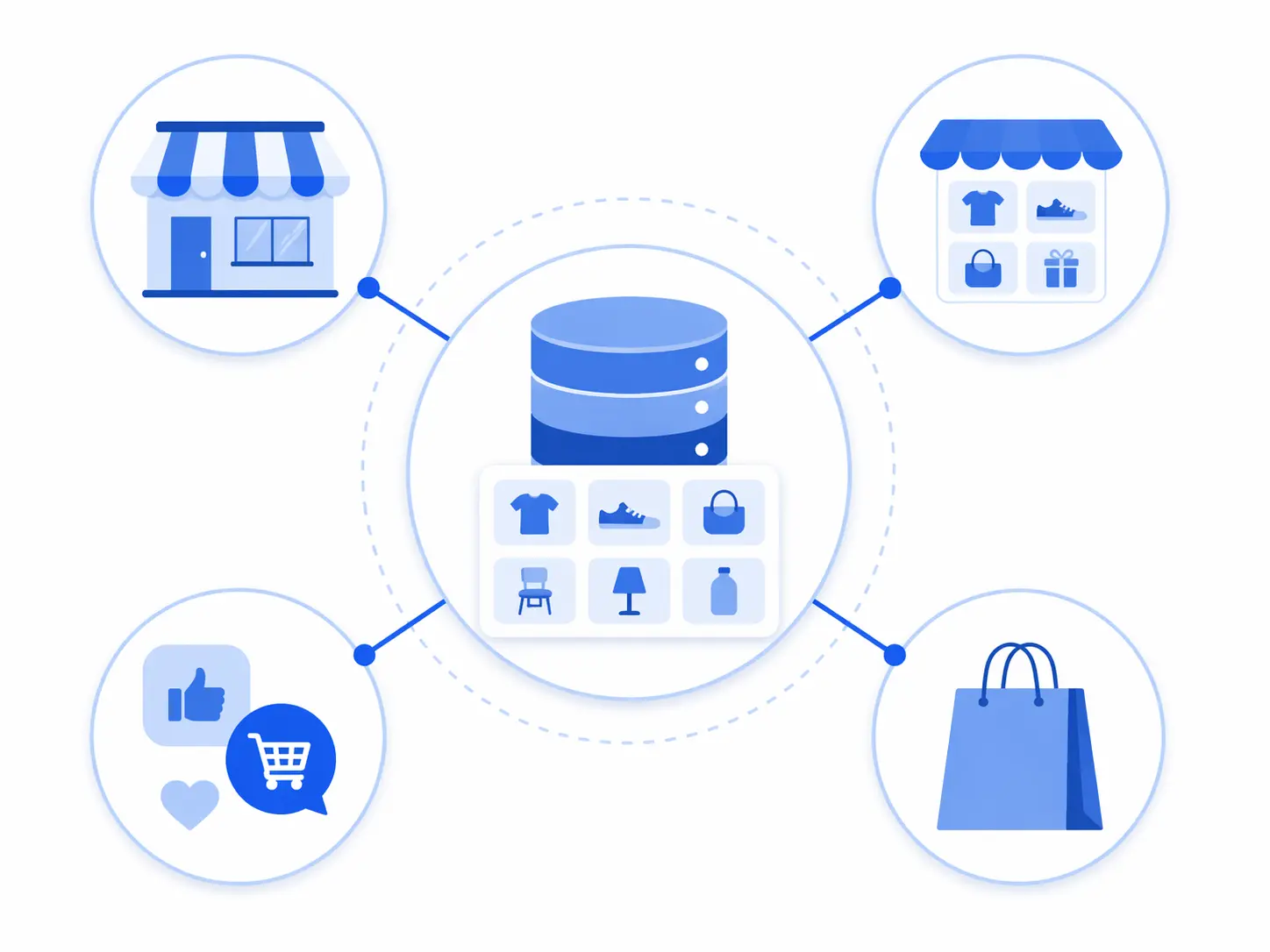
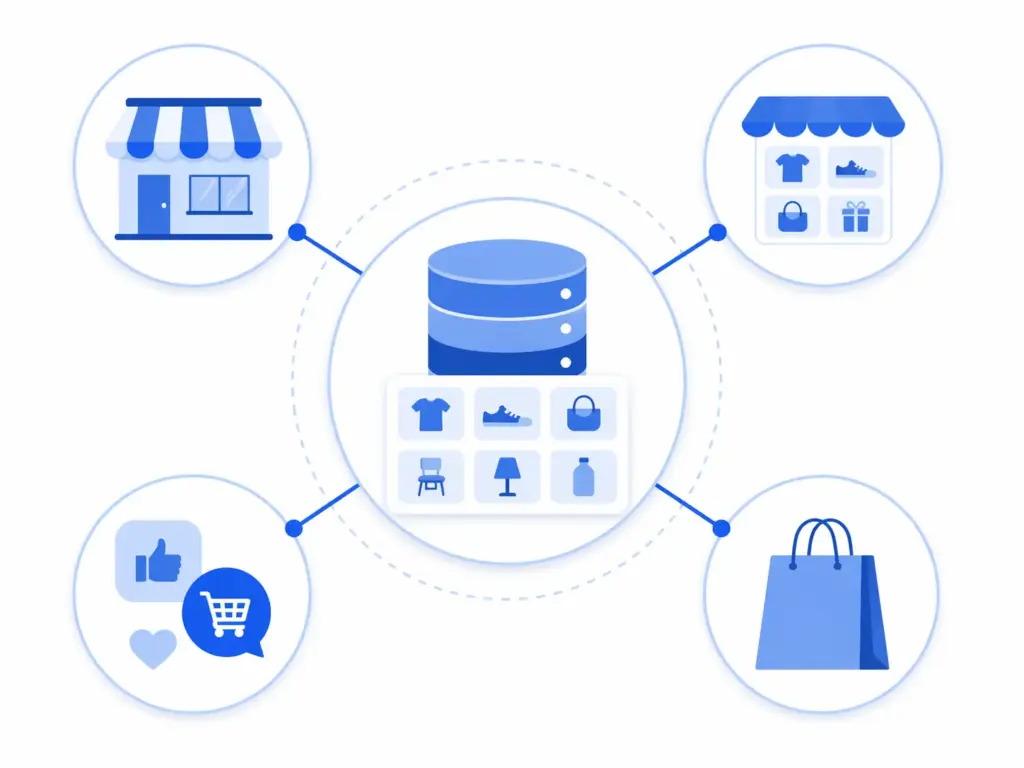
A Product Information Management system is the single place where all your product data lives, gets enriched, gets validated, and gets published to wherever you sell. That is the whole job description.
It handles four things that every ecommerce store eventually needs to do consistently:
- Store — one central record for each product with all its attributes: title, description, images, dimensions, materials, sizing, care instructions, pricing, inventory status, and every other field that applies to that product type
- Enrich — fill in missing fields, improve descriptions, add images, complete the data so every product is publishable and persuasive
- Validate — check that required fields are populated, that values match controlled lists (no rogue “Ctn” in the Cotton field), that GTINs are valid, that nothing goes live incomplete
- Publish — push clean, channel-specific product data to your website, Google Shopping, Amazon, marketplaces, and anywhere else you sell — without manually reformatting for each one
That is it. If you want a deeper look at the full capability picture, the 2026 PIM guide covers everything from data modeling to channel syndication. But for a small or mid-size store, those four functions are what actually matters day-to-day.
The honest answer to “do I need a PIM?”
You do not need a PIM when you are small. A store with 50 SKUs, one channel, and one person managing product data does not need dedicated product information management software. A well-maintained spreadsheet genuinely works at that scale.
You start needing one when the spreadsheet approach creates more problems than it solves. That tipping point is different for every store, but it tends to happen around the same set of triggers:
- You are selling on more than one channel and manually reformatting product data for each one
- More than one person is editing product data and you keep overwriting each other’s work
- Supplier data arrives in different formats and someone has to reconcile it manually every time
- Products go live with missing information because there is no validation step before publishing
- You cannot quickly answer “which products are missing a size guide?” or “which SKUs have no Google category mapped?”
- A price change or product update requires editing the same information in three or four different places
If three or more of those apply to your store right now, you are past the spreadsheet stage. The PIM vs spreadsheets guide covers the specific failure modes in detail — where exactly Excel breaks and what it costs when it does.
The small store breaking point: 200–500 SKUs
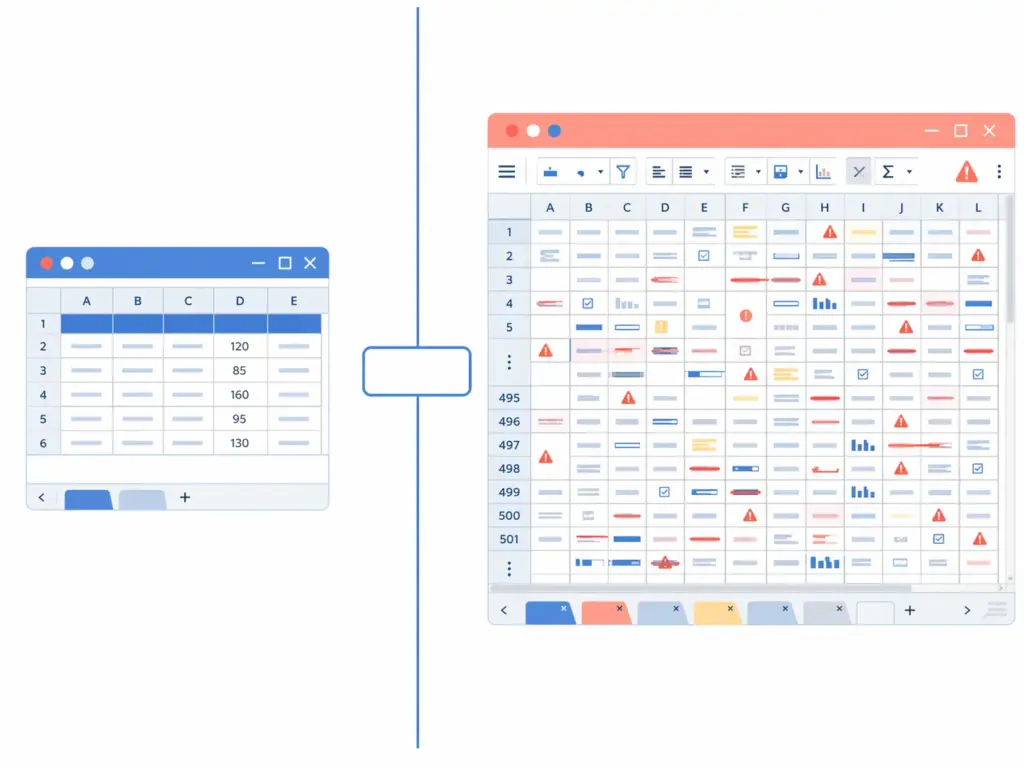
The 200–500 SKU range is where most stores hit the wall. It is not that the spreadsheet cannot technically hold 500 rows — it can. It is that maintaining accuracy, completeness, and consistency across 500 product records across multiple channels, with a team of more than one person, without a validation layer, becomes a full-time job that no one actually has.
Here is what the compounding cost of spreadsheet-based product management actually looks like at that scale:
- A new supplier sends 80 products in their own format. Someone spends two days mapping, cleaning, and importing. Next season they send an updated file in a slightly different format. Two days again.
- You launch on Amazon. The Amazon listing requirements for your product category are different from your website. Someone reformats 200 products manually. You update a price. Now there are two prices — one in the website sheet, one in the Amazon sheet. They get out of sync within a week.
- A product gets a new image. Someone updates the website. Forgets the Google Shopping feed. The feed keeps serving the old image. Google flags it.
- You hire a second person to help with catalog management. They create slightly different title formats. Now you have two naming conventions across 500 products and no easy way to standardise them.
None of these are catastrophic individually. Together, compounding over months, they represent a significant drag on every commercial activity that depends on product data — which is all of them.
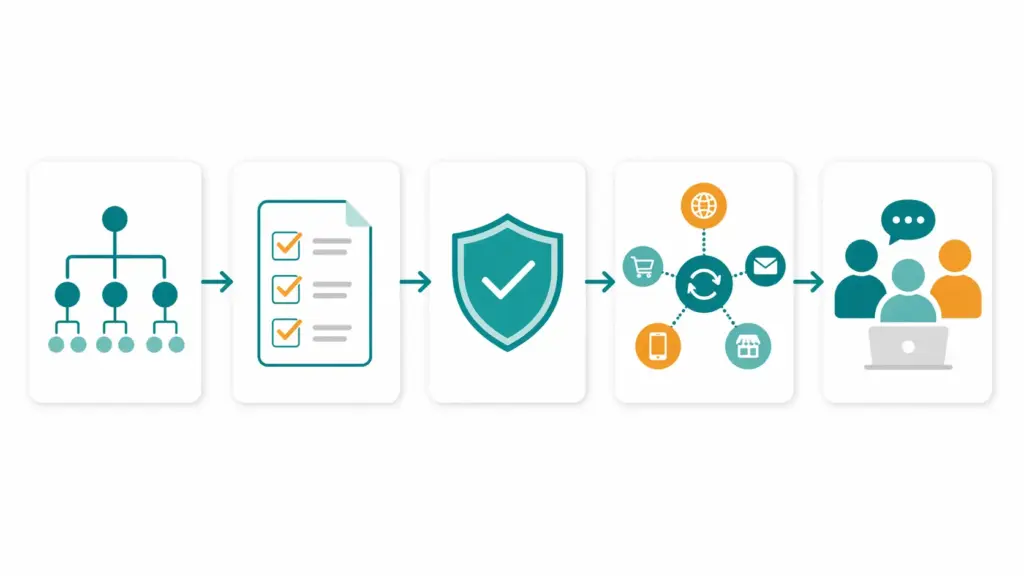
What a PIM specifically solves for small ecommerce stores
1. One version of every product
Every product has one record. When a price changes, you change it once and it updates everywhere. When an image is replaced, it is replaced in every channel simultaneously. This sounds basic because the problem it solves is basic — but the time saved and errors prevented compound significantly at even 300 SKUs.
2. Category-level attribute templates
Every product category has a defined set of fields that apply to it. A T-shirt needs color, size, fabric, and sleeve length. A laptop needs processor, RAM, storage, and screen size. A PIM enforces these templates automatically — when a new T-shirt is added to the catalog, the system knows exactly which fields need to be filled and which values are acceptable. Products cannot be published until required fields are complete.
This is the single capability that does the most to improve product data quality for growing stores. For a full explanation of how attribute templates work with taxonomy, the category mapping guide covers it in depth.
3. Channel publishing without manual reformatting
Your website, Google Shopping, Amazon, and any marketplace you sell on all have different data requirements. Your website description can be 500 words. Google Shopping wants a concise title with specific attributes in a specific order. Amazon requires a structured bullet point format and specific category fields. A PIM maintains these channel-specific output formats as templates — you maintain one product record, and the PIM generates the correct format for each channel automatically.
For the specifics of what Google Shopping requires in 2026, the Google Shopping feed guide covers every required and high-impact optional attribute.
4. Supplier import with mapping rules
When a supplier sends you a product file, a PIM applies your category mapping rules automatically — translating their category names to yours, applying the correct attribute template, flagging anything that does not map cleanly for review. After the first import from a given supplier, subsequent imports are largely automated. The manual work stays constant regardless of how many products the supplier sends.
5. Data completeness visibility
At any time, you can see exactly which products are incomplete, which fields are missing, and which categories have the lowest data quality scores. This turns data quality from a vague concern (“our catalog probably has some gaps”) into a managed metric with clear actions. The Completeness Checker shows you this picture for your current catalog without needing a full PIM in place first.
What small stores do not need from a PIM
This matters as much as what you do need — because most PIM vendors lead with enterprise capabilities that small stores will never use and should not be paying for.
- Complex workflow approval chains — enterprise PIMs have multi-stage approval workflows designed for teams of 50+ people across multiple territories. A small team does not need a four-step approval chain to update a product description.
- Localisation at scale — managing 40 language versions of a catalog is a genuine enterprise problem. If you sell in one or two markets, you need basic translation support, not a full localisation management platform.
- ERP integration complexity — deep, real-time bidirectional integration with SAP or Oracle is an enterprise implementation project measured in months. Small stores typically need simpler, one-directional data flows that take days not months to configure.
- Custom data modeling — enterprise PIMs are often sold as blank-canvas platforms where you design the entire data model from scratch. This flexibility is genuinely powerful — and genuinely expensive to implement properly. Small stores benefit more from a system with sensible defaults that can be extended, not one that requires a full data architecture project before you can add a product.
The right PIM for a small or mid-size ecommerce store is one that solves the five core problems above, gets you up and running in days not months, and has a pricing model that makes sense at your catalog size. Enterprise PIM pricing — which can run to tens of thousands per month — is not the only option, and for most small stores it is the wrong option entirely.
The right time to implement PIM: a practical checklist
Use this to assess whether now is the right time for your store:
- ☐ You have more than 200 SKUs and the number is growing
- ☐ You sell on more than one channel
- ☐ More than one person manages product data
- ☐ You receive product data from suppliers in varying formats
- ☐ Products regularly go live with missing or incorrect information
- ☐ A price or product update requires editing in multiple places
- ☐ You cannot quickly identify which products are incomplete
- ☐ Channel feed errors (Google Shopping suppressed listings, Amazon disapprovals) are a recurring problem
- ☐ You spend more than a few hours per week on manual product data maintenance
If you checked five or more, the time and error costs of your current approach almost certainly exceed the cost of a PIM. If you checked three or four, you are approaching the threshold and it is worth assessing properly before the problem compounds further.
The PIM Readiness Assessment takes five minutes and gives you a scored breakdown across five dimensions — taxonomy, data quality, supplier management, channel readiness, and team governance — so you can see exactly where your current setup is strong and where it is costing you.
What to look for in a PIM as a small ecommerce store
When you are ready to evaluate PIM options, these are the capabilities that matter most at small and mid-market scale — not the enterprise feature checklist:
Fast time to value
You should be able to import your existing product catalog, define basic category templates, and start publishing to at least one channel within a week of starting. If the implementation timeline is measured in months, the system is built for an enterprise that needs custom data architecture — not for a growing store that needs its catalog under control now.
Pricing that scales with your catalog
PIM pricing models vary significantly. Some charge by SKU count, some by user seats, some by channel connections, some flat monthly. For small stores, SKU-based or flat monthly pricing is usually most predictable. Avoid systems with per-channel pricing that makes each new marketplace you connect prohibitively expensive — channel expansion is exactly the growth scenario where PIM should become more valuable, not more costly.
Google Shopping and key marketplace connectors built in
For most small ecommerce stores, the channels that matter are your own website, Google Shopping, and one or two marketplaces. The PIM should have native or near-native connectors for these — not a generic export that you have to manually map every time. The Google Shopping feed specifically needs to stay current with Google’s taxonomy updates (the most recent significant update was January 2026 with a July 31 compliance deadline).
Validation and completeness scoring
The system should tell you, clearly and automatically, which products are not ready to publish and why. Not after they fail in a channel feed — before they get there. Required field validation, GTIN format checking, controlled value list enforcement — these should be built in, not add-ons.
For a broader picture of what good data quality infrastructure looks like and the six dimensions it needs to cover, the PIM data quality guide covers the full framework.
Usable by non-technical team members
In a small store, the person managing product data is usually not a developer. The PIM needs to be manageable by a merchandiser, an ecommerce coordinator, or a founder — not just by someone comfortable with APIs and data pipelines. This rules out a significant portion of enterprise PIM options that require technical implementation for basic tasks.
The migration question: how to move from spreadsheets to PIM without chaos
The most common reason small stores delay implementing PIM is fear of the migration — getting hundreds or thousands of product records out of spreadsheets and into a new system without breaking the live catalog.
The migration is rarely as complex as it looks, but it does require some preparation:
- Audit before you migrate. Run your current catalog through the Completeness Checker before migrating anything. Fix the most obvious gaps — missing required fields, duplicate SKUs, invalid GTINs — in your spreadsheet first. Migrating clean data is dramatically easier than migrating and cleaning simultaneously.
- Define your category structure first. Before importing a single product, map out your category hierarchy and the attribute templates for each leaf category. This is the skeleton that the PIM will use to validate everything you import. Skipping this step and importing products into a blank structure is what causes migrations to take months instead of weeks.
- Import in batches by category. Start with your highest-revenue category. Import it, validate it, connect it to one channel, and confirm everything works before moving to the next category. A phased migration means problems are contained and fixable, not spread across your entire catalog.
- Run parallel for two weeks. Keep your spreadsheet updated alongside the PIM for the first two weeks after go-live. If something breaks, you have a fallback. After two weeks of clean operation, retire the spreadsheet completely — having both running in parallel beyond that point creates the same data consistency problems you were trying to solve.
Frequently asked questions
Do small ecommerce stores need a PIM?
Not immediately. A store with under 200 SKUs selling on one or two channels can typically manage product data in a well-maintained spreadsheet. The need for PIM becomes clear when you are selling across multiple channels, receiving supplier data in varying formats, managing product data with more than one person, or spending significant time each week on manual data maintenance and fixing errors. Most growing ecommerce stores hit this threshold somewhere between 200 and 500 SKUs.
What is PIM for ecommerce in simple terms?
PIM — Product Information Management — is the system that holds all your product data in one place, enforces data quality, and publishes it to every sales channel in the correct format. Instead of maintaining separate spreadsheets for your website, Amazon, and Google Shopping, you maintain one product record in the PIM and it handles the channel-specific formatting automatically. It is the infrastructure layer between your product catalog and everywhere you sell.
How many SKUs do you need before PIM makes sense?
SKU count alone is not the right threshold — the more relevant signals are whether you sell on multiple channels, whether more than one person manages product data, and whether you receive supplier data that needs to be mapped and cleaned on import. That said, most ecommerce teams find the maintenance overhead of spreadsheet-based catalog management becomes unsustainable somewhere between 200 and 500 SKUs, particularly once they are selling on more than one channel.
Is PIM software expensive for small businesses?
Enterprise PIM pricing — tens of thousands per month — is not what small ecommerce stores need or should be paying. The PIM market has matured significantly and there are now purpose-built options for growing ecommerce teams with pricing that scales from small catalogs upward. The right question is not whether PIM is affordable but whether the time and error costs of your current approach exceed the cost of the system. For most stores past the 300 SKU mark selling on multiple channels, the answer is yes.
What is the difference between a PIM and an ecommerce platform like Shopify?
Shopify (and similar platforms) is where your store lives and where customers browse and purchase. PIM is where your product data is managed before it goes to Shopify. Your ecommerce platform handles the storefront, checkout, payments, and orders. PIM handles the product information that populates that storefront — and every other channel you sell on. Most growing stores use both: PIM as the single source of truth for product data, and their ecommerce platform as one of the channels PIM publishes to.
How long does it take to implement a PIM for a small store?
For a small store with a reasonably clean existing catalog, a straightforward PIM implementation — importing products, defining category templates, configuring one or two channel connections — should take one to three weeks. More complex scenarios (messy data, many supplier sources, multiple channels to configure simultaneously) add time but should still be measured in weeks not months for stores under 5,000 SKUs. If a vendor is quoting you a six-month implementation for a small catalog, the system is built for enterprise scale and is probably the wrong fit.