Flat vs Hierarchical Product Taxonomy: Which Is Right for Your Catalog?
The structure of your product taxonomy determines how your catalog scales, how your site filters work, and how well your products map to Google Shopping categories. Flat and hierarchical are the two fundamental structural approaches — and choosing the wrong one for your catalog size and complexity creates problems that get harder to fix the longer they go unaddressed.
What Is a Flat Taxonomy?
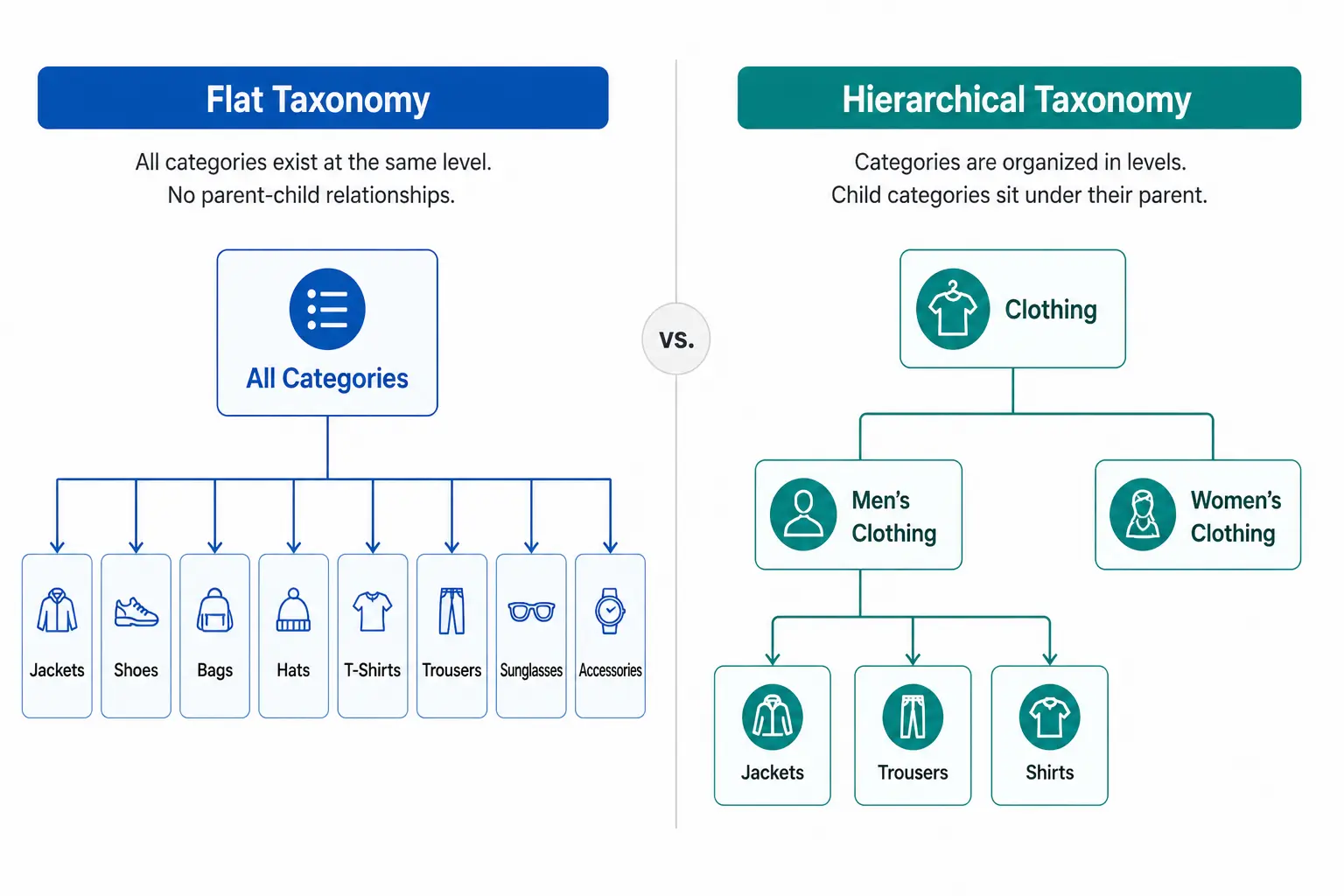
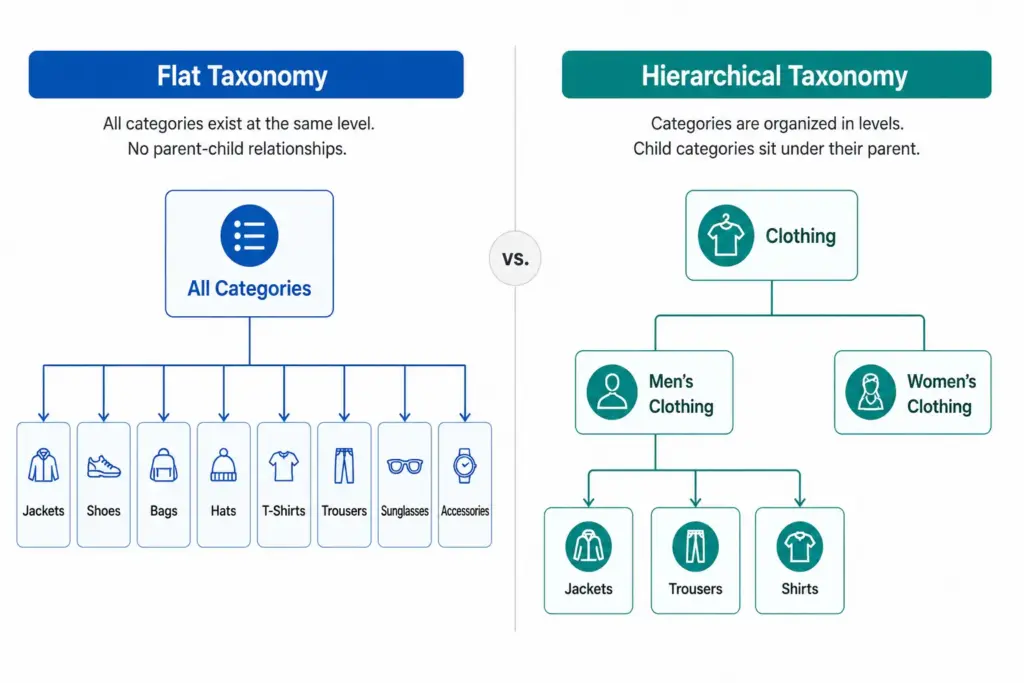
A flat taxonomy has a single level of categories. Products sit directly under a top-level category with no subcategories beneath it. The entire catalog structure is one layer deep.
Example: A small accessories store with a flat taxonomy might have: Bags, Scarves, Hats, Belts, Sunglasses, Jewellery. Every product sits directly under one of those six categories. There are no subcategories — “Bags” is not further divided into Handbags, Crossbody Bags, Clutches, Tote Bags.
Flat taxonomies are easy to set up and easy to understand at a glance. They work well when the catalog is small and products within each category are genuinely similar enough that no further subdivision adds value.
What Is a Hierarchical Taxonomy?
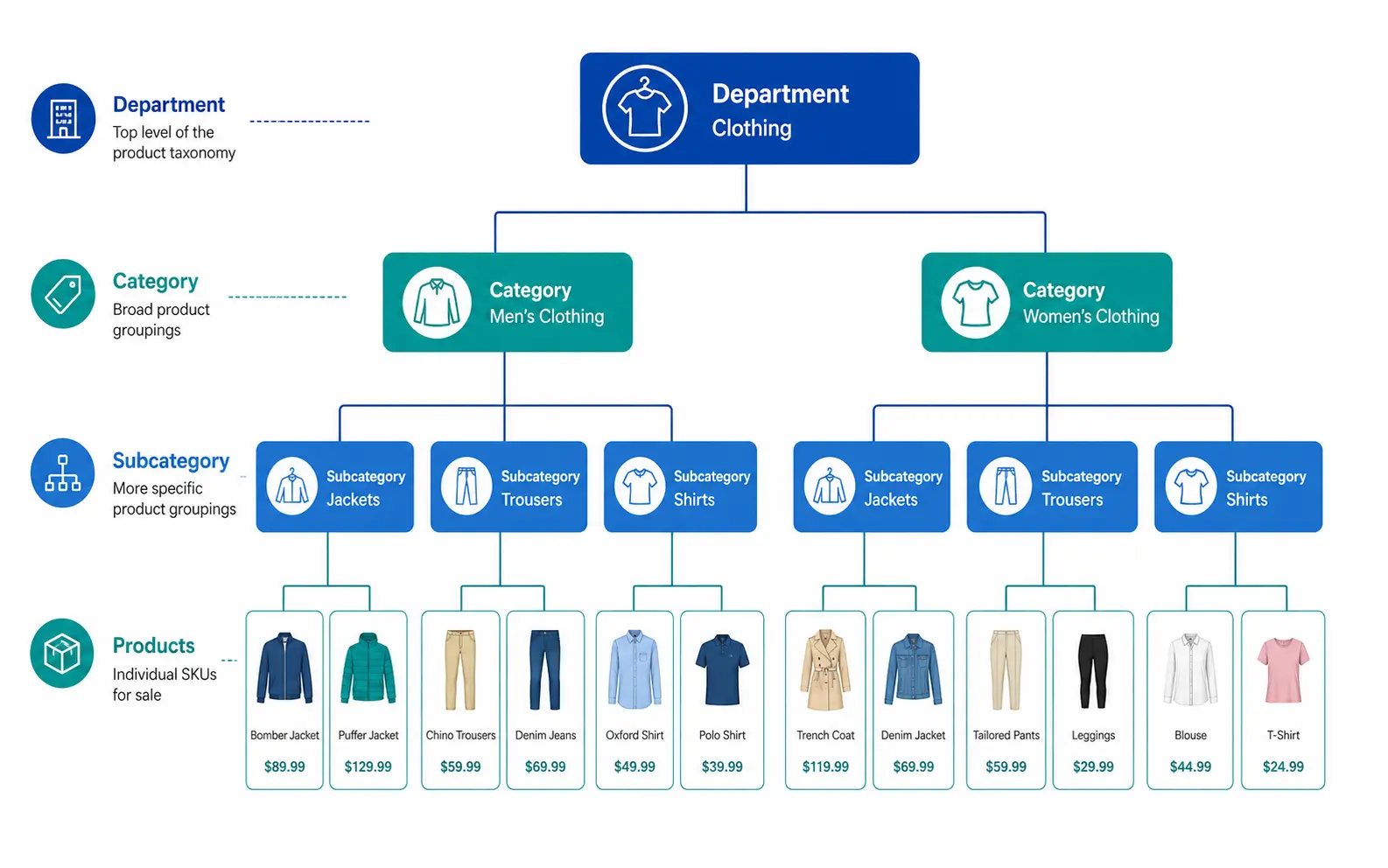
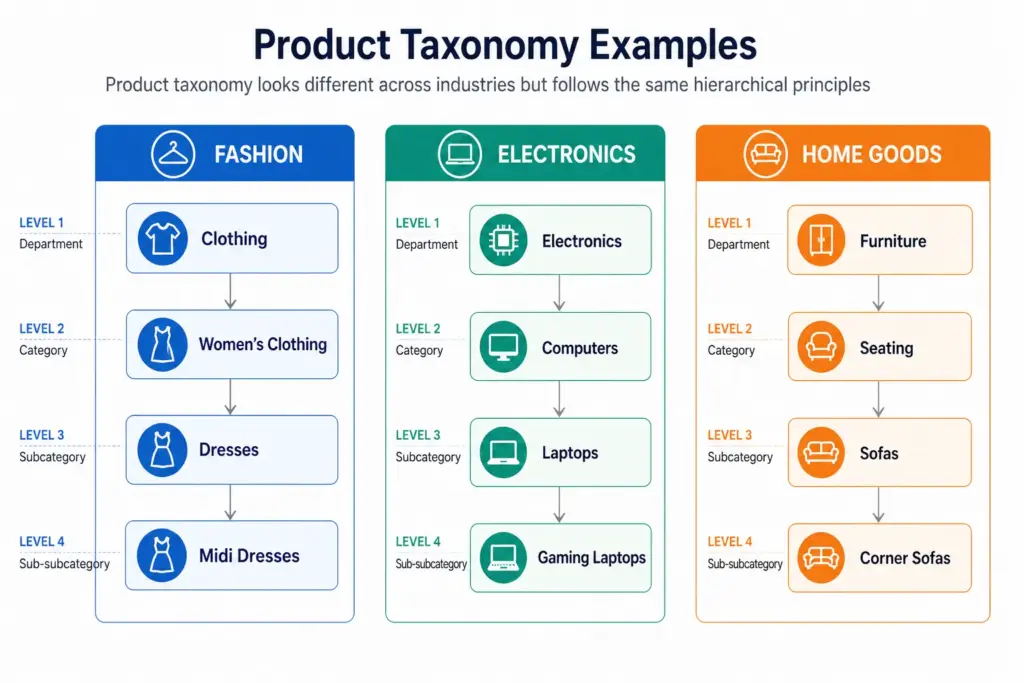
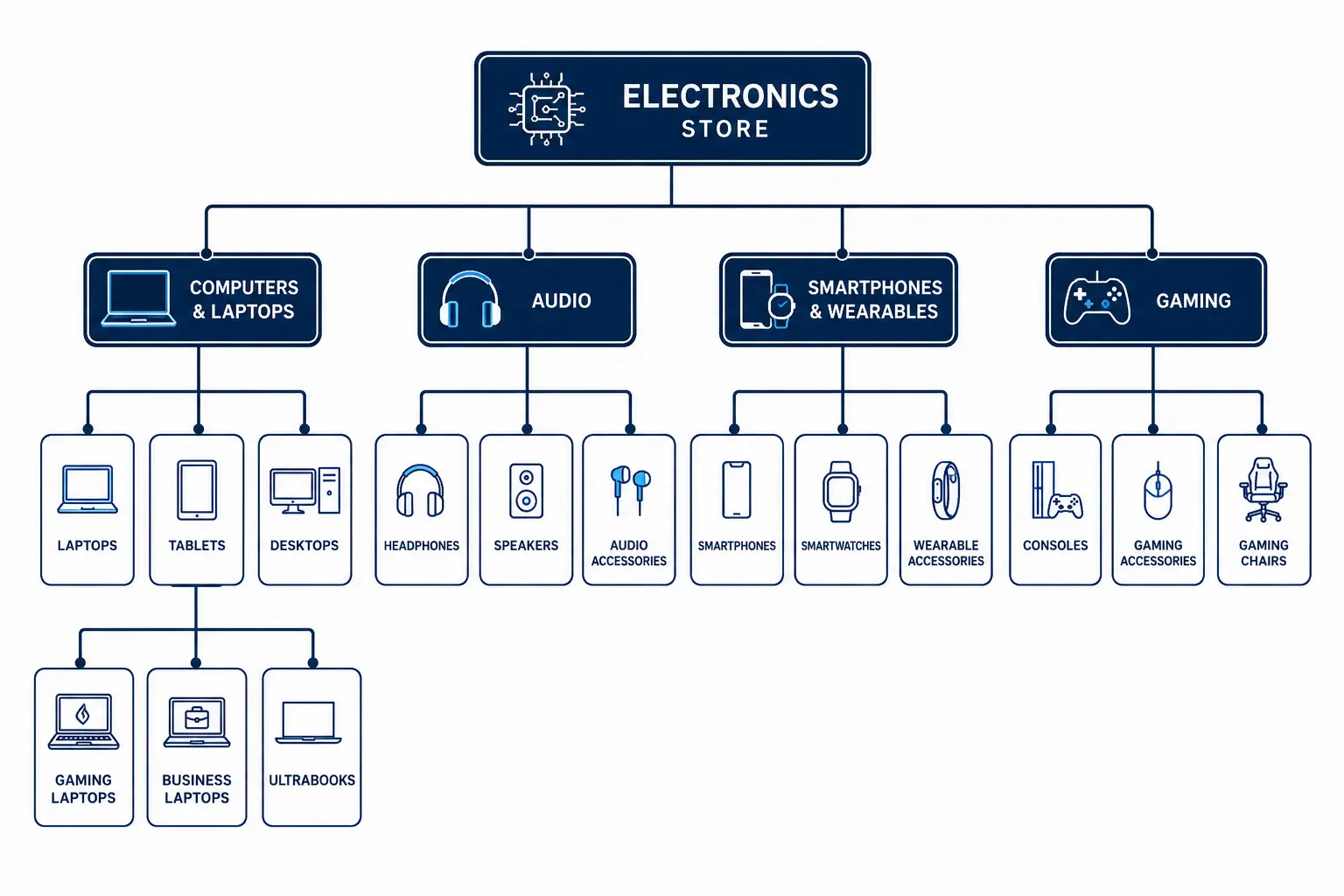
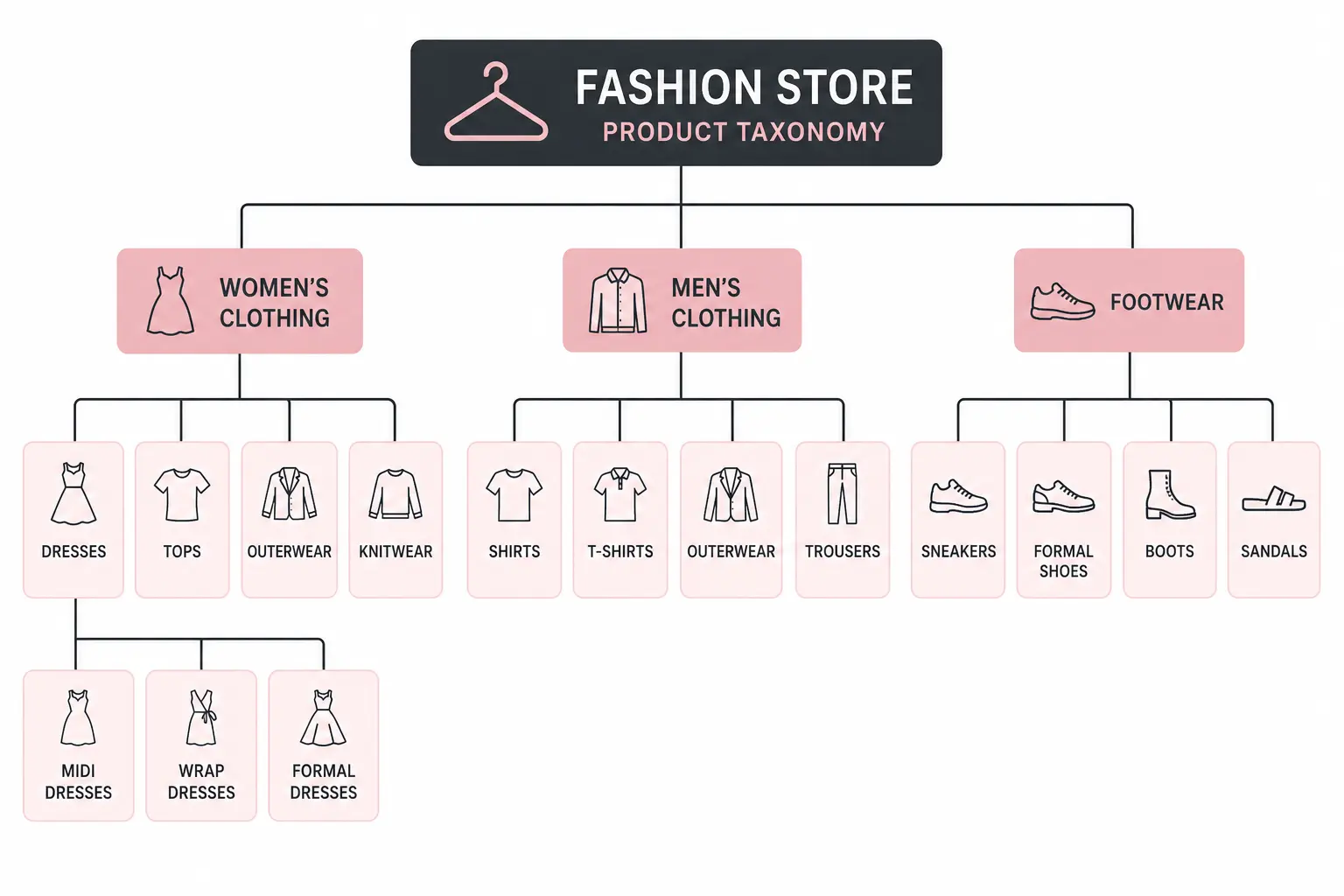
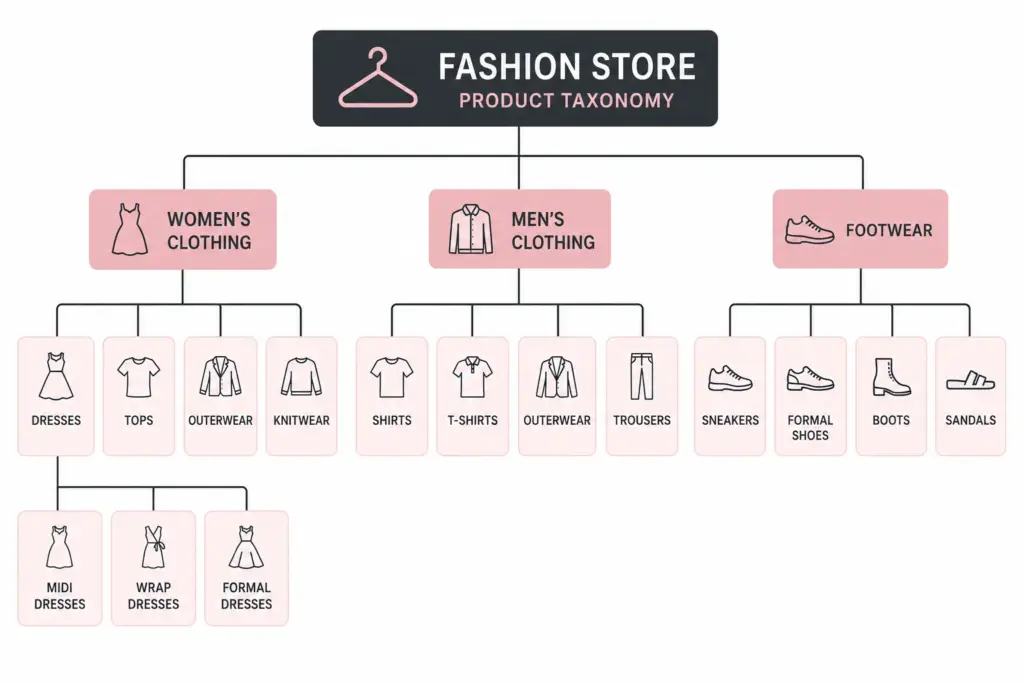
A hierarchical taxonomy has multiple nested levels. Categories contain subcategories, which may contain further subcategories, down to the most specific product type level.
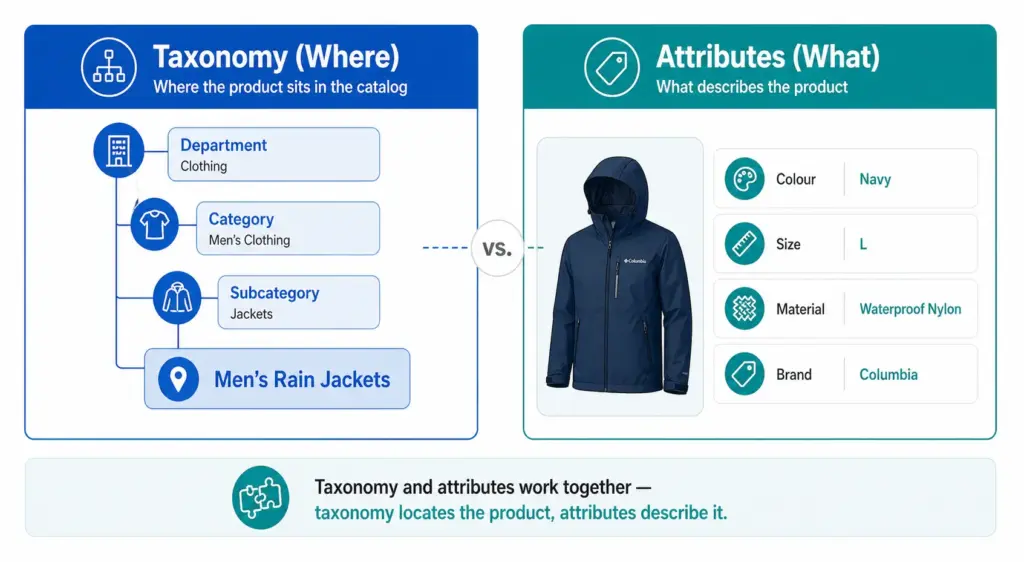
Example: The same accessories store with a hierarchical taxonomy: Bags > Handbags > Leather Handbags. Or Bags > Crossbody Bags. Each level adds specificity — and with it, the ability to filter, map to Google’s taxonomy precisely, and manage products by type without the entire “Bags” category becoming unnavigable.
Head-to-Head Comparison
| Flat Taxonomy | Hierarchical Taxonomy | |
|---|---|---|
| Structure | One level — all categories at the same depth | Multiple levels — categories contain subcategories |
| Best for | Catalogs under ~200 products, narrow range | Any catalog with 200+ products or multiple product types |
| Navigation | Simple — works when categories are few and clear | More complex but enables breadcrumb navigation and drill-down filtering |
| Filter accuracy | Limited — attributes apply across entire category | High — attributes defined per subcategory, filters are specific |
| Google category mapping | Imprecise — top-level categories rarely match Google leaf nodes | Precise — subcategories map directly to Google taxonomy leaf nodes |
| Scalability | Poor — adding products creates category bloat | High — hierarchy absorbs new product types without structural change |
| Maintenance | Low initially, high as catalog grows | Higher upfront, lower long-term |
| Channel mapping | Difficult — manual per-product mapping often required | Systematic — subcategory maps once to each channel |
When Flat Taxonomy Works
Flat taxonomies are appropriate in a small number of specific situations:
- Catalog under 200 SKUs with a genuinely narrow product range where subcategories would be redundant
- Single-category specialty stores — a store that sells only coffee beans, only yoga mats, or only one type of product doesn’t need a hierarchy
- Early-stage stores planning to restructure as the catalog grows — a flat structure is a valid starting point if you know it will be replaced
In all other cases, the limitations of flat taxonomy become apparent quickly as the catalog grows. The most damaging limitation is Google Shopping performance — flat taxonomy categories rarely correspond to Google’s taxonomy leaf nodes, resulting in products being assigned to broad parent categories that hurt auction relevance.
When Hierarchical Taxonomy Is Required
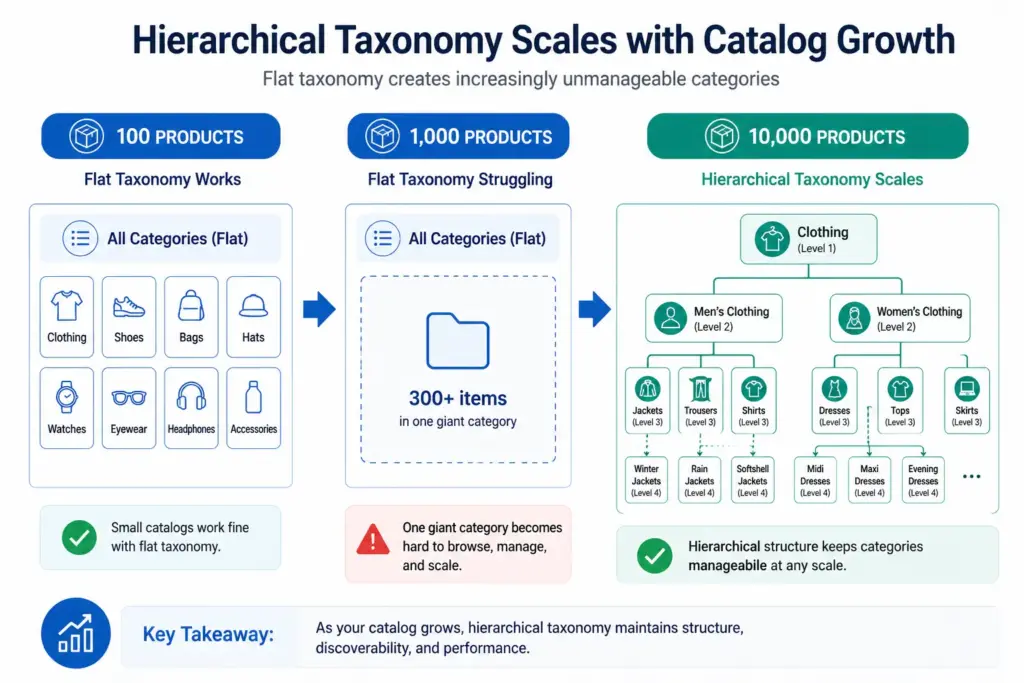
Hierarchical taxonomy becomes necessary when any of these conditions are true:
- Your catalog has more than 200 products
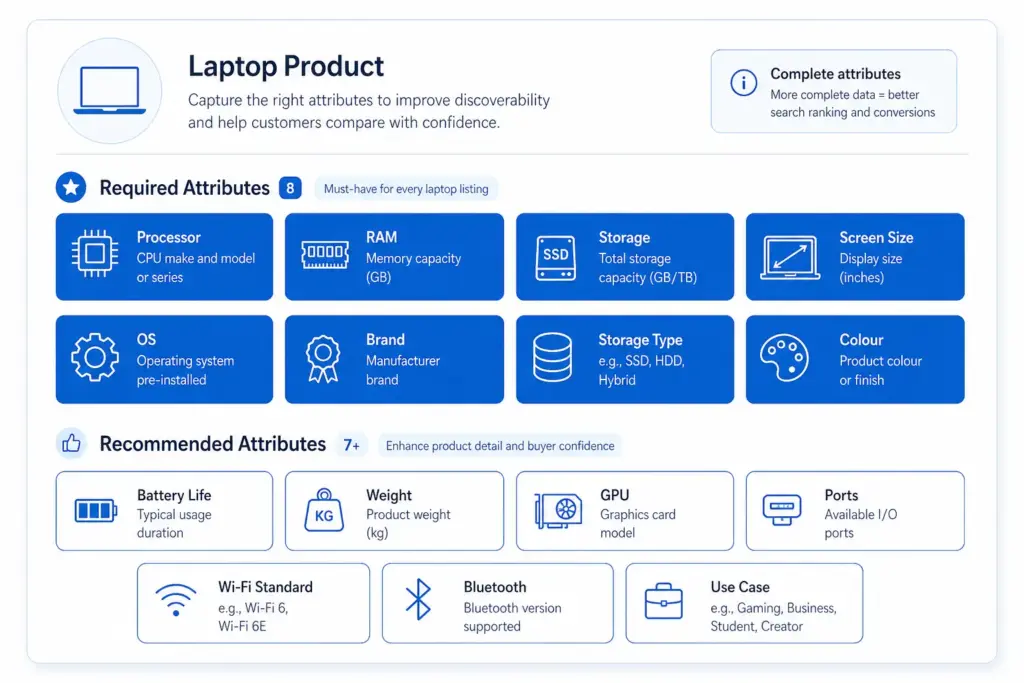
- You sell across multiple product types that require different attribute sets
- You need accurate Google Shopping category mapping below the parent level
- Your site needs faceted filtering (filter by colour, size, material etc.)
- You sell across multiple channels that each have their own taxonomy
- Your team needs to manage products by type for buying, merchandising, or reporting
For most ecommerce stores, the answer is hierarchical. The question is not whether to use hierarchical taxonomy but how many levels and how specifically to define subcategories. For the full build process, see How to Build a Product Taxonomy From Scratch.
The Google Shopping Argument for Hierarchical Taxonomy
Google’s product taxonomy has over 6,000 categories. It goes 5–7 levels deep in most categories. A flat internal taxonomy maps to Google’s parent-level categories at best — “Clothing” instead of “Apparel & Accessories > Clothing > Activewear > Track Jackets & Hoodies”.
The difference in Shopping performance between a product mapped to a parent category and one mapped to the correct leaf node can be significant — better relevance matching means your products appear for more specific search queries at lower CPCs. If Google Shopping is a meaningful channel for you, hierarchical taxonomy is not optional.
Migrating from Flat to Hierarchical
If your catalog currently has a flat structure and you are outgrowing it, migration is straightforward in principle — though it requires careful execution to avoid breaking navigation and losing indexed URLs.
- Design the new hierarchical structure before touching anything live
- Remap every product to its new subcategory in a staging environment
- Set up 301 redirects from old category URLs to new subcategory URLs
- Update your feed’s
google_product_categoryvalues to the new leaf-node mapping - Update your sitemap and request GSC re-indexing after going live
Rankings may dip briefly after migration as Google recrawls the new structure. This is normal and temporary — the long-term gains in navigation, filtering, and channel performance outweigh the short-term disruption.
For industry-specific guidance on what a hierarchical structure should look like in practice, see the fashion taxonomy guide and electronics taxonomy guide. Take the PIM Readiness Score to identify where your current taxonomy structure has gaps.
Frequently Asked Questions
What is a flat product taxonomy?
A flat taxonomy has a single level of categories with no subcategories. Every product sits directly under a top-level category. Simple to set up but breaks down as catalog size grows — filters become unwieldy, Google category mapping becomes imprecise, and category pages become unmanageable.
What is a hierarchical product taxonomy?
A hierarchical taxonomy has multiple nested levels — typically Department > Category > Subcategory > Product Type. Products sit at the most specific level. This structure scales to any catalog size and enables precise Google category mapping and deep attribute-based filtering.
When should you use a flat taxonomy?
Flat taxonomies work for small catalogs under 200 products with a genuinely narrow product range where subcategories would be redundant. Specialty retailers with a single product type can use a flat structure effectively. For most ecommerce stores with varied product ranges, hierarchical is the right choice.
Can you migrate from flat to hierarchical taxonomy?
Yes. The process requires designing the new hierarchy, remapping products to new subcategories, setting up 301 redirects from old category URLs, updating feed category mapping, and requesting GSC re-indexing. Rankings may dip briefly during migration but recover as Google processes the new structure — and long-term performance gains are significant.