Google Shopping vs Facebook Catalogue: Which Is Right for Your Store?
Google Shopping and Facebook Catalogue both use product feeds to serve ads automatically at scale. That similarity leads many ecommerce teams to treat them as interchangeable. They are not. They serve fundamentally different buyer intent levels, require different product data, and deliver different results depending on what your store sells and where your buyers are in the purchase journey.
The Core Difference: Intent vs Interest
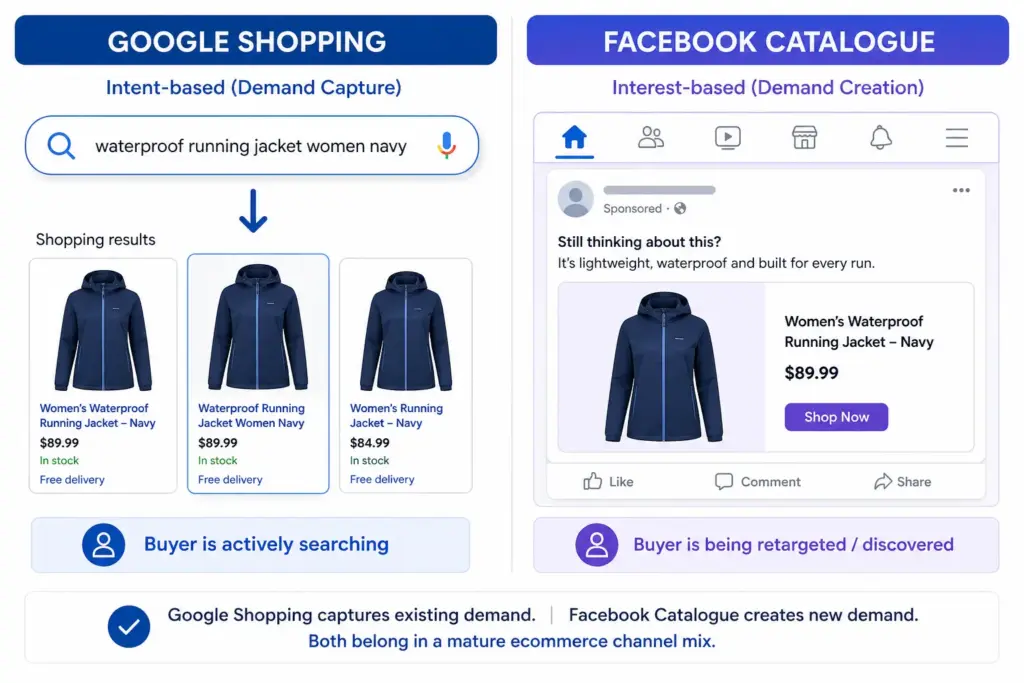
The most important distinction between these two channels is the buyer’s state of mind when they see your product.
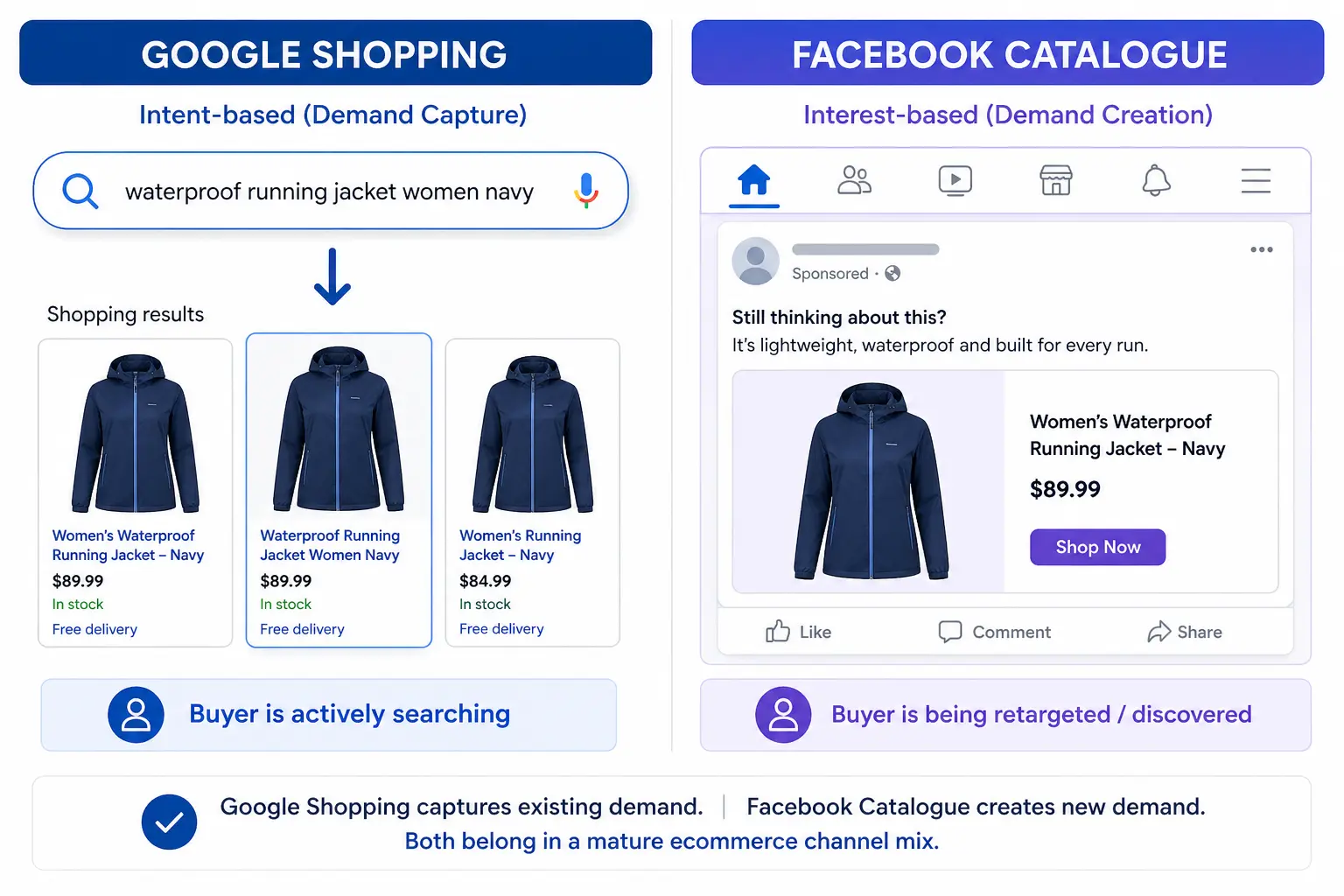
- Google Shopping: The buyer has typed a search query. They are actively looking for a product. Your ad appears because your product data matched their search. This is high-intent, lower-funnel — the buyer already knows what they want.
- Facebook Catalogue: The buyer has not searched for anything. Meta is showing your product based on their interests, demographics, or because they previously visited your site (retargeting). This is interest-based or behavioural, higher-funnel — you are reaching people who might want your product.
This distinction drives everything else — the ROAS you can expect, the product data that matters most, the creative requirements, and which products perform best on each channel.
Head-to-Head Comparison
| Google Shopping | Facebook Catalogue | |
|---|---|---|
| Buyer intent | High — actively searching | Low to medium — browsing or retargeted |
| Funnel stage | Lower funnel (consideration / purchase) | Upper to mid funnel (awareness / retargeting) |
| Targeting | Keyword/query matching | Audience-based (interests, demographics, retargeting) |
| Feed format | TSV/XML → Google Merchant Center | CSV/TSV/XML → Meta Business Manager |
| Required attributes | Strict — GTIN, brand, google_product_category, image | Flexible — id, title, description, link, image_link, price, availability |
| GTIN required? | Yes (for branded products) | Recommended but not required |
| Title importance | Critical — matched against search queries | High — shown in ad unit but not query-matched |
| Image requirements | White background preferred, 800×800px min | Lifestyle images perform well, 600×600px min |
| Typical ROAS | Higher for branded/specific searches | Higher for retargeting, lower for prospecting |
| Best for | Products with active search demand | Visually appealing products, retargeting, new audience discovery |
Feed Requirements: What’s Different
Google Shopping feed (Merchant Center)
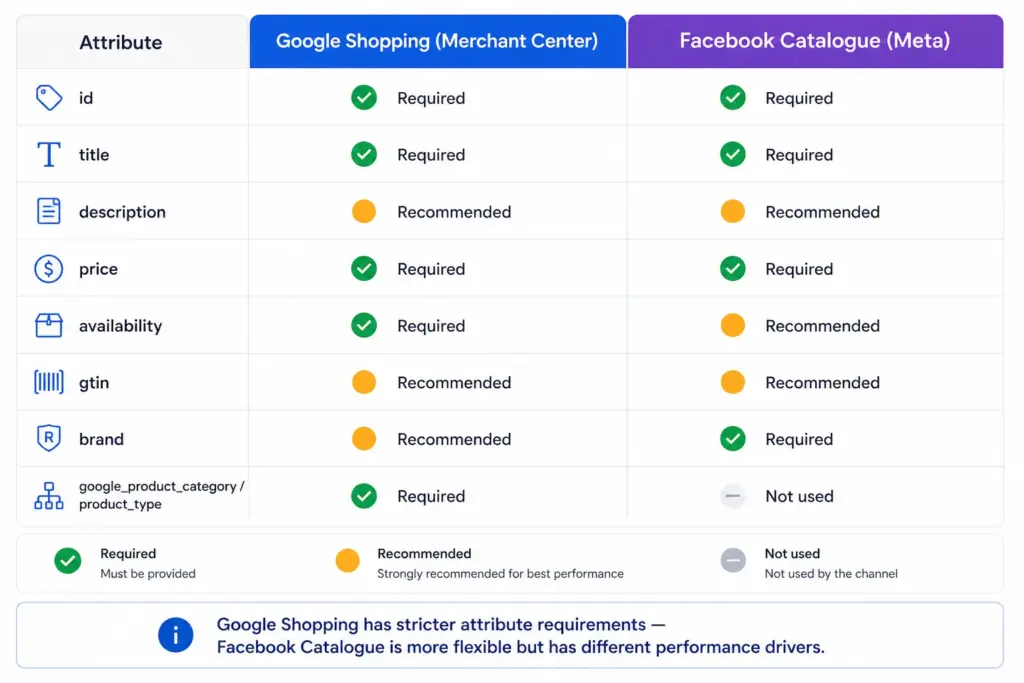
Google has strict required attribute rules. Missing or incorrect attributes result in product disapprovals. The most important attributes for performance are title (matched against search queries), google_product_category (determines auction relevance), gtin (required for branded products), and image_link (white background, 800×800px minimum). Full requirements in the Google Shopping Feed Guide.
Facebook Catalogue feed (Meta Business Manager)
Facebook’s minimum requirements are simpler: id, title, description, availability, condition, price, link, image_link. Field names differ from Google — Facebook uses availability values of “in stock” / “out of stock” (no underscore, unlike Google’s in_stock).
For Facebook Catalogue, the description field and image_link are the highest-impact attributes for ad performance. Facebook shows these prominently in Dynamic Product Ads — unlike Google where the description is rarely displayed to the buyer.
Which Products Perform Better on Each Channel
Google Shopping works best for:
- Products with clear, searchable names — “Nike Air Max 270”, “stainless steel French press 1 litre”
- Products solving a specific problem — “waterproof hiking boots women wide fit”
- High-consideration purchases where buyers research before buying
- Branded products where buyers are searching for the brand specifically
Facebook Catalogue works best for:
- Visually appealing products where the image sells the product — clothing, home decor, jewellery, food
- Retargeting — showing products to visitors who viewed but did not buy
- New product discovery for audiences who match your buyer profile
- Lower consideration purchases with strong impulse appeal
- Products that don’t have high search volume but have strong visual appeal
Should You Use Both?
Yes, for most ecommerce stores. Google Shopping and Facebook Catalogue are complementary — they cover different parts of the buyer journey. Google captures buyers who are already searching. Facebook reaches buyers before they start searching, and retargets those who didn’t convert from Google.
The practical challenge is maintaining two separate feed formats from one product data source. Managing Google and Facebook feeds from a single PIM means your titles, descriptions, images, and pricing are consistent across both channels without duplicate maintenance effort. The Multi-Channel Feed Optimizer handles both feed formats from one place, as does the LynkPIM free plan.
Frequently Asked Questions
What is the main difference between Google Shopping and Facebook Catalogue?
Google Shopping shows products to people actively searching for them — high intent, lower funnel. Facebook Catalogue shows products to people based on interests, behaviour, and retargeting — interest-based, higher funnel. Both use product feeds but serve different stages of the buyer journey.
Do Google Shopping and Facebook Catalogue use the same product feed?
No. They use different feed formats with different required attributes and different field names. Google Shopping uses TSV or XML submitted to Google Merchant Center. Facebook Catalogue uses CSV, TSV, or XML submitted to Meta Business Manager. Managing both from a single source of truth prevents inconsistencies.
Which is better for ecommerce — Google Shopping or Facebook Catalogue?
Both serve different purposes and most successful ecommerce stores use both. Google Shopping captures existing demand — buyers already searching. Facebook Catalogue creates demand — reaching buyers who fit your target profile but haven’t started searching yet. If you can only run one, Google Shopping typically delivers higher immediate ROAS because of the intent signal.
Does Facebook Catalogue require GTINs?
Facebook does not require GTINs for catalogue products but strongly recommends them. Products with GTINs benefit from Meta’s product matching capabilities which can improve Dynamic Ad performance. The gtin field is recommended but not mandatory — unlike Google Shopping where GTINs are required for branded products.