How to Compare PIM Platforms: Evaluation Criteria and Scorecard for 2026
Most PIM evaluations go wrong before a single demo is booked. Teams jump straight to vendor websites, watch polished feature walkthroughs, and end up selecting the platform that presented best rather than the one that fits their actual operating model. Six months into implementation they discover the taxonomy is too rigid to match their category structure, the syndication connectors require custom development for their main channels, or the implementation took four times longer than the sales team implied.
A good PIM platform comparison starts before you look at any vendor. It starts with a clear picture of what you actually need — because the criteria that predict success are almost never the ones that get the most attention in demos. This guide gives you a practical framework: eight evaluation criteria that consistently separate PIM platforms that work from those that become expensive problems, a scoring model you can apply to any shortlist, and the questions to ask during pilot testing that demos never show you.
Before evaluating platforms, it is worth confirming you actually need a PIM. The guide to PIM for small and mid-size stores covers the honest answer to that question. If you are already certain, take the PIM Readiness Assessment first — it gives you a scored baseline across five dimensions that makes the evaluation criteria below much more concrete.
Why most PIM evaluations fail
The standard PIM evaluation process is: request demos from four vendors, watch each one show you the best version of their product, compare feature checklists, and pick the one that ticked the most boxes. This process is almost perfectly designed to select the wrong platform.
Three specific failure modes are worth naming:
Evaluating features instead of fit
Feature completeness is not the same as operational fit. A platform with 400 features that requires a specialist to configure each one may be significantly worse for your team than a platform with 150 features that your merchandisers can manage themselves. The question is not “does this platform have a taxonomy module?” — it is “can my team build and maintain the taxonomy we need without a consultant on retainer?”
Letting the vendor control the demo data
Every vendor demo uses clean, pre-configured data that has been optimised to show the platform at its best. The taxonomy is already built. The channel mappings are already configured. The data is already complete. None of this tells you anything about what it feels like to use the platform with your actual messy catalog, your actual supplier data formats, and your actual team’s technical capabilities. The only way to see the real picture is to run a pilot with your own data.
Focusing on today’s catalog instead of next year’s
The platform you select needs to serve you at your current catalog size and at three times that size, across channels you may not be selling on yet. A platform that works beautifully for 500 SKUs on two channels might buckle at 5,000 SKUs across six channels if the taxonomy model is not built to scale. Evaluate for where you are going, not just where you are.
The eight criteria that actually predict PIM success

1. Taxonomy control and flexibility
Your taxonomy is the structural skeleton of the PIM. Everything else — attribute templates, validation rules, channel mappings, data quality scoring — sits on top of it. A PIM with weak taxonomy control will constrain your ability to model your products accurately from day one.
What to test: Can you build a 3–5 level hierarchy that matches your category structure? Can you define different attribute templates at different category levels, with required and optional fields and controlled value lists? Can you rename, merge, or restructure categories after products have been assigned to them? Can you maintain separate internal and channel-facing taxonomies with mapping tables between them?
Red flag: platforms that force you into a fixed category structure or that require development work to add a new category level. Your taxonomy needs to evolve as your catalog does — not require a support ticket every time you need a new subcategory. For the full picture on what a well-designed taxonomy needs to support, the category mapping guide covers the structural requirements in depth.
2. Channel syndication — connectors and mapping flexibility
The core value proposition of PIM is one product record publishing correctly to every channel. How well a platform delivers on this depends entirely on its syndication capabilities.
What to test: Does the platform have native connectors for the channels you actually use — Google Shopping, Amazon, your ecommerce platform, any marketplace feeds? Are these connectors maintained and updated when channel requirements change (Google updated its taxonomy in January 2026 — does the connector handle this automatically or manually)? Can you define channel-specific output transformations — different title formats, different attribute mappings, different image specifications — without code? How does the platform handle the Google Shopping January 2026 taxonomy update and the July 31, 2026 compliance deadline?
Red flag: platforms where channel connectors are sold as add-ons, where updating a channel mapping requires developer involvement, or where the connector list is long but most entries have not been updated in over a year. For the specifics of what Google Shopping requires and how feed mapping should work, the Google Shopping feed guide covers the full channel requirement.
3. Data quality and validation
A PIM without built-in data quality enforcement is a more sophisticated spreadsheet. The platform should enforce quality standards actively — not just store data and let you discover problems in channel feed rejections.
What to test: Can you define required fields per category and block publication of incomplete products? Does the platform validate GTIN format and check digit compliance automatically? Can you define controlled value lists for key attributes and prevent non-standard values from entering the catalog? Does the platform show completeness scores by category so you can see where the gaps are? Can you configure custom validation rules for your specific business requirements?
Red flag: platforms where validation is only available as a post-import report rather than a real-time gate at input. By the time a report tells you something is wrong, that product may already be live on a channel. The PIM data quality guide covers the full framework of what quality enforcement needs to cover across all six dimensions.
4. Implementation speed and time to value
The time between signing a contract and having a live, functioning PIM with your products publishing to your channels correctly is one of the most important and least discussed evaluation criteria. Enterprise PIM implementations routinely take six to twelve months. Mid-market implementations should take weeks, not months.
What to ask: What does the implementation process actually look like for a catalog of your size? What is the typical time from contract to first channel going live? Is implementation handled by the vendor, a partner, or your team? What does the onboarding support look like? Can you see a case study from a company similar to yours in terms of catalog size and channel mix?
Red flag: vendors who cannot give you a concrete implementation timeline for your specific scenario. A vendor that says “it depends” to every question about timeline is usually describing a platform that requires extensive custom configuration — which means the implementation cost and timeline are largely open-ended.
For a full picture of what a realistic PIM implementation involves, the PIM implementation guide covers the six steps and realistic timelines by catalog size.
5. Supplier data onboarding
If any of your product data comes from external suppliers — and for most ecommerce operations, it does — how the platform handles supplier onboarding is a daily operational reality, not an edge case.
What to test: Can you define category mapping rules that automatically translate supplier category names to your internal taxonomy? Does the platform flag unmapped or incomplete supplier data for review rather than silently miscategorising it? Can you configure supplier-specific import templates so subsequent imports from the same supplier are largely automated? How does the platform handle supplier data that arrives in different formats — CSV, XML, spreadsheet?
Red flag: platforms where every supplier import requires manual field mapping. This is the most reliable predictor of a PIM that teams quietly stop using — when each new supplier is a multi-day manual project, the path of least resistance becomes going back to spreadsheets.
6. Governance and workflow
Governance is how the platform controls who can do what to product data — who can create categories, who can publish to channels, who can approve changes, who can override validation warnings. For small teams, this may seem like overhead. For any team with more than three people touching product data, it is the difference between a catalog that stays clean and one that degrades back to the state of the spreadsheets it replaced.
What to test: Can you define user roles with different permissions — view only, edit, approve, publish? Can you set up approval workflows for specific types of changes — new category creation, channel publication? Is there an audit log of all changes with timestamps and user attribution? Can you configure different governance rules for different categories or channels?
Red flag: platforms where governance is either completely absent (anyone can do anything) or completely rigid (every action requires an approval workflow that cannot be simplified for low-risk changes). Good governance should be proportionate — lightweight for routine enrichment, robust for structural changes and channel publication.
7. Total cost of ownership
The licence fee is never the full cost of a PIM. Total cost of ownership includes implementation, training, ongoing maintenance, connector updates when channels change their requirements, and the cost of any customisation or professional services work you need over the contract term.
What to ask: What is included in the licence fee versus charged separately? Are channel connector updates included or charged per update? What is the cost of adding a new channel connection? Are there per-user fees that scale with team size? What does professional services cost and when is it required versus optional? What happens to pricing if your SKU count doubles?
Red flag: pricing that is difficult to get in writing before a demo, or that changes significantly between initial conversation and formal proposal. Also: per-channel pricing models that make adding a new marketplace prohibitively expensive — this directly penalises the growth scenario where PIM should be delivering the most value.
8. Usability for non-technical users
In most ecommerce organisations, the people who use the PIM daily are not developers. They are product managers, merchandisers, ecommerce coordinators, and category managers. A platform that requires technical skills for routine tasks will either go underused or generate a permanent dependency on IT or external consultants for basic catalog operations.
What to test: Have someone from your merchandising or product team — not your IT team — complete a set of basic tasks during the evaluation: adding a product, assigning it to a category, completing the required fields, and pushing it to one channel. How long does it take? Do they need help? Do they hit any points of confusion? This test is more revealing than any demo.
Red flag: interfaces that require training before basic tasks are possible, or that have different interfaces for different functions that require switching contexts constantly. The best PIM for most teams is the one their team will actually use — not the one with the most features.
The PIM evaluation scorecard
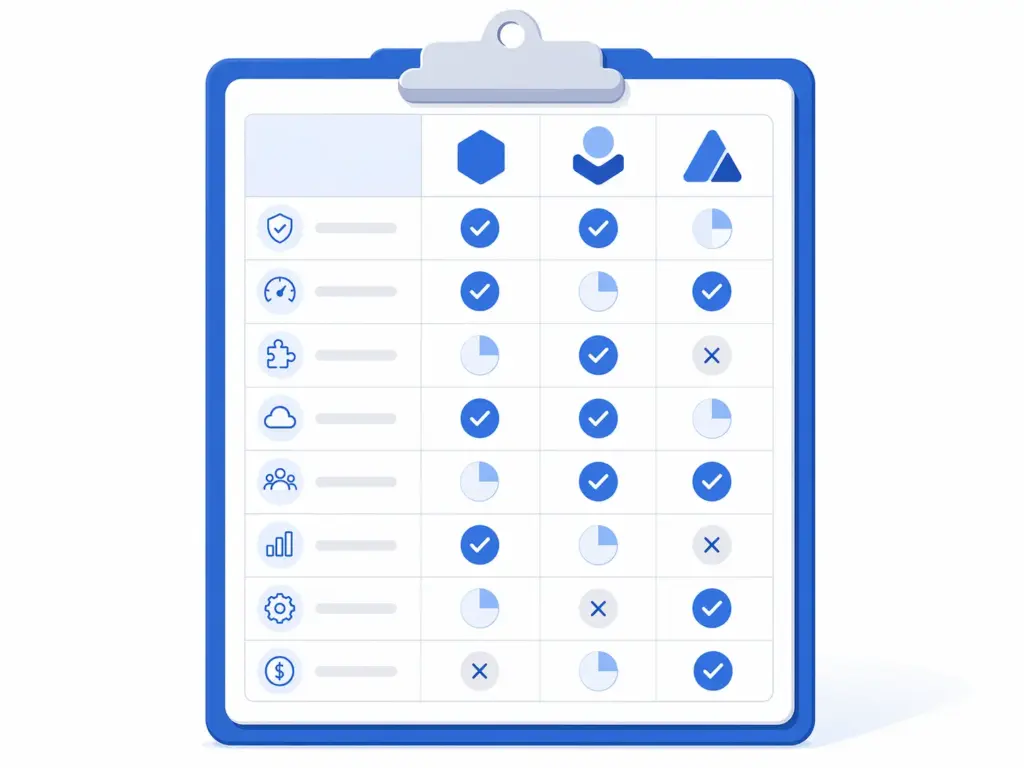
Use this scorecard to compare platforms consistently. Score each criterion from 1 to 5 for each platform on your shortlist. The weights reflect the relative importance of each criterion for most ecommerce operations — adjust them for your specific situation.
| Criterion | Weight | Platform A | Platform B | Platform C |
|---|---|---|---|---|
| Taxonomy control and flexibility | 20% | — | — | — |
| Channel syndication and connectors | 20% | — | — | — |
| Data quality and validation | 15% | — | — | — |
| Implementation speed | 15% | — | — | — |
| Supplier data onboarding | 10% | — | — | — |
| Governance and workflow | 10% | — | — | — |
| Total cost of ownership | 5% | — | — | — |
| Usability for non-technical users | 5% | — | — | — |
| Weighted total | 100% | — | — | — |
Score each criterion 1–5: 1 = does not meet requirements, 3 = meets basic requirements, 5 = exceeds requirements with strong fit. Multiply each score by its weight and sum for the weighted total. A platform scoring below 3.0 on any single criterion with a 15%+ weight should be carefully considered — a weak score on a high-weight criterion is often a deal-breaker that a strong overall score masks.
How to run a pilot that actually tells you something
The most valuable part of any PIM evaluation is the pilot — a hands-on test using your real data on the actual platform. A well-designed pilot takes two to three days and tells you more than six weeks of demos.
What to include in your pilot
- Real products from your highest-revenue category. Not a sample of 10 easy products — take 50–100 products that represent the full complexity of your catalog, including products with variants, products with missing fields, and products with non-standard supplier category names.
- A real supplier import. Take an actual file from one of your suppliers and run it through the platform’s import process. Does the category mapping work? Does it flag incomplete products correctly? How much manual intervention is required?
- A real channel export. After enriching the products in the pilot environment, export them to Google Shopping format and check the output against Google’s product data specification. Are all required fields present? Are the category IDs correct for the January 2026 taxonomy update?
- A taxonomy change scenario. Rename a category, add a new subcategory, and move 20 products from one category to another. How long does this take? Does it require administrative access or can a standard user do it? Does the platform update all downstream mappings automatically?
Questions to ask vendors after the pilot
After your pilot, ask every vendor on your shortlist the same set of questions so you can compare answers directly:
- What is the implementation timeline for our catalog size and channel mix — not a range, a specific estimate for our scenario?
- When Google, Amazon, or Shopify updates their taxonomy or data requirements, how is that reflected in the platform and how long does it take?
- What does ongoing support look like after go-live — is there an account manager, a support SLA, a documentation library?
- What are the three most common reasons customers churn from your platform?
- Can you give us a reference customer with a similar catalog size and channel mix who we can speak with directly?
The last two questions in particular reveal more than any demo. A vendor who cannot answer the third question honestly, or who cannot provide a direct reference, is a vendor who is not confident in their customer outcomes.
Evaluating PIM platforms by catalog size
Not all PIM platforms serve all catalog sizes equally well. Here is how evaluation priorities shift depending on where you are:
Small catalogs (under 2,000 SKUs)
Prioritise implementation speed, usability, and total cost above everything else. You do not need enterprise governance workflows or a data model that supports 40 languages. You need something your team can use without a consultant, that connects to your key channels out of the box, and that you can be live on within a few weeks. Weight usability at 20% and reduce governance to 5% for your scorecard.
Mid-size catalogs (2,000–20,000 SKUs)
This is where all eight criteria are genuinely important. Taxonomy control becomes critical at this scale because restructuring a large taxonomy is expensive. Supplier onboarding quality starts to matter significantly if you have multiple supplier sources. Use the scorecard as written — the weights are calibrated for this range.
Large catalogs (20,000+ SKUs)
Governance, data quality enforcement, and total cost of ownership deserve higher weights at this scale because the operational overhead of managing a large catalog compounds quickly. Weight governance at 15% and total cost at 10%. Also add a ninth criterion — performance and scalability — and test the platform with bulk operations: how long does it take to run a completeness report on 20,000 products? How long does a bulk category reassignment of 1,000 products take?
Side-by-side comparison: what to look for by platform type
PIM platforms broadly fall into three types. Understanding which type you are evaluating changes what you should be testing for:
| Platform type | Strengths | Watch for | Best fit |
|---|---|---|---|
| Enterprise PIM (e.g. Akeneo, Salsify, inRiver) | Deep feature sets, large partner ecosystem, proven at scale | Long implementation, high TCO, complex configuration, requires dedicated admin | Large catalogs, complex data models, enterprise IT support available |
| Mid-market PIM | Faster time to value, purpose-built for ecommerce operations, better usability | May have limits on very large catalogs or highly custom data models | 200–20,000 SKUs, multi-channel ecommerce, product team without dedicated IT |
| ecommerce platform native (e.g. Shopify PIM features) | Already integrated with your storefront, no additional system | Limited to that platform’s ecosystem, weak multi-channel syndication, limited taxonomy depth | Single channel, simple catalog, no multi-channel ambitions |
For direct comparisons between specific platforms, the LynkPIM comparison hub provides neutral, criteria-based evaluations across rollout approach, operating model, and migration planning. The Salsify vs LynkPIM comparison is a useful reference for understanding how an enterprise platform stacks up against a mid-market option on the criteria above.
The pre-shortlist checklist: before you contact a single vendor
Before you reach out to any vendor, have answers to these questions internally. If you cannot answer them, the evaluation process will be driven by what vendors tell you rather than what you actually need:
- ☐ Current SKU count and projected count in 24 months
- ☐ Current channels and channels you plan to add in the next 12 months
- ☐ How many people will use the PIM and what are their technical skill levels
- ☐ Where your product data currently lives and in what formats
- ☐ How many supplier sources you have and how they currently send data
- ☐ Your go-live date requirement and what drives it
- ☐ Budget range including implementation, not just licence
- ☐ Which criterion from the scorecard above is your non-negotiable — the one where a low score is a disqualifier regardless of overall performance
Teams that go into PIM evaluations with clear answers to these questions consistently make faster, better decisions. Teams that do not consistently spend twice as long evaluating and still end up selecting based on demo quality rather than operational fit.
Frequently asked questions
What criteria should I use to compare PIM platforms?
The eight criteria that consistently predict PIM success are: taxonomy control and flexibility, channel syndication capabilities, data quality and validation enforcement, implementation speed and time to value, supplier data onboarding, governance and workflow controls, total cost of ownership, and usability for non-technical users. Of these, taxonomy control and channel syndication carry the most weight for most ecommerce operations — they directly determine whether the PIM delivers its core value proposition of one product record publishing correctly to every channel.
How long should a PIM evaluation take?
A well-structured PIM evaluation — from initial requirements definition to vendor selection — typically takes four to eight weeks. The breakdown: one week to define requirements and build your scorecard, one to two weeks for initial vendor research and shortlisting, two to three weeks for demos and pilot testing with your real data, and one week for final scoring and decision. Evaluations that take longer than eight weeks are usually stalled by internal alignment issues rather than vendor complexity — the evaluation framework is a useful forcing function for getting that alignment done early.
Should I run a pilot before selecting a PIM?
Yes, always. A pilot with your real data — real products, real supplier files, real channel export requirements — reveals operational reality that no demo can. The most common finding in pilots is that a platform that looked capable in a demo requires significantly more configuration or technical skill than the demo implied. Run the pilot on your shortlist of two to three platforms before making a final decision. A good pilot takes two to three days and covers: a real import from one supplier, enrichment of 50–100 real products, a channel export to Google Shopping format, and a taxonomy change scenario.
What is the difference between PIM and other systems like MDM or DAM?
PIM (Product Information Management) handles structured product data — attributes, taxonomy, descriptions, channel mappings. MDM (Master Data Management) handles all core business data across an enterprise — customers, suppliers, products, locations — at a governance level that spans systems. DAM (Digital Asset Management) handles files — images, videos, documents. Most growing ecommerce teams need PIM first. The full comparison is covered in the PIM vs MDM vs DAM vs PXM guide.
How do I know if I need an enterprise PIM or a mid-market PIM?
Enterprise PIM is the right choice when you have very large catalogs (20,000+ SKUs), complex data models requiring significant custom configuration, dedicated IT or PIM administrator resources, and a budget and timeline that supports a six-to-twelve month implementation. For most ecommerce teams — especially those with catalogs under 20,000 SKUs, multi-channel selling needs, and product teams without dedicated technical support — a mid-market PIM built for faster time to value and operational simplicity delivers better outcomes at lower total cost. The honest answer is that most teams that buy enterprise PIM because they think they need it would have been better served by a purpose-built mid-market solution.
What questions should I ask PIM vendors?
The most revealing questions are: What is the implementation timeline for our specific catalog size and channel mix — not a range, a specific estimate? When a channel like Google or Amazon updates their taxonomy or data requirements, how is that reflected in the platform and how long does it take? What are the three most common reasons customers churn from your platform? Can you give us a reference customer with a similar catalog size and channel mix who we can speak with directly? And: what is included in the licence fee versus charged separately, including connector updates and professional services?