Google Product Category vs Your Internal Taxonomy: What’s the Difference?
Two taxonomies. One product. This is the reality of modern ecommerce — every product needs to live somewhere in your internal catalog structure, and simultaneously needs to be classified in Google’s own taxonomy for Shopping performance. These two systems serve completely different purposes and should never be confused for each other.
Your Internal Taxonomy — What It’s For
Your internal product taxonomy is the classification system you design for your own business. It reflects how your team organises products, how your customers browse your site, and how your buying and merchandising teams think about the catalog.
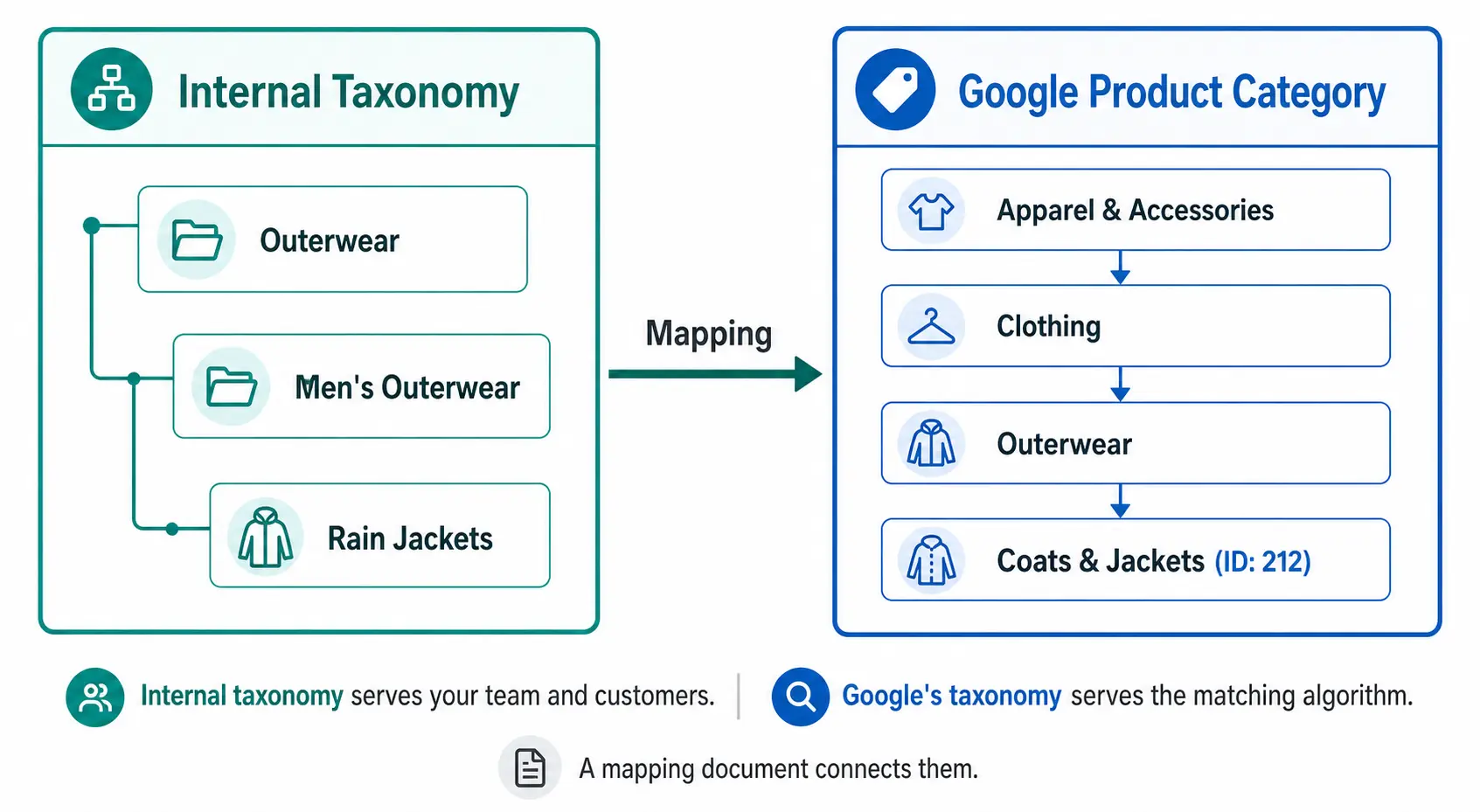
It uses your naming conventions. “Outerwear” might be at Level 2 in your taxonomy. “Men’s Rain Jackets” might be your Level 3 subcategory. These names work for your team because they reflect how you buy, stock, and sell these products.
Your internal taxonomy also drives your site navigation, search filters, and internal reporting. It is designed for humans — your buyers, your customers, and your ecommerce team. For a full guide on building it correctly, see What Is Product Taxonomy and How to Build a Product Taxonomy From Scratch.
Google’s Product Category Taxonomy — What It’s For
Google’s product category taxonomy is a fixed, hierarchical classification system that Google uses to understand what your product is. It has over 6,000 categories across up to 7 levels, maintained by Google and updated periodically.
It is designed for Google’s matching algorithm — not for humans. When you assign a product to “Apparel & Accessories > Clothing > Outerwear > Coats & Jackets” (ID: 212), you are telling Google’s algorithm which auction pool this product belongs in, which additional attribute requirements apply, and how to match it to buyer search queries.
You do not modify it. You map your products to it. The full taxonomy ID list is available publicly and should be used as a reference, not a foundation for your own catalog structure. Full details in the Google Product Category Taxonomy guide.
A common mistake is trying to build an internal taxonomy that mirrors Google’s. This creates several problems:
Google’s naming doesn’t match customer language — “Coats & Jackets” is fine for an algorithm but might not reflect how your buyers describe products on your site
Google’s structure doesn’t match your business — your business may organise products by season, by brand, by collection, or by customer segment in ways that don’t correspond to Google’s classification
Google updates break your internal structure — if your navigation and filters are built on Google’s taxonomy, every Google taxonomy update requires changes to your site
Your internal taxonomy should be built for your customers and your team. Google’s taxonomy should be mapped to from your internal taxonomy — a separate, maintained mapping document that connects your subcategories to the correct Google category IDs.
How to Build the Mapping Document
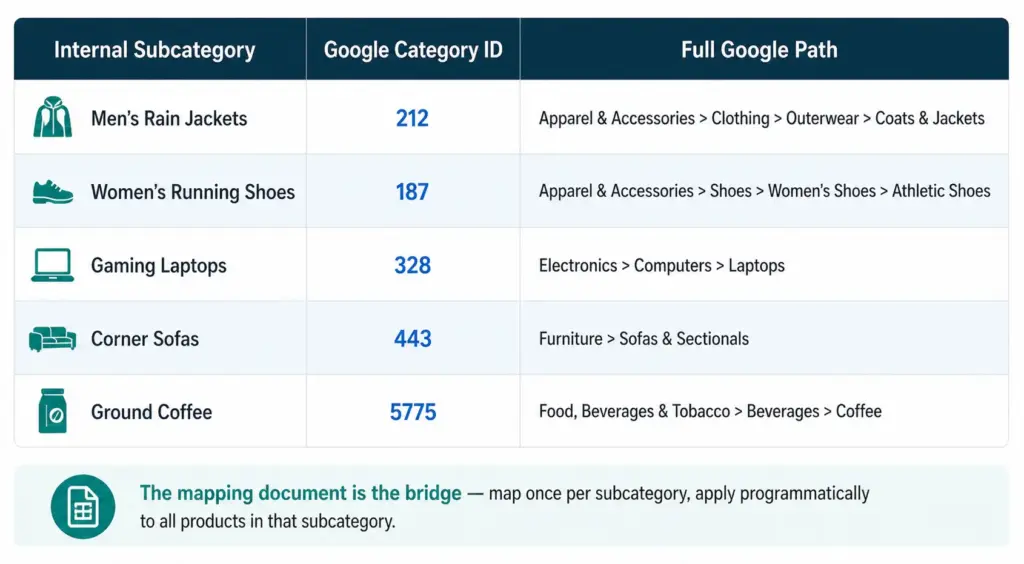
The mapping document is a simple table: your internal subcategory name on the left, the corresponding Google category ID on the right. This is the only connection you need between your taxonomy and Google’s.
List every subcategory in your internal taxonomy
For each subcategory, search Google’s taxonomy file for the most specific matching leaf node
Record the numeric ID — not the text path string
Apply the ID to all products in that subcategory programmatically — not product by product
Review annually when Google publishes taxonomy updates
This approach means a taxonomy change on Google’s side only requires updating the mapping document, not restructuring your internal taxonomy, your site navigation, or your product records.
The product_type Field — the Third Layer
Google Shopping feeds support a third category-related field: product_type. Unlike google_product_category, this is a free-form field you control completely.
Use product_type to include your internal taxonomy path in the feed — for example, “Outerwear > Men’s Outerwear > Rain Jackets”. This value does not affect Google’s matching algorithm but it does appear as a segmentation option in Google Ads, letting you create Shopping campaigns and bid strategies based on your own category structure rather than Google’s.
This means you can have all three in your feed simultaneously:
google_product_category: 212 (tells Google what the product is)
Internal taxonomy: stored in your PIM, driving your site and your team’s workflow
Check the Flat vs Hierarchical Taxonomy guide to ensure your internal structure is appropriately deep before building your mapping document. Take the PIM Readiness Score to see how well your current product data governance supports this dual-taxonomy approach.
Frequently Asked Questions
Do I need both an internal taxonomy and Google product categories?
Yes. Your internal taxonomy serves your team and customers using your naming conventions. Google’s taxonomy serves their matching algorithm using their naming conventions. You need both, connected by a mapping document that translates your subcategory names to Google category IDs.
Should I build my internal taxonomy to match Google’s?
No. Build your internal taxonomy for how your team and customers think about your products. Keep the mapping to Google’s taxonomy in a separate document. If you build your internal structure to mirror Google’s, you tie your site navigation and team workflows to a taxonomy you don’t control — and every Google update risks breaking something in your catalog.
What is the product_type field and how does it relate to my internal taxonomy?
The product_type field is a free-form field in your Google Shopping feed where you include your own internal category path. It does not affect Google matching but enables campaign segmentation in Google Ads based on your own taxonomy naming. It is the bridge between your internal taxonomy and your Google Shopping campaigns.
How often does Google’s taxonomy change and how does that affect my internal taxonomy?
Google updates its taxonomy 1–2 times per year. These changes do not affect your internal taxonomy at all — they only affect the mapping document. Using numeric IDs in your feed (not text path strings) means most updates have zero impact on your feed, since IDs remain valid even when Google renames a category path.
Job Title Category Mapping: How to Classify CEO, Founder, Director and Every Other Role in Your Taxonomy
You are building a CRM, a B2B contact database, a startup classification system, or an internal org taxonomy — and you keep hitting the same wall. Where does a Founder go? Is a Co-Founder the same category as a CEO? Does “Head of Sales” map to Director or VP? Is a “Chief of Staff” an executive or an operations function?
Job title category mapping is one of those problems that looks simple until you try to make it consistent across thousands of records. This guide gives you a complete, practical framework: how to classify every major role type across seniority levels and job functions, with specific answers for the titles that cause the most confusion.
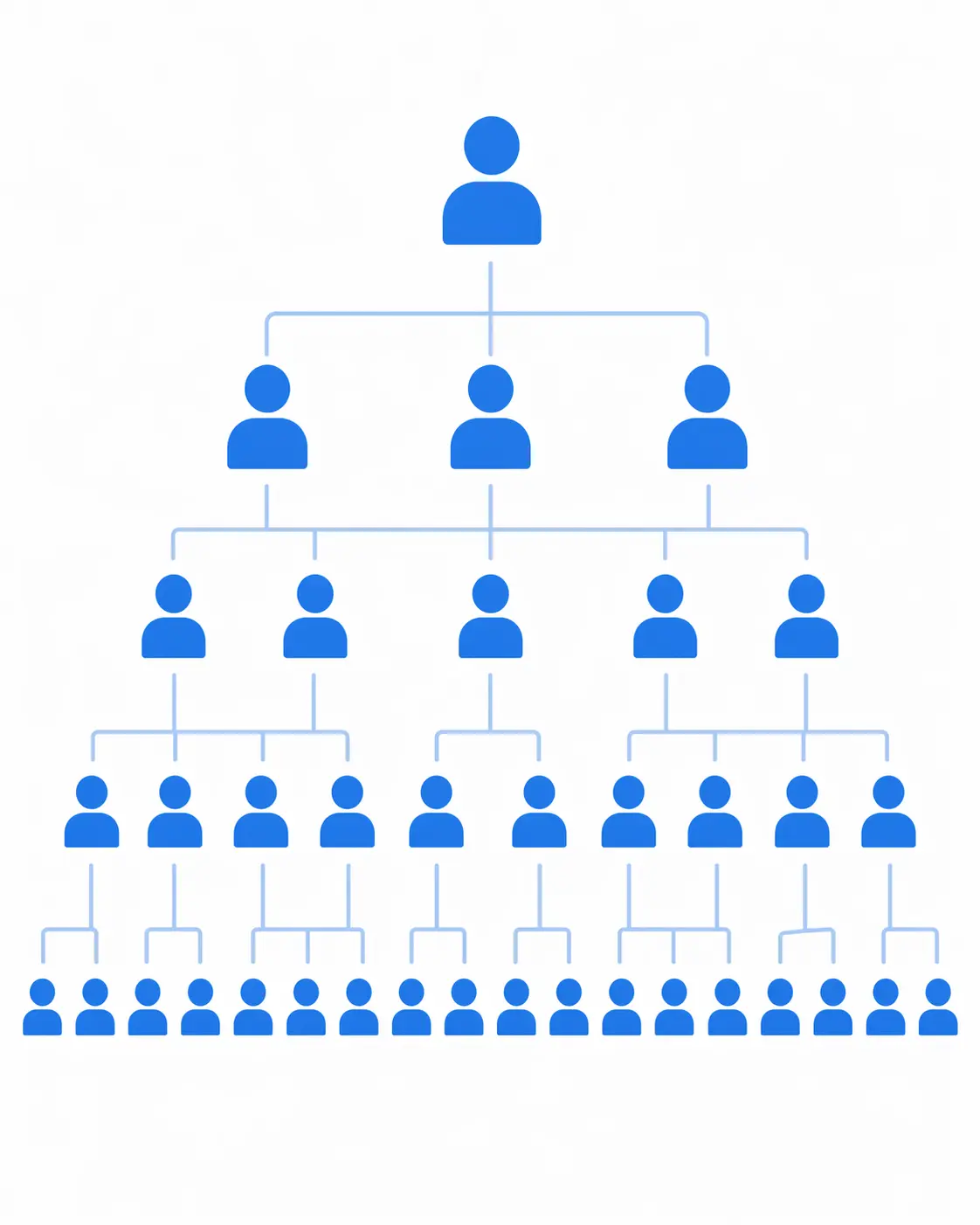
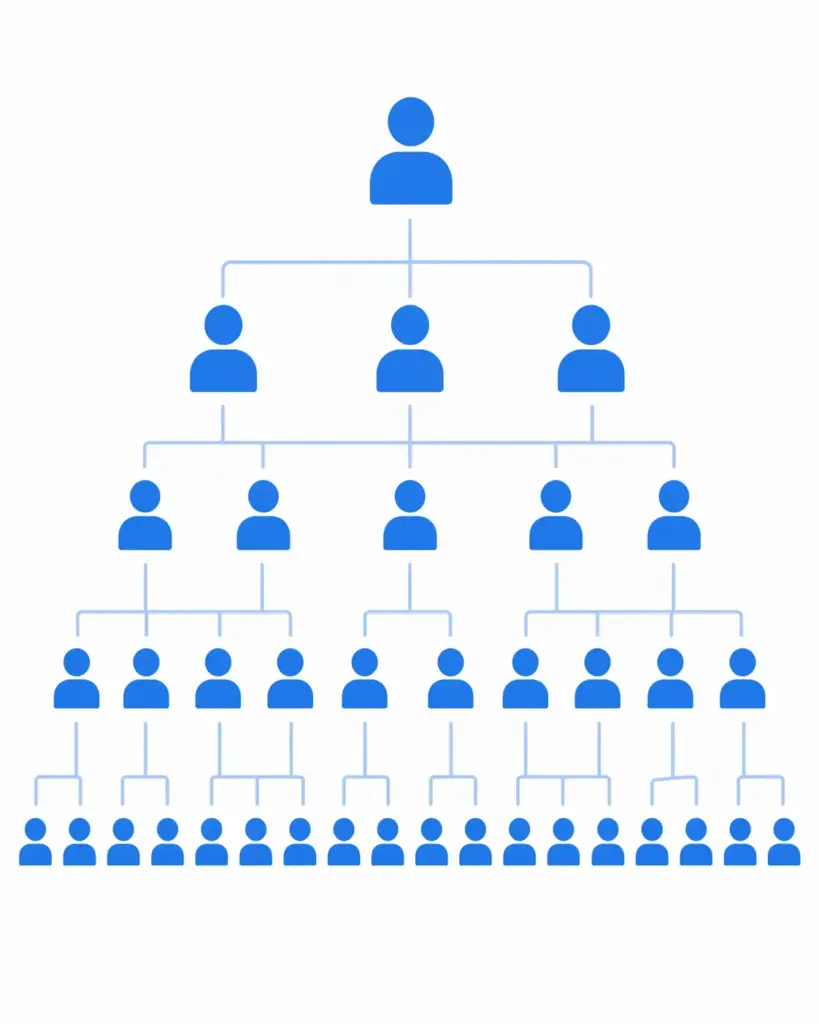
A well-designed job title taxonomy maps every role to two dimensions: seniority level (vertical) and job function (horizontal). Getting both right is what makes the classification useful.
Why job title category mapping is harder than it looks
Job titles are not standardised. Two people with identical responsibilities at different companies might be called “Director of Marketing” at one and “Head of Growth” at another. A “VP of Engineering” at a 20-person startup has a completely different scope than the same title at a 5,000-person enterprise. A “Founder” might be actively running the business as CEO, or might have stepped back to an advisory role years ago.
This inconsistency is the core challenge of job title taxonomy. The solution is a two-dimensional classification model: every role gets mapped to a seniority level and a job function. These two dimensions together give you a consistent, queryable classification regardless of how many ways people describe the same role.
This same two-dimensional principle applies in product taxonomy too — every product maps to a category (what it is) and carries attributes (what it is like). The logic is structurally identical. If you are building taxonomy systems more broadly, the ecommerce category mapping guide covers the same principles applied to product data.
The two dimensions of job title classification
Dimension 1: Seniority level
Seniority level describes where a role sits in the organisational hierarchy — the vertical dimension of your taxonomy. Most organisations and classification systems use five to seven levels:
Company-wide strategy, ultimate accountability for a function or the whole business
VP / SVP / EVP
Vice President, Senior VP, Executive VP, Group VP
Cross-team leadership, owns a large function or business unit, usually reports to C-suite
Director
Director, Senior Director, Head of [function]
Owns a department or team, sets strategy for their area, manages managers
Manager
Manager, Senior Manager, Team Lead, Principal
Manages a team directly, executes departmental strategy
Senior Individual Contributor
Senior [role], Lead [role], Staff [role], Specialist
Deep expertise, no direct reports or minimal mentorship role
Individual Contributor
[Role] without prefix, Associate, Analyst, Coordinator, Executive (in UK usage)
Executes tasks within a team, reports to a manager
Entry Level
Junior, Assistant, Intern, Graduate, Trainee
Learning the role, supervised closely
Dimension 2: Job function
Job function describes what area of the business a role belongs to — the horizontal dimension. LinkedIn’s professional taxonomy, which covers over 900 million profiles and is the most widely used professional classification system, uses these top-level functions:
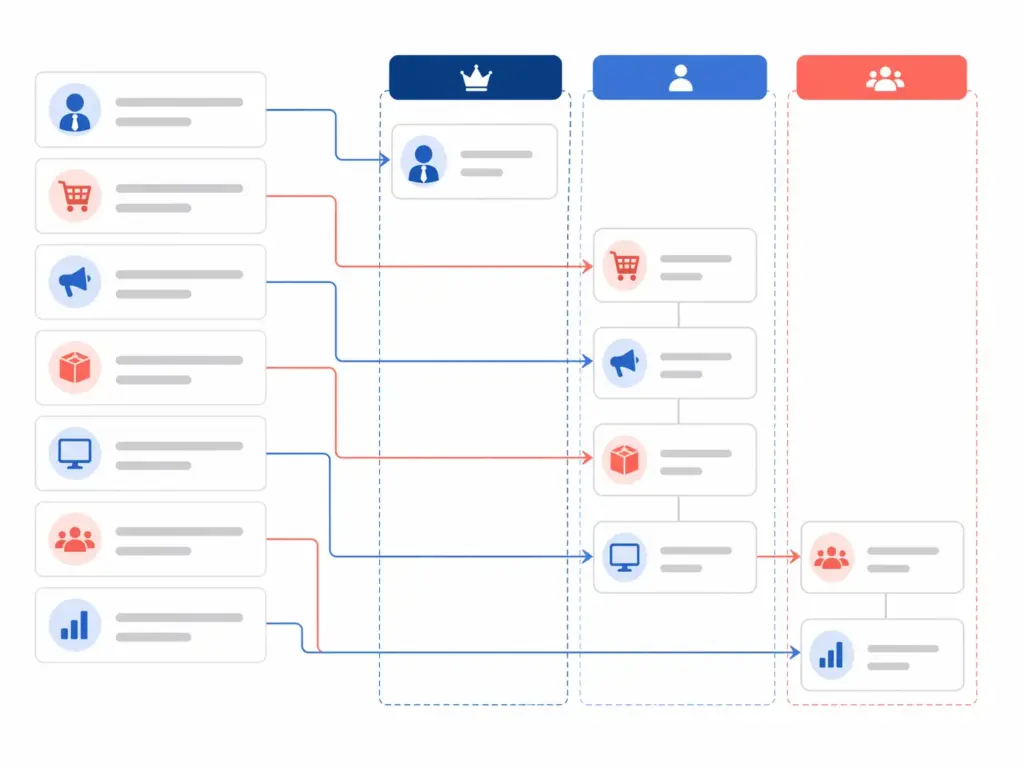
Job function is the horizontal dimension of your taxonomy. Seniority is the vertical. Every title maps to exactly one cell in this grid.
Commercial / Sales — sales, business development, account management, revenue
People / HR — talent acquisition, HR business partners, learning & development, culture
Product — product management, UX, design, research
General Management / Executive — cross-functional leadership, strategy, board-level roles
Every job title maps to one seniority level and one function. A “Director of Marketing” is Director × Marketing. A “VP of Engineering” is VP × Technology. A “Sales Analyst” is Individual Contributor × Commercial. The classification is unambiguous once you have defined the two dimensions clearly.
How to classify the titles that cause the most confusion
Founder and Co-Founder
Seniority level: C-Suite / Owner Function: General Management
Founder and Co-Founder are ownership titles, not role titles. They describe how someone came to be at the company, not what they do now. For classification purposes, always map Founder and Co-Founder to C-Suite level — they have founder-level authority regardless of their current day-to-day role.
For function, use General Management as the default unless the founder has a specific functional title alongside it (Founder & CTO maps to Technology; Founder & CMO maps to Marketing). A plain “Founder” with no other qualifier goes to General Management.
Co-Founder follows exactly the same logic. Map them identically to Founder unless they have a functional title that tells you otherwise.
President
Seniority level: C-Suite Function: General Management
President is a C-Suite title that typically sits alongside or just below CEO, with responsibility for operations, revenue, or a specific business unit. In some organisations President is used interchangeably with CEO, particularly in family businesses and smaller companies. Always classify as C-Suite, General Management.
Managing Director
Seniority level: C-Suite Function: General Management
Managing Director (MD) is the UK and European equivalent of CEO in most contexts. In investment banking and consulting it is a senior individual contributor level below Partner — but for most ecommerce and retail organisations, MD is C-Suite. When in doubt, context matters: if the MD runs a company or a business unit, classify as C-Suite. If they are in a professional services firm, check whether the title follows the IC-track convention.
Head of [function]
Seniority level: Director Function: whatever follows “Head of”
“Head of” is the most common Director-equivalent title in modern tech and ecommerce companies. “Head of Sales” = Director × Commercial. “Head of Product” = Director × Product. “Head of People” = Director × HR. The function is always in the title — just map accordingly.
The exception: “Head of” at a very small company (under 20 people) sometimes means the only person doing that function, which is more Individual Contributor than Director. If context is available, use it. If not, default to Director — it is better to over-rank than under-rank when segmenting for outreach or analysis.
VP vs Director — where is the line?
This is the most frequently contested boundary in job title taxonomy, and it varies significantly by company size and industry. The general rule:
VP owns a large function, manages multiple directors or teams, typically reports to C-suite directly, and has cross-functional influence
Director owns a specific department or team within a function, typically reports to a VP, and manages managers or senior ICs
In practice, at companies under 100 people these lines blur significantly. A “VP of Marketing” at a 15-person startup may have zero direct reports and be doing IC-level work. For taxonomy purposes, honour the title as given unless you have strong contextual evidence to reclassify. Titles are how people self-identify, and reclassifying them based on company size alone creates inconsistency that is hard to maintain.
Chief of Staff
Seniority level: Director or VP depending on scope Function: General Management / Operations
Chief of Staff is a cross-functional role that supports a C-suite executive. It does not fit cleanly into any single function — it typically spans strategy, operations, communication, and project management. For seniority, classify at Director level for most organisations; VP level if the role has been explicitly positioned as VP equivalent or if the Chief of Staff manages other people. Function: General Management is the safest default.
Owner
Seniority level: C-Suite / Owner Function: General Management
“Owner” is most common in small businesses where the person is both the business owner and the operator. Treat identically to Founder — C-Suite, General Management. In a product context, “Product Owner” is a specific Agile role that maps to Individual Contributor or Senior IC × Product, not C-Suite.
Partner
Seniority level: C-Suite or VP depending on industry Function: depends on firm type
Partner means very different things by industry. In professional services (law, consulting, accounting), Partner is the top ownership/equity level — C-Suite equivalent. In technology companies, “Partner” often refers to a business development or channel role at Director or VP level. In venture capital, General Partner is C-Suite; Principal or Associate are lower levels. Always use industry context when classifying Partner titles.
C-suite titles: the full reference
Title
Level
Function
CEO — Chief Executive Officer
C-Suite
General Management
CFO — Chief Financial Officer
C-Suite
Finance / Legal
CTO — Chief Technology Officer
C-Suite
Technology
COO — Chief Operating Officer
C-Suite
Operations
CMO — Chief Marketing Officer
C-Suite
Marketing
CPO — Chief Product Officer
C-Suite
Product
CHRO — Chief Human Resources Officer
C-Suite
People / HR
CRO — Chief Revenue Officer
C-Suite
Commercial
CISO — Chief Information Security Officer
C-Suite
Technology
CCO — Chief Customer Officer
C-Suite
Operations / Commercial
CDO — Chief Data Officer
C-Suite
Technology
CSO — Chief Strategy Officer
C-Suite
General Management
Ecommerce-specific job title taxonomy
Ecommerce organisations have a set of role titles that do not exist in general corporate taxonomies and that cause classification confusion when you try to map them to standard systems. Here is how to handle the most common ones.
Ecommerce-specific titles often straddle traditional function boundaries — a good taxonomy defines them explicitly rather than forcing them into ill-fitting standard categories.
Ecommerce Title
Seniority Level
Function
Notes
Director of Ecommerce
Director
Commercial / Operations
Owns online channel strategy and P&L
VP of Ecommerce
VP
Commercial / Operations
Typically manages multiple ecommerce directors
Head of Digital
Director
Marketing / Technology
Function varies — check if reporting to CMO or CTO
Ecommerce Manager
Manager
Commercial / Operations
Day-to-day platform and campaign management
Merchandising Director
Director
Commercial
Owns product assortment and pricing strategy
Category Manager
Manager
Commercial
Manages a product category’s performance
Product Manager (ecommerce)
IC to Senior IC
Product
Distinct from Category Manager — owns platform features
CX Director / Head of CX
Director
Operations
Customer experience across channels
Marketplace Manager
Manager
Commercial
Manages Amazon, eBay, marketplace channel
Performance Marketing Manager
Manager
Marketing
Paid search, shopping ads, paid social
Head of Growth
Director
Marketing / Commercial
Acquisition-focused; classify as Marketing unless revenue-owning
Trading Manager
Manager
Commercial
UK/EU term for ecommerce trading and promotions management
Building your job title taxonomy: practical rules
Rule 1: Always map to two dimensions
Every title in your taxonomy needs a seniority level AND a function. A flat list of titles with no structure is a lookup table, not a taxonomy. The value of a taxonomy is the ability to query across dimensions — show me all Director-level contacts in Marketing, or all C-suite contacts in companies under 50 people. That querying only works if both dimensions are populated consistently.
Rule 2: Standardise synonyms into canonical forms
Build a synonym mapping table that normalises variant titles to a canonical form before classification. “Head of Sales,” “Sales Director,” “Director of Sales,” and “Commercial Director” should all map to the same canonical classification: Director × Commercial. Without this normalisation step, your taxonomy produces inconsistent results every time a new title variant enters your data.
This is the same principle that applies in product data taxonomy — where “Cotton,” “100% Cotton,” and “Ctn” need to map to the same canonical value before they can be classified consistently. The taxonomy design guide covers this in depth for product catalogs, but the logic applies equally to any classification system.
Rule 3: Use a fallback category for ambiguous titles
Not every title will map cleanly. “Evangelist,” “Fellow,” “Advisor,” “Consultant,” “Board Member” — these do not fit neatly into standard seniority or function categories. Build an explicit fallback: an “Unclassified” or “Needs Review” category that catches ambiguous titles rather than forcing them into a wrong category. A wrong classification is worse than no classification — it silently corrupts your downstream analysis.
Rule 4: Separate the title from the classification
Store the original title as-given in one field, and your canonical classification in separate seniority level and function fields. Never overwrite the original title. This preserves the source data for future re-classification if your taxonomy rules change, and it means you can always audit your mapping logic against real examples.
Rule 5: Review your mapping rules when your data changes
Job title conventions evolve. “Growth Hacker” was an IC role in 2015 and is now closer to Director or VP in established organisations. “Chief of Staff” barely existed as a title in tech before 2018. Review your synonym mapping and classification rules at least annually, and any time you onboard a significant new data source with different title conventions.
Standard classification systems: LinkedIn, O*NET and Schema.org
If you are building a classification system that needs to interoperate with external platforms or standards, it is worth knowing the three most widely used reference systems:
LinkedIn Job Functions
LinkedIn uses 26 top-level job functions and a seniority level system with eight levels (Internship, Entry Level, Associate, Mid-Senior Level, Director, Executive, Owner, Partner). These are the de facto standard for B2B contact classification because LinkedIn is where most professionals self-identify their role. For any system that sources data from LinkedIn or needs to match against LinkedIn audiences, aligning your taxonomy to LinkedIn’s function and seniority structure is strongly recommended.
O*NET SOC Taxonomy
The US Bureau of Labor Statistics Standard Occupational Classification (SOC) system is the official US government classification for occupations, maintained through O*NET. It covers over 1,000 occupational categories across 23 major groups. It is the reference system for labour market research and workforce analytics. For most commercial CRM or contact classification purposes it is more granular than needed, but it is the right reference if you need to map your taxonomy to government or research datasets.
Schema.org JobPosting
If you are publishing job listings or building a system that needs to be understood by search engines, the Schema.org JobPosting structured data format defines how to mark up job titles, employment types, and organisational roles in a way that Google and other search engines can parse. The occupationalCategory field accepts O*NET-SOC codes, making it the bridge between your taxonomy and SEO-visible structured data.
Job title taxonomy in product data contexts
If you arrived at this article through a product data or PIM context — specifically mapping role-based access, defining who in an organisation manages which product categories, or building a classification system for B2B product catalog permissions — the principles are identical but the application is slightly different.
In a PIM or product data context, job title taxonomy typically comes up in two scenarios:
Role-based access control: which team members (by role) can create, edit, approve, or publish product data. A Category Manager can edit products in their category. A Merchandising Director can approve. A VP of Ecommerce can publish to all channels.
B2B catalog permissions: which customer roles (by job title) see which products, pricing tiers, or catalog sections. A purchasing manager at a wholesale customer sees trade pricing. A finance director sees contract terms. An end user sees retail pricing.
Both scenarios require a clean job title taxonomy as the input. If you are building this for a PIM implementation, the PIM guide covers how role-based governance works within product data management systems, and the PIM Readiness Assessment will tell you whether your current infrastructure can support role-based catalog governance.
Frequently asked questions
What category does Founder belong to?
Founder maps to C-Suite level, General Management function. Founder is an ownership title that indicates the highest level of authority in a company, regardless of the founder’s current day-to-day role. If the founder has a specific functional title alongside it (Founder & CTO, Founder & CMO), use that function instead. A plain “Founder” with no qualifier always goes to General Management at C-Suite level.
Is Co-Founder the same category as CEO?
For classification purposes, yes — both map to C-Suite level. The distinction is that CEO is a functional role (runs the company operationally) while Co-Founder is an ownership title (helped start the company). In many startups the Co-Founder is also the CEO, but not always. If someone is listed as both Co-Founder and CEO, classify as CEO × General Management. If listed as Co-Founder only, classify as C-Suite × General Management.
What category does “Head of Sales” map to?
“Head of Sales” maps to Director level × Commercial function. “Head of” is the standard Director-equivalent title in modern technology and ecommerce companies — it indicates ownership of a function without the traditional corporate “Director” label. The function is always derived from what follows “Head of”: Head of Sales = Commercial, Head of Product = Product, Head of People = HR.
What is the difference between VP and Director in a job title taxonomy?
VP (Vice President) sits above Director in the standard seniority hierarchy. A VP typically owns a large function, manages multiple directors or teams, and reports directly to C-suite. A Director owns a specific department or team within a function, typically reports to a VP, and manages managers or senior individual contributors. At smaller companies these lines blur — a “VP” at a 15-person startup may be doing Director-level work — but for taxonomy purposes, honour the title as given.
Where does Managing Director sit in a job title taxonomy?
Managing Director (MD) maps to C-Suite level for most organisations — it is the standard UK and European equivalent of CEO. The exception is investment banking and consulting, where MD is a senior individual contributor level below Partner. For ecommerce and retail organisations, always classify Managing Director as C-Suite × General Management.
How do I handle job titles that don’t fit standard categories?
Build an explicit “Unclassified” or “Needs Review” fallback category for titles that do not map cleanly — Evangelist, Fellow, Advisor, Board Member, Consultant, and similar. Never force an ambiguous title into a wrong category to avoid leaving a field blank. A wrong classification corrupts downstream analysis silently, while an unclassified record is clearly flagged for human review. Log all unclassified titles and review them periodically — patterns in what gets flagged often reveal gaps in your taxonomy rules that are worth closing.
Most ecommerce teams know their taxonomy is a mess. Products miscategorised at import, filters returning garbage results, Google Shopping feeds rejected for category mismatches — these are symptoms of the same underlying problem. The category mapping layer was never properly designed.
This guide fixes that. It covers what an ecommerce product taxonomy actually is, how to build category mapping rules that hold up at scale, what Google’s January 2026 taxonomy changes mean for your feed strategy, and how to handle the hardest part — incoming supplier data that arrives in fifteen different formats and calls the same product by six different names.
If you already have a taxonomy and want to understand why your hierarchy keeps drifting, start at the taxonomy structure guide. If you’re starting from scratch or rebuilding your mapping layer specifically, you’re in the right place.
A well-designed ecommerce product taxonomy is the structural layer behind every clean catalog, accurate feed, and consistent customer experience.
What is an ecommerce product taxonomy — and what it isn’t
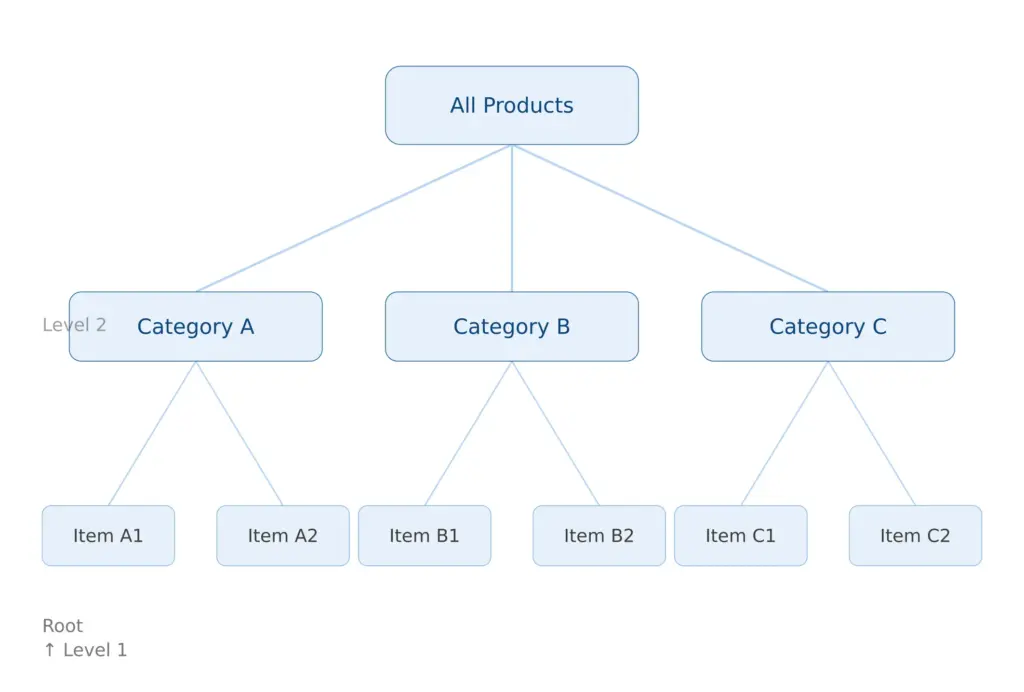
An ecommerce product taxonomy is the hierarchical classification system that defines how every product in your catalog is organised, enriched, and mapped to sales channels. It’s the skeleton that everything else sits on top of.
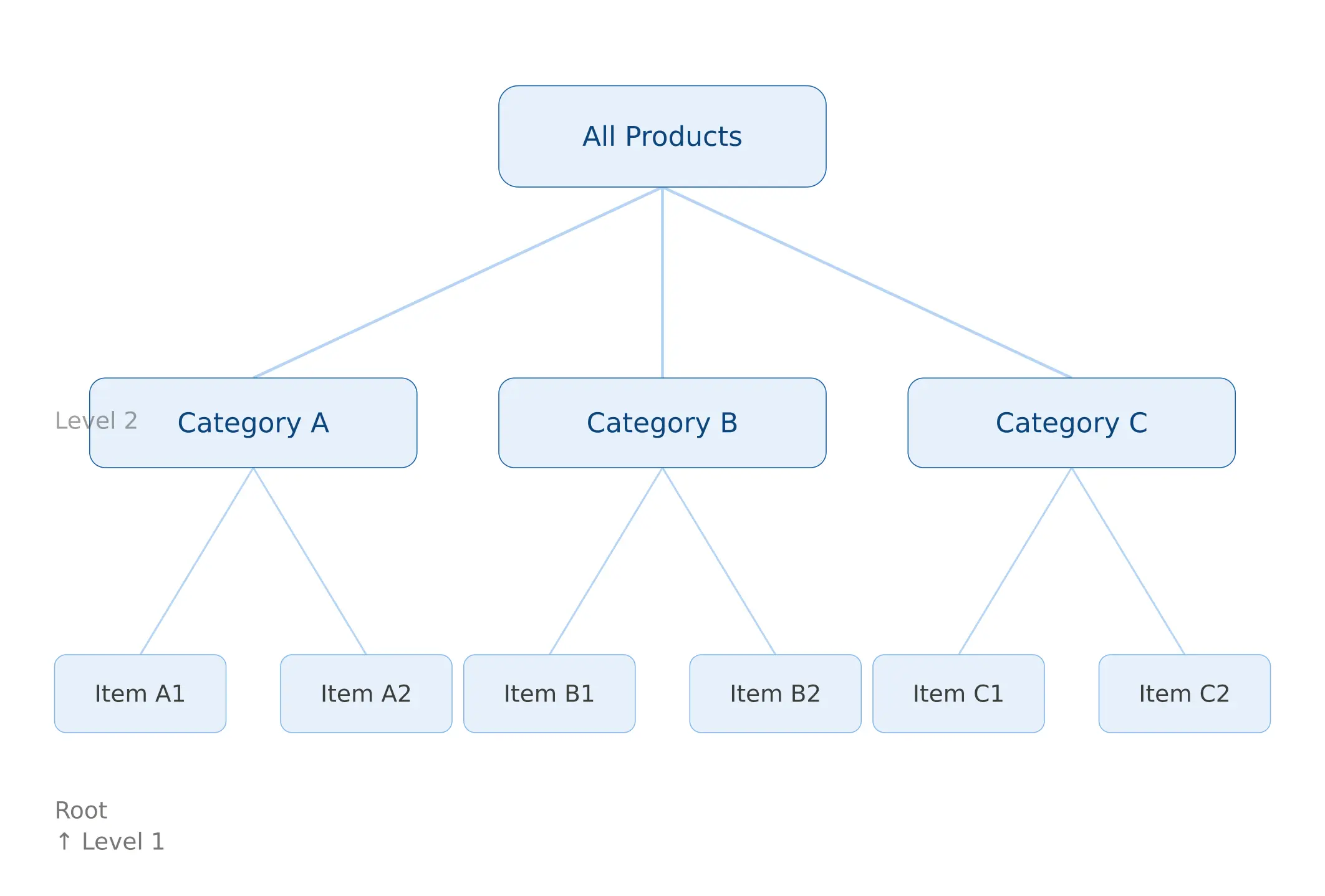
The leaf category — Blouses — is where products actually live. Every leaf category should have a defined attribute template attached to it: the specific fields that apply, the values those fields can take, and which ones are required versus optional. That template is what drives data completeness, and data completeness is what drives channel eligibility.
Here’s the distinction that trips up most teams: a taxonomy is not the same as navigation. Your internal classification taxonomy answers the question “what is this product and how should it be enriched?” Your customer-facing navigation answers “how does a shopper find this product?” These two things are related but should not be the same structure. A product might live in Clothing > Women’s > Tops > Blouses in your taxonomy, while appearing under New In, Work Wardrobe, and Under £50 in navigation. Conflating the two is how taxonomies become impossible to maintain.
Research from the Baymard Institute‘s large-scale ecommerce UX studies found that poor category taxonomy is one of the top five causes of site abandonment. Customers who can’t find a product within a few clicks leave — and they rarely come back.
Why category mapping specifically is where most taxonomies fall apart
Taxonomy design and category mapping are related but different problems. Taxonomy design is about building the right structure. Category mapping is about consistently and accurately placing products into that structure — especially when those products are coming from external sources that don’t know or care what your structure looks like.
Three scenarios where mapping breaks consistently:
Supplier data arrives with its own category logic
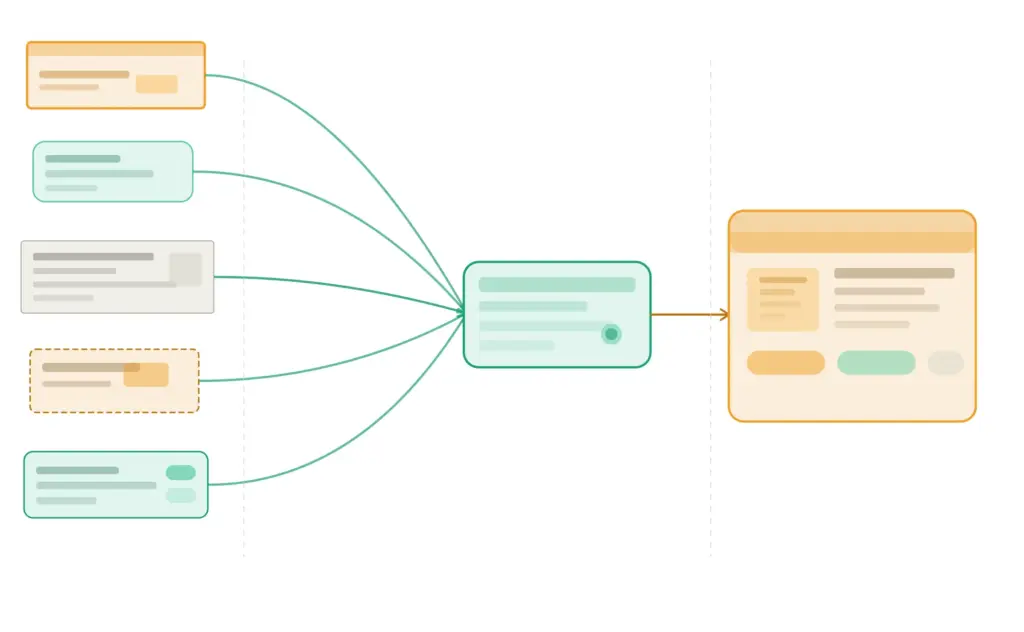
A supplier sends a product feed. Their file calls the category “M-SHIRTS-CASUAL.” Another supplier sends the same type of product under “Men Tops.” A third has it as “Casualwear > Male.” All three should land in your Clothing > Men’s > T-Shirts category. Without mapping rules, someone maps this manually every time. With mapping rules, it’s automated on import.
This is the single biggest source of catalog quality problems in multi-supplier operations. The fix isn’t cleaning up the mess downstream — it’s building mapping rules that prevent the mess from entering the catalog in the first place. The guide on cleaning supplier product data covers the broader data quality side of this.
Products get mapped to the wrong level of specificity
Products mapped too broadly — a pair of trail running shoes classified as just “Footwear” — miss the attribute template that would enforce the right data fields. They arrive in the catalog missing drop height, terrain type, upper material, and pronation guidance. They then get flagged as incomplete. No one knows why because the category assignment looks fine at a glance.
Products mapped too specifically — an “Organic Cotton Relaxed-Fit French-Tuck Blouse” classified into a category that only exists for that one product type — create a taxonomy with hundreds of single-item categories that’s impossible to govern.
The right level is almost always the leaf category that applies a meaningful, shared attribute template to a coherent group of products — specific enough to enforce relevant data, broad enough that multiple products belong in it.
Internal teams use category names inconsistently
Without a style guide and an enforced taxonomy, different team members create their own category interpretations. “Men’s Shoes” and “Mens Shoes” and “Shoe – Men” are three different category IDs in a system and three identical-looking things to a human reviewing a spreadsheet. Over 18 months with a growing team and no governance, this compounds into a catalog where the same product type exists in eight different places under eight slightly different names.
The answer isn’t cleanup campaigns. The answer is building the mapping rules and governance that prevent the problem from recurring. We’ll cover both.
How to build ecommerce category mapping rules that actually hold
Category mapping rules are the translation layer between how the outside world classifies products and how your taxonomy does.
A category mapping rule is a conditional statement: if an incoming product matches this pattern, it goes into this internal category and inherits this attribute template. Rules can be based on the supplier’s category label, keywords in the product title, specific field values in the data, or a combination.
The logic of a mapping rule looks like this:
IF supplier_category CONTAINS "T-Shirt" OR "Tee" OR "M-SHIRTS"
  OR product_title CONTAINS "t-shirt" OR "tshirt" OR "tee"
THEN internal_category = "Clothing > Men's Clothing > T-Shirts"
AND apply_attribute_template = "T-Shirts_Men"
AND flag_for_review = FALSE
And critically, you need a fallback for everything that doesn’t match:
IF no_rule_matches
THEN internal_category = "Unmapped — Needs Review"
AND flag_for_review = TRUE
AND notify = [taxonomy-owner@yourcompany.com]
The unmapped holding category is non-negotiable. Products that don’t match any rule should never be silently placed into a default category — they end up miscategorised, inherit the wrong attribute template, and produce bad data downstream with no visible error.
Building your mapping rules document
Before you encode rules into any system, document them in a mapping spreadsheet. Columns you need:
Supplier Category Input
Match Logic
Internal Category Target
Attribute Template
Last Reviewed
M-SHIRTS-CASUAL, Men Tops, Casualwear > Male
CONTAINS any of
Clothing > Men’s > T-Shirts
T-Shirts_Men
2026-01-15
WOMENS-BLOUSE, Women’s Tops > Formal
CONTAINS any of
Clothing > Women’s > Tops > Blouses
Blouses_Women
2026-01-15
[No match]
Fallback
Unmapped — Needs Review
None
—
This document becomes your taxonomy’s source of truth for supplier onboarding. Every new supplier gets mapped here first, before their data touches the catalog. The effort at onboarding is twenty minutes of mapping work. The cost of skipping it is months of catalog cleanup.
Rules for building good mapping rules
A few principles that separate mapping rules that hold from ones that drift:
Never let supplier categories become your internal categories. Suppliers optimise for their own operations, not yours. Their category names reflect how they organise their warehouse, not how your customers browse or how your data model is structured.
Build rules at the supplier level, not just the category level. Supplier A’s “Tops” and Supplier B’s “Tops” may not mean the same thing. Prefix your rules with supplier ID where the same label appears across multiple sources with different product types behind it.
Log every manual override. If someone manually reassigns a product that the mapping rules should have caught, that’s a signal the rule is wrong or incomplete. Log it. If the same pattern appears three times, create a new rule.
Review rules quarterly. Suppliers change their data formats. Seasonal categories come and go. New product types emerge that your original rules didn’t anticipate. A mapping rule set that was accurate in January may have meaningful gaps by April.
Hierarchy design: how deep is too deep, how broad is too broad
The most common taxonomy design question is about hierarchy depth. Teams building their first proper taxonomy usually either go too shallow (everything in five categories with no subcategory structure) or too deep (seven levels of subcategories that collapse under their own maintenance weight).
The practical guideline for most ecommerce catalogs is 3 to 5 levels maximum. Here’s why that number makes sense and what it looks like in practice:
Level 1 — Department: Clothing, Electronics, Home & Garden, Sports
When you feel the urge to go to Level 5 or deeper, the right question to ask is: does this product type genuinely need a different attribute set, or am I just trying to describe a variation? If it’s a variation — color, size, material, fit, terrain type — that’s an attribute. Attributes are cheap and infinitely flexible. Categories are expensive because every category you add needs naming, governance, a mapping rule, and a channel mapping. Use them only when they’re genuinely warranted.
The test that makes this concrete: if you removed this subcategory and merged its products into the parent, would those products need different fields? If yes — the subcategory earns its place. If no — it’s just label-making.
For a deeper guide on hierarchy architecture, attribute design, and governance models, the scalable taxonomy structure guide covers the structural layer in detail.
Mapping your taxonomy to channel requirements in 2026
Your internal taxonomy and your channel taxonomies are different things that need to stay in sync. Your internal taxonomy is designed around your data model. Channel taxonomies — Google, Amazon, Shopify — are designed around their own requirements, which change independently of you and don’t care about your internal structure.
The right model is a channel mapping layer: a separate table that maps each of your internal leaf categories to the correct category ID in each channel. One internal category might map to different targets across channels, and that’s expected and fine — as long as the mapping is explicit and maintained.
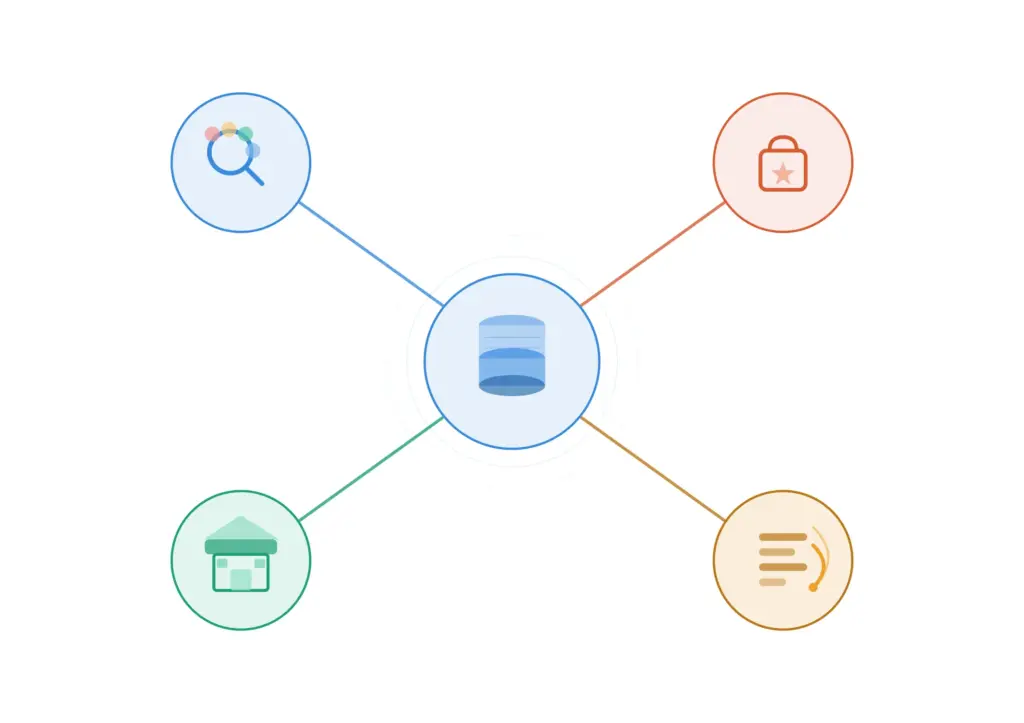
Your internal taxonomy is the hub. Channel category mappings are the spokes — maintained separately so changes in any channel don’t break your internal structure.
Google Product Taxonomy — January 2026 changes (deadline: July 31, 2026)
Google made its most significant product taxonomy update in several years in January 2026. Four new top-level categories were introduced: Smart Home & IoT, Electric Vehicles & Accessories, Sustainable Products, and AI & Robotics. The Electronics and Health & Beauty categories were substantially expanded and reorganised.
Google has set a compliance deadline of July 31, 2026. Products that remain mapped to deprecated or renamed categories after this date may see reduced Shopping visibility or feed rejection. If you sell in any of these affected verticals, audit your Google category mappings now.
The full Google product taxonomy is publicly available and updated with each version. Always reference the official source — there are outdated versions circulating in third-party tools that will cause feed rejections.
Key principle for Google taxonomy mapping: always map to the most specific applicable category, not the nearest parent. Google’s algorithm rewards specificity. A pair of trail running shoes mapped to Apparel & Accessories > Shoes will underperform against a competitor who correctly mapped to Apparel & Accessories > Shoes > Athletic Shoes > Running Shoes.
Shopify Standard Product Taxonomy (v2026-02)
Shopify’s standard taxonomy is newer and actively evolving — the current release is v2026-02. It uses machine learning to suggest categories based on product titles and descriptions, which reduces manual mapping work for simple catalogs. However, the suggestions are not always accurate and should always be verified, particularly for products with ambiguous titles or dual-use cases.
Shopify’s taxonomy is increasingly being adopted as a reference standard beyond the Shopify ecosystem, particularly among mid-market brands building channel-agnostic product data models. It’s worth mapping to even if it’s not your primary channel.
Amazon Browse Tree Guide
Amazon has over 10,000 categories and splits them between open listing categories (anyone can list) and gated categories requiring prior approval. Your internal categories will rarely map 1:1 to Amazon’s Browse Tree — the structures are built with different goals in mind.
The most common Amazon mapping mistake is categorising at too high a level because it’s easier. “Electronics” is valid but useless. “Electronics > Camera & Photo > Digital Cameras > Mirrorless Cameras” is what Amazon’s algorithm expects and what drives relevant placement. Deep, specific mapping consistently outperforms broad mapping in Amazon search visibility.
GS1 as a classification baseline
If you sell B2B, wholesale, or through retail trading partners who require standardised product data exchange, the GS1 Global Product Classification (GPC) standard is worth understanding. GS1 provides a universal language for product classification used by major retailers and distributors globally. It won’t replace your internal taxonomy, but knowing how your categories map to GS1 bricks and segments makes retailer onboarding significantly faster.
Category mapping by role: who maps what, and when
One of the most overlooked dimensions of category mapping is the human side: different roles in an ecommerce organisation interact with the taxonomy at different points and with different goals. When the mapping process isn’t designed with roles in mind, it breaks down at handoff points.
Founder or category manager — strategic mapping
At the strategic level, category decisions are about which product types belong in the catalog, how they relate to each other commercially, and how the top-level taxonomy structure reflects the brand’s positioning. A founder building a DTC brand in a specific vertical needs to make deliberate decisions about category structure early, because those decisions affect everything from navigation UX to attribute standardisation to how Google indexes the site. Getting this right early is dramatically cheaper than restructuring a live catalog later.
Product manager or merchandiser — operational mapping
Product managers and merchandisers are typically the people doing the day-to-day mapping work — classifying new products, reviewing unmapped items, deciding whether a new product type needs a new leaf category or can fit into an existing one. This is where the mapping rules document and the style guide are most critical. Without them, these decisions get made inconsistently across team members and shifts, and the taxonomy drifts.
Supplier onboarding team — import mapping
The supplier onboarding team is the first line of defense against bad category data entering the catalog. Their job is to map each new supplier’s category structure to your internal taxonomy before any product data is imported. This mapping is almost always manual for the first supplier from a given source. Once documented, it becomes a rule set that future imports use automatically. Teams that treat supplier mapping as a one-time setup task rather than a governed process end up re-doing it every time a supplier updates their feed format.
If your supplier data quality is a consistent bottleneck, it’s worth assessing the broader picture with the PIM Readiness Assessment — it surfaces exactly where in the data flow the problems are concentrated.
Taxonomy naming conventions: the part everyone skips
Naming inconsistency is the silent killer of otherwise well-designed taxonomies. “Men’s Running Shoes,” “Mens Running Shoes,” “Running Shoes – Men,” and “Men > Running > Shoes” are four different category IDs in any system and four identical-looking things to a human skimming a spreadsheet. At twenty categories, this is manageable. At two thousand, it’s catastrophic.
Write down these decisions before you build, and enforce them without exceptions:
Singular vs. plural: Pick one and use it at every level. (“Shoe” or “Shoes” — not both.) Most operational taxonomies use singular. Most navigation taxonomies use plural. Decide which model you’re building.
Possessives: “Women’s” or “Women” or “Female”? One form, every time.
Ampersands vs. “and”: “Home & Garden” or “Home and Garden”? One form.
Capitalisation: Title Case or Sentence case? Either works. Inconsistency doesn’t.
Special characters: Avoid them in category names used as system identifiers. Use them only in display labels if needed.
Abbreviations: None in category names. “TV & AV” is opaque. “Televisions & Audio-Visual Equipment” is self-explanatory.
This should live in a one-page taxonomy style guide that every person who touches the catalog has read. It doesn’t need to be complex. It needs to exist and be the single reference point that ends “well I didn’t know we did it that way” conversations.
The attribute template layer: where taxonomy connects to data quality
Category mapping without attribute templates is half a solution. The point of placing a product in the right category isn’t just organisational — it’s so that the correct attribute template applies, which defines what fields are required, what values are acceptable, and what gets validated before the product can be published.
A simple attribute template table for a leaf category looks like this:
Category
Required Attributes
Optional Attributes
Controlled Value Lists
Running Shoes
Brand, Gender, Size, Color, Upper Material
Terrain Type, Drop Height, Pronation
Gender: [Men, Women, Unisex, Kids]
Blouses
Brand, Size, Color, Sleeve Length, Fabric
Occasion, Pattern, Neckline
Sleeve: [Short, Long, 3/4, Sleeveless]
Gaming Laptops
Brand, Processor, RAM, Storage, GPU, Screen Size
Refresh Rate, Weight, Battery Life
RAM: [8GB, 16GB, 32GB, 64GB]
The controlled value lists in the right column are what prevent the “Cotton / 100% Cotton / Ctn / cotton” problem from ever entering the system. When the acceptable values for a field are pre-defined and enforced at input, downstream exports to Google, Amazon, and any other channel become dramatically cleaner.
If you want to see how complete your current product data actually is across categories, the Completeness Checker will show you exactly where the gaps are by category and by field.
For the full picture on what PIM infrastructure you need to enforce this properly at scale, the 2026 PIM guide covers the system requirements end-to-end.
Taxonomy governance: the process that keeps everything from breaking again
You can design a perfect taxonomy today and have it in disarray within twelve months without governance. Governance is the set of rules and processes that control how the taxonomy changes over time — not to prevent change, but to make sure changes are deliberate, documented, and communicated to every system that depends on them.
The minimum governance model for a growing ecommerce operation:
Single owner: One person (or team) is accountable for the taxonomy. Change requests go through them. This doesn’t mean they do all the work — it means there’s no ambiguity about who decides.
Creation criteria: A new category is only created when products in it need a different attribute template OR when customers browse for them distinctly. Everything else becomes an attribute or a tag.
Change log: Every category creation, rename, merge, or deletion is recorded with a date, the requester, and the reason. This is what prevents “I don’t know why we have three categories called Tops” six months from now.
Review cadence: Quarterly taxonomy health checks. Check for orphaned products (not assigned to any category), empty categories, near-duplicate categories, and channel mapping gaps.
Deprecation process: Categories are never hard-deleted. They’re deprecated — products migrated, mapping rules updated, channel maps updated — then archived. Hard deletes break feed exports silently and cause the kind of sudden Google Shopping drop that takes days to diagnose.
If you’re managing product data across multiple team members and want to understand where your data governance currently stands, the free PIM Readiness Score covers taxonomy governance as one of its five assessment dimensions.
Common category mapping mistakes — and what to do instead
Mapping to parent categories instead of leaf categories
Mapping a product to “Electronics” instead of “Electronics > Computers > Laptops > Gaming Laptops” means the product inherits no meaningful attribute template, gets incomplete data, and underperforms in every channel that cares about specificity — which is all of them. Always map to the deepest applicable category.
Treating brand as a category
Brand is an attribute. A Nike running shoe belongs in “Footwear > Athletic > Running Shoes” with Brand = Nike — not in a “Nike” category. The only exception is marketplaces where brand pages function as independent browse destinations, and even then the brand taxonomy is a navigation overlay, not the core classification structure.
Google’s taxonomy has 6,000+ categories and is designed for standardisation across millions of merchants. Amazon’s has even more. Neither was designed for managing your catalog, enriching your product data, or serving your customer navigation experience. Use them as mapping targets, not as your internal model. The relationship is one-way: your internal taxonomy maps to channel taxonomies, not the other way around.
Not updating mappings when channels update their taxonomies
Channel taxonomies change, and they don’t notify you personally when they do. Google’s January 2026 update is a good example — brands that set their Google category mappings years ago and never revisited them may now be mapping to deprecated categories with a July 2026 deadline to fix it. Build taxonomy health checks into your quarterly calendar and specifically include “are all channel mappings current?” as a standing agenda item.
Quick-start taxonomy mapping template
If you’re building or rebuilding your category mapping layer, this is the minimum structure to have documented before you start building in any system:
Category tree document — every category, parent, and leaf level with IDs
Attribute template table — required and optional fields per leaf category with controlled value lists
Supplier mapping rules document — incoming labels mapped to internal categories, with fallback rule
Channel mapping table — internal leaf category to Google, Amazon, Shopify, and any other relevant channel
Governance record — owner, change log, review cadence, deprecation process
These six documents are the complete picture of a functional taxonomy mapping layer. Some teams keep them in a wiki. Some in a shared spreadsheet. The format doesn’t matter as much as the discipline of keeping them current. A PIM handles the enforcement — but the logic has to be designed and documented first, before it’s encoded into any system. If you’re not sure whether your current setup can actually enforce these rules at scale, this comparison of PIM vs spreadsheets covers exactly where spreadsheet-based taxonomy management breaks down.
Frequently asked questions
What is the difference between a product taxonomy and product categories?
A product taxonomy is the complete hierarchical system — all the levels, rules, attributes, and relationships that define how products are classified. Product categories are individual nodes within that taxonomy. Think of the taxonomy as the filing system and categories as the individual folders. You can have categories without a taxonomy (just a flat list of folders), but a taxonomy requires a structured, governed set of categories with defined relationships between them.
How many levels should an ecommerce product taxonomy have?
Three to five levels is the practical range for most ecommerce catalogs. Level 1 is a broad department (Clothing, Electronics). Level 2 is a category (Women’s Clothing, Laptops). Level 3 is a subcategory (Tops, Gaming Laptops). Level 4 is usually the leaf category where products actually live. Going to Level 5 is occasionally justified for very large catalogs with genuinely distinct product types at that depth — but most teams who go that deep would be better served by using attributes instead of adding another level.
Do I need a separate internal taxonomy and a Google Shopping taxonomy?
Yes. Your internal taxonomy should be designed around your data model and your customers’ browsing behaviour. Google’s taxonomy is designed for standardisation across all Google Merchant Center merchants. They rarely align perfectly, and they shouldn’t be forced to. The right approach is to maintain your internal taxonomy and a separate mapping table that maps each of your internal leaf categories to the appropriate Google category ID. When Google updates its taxonomy — as it did in January 2026 — you update the mapping table, not your internal structure.
How do I handle products that fit in multiple categories?
Every product should have one primary category — the one that determines its attribute template and its place in your core data model. Secondary placement (showing the product in multiple navigation locations) is handled through tags, collections, or navigation overlays — not by duplicating the product into multiple categories. Duplicate category assignment creates reporting confusion, inconsistent data, and SEO issues with canonicalisation.
What is the Google product taxonomy deadline for 2026?
Google introduced four new top-level categories in January 2026 (Smart Home & IoT, Electric Vehicles & Accessories, Sustainable Products, AI & Robotics) and expanded the Electronics and Health categories significantly. The compliance deadline for products affected by these changes is July 31, 2026. Products mapped to deprecated or reorganised categories after this date may experience reduced Shopping visibility or feed rejection. Check the official Google taxonomy documentation for the current version.