Product Taxonomy for Fashion Ecommerce: The Complete Industry Guide
Fashion is the most complex product taxonomy challenge in ecommerce. No other category has the same combination of variant depth (size × colour × material), seasonal rotation, brand complexity, and the need to align with both customer search language and Google’s own category hierarchy simultaneously.
This guide covers how to structure a fashion taxonomy that works for site navigation, Google Shopping, and internal catalog operations at the same time.
Why Fashion Taxonomy Is Uniquely Difficult
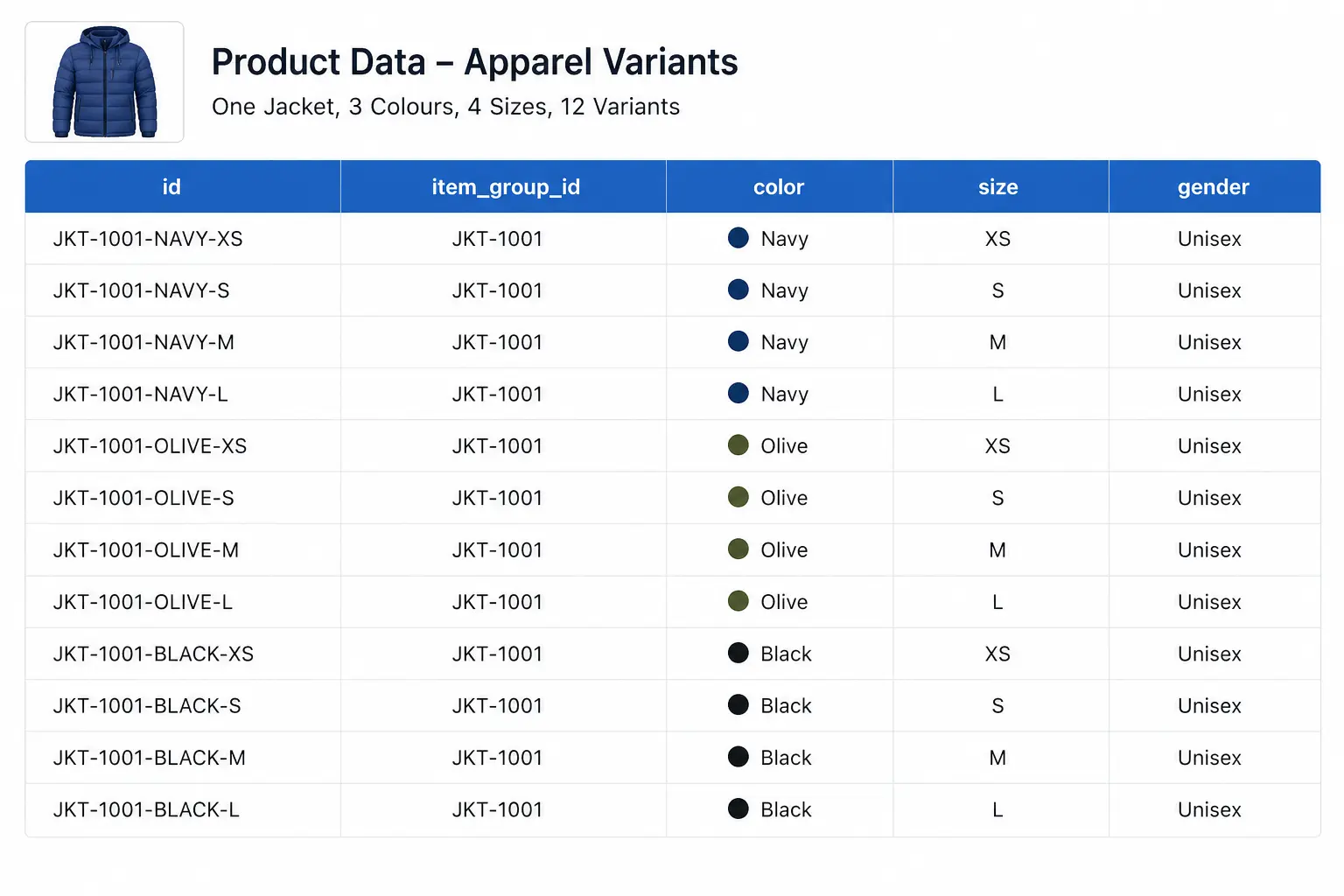
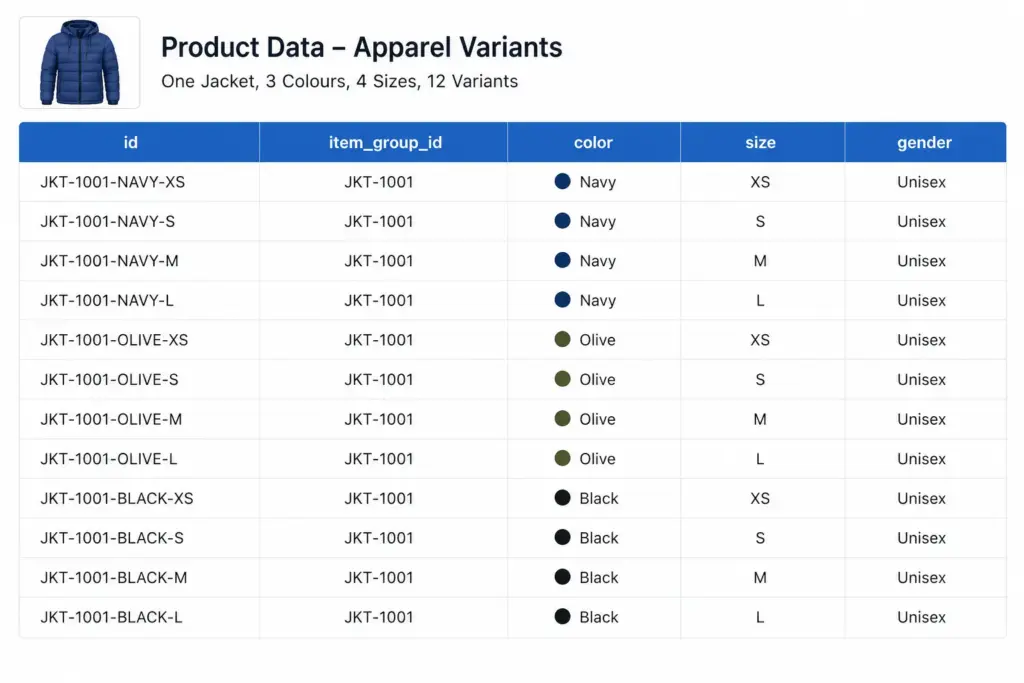
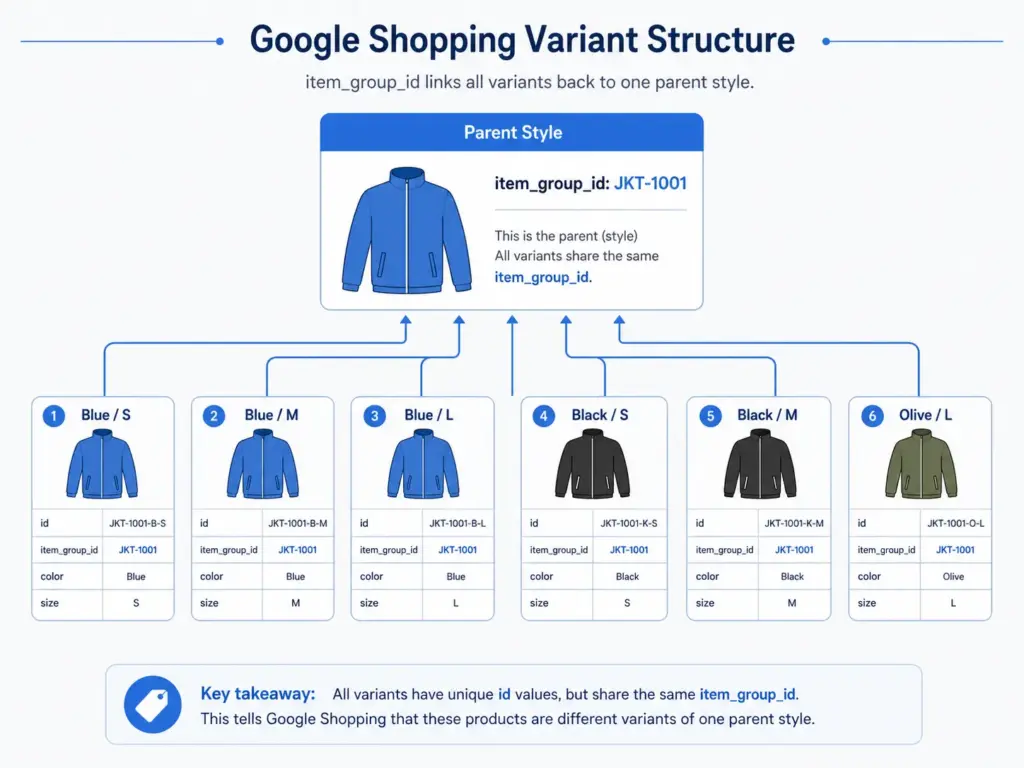
- High variant depth: A single jacket style can generate 40+ variants (4 colours × 5 sizes × 2 materials). Each needs proper categorisation.
- Seasonal rotation: Categories like “Summer Dresses” need to exist, disappear, and reappear without breaking your taxonomy structure.
- Cross-gender categorisation: Unisex products that appear in both Men’s and Women’s categories require clear rules.
- Trend-driven additions: New product types appear faster in fashion than almost any other category — your taxonomy needs to accommodate them without restructuring.
For the full taxonomy build process that applies to all industries before you get into fashion-specific requirements, see How to Build a Product Taxonomy From Scratch.
Recommended Top-Level Structure for Fashion
| Level 1 (Department) | Level 2 Examples (Category) | Level 3 Examples (Subcategory) |
|---|---|---|
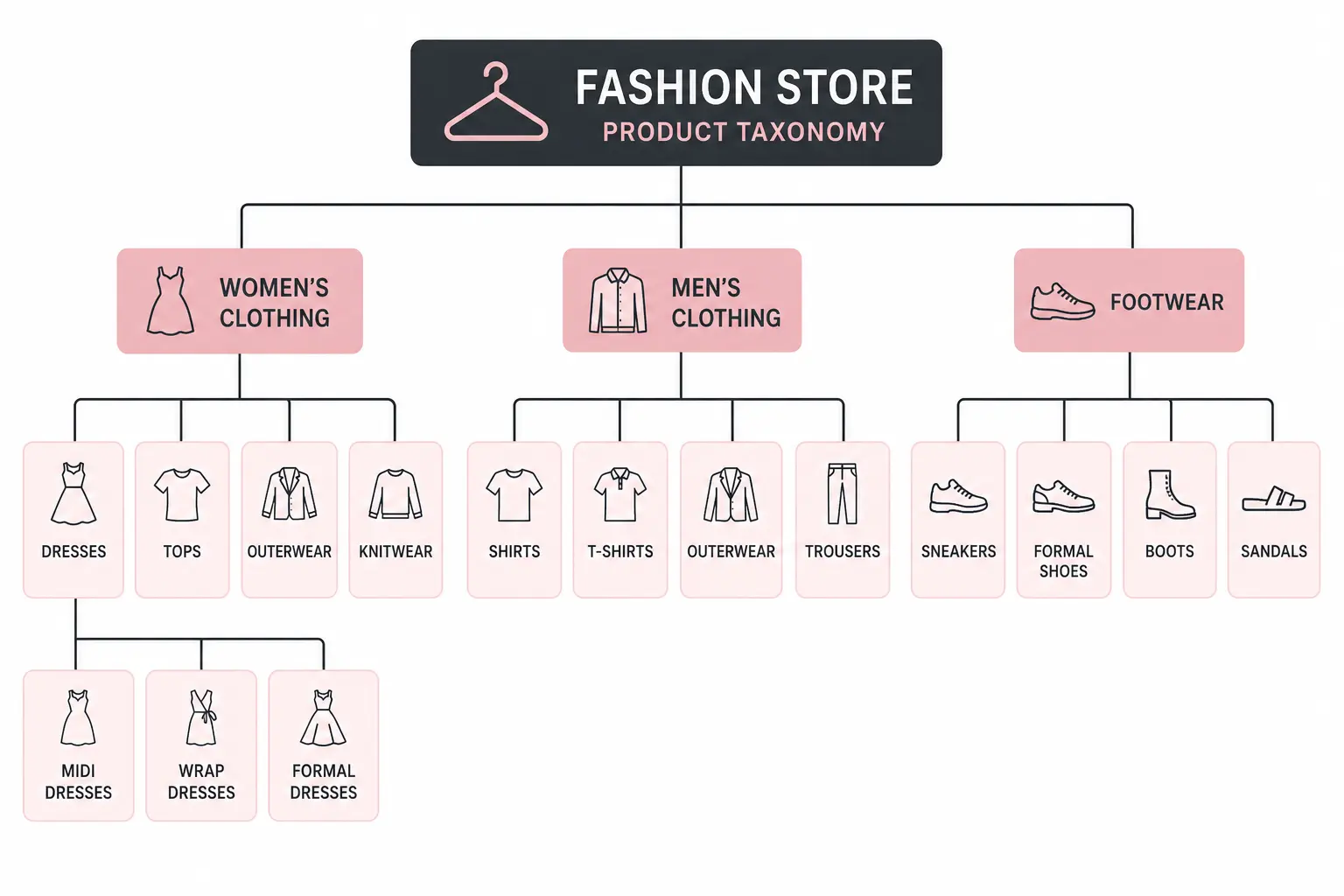
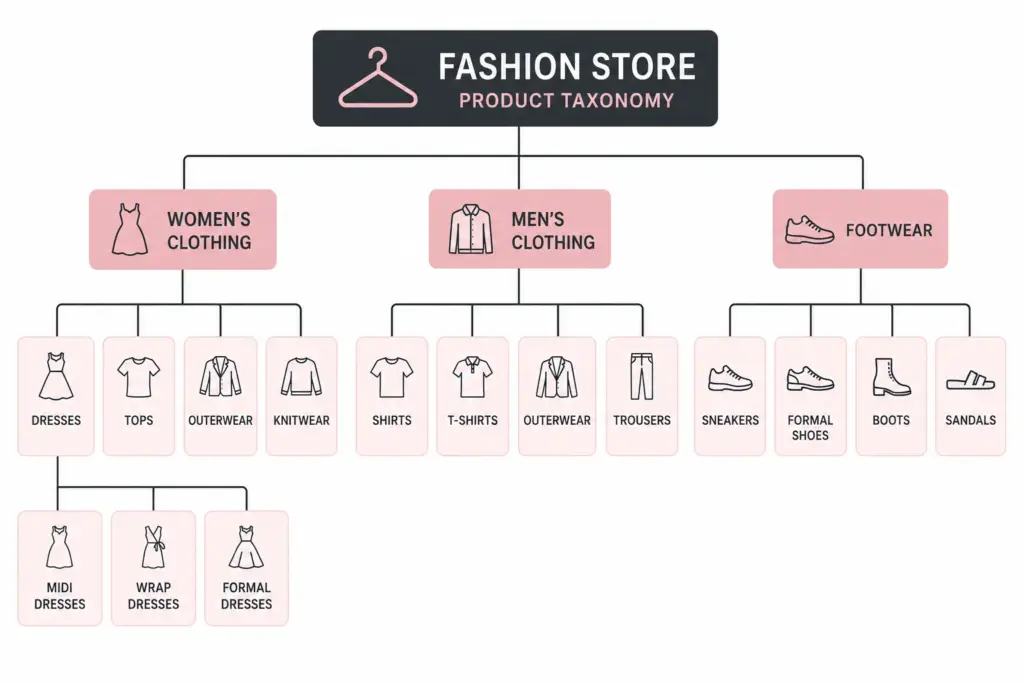
| Women’s Clothing | Dresses, Tops, Bottoms, Outerwear, Knitwear | Midi Dresses, Wrap Dresses, Formal Dresses |
| Men’s Clothing | Shirts, Trousers, Jackets, Knitwear, Activewear | Casual Shirts, Formal Shirts, Linen Shirts |
| Kids’ Clothing | Girls’ Clothing, Boys’ Clothing, Baby & Toddler | School Uniforms, Outerwear, Swimwear |
| Footwear | Women’s Shoes, Men’s Shoes, Kids’ Shoes | Heels, Flats, Boots, Trainers, Sandals |
| Accessories | Bags, Belts, Scarves, Hats, Jewellery | Handbags, Crossbody Bags, Tote Bags |
| Swimwear | Women’s Swimwear, Men’s Swimwear | Bikinis, One-pieces, Board Shorts |
| Lingerie & Nightwear | Bras, Underwear, Nightwear, Shapewear | Padded Bras, Sports Bras, Balcony Bras |
Attribute Sets by Fashion Subcategory
Each subcategory needs a defined attribute set. Below are the recommended required and optional attributes for key fashion categories.
Outerwear (Jackets, Coats, Gilets)
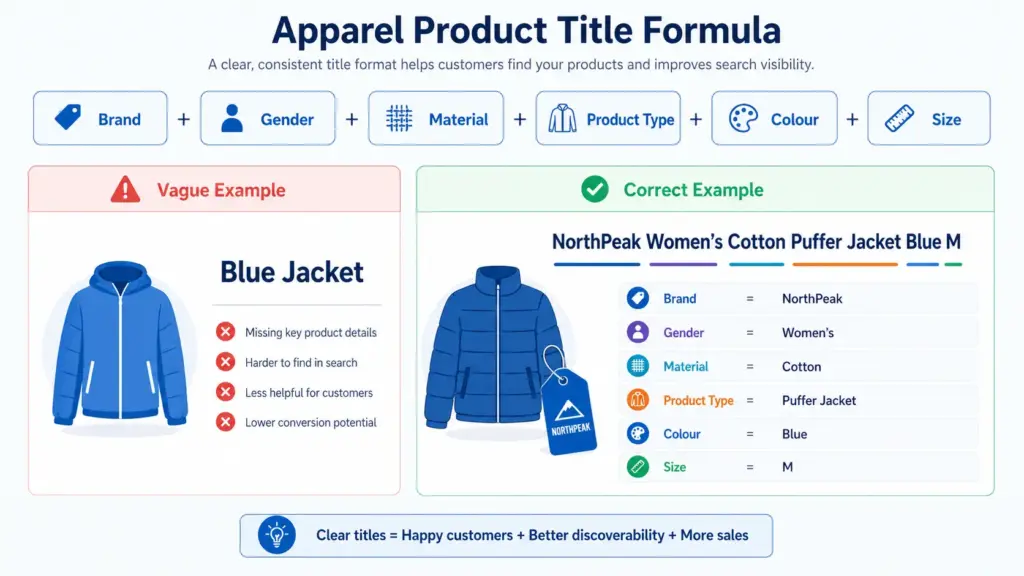
- Required: Brand, Colour, Size, Material, Gender, Age Group
- Recommended: Waterproof (yes/no), Insulation type, Fill power, Packable (yes/no), Season
- Google category: Apparel & Accessories > Clothing > Outerwear > Coats & Jackets
Women’s Dresses
- Required: Brand, Colour, Size, Neckline, Length, Occasion
- Recommended: Pattern, Sleeve length, Care instructions, Season
- Google category: Apparel & Accessories > Clothing > Dresses
Footwear
- Required: Brand, Colour, Size, Size system, Gender, Heel height (where applicable)
- Recommended: Material (upper), Sole material, Closure type, Occasion, Width
- Google category: Apparel & Accessories > Shoes > [specific shoe type]
For the full list of apparel attributes required by Google Shopping feeds, see the Google Shopping Apparel Requirements guide.
Managing Colour in a Fashion Taxonomy
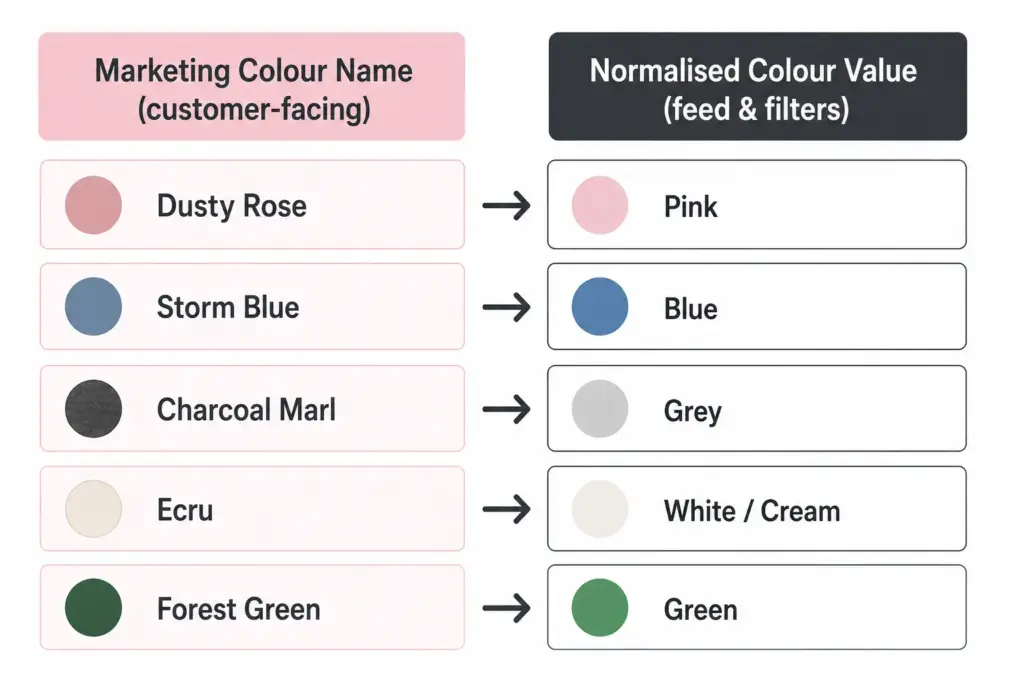
Colour management is where fashion taxonomy most often breaks down. Fashion brands use marketing colour names (“Dusty Rose”, “Storm Blue”) that are meaningful to buyers but problematic for Google Shopping and site search filtering.
The solution is a two-field colour approach:
- Marketing colour name: Used in product titles and descriptions facing customers — “Storm Blue Puffer Jacket”
- Normalised colour value: Used for feed submission and filter attributes — “Blue”. This maps to Google’s accepted colour values and makes site filters work correctly (“Filter by: Blue, Green, Red”).
Without normalised colour values, your “Navy”, “Dark Navy”, “Midnight Navy”, and “Storm Blue” all appear as separate filter options rather than grouping under “Blue”. Customers cannot find what they are looking for and conversion on filtered searches drops.
Size Management and International Sizing
Fashion brands selling internationally face size system conflicts. A UK 10 dress and a US 10 dress are different sizes. A European 40 and a US 8 are the same women’s dress size. Declare your size system in every product record using the size_system attribute.
For brands selling across regions from a single catalog, the cleanest solution is to store size in your primary size system and maintain a size conversion reference table as a documented data standard — not as additional product fields that will create mapping errors when updated.
Seasonal Category Management
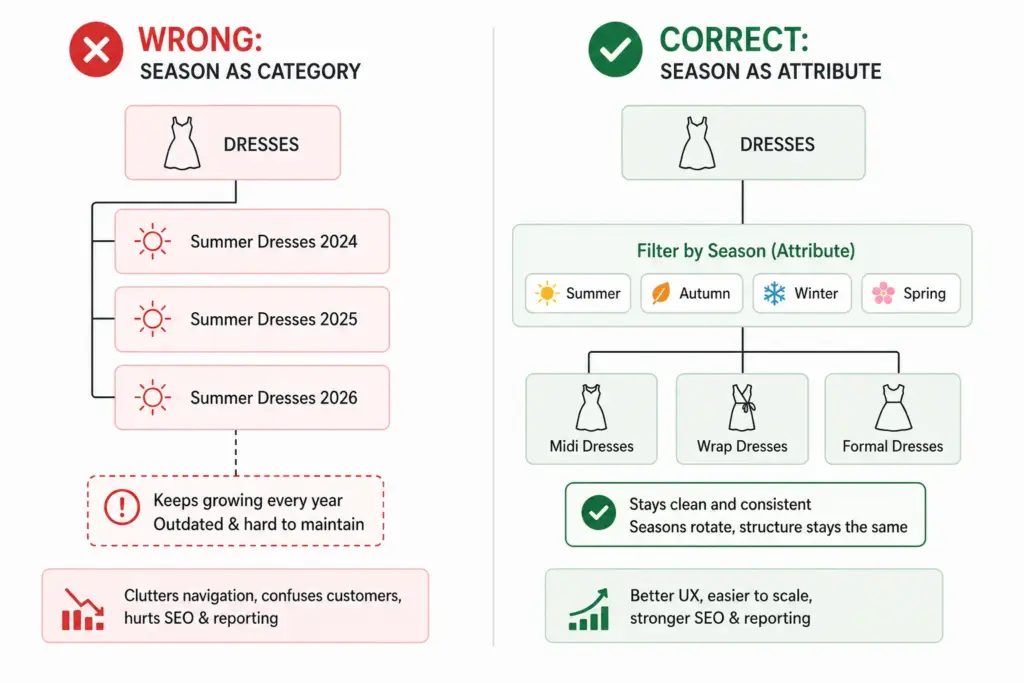
Fashion taxonomy needs seasonal flexibility without permanent structural changes. Two approaches work well:
Season as an attribute, not a category: Keep “Summer Dresses” as a filter value (season = Summer) rather than a permanent subcategory. This prevents your taxonomy from accumulating dead branches as seasons pass.
Evergreen subcategories with seasonal tags: “Dresses” is the permanent subcategory. “Summer” is a tag or attribute. Products appear in the Dresses subcategory year-round; the Summer filter surfaces them seasonally. This is the more scalable approach for catalogs with high seasonal turnover.
Mapping Fashion Taxonomy to Google Product Categories
Every fashion subcategory needs a Google product category mapping. Use Google’s leaf-node values (the most specific level) for best Shopping performance. The mapping should be documented and applied consistently — not manually re-entered per product.
The difference between flat and hierarchical taxonomy structures for fashion is covered in detail in the Flat vs Hierarchical Taxonomy guide — worth reading before finalising your structure.
Once your fashion taxonomy is structured correctly, implementing it at scale requires a system that can enforce attribute validation and apply category-level rules automatically. The PIM Readiness Score takes 5 minutes and shows you where your current product data setup has gaps.
Download the free Product Taxonomy Template at lynkpim.app — the Fashion & Apparel tab includes the full category hierarchy, attribute set, and Google mapping pre-built for clothing, footwear, and accessories.
Frequently Asked Questions
How should fashion ecommerce handle seasonal categories in a product taxonomy?
Use season as an attribute rather than a permanent category. Keep “Dresses” as the permanent subcategory and assign season = Summer as a tag or attribute value. This prevents the taxonomy from accumulating obsolete branches (Summer Dresses 2024, Summer Dresses 2025) that clog navigation and require ongoing cleanup.
What is the two-field colour approach for fashion product data?
Store two colour values per product: a marketing colour name for customer-facing content (Dusty Rose, Storm Blue) and a normalised colour value for feed submission and site filters (Pink, Blue). Without normalised values, multiple shades of the same colour appear as separate filter options — “Navy”, “Dark Navy”, “Midnight Navy” become three separate filter choices instead of one “Blue” group.
How many top-level categories should a fashion taxonomy have?
Most fashion stores work well with 6 to 8 top-level departments: Women’s Clothing, Men’s Clothing, Kids’ Clothing, Footwear, Accessories, Swimwear, and Lingerie & Nightwear. Avoid creating top-level categories for product types you carry fewer than 20 products in — use attributes and filters instead.
How do you handle unisex products in a fashion taxonomy?
Set gender = unisex in the product attributes and assign the product to the most appropriate department based on primary customer intent. For your Google Shopping feed, use gender = unisex and surface products in both Men’s and Women’s navigation via tags or multi-category assignment depending on your platform.
What Google product category should I use for women’s dresses?
Use the leaf-node value: Apparel & Accessories > Clothing > Dresses. Avoid the parent category Apparel & Accessories > Clothing — the more specific your Google product category, the better your Shopping feed relevance. For formal dresses, go one level deeper if possible.