
Amazon Product Feed Guide: Requirements, Errors, and Best Practices for 2026
Amazon does not show customers every product in its catalog for every search. It shows products whose data is complete, accurate, and correctly structured. Your Amazon product feed is the mechanism that determines whether your listings meet that bar — and by how much margin.
A feed with missing required fields gets listings suppressed. A feed with invalid GTINs gets listings rejected or matched to the wrong ASIN. A feed with vague titles and absent bullet points gets deprioritised in search. None of these failures show up as obvious errors in your Seller Central dashboard — they happen quietly while your competitors with better data capture the buy box you should be winning.
This guide covers everything you need for a clean, optimised Amazon product feed in 2026: what an Amazon feed actually is, every required and high-impact optional field, how to structure titles and bullet points that rank, the most common suppression causes and how to fix them, and how flat file uploads compare to the SP-API for different catalog sizes.

What is an Amazon product feed?
An Amazon product feed is a structured data file — or a programmatic API submission — that contains the product information Amazon needs to create, update, or manage your listings on the marketplace. Unlike Google Shopping, where you submit a single feed file that Google reads to show products, Amazon’s feed system is bidirectional: you submit product and offer data, Amazon processes it against its catalog, and the result is either a matched listing on an existing product detail page or a new product detail page created from your data.
This matching behaviour is one of the most important things to understand about Amazon feeds. When you submit a product with a valid GTIN, Amazon checks whether that product already exists in its catalog. If it does, your listing joins the existing product detail page — inheriting any reviews, ranking history, and buy box competition already on that page. If it does not, Amazon creates a new page from your data. Getting this matching right is fundamental to Amazon success.
Amazon processes feed data through its inventory management system and applies strict validation at every step. Fields that do not meet format requirements, values that fall outside permitted lists, and identifiers that fail validation all generate errors — some of which block the listing entirely, others that suppress it from search while technically keeping it live.
Amazon product feed: required fields for 2026
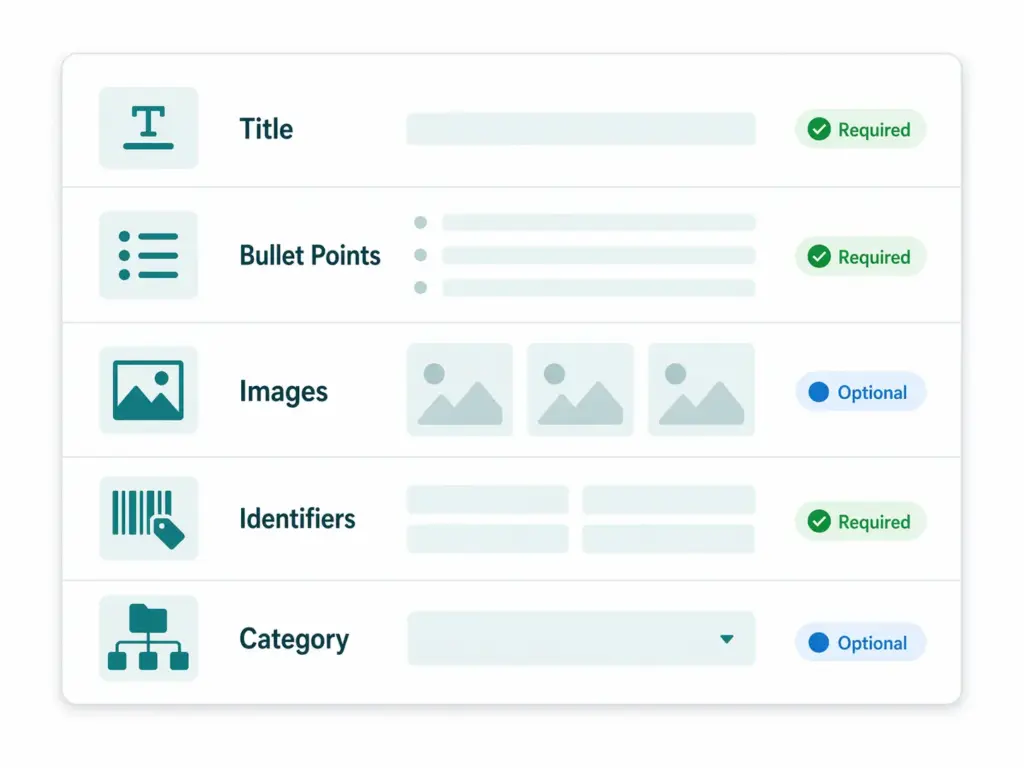
Core fields required for all products
| Field | Feed name | Requirements |
|---|---|---|
| SKU | seller_sku | Your unique internal identifier. Must be consistent across all updates — changing a SKU creates a new listing rather than updating the existing one. |
| Product title | item_name | Max 200 characters. Must follow Amazon’s category-specific style guide. No promotional language, no all caps, no special characters used as decoration. |
| Brand | brand_name | The product’s brand or manufacturer. Must match the brand registered in Brand Registry if you are brand-registered. Do not use your store name as a substitute for a brand. |
| Product description | product_description | Max 2,000 characters. Plain text only in flat file — HTML is not supported in descriptions submitted via flat file but is available via A+ Content for brand-registered sellers. |
| Bullet points | bullet_point1–bullet_point5 | Up to five bullet points, each max 500 characters. These appear prominently on the product detail page and are critical for both conversion and search ranking. |
| Main image URL | main_image_url | White background, product only, minimum 1,000px on the longest side to enable zoom. No text overlays, no watermarks, no lifestyle photography as the main image. |
| Price | standard_price | Your selling price in local currency. Must be a valid number. Amazon will compare against other sellers on the same ASIN for buy box eligibility. |
| Quantity | quantity | Available inventory count. Zero quantity keeps the listing live but removes the buy box. Negative values are invalid. |
| Condition | condition_type | One of: New, Used, Collectible, Refurbished, Club. Most retail products use New. |
| Product identifier | external_product_id | GTIN (UPC, EAN, ISBN, or JAN). Required for most categories. If no GTIN exists, apply for a GTIN exemption — do not submit a placeholder. |
| Product ID type | external_product_id_type | Specifies the identifier type: UPC, EAN, ISBN, JAN, GCID, or ASIN. |
Category-specific required fields
Amazon’s flat file templates vary by product category and include additional required fields beyond the core set above. Common category-specific requirements:
| Category | Additional required fields |
|---|---|
| Apparel & Accessories | Size, colour, gender, age range, fabric type, closure type, care instructions |
| Electronics | Wattage, voltage, batteries included, item weight, item dimensions |
| Beauty & Personal Care | Active ingredients, skin type, item form, target audience, unit count |
| Grocery & Food | Ingredients, nutritional facts, allergen information, net weight, serving size |
| Books | Author, publisher, publication date, language, number of pages, ISBN |
| Tools & Home Improvement | Voltage, wattage, power source, item weight, batteries required |
Download the flat file template for your specific category from Amazon Seller Central (Inventory → Add Products via Upload) before building your feed. Templates are category-specific and updated periodically — always use the current version rather than a cached template from months ago.
High-impact optional fields (treat as required)
- Backend keywords (
generic_keywords) — Up to 250 bytes of search terms that do not appear on the product page but inform Amazon’s search index. Include synonyms, alternate spellings, and related terms your title and bullets cannot naturally accommodate. Do not repeat terms already in your title. - Additional images (
other_image_url1–other_image_url8) — Up to eight additional product images. Listings with multiple images consistently outperform single-image listings in conversion rate. Include lifestyle shots, detail close-ups, size comparison images, and infographic-style images showing key features. - Manufacturer part number (
part_number) — Helps Amazon’s catalog matching when a GTIN is absent or ambiguous. - Item dimensions and weight — Used for shipping calculations, FBA eligibility, and category-specific filtering. Missing dimensions are a common reason for suppressed listings in Home & Garden and Tools categories.
- Variation attributes — If your product has variants (size, colour, style), the variation relationship fields (
parent_sku,relationship_type,variation_theme) are essential for grouping them correctly on the product detail page.
How to write Amazon titles and bullet points that rank
Amazon’s A9 search algorithm uses your product title as the primary ranking signal. Unlike Google, where the title is one of many ranking factors, Amazon’s algorithm weights the product title heavily because it is the field most reliably filled with relevant terms by sellers.
Title structure that works
Amazon’s category-specific style guides define title structure precisely, but the pattern that consistently performs well across most categories is:
Brand + Product Type + Key Feature(s) + Size/Quantity + Variant (if applicable)
Good:   Columbia Men's Watertight II Waterproof Rain Jacket, Navy, Large
Good:   Philips Hue White and Colour Ambiance Smart Bulb E27, 800 Lumen, Pack of 2
Good:   Wilton 2109-0409 Perfect Results Premium Non-Stick Bakeware 12-Cup Muffin Pan

Poor:   BEST RAIN JACKET!!! Waterproof Windproof FREE SHIPPING
Poor:   Rain jacket men waterproof outdoor hiking travel lightweight
Poor:   Jacket (see description for details)
Title rules Amazon enforces: no promotional language (Best, #1, Free Shipping, Sale), no all caps except acronyms, no special characters used decoratively (& is acceptable, but ! and ★ are not), no subjective claims (Amazing, Perfect), no seller information. Titles violating these rules risk suppression or stripping by Amazon’s automated quality systems.
Bullet points that convert
Bullet points serve two purposes: they inform the A9 algorithm (they are indexed for search) and they convert browsers into buyers. Each bullet should lead with the key feature name in capitals (this is Amazon’s convention, not a formatting violation) followed by a specific benefit statement:
WATERPROOF PROTECTION: Seam-sealed construction keeps you dry in heavy rain —
tested to withstand 1,200mm of water pressure for all-day outdoor coverage

PACKABLE DESIGN: Weighs just 340g and packs into its own chest pocket for
easy carrying on hikes, travel, and daily commuting

ADJUSTABLE FIT: Zippered hand pockets, adjustable hem, and Omni-Shield
stain-resistant finish for practical everyday use
Write each bullet for the buyer who reads only the bullets — not the full description. Most customers on mobile decide whether to purchase based on the title and bullets alone.
GTIN requirements on Amazon in 2026
Amazon’s GTIN policy is one of the strictest in ecommerce and one of the most commercially consequential to get wrong. Amazon uses GTINs to match your listing to its product catalog — a product with a valid, recognised GTIN joins the correct product detail page. A product with an invalid or unrecognised GTIN either fails to create a listing or creates a duplicate page that competes with (and loses to) established listings.
Key Amazon GTIN rules for 2026:
- GTINs must be valid — correct format (8, 12, 13, or 14 digits), correct check digit, registered to a known GS1 company prefix
- GTINs must be unique per variant — each size and colour combination needs its own GTIN
- GTINs purchased from resellers (not directly from GS1) are frequently rejected because they are not registered to a valid company prefix
- For products without manufacturer-assigned GTINs — custom products, handmade items, private label products without GS1 registration — apply for a GTIN exemption through Seller Central rather than submitting a placeholder
Before submitting any Amazon feed, validate your GTINs against GS1 standards. The GTIN Validator checks format, digit count, and check digit compliance instantly. For the full picture on GTIN formats, common errors, and how to fix them, the GTIN compliance guide covers every scenario.
Flat file upload vs SP-API: which to use
Amazon supports two main methods for submitting product data at scale: flat file uploads through Seller Central and programmatic submission via the Selling Partner API (SP-API). The right choice depends on your catalog size, update frequency, and technical capabilities.
| Flat file upload | SP-API | |
|---|---|---|
| Best for | Small to mid catalogs, infrequent updates, non-technical teams | Large catalogs, frequent price/inventory updates, PIM integration |
| Format | Excel or tab-delimited text, category-specific template | JSON schema, product-type-specific definitions |
| Update frequency | Manual — as often as you upload | Near real-time for individual listings |
| Error feedback | Processing report available 15–30 min after upload | Immediate validation response per submission |
| Technical skill required | Spreadsheet competence | Developer integration required |
| Bulk operations | Up to 50,000 rows per file | Batch submissions available |
For most ecommerce teams managing catalogs under 10,000 SKUs without a developer resource, flat file uploads are the right starting point. The SP-API becomes the right choice when your prices change frequently (daily promotions, dynamic pricing), when you have a PIM or OMS that needs to keep Amazon inventory in sync in near-real-time, or when you are building a multichannel integration that connects multiple marketplaces from one source.
Amazon transitioned its listing feed API from XML to JSON schema in 2025. If you are using an older integration that submits XML-based inventory feeds, check whether it has been updated — the new JSON schema-based SP-API provides clearer validation feedback and faster processing than the legacy XML format.
The most common Amazon feed errors — and exactly how to fix them
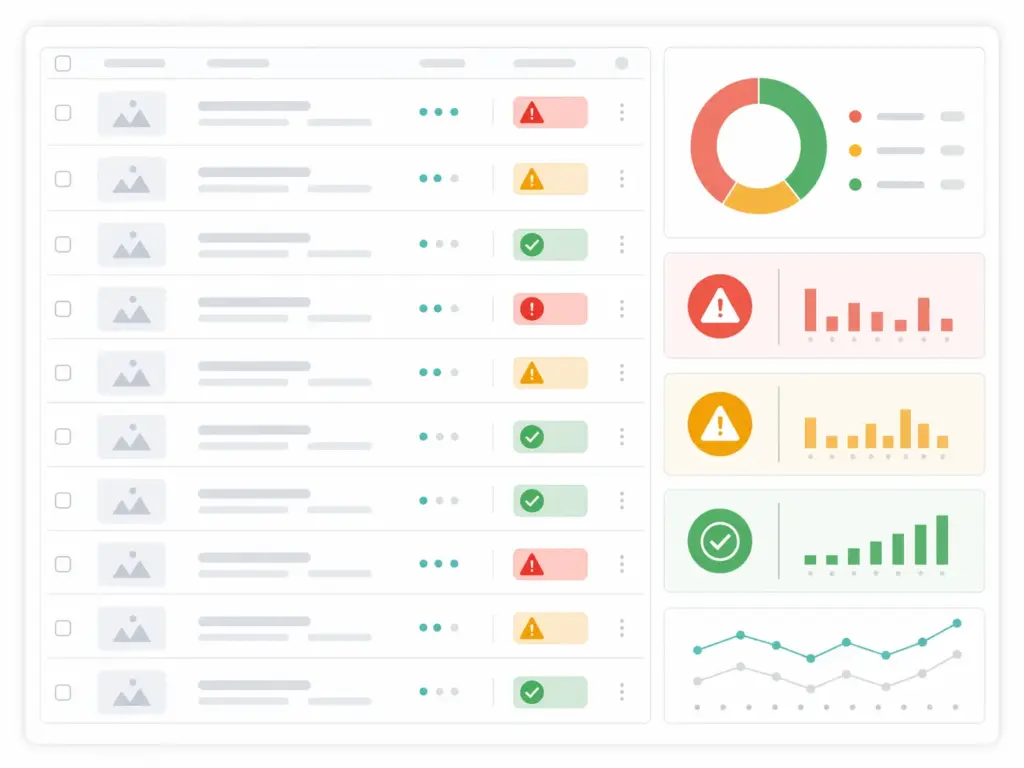
Suppressed listings — the most damaging error
What it looks like: Products show as Active in your inventory but do not appear in Amazon search results. No error message is shown to customers — the listing simply does not rank or appear.
Root causes: Main image does not meet requirements (no white background, too small, has text overlay), missing required fields for the category, price outside acceptable range, or a policy violation flag on the ASIN.
Fix: In Seller Central → Inventory → Manage Inventory → filter by Suppressed. Each suppressed listing shows the specific reason. The most common fix is replacing the main image with a compliant white-background product-only image of at least 1,000px. For missing fields, use the Fix Your Products page which shows exactly which fields need to be populated.
ASIN mismatch or incorrect GTIN
What it looks like: Your product appears on the wrong product detail page — a different product, a different variant, or sometimes a competitor’s listing. Or Amazon creates a duplicate listing instead of matching to an existing ASIN.
Root cause: Invalid GTIN, recycled GTIN (purchased from a reseller rather than directly from GS1), or a GTIN that is registered in Amazon’s catalog to a different product from a previous owner of that GTIN.
Fix: Validate the GTIN first. If the GTIN is valid but matches the wrong product, submit a ticket to Amazon Catalog Support with evidence of your product’s correct information. If the GTIN was purchased from a reseller, obtain a new GTIN directly from GS1 and resubmit. If your product genuinely has no GTIN, apply for a GTIN exemption.
Listing quality warnings and search suppression
What it looks like: Listings are active and appear in search but underperform. Seller Central’s Listing Quality Dashboard shows warnings for missing attributes, incomplete product information, or low-quality content.
Root cause: Missing bullet points, short descriptions, absent backend keywords, missing category-specific attributes (size for apparel, wattage for electronics), or images below minimum quality thresholds.
Fix: Work through the Listing Quality Dashboard systematically, prioritising your highest-revenue ASINs first. Add all five bullet points, ensure the description is at least 500 characters with relevant information, populate all backend keyword fields, and add all category-specific attributes. Products with complete, high-quality data consistently rank higher than products that only meet the minimum bar.
Variation relationship errors
What it looks like: Product variants appear as separate individual listings rather than grouped together as a single listing with colour and size selectors. Or variants appear grouped but the parent-child relationship is broken — clicking a size option does not load the correct variant.
Root cause: Incorrect variation theme for the category, mismatch between parent SKU and child SKUs, or inconsistent variation attributes across the variants in the relationship.
Fix: Check the variation theme field against Amazon’s category-specific flat file template — each category has defined variation themes (SizeColor, Color, Size, etc.) and only those themes are valid for that category. Ensure all child SKUs reference the same parent SKU and use consistent values for variation attributes. Broken variation relationships often require deleting and recreating the parent-child structure from scratch rather than editing existing listings.
Price error or inactive offer
What it looks like: Listing is live but shows no buy box or shows “Currently Unavailable” despite having inventory.
Root cause: Price has been flagged as potentially incorrect (too high relative to historical price or Amazon’s reference price), or a pricing rule conflict has removed the offer from the buy box.
Fix: Check the Pricing Health section of Seller Central for any “Potential Pricing Error” flags. Update the price to within Amazon’s acceptable range, or submit a request to Amazon if you believe your price is correct. For automated pricing rule conflicts, review your pricing rules in the Automate Pricing section and check for conflicts between rules.
Managing Amazon feed data in a PIM
If you sell on Amazon alongside other channels — your own website, Google Shopping, other marketplaces — managing your Amazon product data as a separate spreadsheet from your other channel data creates the same duplication and inconsistency problems that a PIM is designed to prevent.
The right model is to maintain your product data in a PIM as the single source of truth, with a channel-specific output configuration for Amazon that maps your internal attribute names to Amazon’s field names and applies any Amazon-specific transformations (title truncation to 200 characters, bullet point formatting, image URL specification).
When a product description changes, you change it once in the PIM and it propagates to Amazon, Google Shopping, and your website simultaneously. When Amazon updates its category-specific requirements — which happens periodically — you update the channel mapping configuration in your PIM rather than hunting through every flat file template to find what changed.
The PIM data quality guide covers the full data quality framework that makes multichannel feed management reliable at scale. And if you want to check whether your current product data infrastructure is ready to support Amazon alongside your other channels, the PIM Readiness Assessment covers channel syndication readiness as one of its five dimensions.
For teams comparing how Amazon feed requirements differ from Google Shopping requirements — and how to manage both from the same product data — the Google Shopping feed guide covers the Google side of the same comparison.
Amazon product feed checklist for 2026
- ☐ All products have valid GTINs — correct format, check digit validated, registered to a known GS1 company prefix
- ☐ Products without GTINs have GTIN exemptions approved in Seller Central
- ☐ Product titles follow Amazon’s category-specific style guide — no promotional language, no all caps, within 200 characters
- ☐ All five bullet points populated for every listing
- ☐ Product descriptions are at least 500 characters with relevant, accurate information
- ☐ Main product image has a white background, shows only the product, and is at least 1,000px on the longest side
- ☐ At least three additional images uploaded per listing
- ☐ Backend keywords populated up to 250 bytes — no repetition of title terms
- ☐ All category-specific required fields populated (size and colour for apparel, wattage for electronics, etc.)
- ☐ Variation relationships correctly structured with valid variation theme for each category
- ☐ No suppressed listings in Inventory → Manage Inventory → Suppressed filter
- ☐ No Potential Pricing Error flags in Pricing Health
- ☐ Listing Quality Dashboard reviewed and all high-priority warnings addressed
- ☐ Flat file template version is current — downloaded from Seller Central within the last 30 days
Frequently asked questions
What is an Amazon product feed?
An Amazon product feed is a structured data file or API submission containing the product information Amazon needs to create and manage your marketplace listings. It includes fields like product title, description, bullet points, images, price, inventory, GTIN, and category-specific attributes. Amazon processes feed submissions against its product catalog — matching your product to an existing detail page where one exists, or creating a new one where it does not.
Why are my Amazon listings suppressed?
The most common suppression causes are: main product image does not meet Amazon’s requirements (non-white background, too small, contains text), missing required fields for the product’s category, price flagged as a potential pricing error, or a policy violation on the ASIN. Check Seller Central → Inventory → Manage Inventory → filter by Suppressed to see the specific reason for each suppressed listing. Most suppressions can be resolved by fixing the flagged field and resubmitting.
Does Amazon require a GTIN for every product?
Yes, for most categories and product types. Amazon uses GTINs (UPC, EAN, ISBN, or JAN) to match your listing to the correct product detail page in its catalog. Products without valid GTINs either fail to list or create duplicate pages that underperform established listings. For products that genuinely do not have manufacturer-assigned GTINs — custom products, private label without GS1 registration — apply for a GTIN exemption through Seller Central. Never submit a placeholder or reseller-sourced GTIN.
What is the difference between a flat file and the SP-API for Amazon listings?
A flat file is a spreadsheet (Excel or tab-delimited) that you upload manually through Seller Central — practical for teams without developer resources and for catalogs that do not change frequently. The SP-API (Selling Partner API) is a programmatic interface that allows near-real-time listing management, automated inventory updates, and integration with PIM systems and order management platforms. Use flat files if your team manages listings manually and prices are relatively stable. Use the SP-API if you need real-time price/inventory updates or are integrating Amazon with other systems.
How do I fix Amazon listing variation errors?
Variation errors — where variants appear as separate listings instead of grouped, or the parent-child relationship is broken — are usually caused by an incorrect variation theme for the category, a mismatch between parent and child SKU references, or inconsistent values for variation attributes across the relationship. Check the variation theme field against Amazon’s current flat file template for your category. If the relationship is broken, it typically needs to be deleted and recreated from scratch rather than edited in place — Amazon’s catalog system does not always propagate edits to broken variation structures correctly.
How often should I update my Amazon product feed?
For price and inventory, update as frequently as your business requires to keep data accurate — daily at minimum for most sellers, more frequently for high-volume or dynamic pricing operations. For product content (titles, descriptions, bullet points, images), update when the product changes or when you are making deliberate improvements to listing quality. Amazon does not have a maximum feed freshness requirement the way Google Shopping does, but stale inventory data (showing In Stock when you are actually out) will generate suppression and can trigger policy warnings for consistently inaccurate data.