Blog

  • PIM vs MDM vs DAM vs PXM: What to Use (and When)

    If you’ve spent more than a few minutes researching product data systems, you’ve probably seen these four acronyms used almost interchangeably: PIM, MDM, DAM, and PXM.

    TL;DR: On paper, they all seem related to product information. In practice, they solve different problems, sit in different parts of the stack, and matter at different stages of growth.

    That is part of the problem.

    On paper, they all seem related to product information. In practice, they solve different problems, sit in different parts of the stack, and matter at different stages of growth. Teams that blur them together usually end up doing one of two things: buying the wrong system, or expecting the right system to solve the wrong problem.

    This guide is here to make the differences clear without the usual jargon-heavy nonsense. If you are new to PIM as a category, start with What Is PIM? The 2026 Guide for Ecommerce Brands & Retailers or the simpler PIM Basics hub first.

    The short answer

    • PIM manages structured product information used to sell products.
    • MDM governs core master data across systems and business domains.
    • DAM manages digital assets like images, videos, manuals, and documents.
    • PXM focuses on how product content is experienced by customers across channels.

    They overlap, but they are not the same thing, and they do not replace each other one-for-one.

    Why teams get confused

    Because all four touch product information in some way.

    A PIM may hold attributes, descriptions, variants, and channel output. An MDM program may govern the master product record and IDs across ERP, CRM, and other systems. A DAM may store the media attached to those products. And PXM often sits at the layer of presentation, localization, merchandising, and customer-facing content experience.

    From a distance, that can make them sound like competing categories. They usually are not. In most mature setups, they work together.

    What PIM actually does

    PIM stands for Product Information Management. It is the operational system used to structure, enrich, govern, and distribute product information across sales and marketing channels.

    That usually includes:

    • product titles and descriptions
    • structured attributes and specifications
    • variant relationships
    • linked assets like manuals, images, and documents
    • channel-specific field output
    • validation rules and completeness checks
    • workflow and approvals

    PIM becomes valuable when your catalog is no longer simple enough to manage safely in spreadsheets or directly inside one storefront admin.

    If that is your current pain, read next: PIM vs spreadsheets: when your Excel-based product catalog becomes a liability.

    What MDM actually does

    MDM stands for Master Data Management. It is broader than PIM and usually sits at the enterprise governance level.

    MDM is concerned with core business entities such as:

    • products
    • customers
    • suppliers
    • locations
    • accounts
    • reference data shared across systems

    The goal of MDM is not primarily “better product pages.” It is consistency, governance, and trust across systems. It helps answer questions like:

    • What is the official product record across ERP, CRM, procurement, and commerce?
    • Which supplier record is authoritative?
    • Which system is allowed to create or change which fields?
    • How do we avoid duplicate or conflicting core records?

    A useful way to think about the difference is this:

    PIM helps you sell products better. MDM helps you govern business-critical data across the company.

    If you are primarily struggling with product attributes, enrichment, variants, and channel output, MDM is usually too broad to be your first fix.

    What DAM actually does

    DAM stands for Digital Asset Management. It is built to organize, store, govern, retrieve, and distribute digital files.

    That includes things like:

    • product images
    • videos
    • manuals and PDFs
    • brand assets
    • licensing and rights metadata
    • versioning and approvals for creative files

    DAM is very good at file control. It is not, by itself, a strong operational system for structured product relationships, category logic, variant rules, or channel field mapping.

    That is why many modern stacks use PIM + DAM together:

    • DAM governs the files
    • PIM governs the product record and decides which assets belong to which products or variants

    If your issue is “we cannot find the right file” or “nobody knows which image version is approved,” DAM is often the missing piece. If your issue is “the wrong image shows on the wrong variant across channels,” you usually need PIM logic as well.

    What PXM really means

    PXM stands for Product Experience Management. This is the most slippery term of the four because it often describes a layer of capability or strategy more than one clean, universally separate system category.

    PXM is about how product content is presented and experienced by customers across touchpoints. That can include:

    • channel-specific storytelling
    • localized or market-specific product content
    • better merchandising context
    • richer product pages
    • conversion-focused presentation
    • experience consistency across channels

    In simple terms, PIM is usually about getting the product data correct, complete, structured, and governed. PXM is about making that content more useful, more contextual, and more compelling for the customer.

    Without strong product data underneath, PXM becomes presentation layered over weak foundations.

    Where these systems overlap

    The categories are different, but they do touch each other.

    • PIM and MDM overlap around product master records, identifiers, and governance boundaries.
    • PIM and DAM overlap around product-related media, but one governs assets while the other governs the product record.
    • PIM and PXM overlap around channel content, but PIM is the structural layer and PXM is the experience layer.

    This overlap is normal. The mistake is assuming overlap means replacement.

    Side-by-side comparison

    System Primary focus Best used for Usually owned by
    PIM Structured product content and product-data operations Ecommerce catalogs, attributes, variants, enrichment, channel output Ecommerce, merchandising, product ops
    MDM Enterprise master-data governance Cross-system consistency for products, customers, suppliers, locations Data governance, IT, enterprise architecture
    DAM Digital asset control Images, videos, manuals, usage rights, asset versioning Creative, brand, marketing, content operations
    PXM Customer-facing product experience Localization, presentation, storytelling, richer channel experience Marketing, ecommerce, merchandising

    So which one do you actually need?

    The easiest way to decide is to look at the problem that hurts most right now.

    • If your product attributes, variants, and channel exports are inconsistent or slow to manage, you likely need PIM.
    • If your internal systems disagree on authoritative records across departments, you likely need MDM or at least MDM-style governance.
    • If your media library is chaotic and nobody can reliably manage files, approvals, or asset versions, you likely need DAM.
    • If your product data is already clean but the customer experience feels generic, weak, or inconsistent by channel, you may need PXM capabilities.

    Most growing ecommerce brands do not need full enterprise MDM as the first move. They usually hit the operational wall at the product-data layer first, which is why PIM becomes relevant earlier.

    Examples from real-world ecommerce stacks

    Example 1: Shopify brand with messy attributes and feeds

    The team has product data in spreadsheets, some fields in Shopify, some supplier files in email, and inconsistent outputs for Google and marketplace feeds. This is a classic PIM problem first.

    Example 2: Large enterprise with duplicate supplier and product records across systems

    The problem is not only catalog content. It is conflicting core records and governance across ERP, CRM, procurement, and commerce. That is where MDM becomes more important.

    Example 3: Brand team drowning in images and outdated PDFs

    If the bottleneck is finding, approving, versioning, and distributing files, then DAM is the urgent missing layer.

    Example 4: Strong product data but weak customer-facing presentation

    If the underlying data is solid but different markets and channels need richer presentation, localization, and merchandising logic, that leans more toward PXM.

    Why identifiers and field structure still matter here

    One reason these categories get mixed up is that teams encounter the same fields across different systems. Product identifiers, reference IDs, attributes, and custom fields often show up in ERP, commerce platforms, PIMs, feeds, and MDM discussions.

    For example, if you are selling trade items, identifiers like GTIN matter across systems and channels. And if you are using a commerce platform like Shopify, metafield definitions can enforce what kind of value a custom field can hold and where it applies. Those details sound small, but they are often where architecture decisions become very practical very quickly.

    If your team is already thinking about attributes, category-specific fields, and variant logic, go deeper into Product Data Modeling for PIM.

    How this fits with LynkPIM

    LynkPIM sits in the product-data operations layer. It is built for the part of the stack where teams need structured product information, enrichment, governance, validation, and controlled channel output.

    It is not trying to replace ERP, and it is not pretending to be a dedicated DAM. It fits between source systems and destination channels so product teams can manage product information once and publish with more confidence.

    To explore that in product terms, see Features, Integrations, and Solutions.

    What to read next

    Final takeaway

    If you remember only one thing from this article, let it be this: these systems are related, but they are not interchangeable.

    PIM is usually the answer when product data operations are messy. MDM matters when enterprise-wide master-data governance becomes the issue. DAM is the right answer when digital files are the bottleneck. And PXM becomes more important when the product experience itself needs to be richer, more contextual, and more channel-aware.

    The right architecture is rarely about picking one acronym and ignoring the others. It is about knowing which problem you are actually trying to solve first.

    FAQs

    Is PIM the same as MDM?

    No. PIM is focused on sellable product information and product-data operations. MDM is broader and focuses on governing master data across systems and domains.

    Can PIM replace DAM?

    Not fully. A PIM can relate assets to products, but a dedicated DAM is better suited for storing, governing, versioning, and distributing digital files at scale.

    Is PXM a separate tool or a capability layer?

    In many cases, it is better understood as a capability layer or product-experience perspective built on top of structured product data, rather than a clean replacement for PIM.

    What do most ecommerce brands need first?

    Most growing ecommerce brands feel the pain first in product-data structure, enrichment, variants, and channel output. That usually makes PIM the earlier priority over full enterprise MDM.

    Can one company use all four?

    Yes. Mature organizations often use PIM, MDM, DAM, and PXM-style capabilities together. The important part is knowing the role each one plays in the stack.
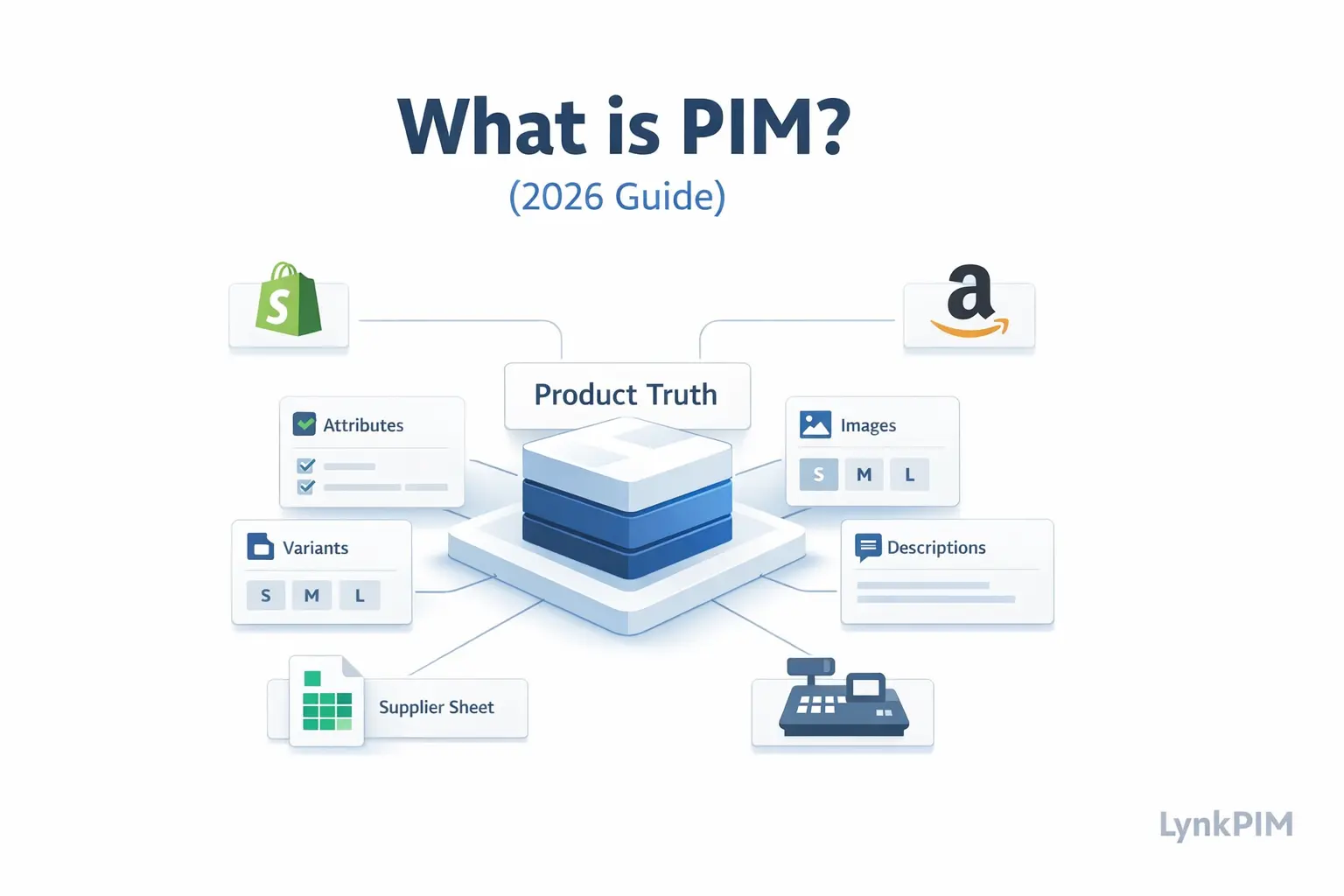
  • What is PIM? The 2026 Guide for E-commerce Brands & Retailers

    What is PIM? The 2026 Guide for E-commerce Brands & Retailers

    If you’ve ever had the feeling that your catalog is somehow “working” and still exhausting everyone at the same time, you’re probably already close to understanding what a PIM is.

    TL;DR: Most teams do not wake up one morning and decide they need product information management software. What usually happens is slower and messier.

    Most teams do not wake up one morning and decide they need product information management software. What usually happens is slower and messier. A product title changes in one channel but not another. A variant image is wrong. Marketing asks for cleaner attributes. Operations is chasing supplier files. Merchandising wants launches to move faster. Support keeps answering questions that should have been clear on the product page.

    That is the moment a spreadsheet stops being “simple” and starts becoming expensive.

    This guide explains what PIM actually is, what it is not, who it is for, who it is not for, and how to tell whether you need one now or later. If you are completely new to the topic, you may also want to start from the PIM Basics hub before going deeper.

    TL;DR

    • A PIM is the operational home for structured, sellable product information.
    • It helps teams centralize, enrich, govern, and publish product data across channels.
    • You usually need PIM when complexity increases across channels, variants, teams, and approvals, not just when SKU count grows.
    • PIM is not ERP, not DAM, not CMS, and not a marketplace uploader.
    • The biggest win is not “storage.” It is control: cleaner data, faster launches, fewer repeated mistakes.

    What is PIM?

    PIM stands for Product Information Management. In practical terms, it is the system where your team manages the product information customers and channels actually depend on: titles, descriptions, attributes, specifications, variants, images, documents, translations, and channel-specific output.

    A simple way to explain it internally is this: your ERP may know that an item exists, your storefront may show it, and your DAM may store the media for it. But a PIM is the place that makes the product record usable, structured, trustworthy, and ready to publish.

    A PIM is the central system used to structure, enrich, govern, and distribute product information across teams and channels.

    If you want a clearer system-by-system breakdown, read PIM vs MDM vs DAM vs PXM: What to Use (and When).

    What PIM is not

    PIM gets misunderstood because it overlaps with several other systems. That overlap is exactly why teams sometimes buy the wrong tool.

    • PIM is not ERP. ERP is built for operational and financial records like inventory, purchasing, and accounts. PIM is built for sellable product content and structure.
    • PIM is not DAM. DAM manages files and usage rights. PIM manages the relationship between product records and the assets attached to them.
    • PIM is not CMS. A CMS manages pages and articles. PIM manages structured catalog data.
    • PIM is not “just another spreadsheet.” The value of PIM is not that it stores product data. It is that it adds governance, validation, workflow, ownership, and repeatable publishing.

    What problems does a PIM solve?

    Most teams think the problem is “we have product data in too many places.” That is true, but it is not the full problem. The bigger issue is that nobody is fully sure which version is final, which fields are required, who approves changes, and what “ready to publish” actually means.

    • Different teams maintain different versions of the same product.
    • Attributes are inconsistent, so filters and feeds break.
    • Variants get flattened into messy rows that are hard to manage.
    • Channel requirements keep changing, and every update becomes manual cleanup.
    • Launches stall because approvals happen in Slack, email, and memory.
    • Supplier files arrive in formats nobody wants to work with.

    If that sounds familiar, also read PIM vs spreadsheets: when your Excel-based product catalog becomes a liability and What “Single Source of Truth” Really Means in Product Operations.

    Who PIM is for

    PIM is not just for one department. The reason it becomes valuable is that product data crosses teams constantly.

    • Ecommerce teams need cleaner product pages, filters, feed fields, and faster publishing.
    • Merchandising teams need better taxonomy, variant structure, and catalog control.
    • Marketing teams need better descriptions, consistent brand language, and reusable content.
    • Operations teams need cleaner supplier intake, fewer manual fixes, and less duplication.
    • IT and RevOps teams need rules, integrations, auditability, and predictable data flow.

    In other words, PIM is for organizations where product information is already a shared operational responsibility, even if nobody has formally named it that yet.

    Who PIM is not for

    Not every business needs PIM right away. A lot of software content on this topic pretends the answer is always yes. It is not.

    • If you have a very small catalog, one editor, one channel, and very few variants, a spreadsheet or native platform setup may still be enough.
    • If your bigger problem is inventory accuracy, purchasing, or finance, PIM is not the first fix.
    • If your catalog changes rarely and your team is not struggling with approvals, enrichment, or channel formatting, PIM might be premature.

    The trigger is usually not “number of products.” It is the combination of channels + contributors + variants + required fields + workflow friction.

    Where PIM sits in the product data flow

    The easiest way to understand PIM is to picture the flow of product data from raw source to live channel.

    • Input: supplier sheets, ERP exports, image folders, technical documents, brand content
    • Structuring: taxonomy, attribute sets, variant model, controlled values
    • Enrichment: descriptions, bullets, SEO fields, translations, compliance notes
    • Governance: ownership, validation rules, review states, approvals
    • Output: storefronts, marketplaces, Google feeds, B2B catalogs, partner exports, print/PDF catalogs

    If you want to go deeper into the structure piece specifically, read Product Data Modeling for PIM: Taxonomy, Attributes, Variants.

    What good PIM implementation changes day to day

    The real benefit of PIM is not abstract. It shows up in daily work.

    • People stop asking which file is current.
    • Variant mistakes become easier to catch before they go live.
    • Required attributes are visible instead of buried in someone’s checklist.
    • Teams can enrich once and publish many times.
    • Launches become less dependent on one person who “knows where everything is.”

    This is why the phrase “single source of truth” matters in product operations. It is not branding language. It is a control mechanism.

    Identifiers, channel requirements, and why structure matters more than people think

    One place product operations often go wrong is identifiers. Teams focus on copy and images, but marketplaces and feeds care just as much about structured identifiers and field quality. If you sell products that have valid identifiers, you need to handle values like GTIN, MPN, and brand correctly and consistently. That matters for matching, syndication, and channel approval readiness.

    For reference, see the official GS1 explanation of GTIN and Google Merchant Center guidance on unique product identifiers.

    Three common PIM use cases by buyer stage

    1. Shopify and multichannel growth

    If you are running Shopify plus a Google feed, marketplaces, or a growing set of collections and variants, PIM becomes useful when your product updates start multiplying across places. The goal here is not enterprise complexity. It is reducing repetitive work and keeping channel output consistent.

    Read next: PIM vs spreadsheets and LynkPIM Features.

    2. B2B and technical catalog complexity

    B2B product data is a different kind of difficult. It usually involves deeper specifications, buyer-specific outputs, more documentation, and more governance risk. If that is your world, generic “better product pages” messaging is not enough. You need structure that reflects how the catalog actually works.

    Read next: PIM for B2B Ecommerce: Managing Complex Product Specs, Variants, and Buyer-Specific Catalogs.

    3. DPP and structured compliance readiness

    For teams thinking about Digital Product Passport readiness, the conversation shifts from “where do we store product content?” to “can we trust the structure, field ownership, supplier data, and traceability of the catalog?” PIM becomes important here because compliance work usually fails at the operational layer first.

    Read next: LynkPIM Solutions and your Digital Product Passport content cluster.

    How PIM is different from just “better product data management”

    People often use “product data management” as a general phrase, and that is fine in conversation. But the reason PIM matters as a category is that it gives product data an operational home. It does not just improve the content. It creates rules around the content.

    That includes things like:

    • attribute ownership
    • taxonomy logic
    • controlled values
    • variant inheritance
    • approval workflows
    • channel mappings
    • audit history

    That is why PIM becomes more valuable as your operation becomes more collaborative.

    When should you implement PIM?

    Usually earlier than teams expect, but not as early as vendors suggest.

    A good rule of thumb is this: if your team is already compensating for catalog chaos with process hacks, extra review steps, duplicate sheets, export files, and “don’t touch that tab” instructions, you are already doing PIM work manually. The question is whether you want to keep doing it invisibly.

    Most successful implementations start with the basics first: taxonomy, core attributes, variant logic, ownership, and the fields that most affect conversion and channel readiness. Not everything at once.

    Final takeaway

    PIM is not interesting because it is fashionable software. It is useful because product data gets complicated faster than most teams expect.

    If your catalog is still small and stable, you may not need PIM yet. But if your team is already managing product truth across spreadsheets, channels, supplier files, and memory, then PIM is not a “nice to have.” It is the system that turns product operations from reactive cleanup into a repeatable process.

    And once you get to that point, the upside is not just cleaner data. It is faster launches, fewer avoidable mistakes, better channel output, and a team that trusts the catalog again.

    FAQs

    Is PIM only for large catalogs?

    No. The trigger is usually complexity, not just SKU volume. A smaller catalog with many variants, multiple channels, and multiple contributors can need PIM before a larger but simpler catalog does.

    Do I need PIM if I only sell on Shopify?

    Not always. But if Shopify is only the storefront while your real work happens in spreadsheets, supplier files, and feed tooling, PIM can still reduce errors and speed up updates.

    How is PIM different from ERP?

    ERP manages operational and financial records. PIM manages sellable product information, structured attributes, and publishing workflows.

    What should go into PIM first?

    Start with taxonomy, required attributes for your main categories, variant structure, identifiers, core images, and the fields that directly affect channel readiness and conversion.

    Can PIM help with B2B catalogs?

    Yes. In many B2B setups, that is where PIM becomes even more valuable because of deeper specs, buyer-specific views, and stronger governance requirements.

    Why do PIM projects fail?

    Usually because the team treats it as a migration project instead of an operating model. If ownership, taxonomy, approvals, and field standards are unclear, the tool cannot rescue the process on its own.